
pengenalan
This manual provides detailed instructions for the installation, operation, and maintenance of your REVODATA I706-P-A-HS 5MP POE IP Camera. Please read this manual thoroughly before using the product to ensure proper setup and functionality.
Nota Penting:
- This camera is POE powered and requires an external standard 48V 802.3af POE switch.
- The camera defaults to 5MP and H.265 encoding. If your NVR does not support 5MP or H.265, you can switch the camera to 1080P (2MP) and H.264.
- The camera also supports H.264 encoding for compatibility with H.264 and H.265 devices.
- An auxiliary power interface allows use as a non-POE network camera with a standard 12V 2A power supply (not included).
Kandungan Pakej
Sila semak kandungan bungkusan dengan teliti. Jika ada barang yang hilang atau rosak, hubungi peruncit anda.
- REVODATA I706-P-A-HS 5MP POE IP Camera (1 unit)
- Mounting Screws Set (1 set)
- Manual Pengguna (1 unit)

Imej: Selesaiview of the camera's components, dimensions, and included package items. Note: Power unit is not included.
Ciri-ciri Utama
- Resolusi HD 5MP: Equipped with a 1/3-inch CMOS sensor, delivering clear 2880x1616P images/videos at up to 20 frames per second.
- Built-in Microphone (One-way Audio): Captures sound around the camera, providing additional security information.
- 48V POE Support: Integrated POE module (802.3af standard) simplifies wiring. Also supports 12V 2A non-POE power via an auxiliary interface.
- Reka bentuk padat: Small size (5.3 x 4.5 x 4 cm) with a 3.6mm fixed lens, offering an 80° viewing angle, ideal for discreet placement.
- H.265/H.264 Dual Encoding: Compatible with both H.264 and H.265 devices, optimizing storage space.
- Alat Kawalan Jauh P2P Viewing: Access live and recorded footage remotely via the "Linklemo" mobile app (iOS, Android) or VMS software for Windows.
- Pengesanan Pergerakan: Receive alarm messages on your phone upon detecting human movement.
- Web Sokongan antara muka: Compatible with IE6.0 and above browsers for configuration and viewing.
- Pembinaan Tahan Lama: Features a metal shell for enhanced durability.

Image: Key features of the REVODATA 5MP POE IP Camera, including POE, H.265/H.264 compression, 5MP resolution, audio, 75° Field of View, P2P remote access, motion detection, and 3.6mm lens.

Image: The compact design of the camera, illustrating its small size for discreet installation.
Persediaan dan Pemasangan
1. Menguasakan Kamera
The REVODATA I706-P-A-HS camera supports two power methods:
- Kuasa atas Ethernet (POE): Connect the camera's RJ45 port to a standard 48V 802.3af POE switch or NVR using an Ethernet cable. This provides both power and data connectivity.
- Auxiliary DC Power: If not using POE, connect a 12V 2A DC power adapter (not included) to the camera's DC power port. Then, connect the RJ45 port to your network router or NVR for data.
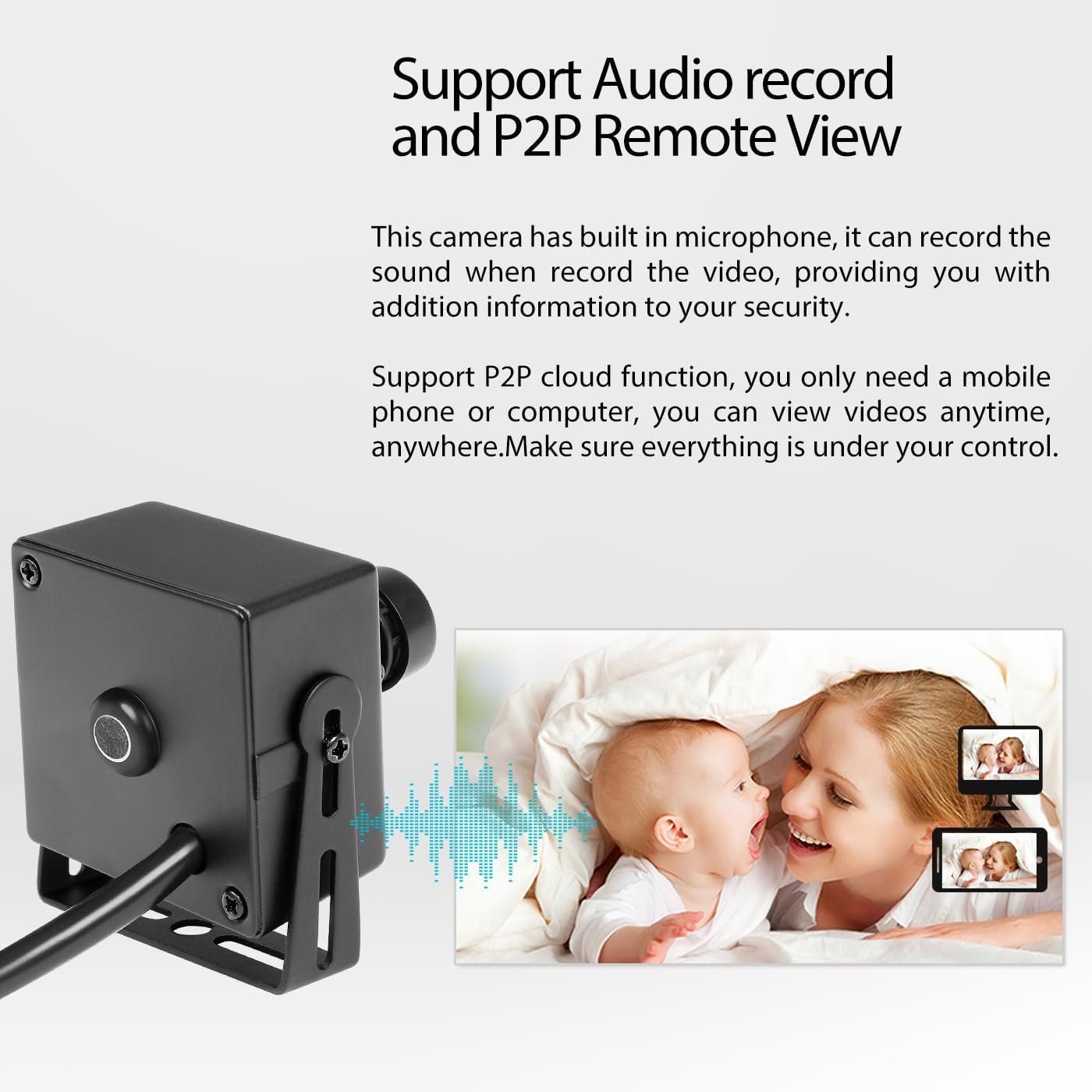
Image: Illustration of POE support, showing how a POE cable provides both power and network connectivity to the camera.
2. Pemasangan Fizikal
The camera comes with mounting brackets and screws for easy installation. Choose a suitable indoor location that provides the desired viewing angle (80° Field of View).
- Secure the mounting bracket to a wall or ceiling using the provided screws.
- Attach the camera to the bracket and adjust its angle for optimal coverage.
3. Konfigurasi Awal
Upon first connection, the camera will obtain an IP address dynamically (DHCP). You can access the camera's web interface via a browser (IE6.0 or above) to configure settings.
- Keserasian NVR: If your NVR does not support 5MP or H.265, adjust the camera's resolution to 1080P (2MP) and encoding to H.264 via the web interface or VMS software for compatibility.
- Pemasangan Perisian: Untuk mudah alih viewing, download and install the "Linklemo" app (iOS/Android). For PC viewing and management, install the VMS software (Windows only).
Operasi
1. Jauh Viewing (P2P)
The camera supports P2P cloud functionality, allowing you to view secara langsung dan dirakam footage from anywhere using your smartphone or computer.
- Download and install the "Linklemo" app on your iOS or Android smartphone.
- Follow the in-app instructions to add your camera using its unique ID or QR code.
- For PC, use the provided VMS software (Windows) to connect and manage your camera.

Image: Mobile app and VMS software interfaces for remote viewing and management of the camera.
2. Rakaman Audio
The built-in microphone allows for one-way audio recording. This feature captures ambient sounds, providing additional context to your video surveillance.
- Ensure audio recording is enabled in the camera's settings via the web interface or VMS software.
- Audio will be recorded alongside video footage and can be accessed during playback.

Image: The camera's audio recording function and P2P remote viewkeupayaan.
3. Pengesanan Pergerakan
Configure motion detection to receive alerts and record only when activity is detected, saving storage space.
- Access motion detection settings through the camera's web interface or VMS software.
- Define detection zones and sensitivity levels.
- Enable email alarms or push notifications to your mobile device upon detection.

Image: Motion detection alarm feature, showing a notification on a smartphone when movement is detected.
4. Day/Night Vision
The camera provides clear images in both day and low-light conditions. While it does not have built-in IR LEDs, its low-light performance is optimized for environments with minimal ambient light.
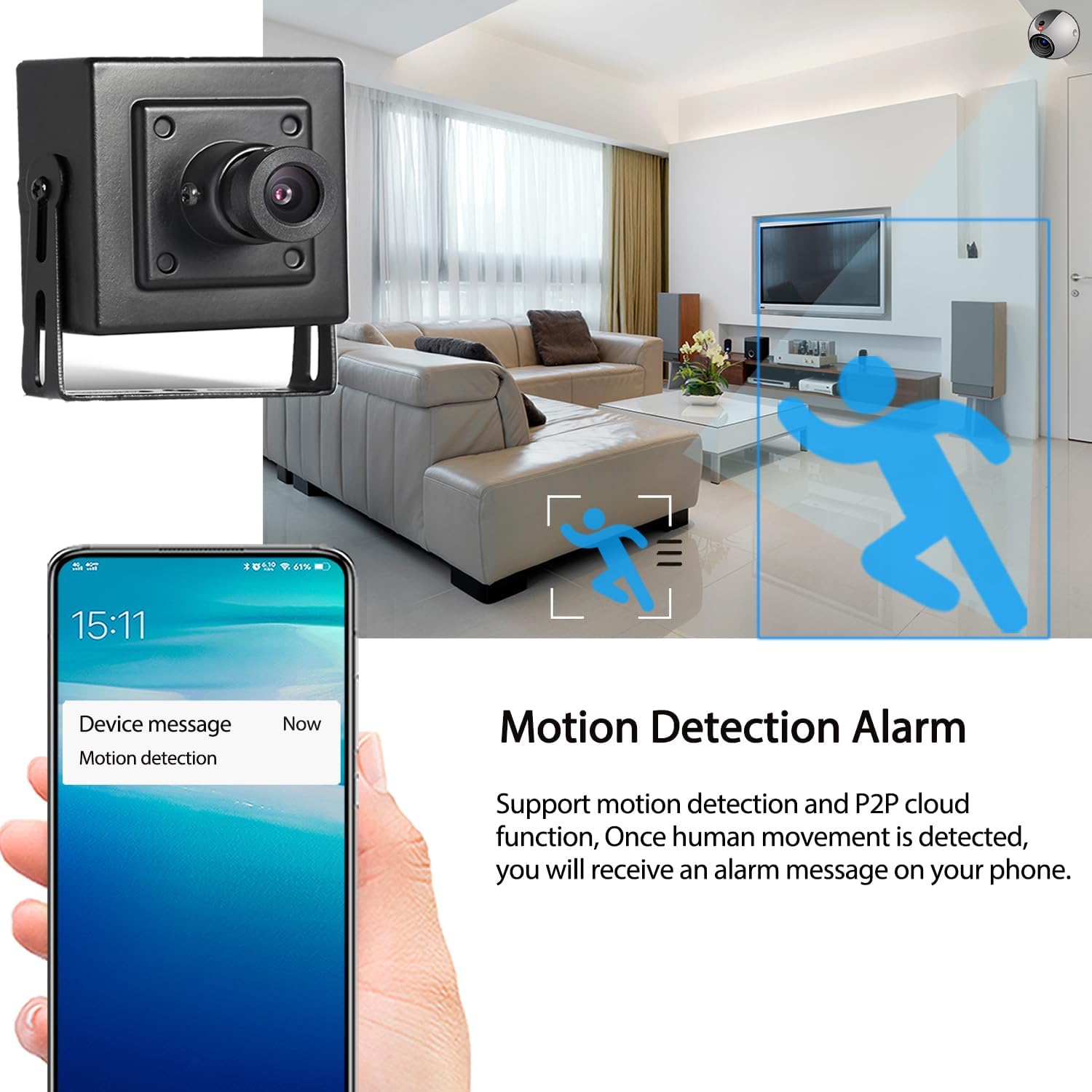
Image: Comparison of day and night image quality captured by the camera.
Penyelenggaraan
- Pembersihan: Lap perlahan-lahan lensa kamera dan badan dengan kain lembut dan kering. Elakkan menggunakan bahan kimia yang keras atau pembersih yang kasar.
- Kemas kini Firmware: Periksa pengeluar secara berkala webtapak untuk kemas kini perisian tegar bagi memastikan prestasi dan keselamatan yang optimum.
- Keadaan Persekitaran: Ensure the camera is used within its specified operating temperature range (-25°C to 60°C) and in an indoor environment as recommended.
Menyelesaikan masalah
| Masalah | Kemungkinan Punca / Penyelesaian |
|---|---|
| No image or video feed. |
|
| Cannot connect to NVR. |
|
| Tiada rakaman audio. |
|
| Amaran pengesanan gerakan tidak diterima. |
|
Spesifikasi Teknikal
| Nama Model | I706-P-A-HS |
| Sensor | FH8852V200+GC5053 (1/3'' CMOS) |
| Effective Resolution | 5 Megapiksel (2880*1616P) |
| Kadar Bingkai | 25fps (5MP) |
| Lensa | Kanta tetap 3.6 mm |
| Bidang View (FOV) | 80 Darjah |
| Format Mampatan | H.265/H.264 |
| Audio | Built-in Microphone (One-way audio), Sensitivity: -36dB |
| Standard POE | 802.3af (48V) |
| Kuasa Bantu | 12V 2A DC (adapter not included) |
| Ketersambungan | Wired Ethernet (RJ-45, 10M/100M mbps) |
| Protokol | HTTP, TCP/IP, RTSP, RTP, UPNP, SMTP, DHCP, DDNS, DNS, FTP, NTP |
| ONVIF Port | 80 |
| Penggera Pintar | Motion Detection, Email Alarm |
| Penyimpanan | NVR or Computer |
| Suhu Operasi | -25°C hingga 60°C (-13°F hingga 140°F) |
| Dimensi (L x W x H) | 5.3 x 4.5 x 4 cm (2.09 x 1.77 x 1.57 inci) |
| Berat badan | 0.2 kg (0.44 lbs) |
| Penarafan IP | IP65 (Note: Product is recommended for indoor use) |
Waranti dan Sokongan
For warranty information and technical support, please refer to the documentation provided with your purchase or contact REVODATA customer service through their official weblaman web atau peruncit anda.
Always ensure you are using the latest software and firmware for optimal performance and security.