
pTron Zenbuds
pTron Zenbuds Ultima ANC Earbuds User Manual
Model: Zenbuds
Produk Selesaiview
The pTron Zenbuds Ultima ANC Earbuds are advanced wireless headphones designed for an immersive audio experience. Featuring 35dB Hybrid Active Noise Cancellation (ANC) and Transparency Mode, they allow you to control your sound environment. Equipped with 4 QuadPro Microphones and TruTalk Environmental Noise Cancellation (ENC), these earbuds ensure crystal-clear calls. Enjoy up to 50 hours of total playtime with the charging case, 4D Panoramic Audio, and ultra-low 40ms latency for gaming. The earbuds are also IPX5 water-resistant, making them suitable for various activities.

This image displays the pTron Zenbuds Ultima ANC Earbuds in Jade Black, alongside their sleek charging case. The earbuds feature a stem design with an in-ear fit, showcasing their compact and modern aesthetic.
Kandungan Pakej
Sila tandai kotak untuk item berikut:
- 1 x Pair of pTron Zenbuds Ultima ANC Earbuds
- 1 x Kes Pengecasan
- 1 x Kabel Pengecas USB Jenis-C
- 1 x Set of Extra Ear Tips (S/M/L sizes)
- 1 x Manual Pengguna
- 1 x Kad Waranti
Panduan Persediaan
1. Mengecas Fon Telinga dan Sarung
Before first use, fully charge the earbuds and the charging case. Place the earbuds into the charging case, ensuring they are correctly seated. Connect the provided USB Type-C cable to the charging port on the case and the other end to a 5V-1A power adapter (not included). The indicator lights on the case will show the charging status. A full charge typically takes approximately 1.5 hours for the earbuds and 2 hours for the case.
2. Berpasangan dengan Peranti Anda
The pTron Zenbuds Ultima feature 1-step pairing for convenience.
- Ensure the charging case has sufficient power.
- Open the charging case lid. The earbuds will automatically power on and enter pairing mode, indicated by a flashing LED light on the earbuds.
- Pada telefon pintar atau peranti berdaya Bluetooth anda, pergi ke tetapan Bluetooth.
- Cari untuk "pTron Zenbuds Ultima" in the list of available devices.
- Select it to connect. Once connected, you will hear a confirmation tone, and the earbud LED lights will turn off.
- For subsequent uses, the earbuds will automatically connect to the last paired device when the case lid is opened, provided Bluetooth is enabled on your device.

This image shows the pTron Zenbuds Ultima earbuds removed from their charging case, ready for use or pairing. The open case is visible in the background, highlighting the compact design.
Arahan Operasi
Kawalan Sentuh
The pTron Zenbuds Ultima feature intuitive touch controls on each earbud. The following table outlines the common functions:
| Tindakan | Fungsi |
|---|---|
| Ketik Tunggal (L/R) | Main/Jeda Muzik, Jawab/Tamatkan Panggilan |
| Ketik Dua Kali (L) | Trek Sebelumnya |
| Ketik Dua Kali (R) | Trek Seterusnya |
| Ketik Tiga Kali (L/R) | Aktifkan Pembantu Suara (Pembantu Google/Siri) |
| Tekan Lama (2s) (Kiri/Kanan) | Switch between ANC / Transparency / Normal Mode |
| Long Press (2s) during call | Tolak Panggilan |
Pembatalan Bunyi Aktif (ANC) dan Mod Ketelusan
The Zenbuds Ultima feature 35dB Hybrid ANC to significantly reduce ambient noise, allowing for an immersive listening experience. Transparency Mode allows you to hear your surroundings without removing the earbuds, which is useful for awareness in busy environments. To switch between ANC, Transparency, and Normal modes, long-press either earbud's touch sensor for 2 seconds.
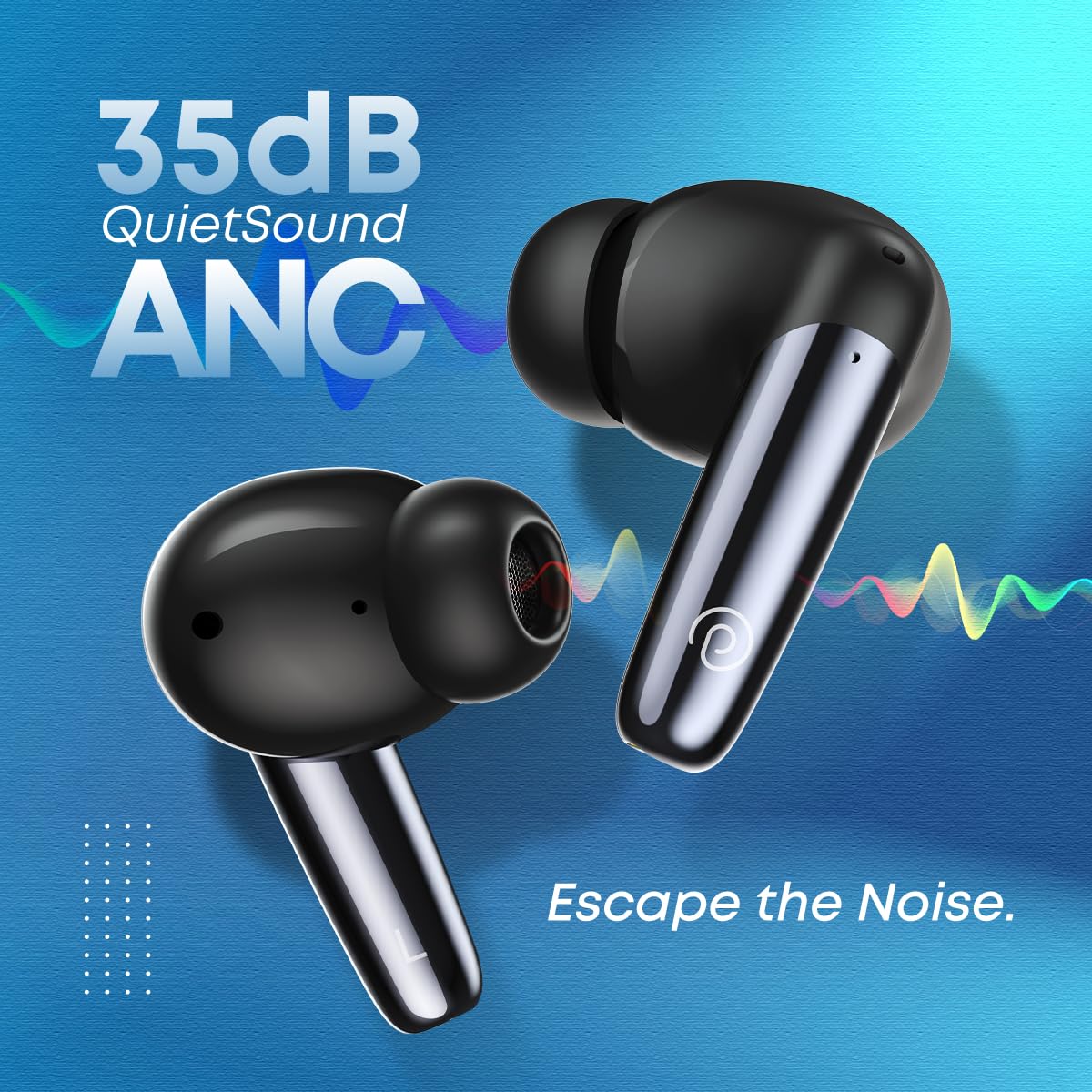
This image emphasizes the 35dB QuietSound ANC feature of the pTron Zenbuds Ultima, showing the earbuds with sound wave graphics indicating noise cancellation.
Membuat dan Menerima Panggilan
Equipped with 4 QuadPro Microphones and TruTalk Environmental Noise Cancellation (ENC) technology, the Zenbuds Ultima ensure your voice is transmitted clearly during calls, even in noisy environments. Use the touch controls to answer, end, or reject calls.

This image depicts a person using the pTron Zenbuds Ultima earbuds, highlighting the QuadPro Mics with TruTalk ENC for clear communication in various settings.
Audio and Gaming Experience
The 13mm dynamic drivers deliver immersive stereo sound with deep bass and 4D Panoramic Audio. For gamers, the 40ms low-latency mode (AptSense) ensures synchronized audio and video, providing a seamless mobile entertainment experience.

This image focuses on one pTron Zenbuds Ultima earbud, emphasizing its 4D Panoramic Audio capabilities and Bluetooth 5.3 connectivity for an enhanced listening experience.
Penyelenggaraan dan Penjagaan
Pembersihan
Regularly clean your earbuds and charging case to ensure optimal performance and hygiene. Use a soft, dry, lint-free cloth to wipe the surfaces. For the ear tips, remove them and clean with a mild soap solution if necessary, then rinse thoroughly and dry completely before reattaching. Do not use harsh chemicals or abrasive materials.
Rintangan Air (IPX5)
The pTron Zenbuds Ultima are rated IPX5 water-resistant, meaning they can withstand splashes of water and sweat. This makes them suitable for workouts and light rain. However, they are not designed for submersion in water or for use during swimming. Ensure the earbuds are dry before placing them back into the charging case.

This image visually represents the IPX5 water resistance of the pTron Zenbuds Ultima, showing the earbuds with water droplets, indicating their ability to withstand sweat and splashes.
Penjagaan Bateri
To prolong battery life, avoid exposing the earbuds and case to extreme temperatures. Store them in a cool, dry place when not in use. It is recommended to fully charge the device at least once every three months if not used regularly.
Menyelesaikan masalah
If you encounter issues with your pTron Zenbuds Ultima, please refer to the following common solutions:
- Fon telinga tidak berpasangan: Ensure both earbuds are charged. Place them back in the case, close the lid, wait a few seconds, then open the lid to re-enter pairing mode. On your device, forget the previous Bluetooth connection and try pairing again.
- Hanya satu fon telinga berfungsi: Check if both earbuds are charged. Try placing both earbuds back into the charging case, close the lid, and then take them out simultaneously. This often re-syncs them.
- Tiada bunyi: Check the volume level on your device and the earbuds. Ensure the earbuds are properly connected to your device. Try playing audio from a different application or source.
- Isu pengecasan: Ensure the charging cable is securely connected to both the case and the power adapter. Use a DC5V-1A charger. Clean the charging contacts on the earbuds and inside the case with a dry cotton swab.
- Kualiti panggilan yang lemah: Ensure the microphones are not obstructed. Try moving to an area with less background noise.
- Sambungan terputus-putus: Ensure your device is within the 10-meter Bluetooth range. Avoid obstacles between the earbuds and your device.
Spesifikasi Teknikal
| Ciri | Spesifikasi |
|---|---|
| Nama Model | Zenbuds Ultima |
| Versi Bluetooth | 5.3 |
| Julat Bluetooth | Sehingga 10 meter |
| Kawalan Bunyi | 35dB Hybrid Active Noise Cancellation (ANC) |
| Mikrofon | 4 QuadPro Mics with TruTalk ENC |
| Saiz Pemandu | Pemacu Dinamik 13mm |
| Latensi Rendah | 40ms (AptSense) |
| Jumlah Masa Main | Hingga 50 jam (dengan cas pengecasan) |
| Tahan Air | IPX5 (Kalis Peluh & Air) |
| Port Pengecasan | USB Jenis-C |
| Jenis Kawalan | Kawalan Sentuh, Kawalan Suara |
| Peranti Serasi | All Bluetooth Devices (iOS, Android, Laptops, PCs, Smart TVs) |
| bahan | ABS, PC, Silikon |
| Berat Barang | 40 Gram |
| Dimensi Produk | 7.8 x 6.4 x 2.6 cm |
Waranti dan Sokongan Pelanggan
The pTron Zenbuds Ultima ANC Earbuds come with a Waranti Pengeluar 1 Tahun dari tarikh pembelian. Waranti ini meliputi kecacatan pembuatan. Sila simpan resit pembelian anda untuk tuntutan waranti.
For any product-related queries, technical support, or warranty claims, please contact pTron customer support:
- e-mel: Support@ptron.in
- telefon: 040-67138888
Please note: Using incompatible USB cables or high voltage chargers can damage the product and void the product warranty. We strongly recommend using DC5V-1A chargers and the USB cable included in the package.
Ask a question about this manual
Ask about setup, troubleshooting, compatibility, parts, safety, or missing instructions. Manuals+ will review the question and use this page’s manual context to help answer it.