
1. Pengenalan
Thank you for choosing the EBTOOLS 4G LTE USB WiFi Modem. This device provides a portable wireless hotspot, allowing you to connect multiple devices to the internet using a 3G or 4G SIM card. This manual will guide you through the setup, operation, maintenance, and troubleshooting of your device to ensure optimal performance and a seamless user experience.
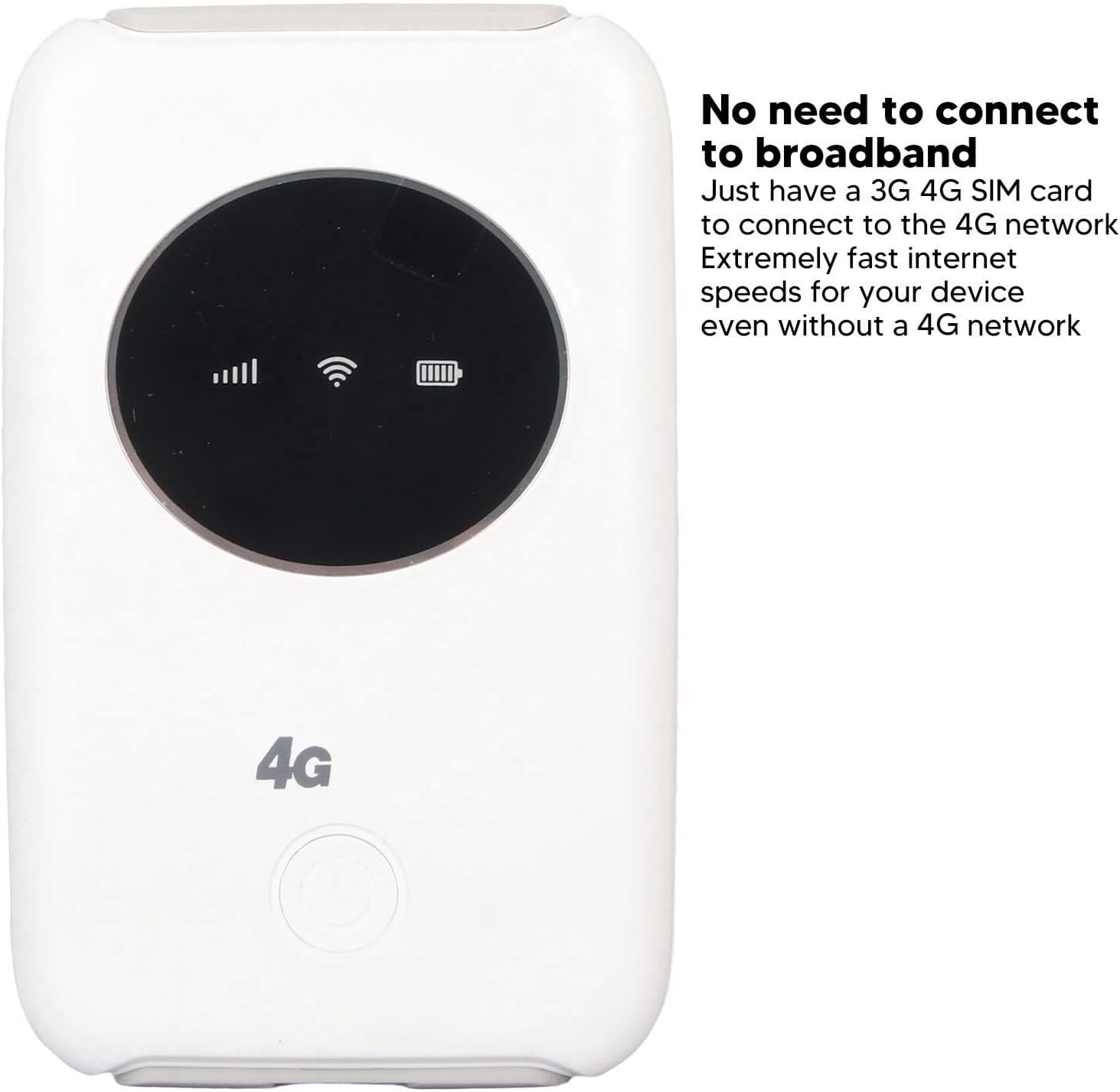
Imej 1.1: Depan view of the EBTOOLS 4G LTE USB WiFi Modem, showing its compact design and indicator lights for signal strength, WiFi status, and battery level. This device allows internet access without a traditional broadband connection, requiring only a 3G or 4G SIM card.
2. Produk Lebihview
2.1 Ciri-ciri Utama
- Portable 4G LTE Hotspot: Provides wireless internet access using a 3G/4G SIM card.
- Kesambungan Berkelajuan Tinggi: Supports LTE CAT4 with internet access speeds up to 300Mbps, depending on signal strength.
- Sokongan Berbilang Pengguna: Menyambungkan sehingga 10 peranti secara serentak.
- Bateri Terbina dalam: Features a 3200mAh Lithium-ion polymer battery for extended use.
- Pengecasan Fleksibel: Can be charged via computer USB port, car USB charger, or other external power sources.
- Reka bentuk padat: Small and lightweight, ideal for travel, business trips, outdoor activities, and car WiFi.
2.2 Kandungan Pakej
- 1 x EBTOOLS 4G LTE USB WiFi Modem
- 1 x Kabel USB
- 1 x Manual Pengguna

Image 2.1: The EBTOOLS 4G LTE USB WiFi Modem shown alongside its Micro USB charging cable. This image illustrates the main components included in the product package.
3. Persediaan
3.1 Memasukkan Kad SIM dan Bateri
- Locate the SIM card slot on the device. The device uses a standard SIM card.
- Carefully insert your active 3G or 4G SIM card into the designated slot. Ensure it is inserted correctly according to the diagram or markings on the device.
- Install the built-in Lithium-ion polymer battery into its compartment.
- Tutup penutup petak bateri dengan selamat.

Imej 3.1: Perincian view of the modem, illustrating the process of inserting the SIM card and battery. Proper insertion is crucial for the device to function correctly.
3.2 Initial Configuration (APN Settings)
Even if your SIM card is active and supports hotspot devices, you may need to configure the Access Point Name (APN) settings for internet connectivity. Follow these steps:
- Ensure your SIM card's PIN code is disabled. This can usually be done through a mobile phone before inserting it into the modem.
- Connect a device (e.g., laptop, smartphone) to the modem's WiFi network. The default WiFi name (SSID) and password are usually found on a sticker inside the battery compartment or on the device itself.
- Buka a web browser on the connected device and enter the router's IP address: 192.168.43.1.
- Log in to the modem's administration interface. Default login credentials are often 'admin' for both username and password. Refer to the device's label for specific details.
- Navigasi ke tetapan rangkaian atau bahagian tetapan APN.
- Enable APN for the network and modify the APN settings according to your mobile network provider's specifications. This information can typically be found on your provider's webtapak atau dengan menghubungi sokongan pelanggan mereka.
- Save the changes and restart the modem if prompted.
Penting: Ensure your SIM card is active and has an active data plan for internet access.
4. Arahan Operasi
4.1 Menghidupkan/Mematikan
- Untuk Menghidupkan: Press and hold the power button (usually located on the front or side) for a few seconds until the indicator lights illuminate.
- Untuk Mematikan: Press and hold the power button again for a few seconds until the indicator lights turn off.
4.2 Menyambung Peranti
The EBTOOLS 4G LTE USB WiFi Modem can support up to 10 connected devices simultaneously. The effective WiFi range is approximately 10 meters (32.8 feet).
- Ensure the modem is powered on and the WiFi indicator light is active.
- On your device (smartphone, tablet, laptop), search for available WiFi networks.
- Select the network name (SSID) corresponding to your EBTOOLS modem.
- Enter the WiFi password (WPA/WPA2 key) when prompted. This is typically found on a sticker on the device or in the battery compartment.
- Once connected, your device should have internet access.

Image 4.1: The modem is shown with an overlay indicating its ability to connect up to 10 devices simultaneously, including smartphones, tablets, and laptops. The effective range is approximately 10 meters.
4.3 Mengecas Peranti
The modem can be charged using the provided USB cable. Connect the Micro USB end to the modem and the standard USB end to any of the following power sources:
- Port USB komputer
- Car USB charger
- Standard USB power adapter (e.g., smartphone charger)
The battery indicator light will show the charging status. The device can operate while charging when connected to an external power source, without a time limit.
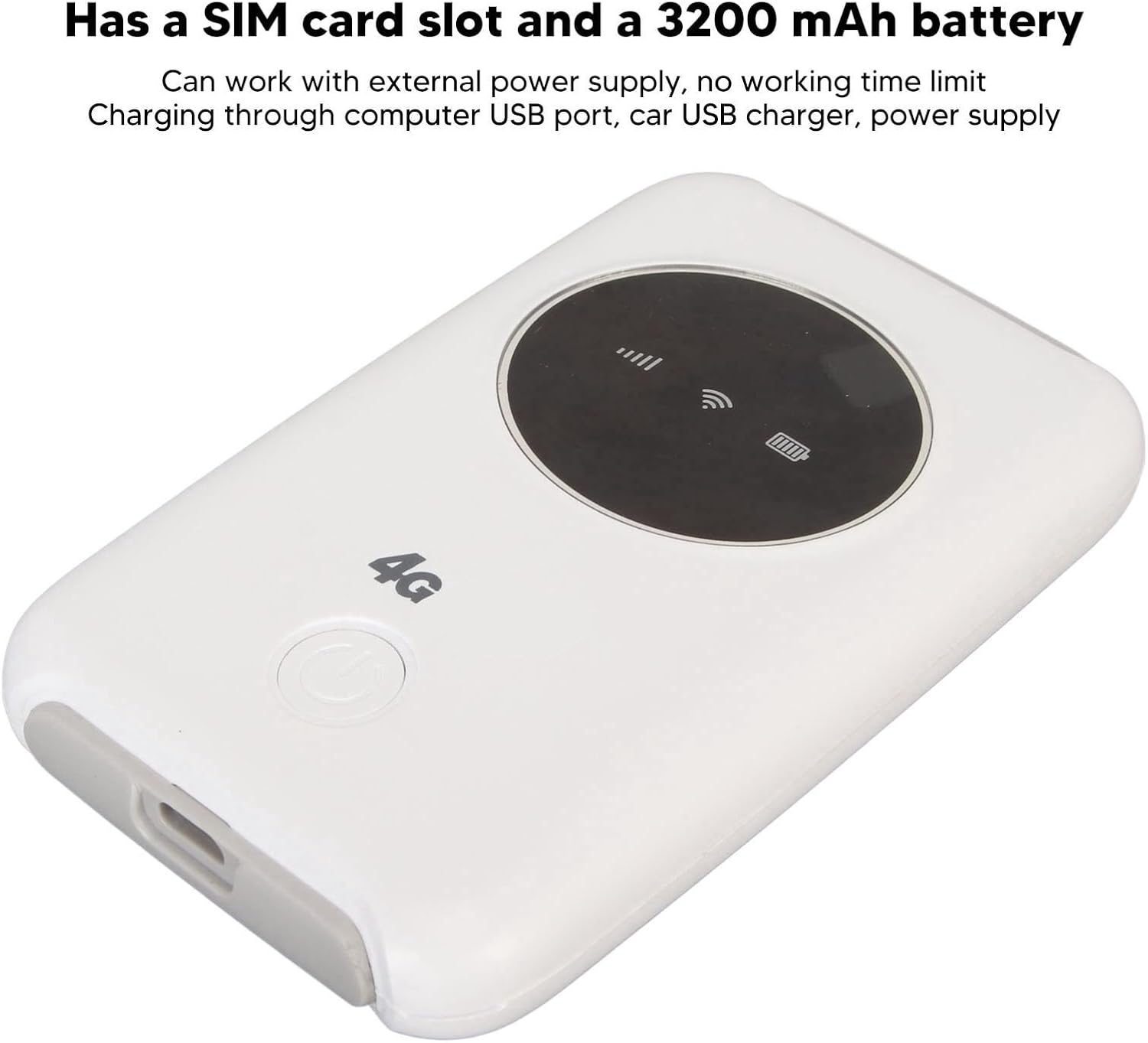
Image 4.2: This image emphasizes the modem's integrated SIM card slot and its 3200mAh battery. It also notes that the device can function continuously when connected to an external power supply.
5. Penyelenggaraan
- Pelesapan Haba: If the WiFi modem operates for an extended period, it requires proper heat dissipation. Ensure it is placed in a well-ventilated area to prevent overheating, which could damage internal components.
- Pembersihan: Gunakan kain lembut dan kering untuk membersihkan peranti. Elakkan menggunakan pembersih cecair atau bahan kasar.
- Storan: Simpan peranti di tempat yang sejuk dan kering jauh dari cahaya matahari langsung dan suhu yang melampau.
- Pendedahan Air: Jauhkan peranti daripada air dan lembapan untuk mengelakkan kerosakan.
6. Penyelesaian masalah
6.1 Isu dan Penyelesaian Biasa
| Isu | Kemungkinan Punca | Penyelesaian |
|---|---|---|
| Tiada sambungan internet |
|
|
| Peranti terlalu panas |
|
|
| Cannot connect more devices |
|
|
7. Spesifikasi
| Ciri | Perincian |
|---|---|
| Jenis Produk | 4G LTE USB WiFi Modem |
| Jenama | EBTOOLS |
| Nombor Model | EBTOOLS794cgdg3qo |
| warna | putih |
| Dimensi (L x W x H) | Lebih kurang 10 x 6 x 1.5 cm (3.9 x 2.4 x 0.6 inci) |
| Berat badan | 125g |
| Jenis Bateri | Built-in Lithium-ion Polymer Battery |
| Kapasiti Bateri | 3200mAh |
| Slot Kad SIM | 1 x Standard SIM Card Slot (SIM card not included) |
| Jalur Rangkaian | B1/2/3/5/7/8/20/40 |
| Kelajuan Muat Turun Maks | Up to 300Mbps (LTE CAT4) |
| Pengguna Terhubung Maks | 10 |
| Standard Tanpa Wayar | 802.11ac (for WiFi broadcast) |
| Input Voltage | 5V DC |
| Antara muka | USB mikro |
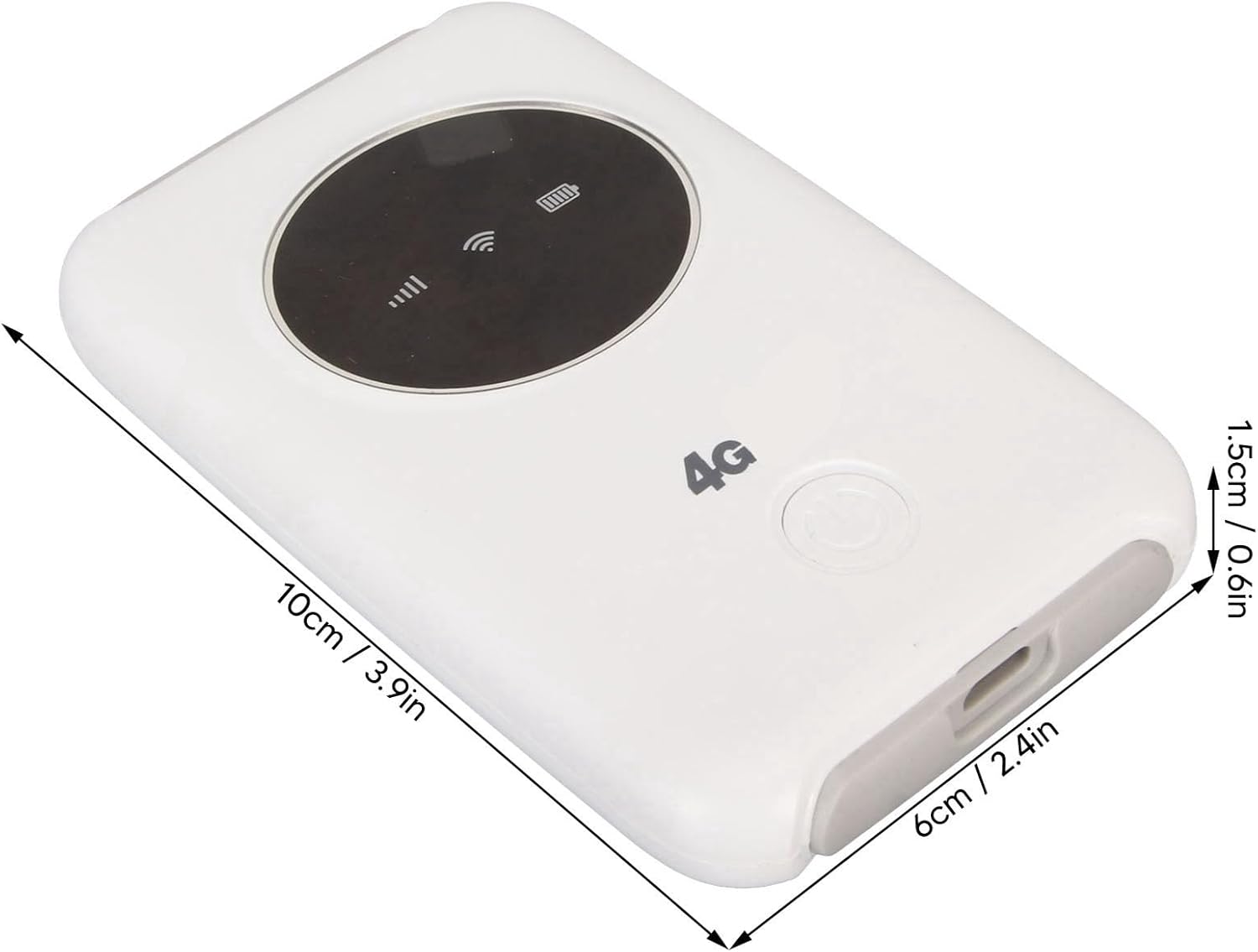
Image 7.1: The modem with its physical dimensions clearly marked, showing its compact size of approximately 10cm x 6cm x 1.5cm.
8. Maklumat Keselamatan
- Jangan cuba membuka, membaiki atau mengubah suai peranti.
- Elakkan daripada mendedahkan peranti kepada suhu yang melampau, cahaya matahari langsung atau kelembapan yang tinggi.
- Jauhkan peranti daripada bahan mudah terbakar atau meletup.
- Use only the provided or recommended charging cable and power sources.
- Jauhkan daripada kanak-kanak.
9. Waranti dan Sokongan
Specific warranty information for this product is not available in this manual. Please refer to the documentation provided with your purchase or contact your retailer for details regarding warranty coverage and customer support. For technical assistance, please reach out to the manufacturer or seller through their official channels.