1. Pengenalan
Thank you for choosing Tayogo Bone Conduction Headphones, Model S2-0530. These innovative open-ear wireless earphones are designed to provide high-fidelity sound through bone conduction technology, allowing you to enjoy audio while remaining aware of your surroundings. They are ideal for activities such as running, sports, fitness, and general daily use.
This manual provides detailed instructions on how to set up, operate, and maintain your headphones to ensure optimal performance and longevity.
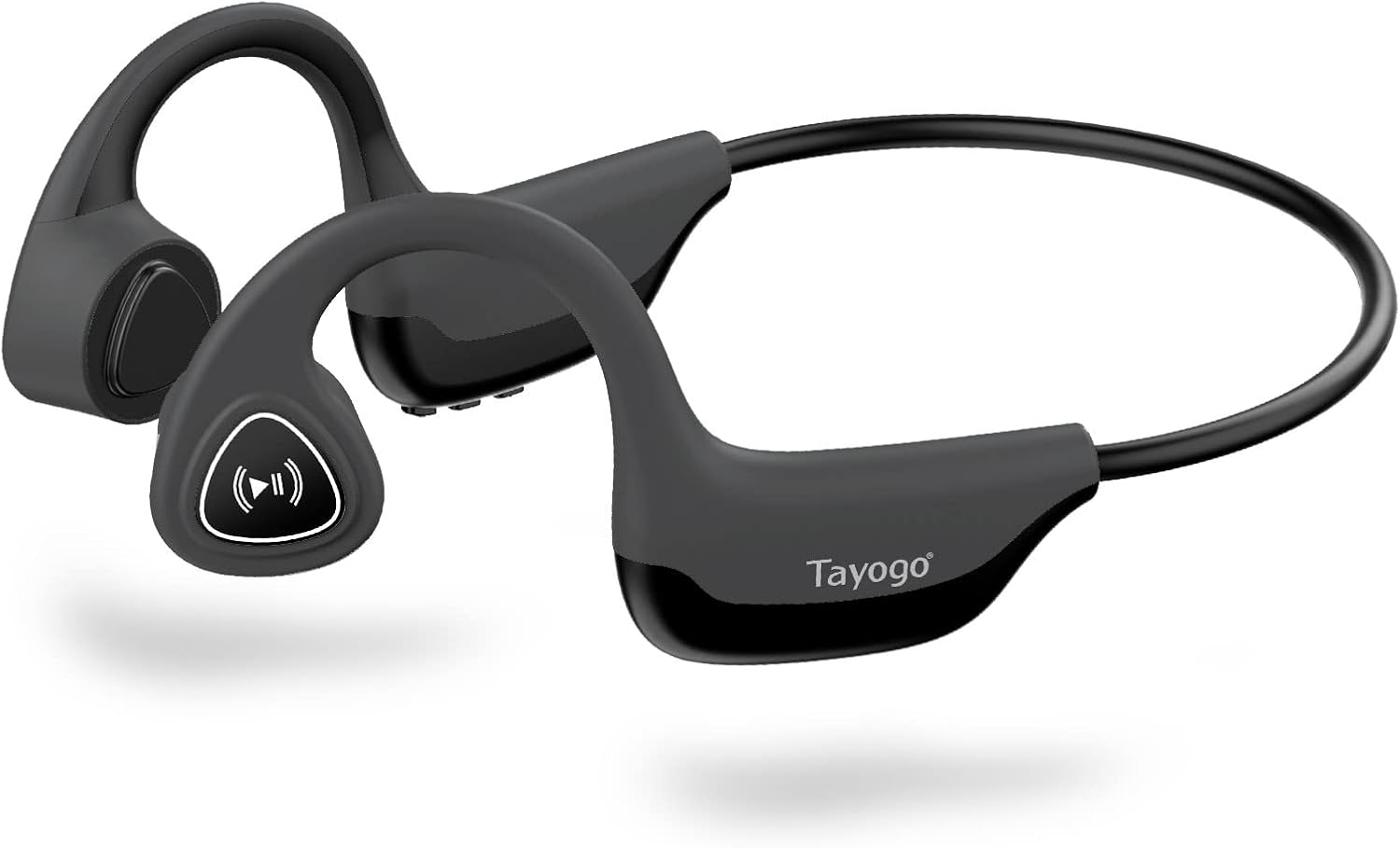
Figure 1: Tayogo Bone Conduction Headphones S2-0530
2. Ciri-ciri Produk
- Teknologi Pengaliran Tulang Inovatif: Delivers sound through vibrations to your cheekbones, bypassing the eardrum. This allows for open-ear listening, enhancing situational awareness and comfort.
- Advanced Bluetooth 5.0 Connectivity: Ensures stable and efficient wireless connection with various Bluetooth-compatible devices, including smartphones, tablets, and smartwatches.
- Comfortable, Lightweight Design: Features a full wrap-around design that fits securely behind the ears, providing a stable and comfortable experience during extended wear and physical activities.
- High-Fidelity Sound and Built-in Microphone: Offers dynamic range and deep bass for a rich audio experience, along with an integrated microphone for clear, hands-free calls.
- Hayat Bateri Tahan Lama: Equipped with a rechargeable battery providing up to six hours of continuous use on a single charge.
- Reka bentuk kalis peluh: Built to withstand sweat and light splashes, making them suitable for workouts and outdoor activities.

Figure 2: Bone Conduction Design Principle

Figure 3: Sweatproof Feature and HIFI Sound Quality
3. Bermula: Persediaan
3.1 Mengecas Fon Kepala
Before first use, fully charge your Tayogo headphones. A charging cable is included in the box.
- Locate the USB charging port on the control module of the headphones.
- Connect the charging cable to the headphones' USB port.
- Sambungkan hujung kabel pengecas yang satu lagi ke sumber kuasa USB (cth., port USB komputer, penyesuai dinding).
- The LED indicator light will illuminate during charging and change color or turn off when fully charged. Refer to the "Physical Buttons and Indicators" section for LED behavior.
3.2 Menghidupkan/Mematikan
- Untuk Menghidupkan: Press and hold the ON/OFF button (Power button) for approximately 3 seconds until the LED indicator flashes and you hear an audible prompt.
- Untuk Mematikan: Press and hold the ON/OFF button (Power button) for approximately 3 seconds until the LED indicator turns off and you hear an audible prompt.
3.3 Berpasangan Bluetooth
Pair your headphones with your Bluetooth-enabled device for wireless audio streaming.
- Pastikan fon kepala dimatikan.
- Press and hold the ON/OFF button for approximately 5-7 seconds until the LED indicator flashes red and blue alternately, indicating pairing mode.
- Pada peranti anda (telefon pintar, tablet, dll.), dayakan Bluetooth dan cari peranti baharu.
- Select "Tayogo S2-0530" or a similar name from the list of available devices.
- Once paired, the LED indicator will typically flash blue slowly, and you will hear a confirmation sound.
- Jika digesa untuk kata laluan, masukkan "0000".
Fon kepala akan cuba menyambung semula secara automatik ke peranti pasangan terakhir apabila dihidupkan.
4. Arahan Operasi
4.1 Memakai Fon Kepala
Letakkan fon kepala dengan transduser terletak pada tulang pipi anda, betul-betul di hadapan telinga anda. Gelang itu hendaklah melilit bahagian belakang kepala anda.

Figure 4: Correct Wearing Position
4.2 Physical Buttons and Functions
The control module on the right side of the headphones houses the physical buttons for various functions.

Figure 5: Control Module Layout

Figure 6: Button Functions Overview
| Butang / Petunjuk | Tindakan | Fungsi |
|---|---|---|
| ON/OFF Button (Power) | Tekan dan tahan selama 3 saat | Hidupkan/Mati Kuasa |
| Press and hold for 5-7 seconds (from off) | Masukkan Mod Berpasangan Bluetooth | |
| Jilid + / Seterusnya | Akhbar Ringkas | Tingkatkan Kelantangan |
| Tekan Panjang | Trek Seterusnya | |
| Volume - / Previous | Akhbar Ringkas | Kurangkan Kelantangan |
| Tekan Panjang | Trek Sebelumnya | |
| Multi-functional Button (Play/Pause/Assistant/Answer/Hang-up) | Single Press (during music) | Main/Jeda Muzik |
| Single Press (incoming call) | Jawab Panggilan | |
| Single Press (during call) | Panggilan Sambungan | |
| Long Press (incoming call) | Tolak Panggilan | |
| Tekan dua kali | Aktifkan Pembantu Suara (Siri, Pembantu Google) | |
| Penunjuk LED | Merah Pejal | Mengecas |
| Biru (denyar perlahan) | Connected/Operating Normally | |
| Red & Blue (alternating flash) | Mod Berpasangan | |
| Mati | Fully Charged / Powered Off |
5. Penyelenggaraan
Penyelenggaraan yang betul memastikan jangka hayat dan prestasi optimum fon kepala anda.
- Pembersihan: Lap fon kepala dengan lembut, damp cloth. Do not use harsh chemicals or abrasive cleaners. Ensure the charging port is dry before charging.
- Storan: Simpan fon kepala di tempat yang sejuk dan kering jauh dari cahaya matahari langsung dan suhu yang melampau.
- Penjagaan Bateri: To preserve battery life, avoid fully discharging the headphones frequently. If storing for an extended period, charge them to about 50% every few months.
- Tahan Air: While sweatproof, these headphones are not designed for submersion in water. Avoid exposing them to heavy rain or swimming.
6. Penyelesaian masalah
If you encounter issues with your Tayogo headphones, refer to the following common problems and solutions:
| Masalah | Kemungkinan Punca | Penyelesaian |
|---|---|---|
| Fon kepala tidak dapat dihidupkan. | Bateri lemah. | Cas fon kepala sepenuhnya. |
| Power button not pressed long enough. | Tekan dan tahan butang ON/OFF selama 3 saat. | |
| Tidak boleh berpasangan dengan peranti. | Fon kepala tidak dalam mod berpasangan. | Ensure headphones are off, then press and hold ON/OFF button for 5-7 seconds until LED flashes red/blue. |
| Bluetooth dimatikan pada peranti anda. | Dayakan Bluetooth pada peranti anda. | |
| Peranti terlalu jauh dari fon kepala. | Keep devices within 10 meters (33 feet) range. | |
| Tiada bunyi atau kelantangan rendah. | Kelantangan terlalu rendah pada fon kepala atau peranti. | Laraskan kelantangan pada kedua-dua fon kepala dan peranti yang disambungkan. |
| Fon kepala tidak disambungkan dengan betul. | Pasangkan semula fon kepala dengan peranti anda. | |
| Kualiti bunyi kurang baik. | Gangguan atau isyarat lemah. | Move closer to your device or away from sources of interference. |
| Improper wearing position. | Ensure transducers are firmly on cheekbones. |
7. Spesifikasi
| Ciri | Perincian |
|---|---|
| Nama Model | S2-0530 |
| Jenama | Tayogo |
| Teknologi Ketersambungan | Bluetooth 5.0 |
| Teknologi Komunikasi Tanpa Wayar | Bluetooth |
| Penempatan Telinga | Buka Telinga |
| Faktor Bentuk | Atas Telinga |
| Impedans | 8 Ohm |
| Ciri Khas | Microphone Included, Wireless, Sweatproof |
| Komponen yang Disertakan | Kabel Pengecasan |
| warna | Kelabu |
| Hayat Bateri (Anggaran) | Sehingga 6 jam penggunaan berterusan |
8. Waranti dan Sokongan
For detailed warranty information, please refer to the warranty card included with your purchase or visit the official Tayogo webtapak. Simpan bukti pembelian anda untuk tuntutan waranti.
If you require further assistance or have questions not covered in this manual, please contact Tayogo customer support through their official channels.
You can often find support information on the manufacturer's webtapak: Tayogo Store on Amazon