
1. Pengenalan
This manual provides detailed instructions for the installation, operation, and maintenance of your TEEHO Fingerprint Door Lock, Model TEEHO-XXXX. Please read this manual thoroughly before installation and use to ensure proper function and security. Keep this manual for future reference.
2. Produk Lebihview
The TEEHO Fingerprint Door Lock offers advanced keyless entry solutions for residential use, combining convenience with robust security features. This lock set includes a fingerprint keypad deadbolt and two passage door knobs.
Ciri-ciri Utama:
- 3D Fingerprint Unlock: High recognition rate, unlocking in approximately 1 second.
- Kemasukan tanpa kunci: Supports up to 20 programmable access codes (4-10 digits) and multiple fingerprints.
- Fungsi Auto-Kunci: Customizable automatic locking delay from 10 to 99 seconds.
- Kunci Satu Sentuhan: Instantly lock the door by pressing and holding any key on the keypad for 2 seconds.
- Kod PIN Satu Kali: Generate temporary access codes that are automatically deleted after a single use.
- Deadbolt Keselamatan: ANSI Grade 3 rated, constructed with a sturdy lock cylinder and alloy for durability.
- Rintangan Cuaca: IP54 rated for protection against dust and splashing water.
- Ciri-ciri tambahan: Anti-peeping password input, mute mode, vacation mode, and a backlit keypad for visibility in low light.
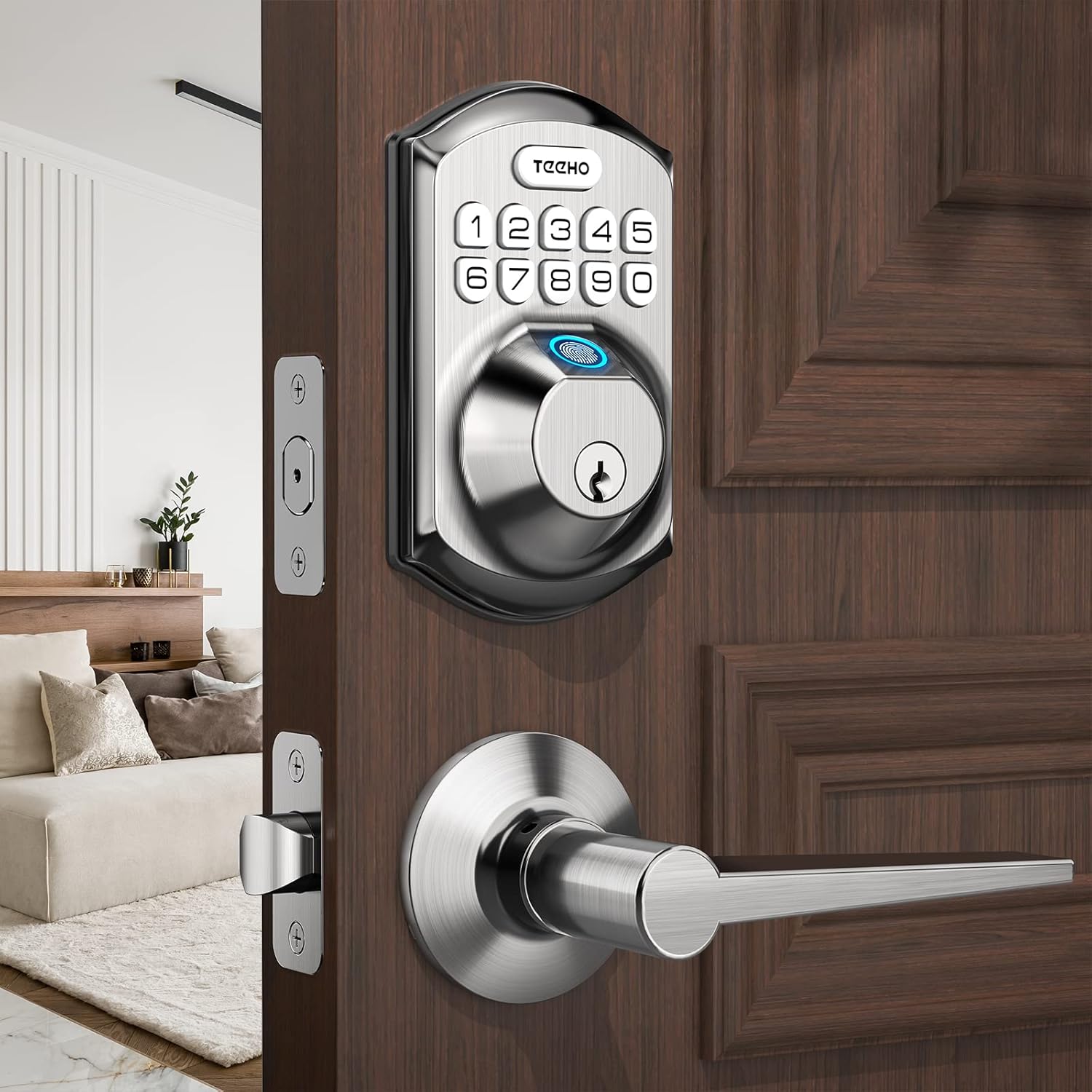
Figure 2.1: TEEHO Fingerprint Door Lock with lever handle.
3. Persediaan dan Pemasangan
3.1 Door Preparation and Dimensions
Ensure your door meets the following specifications for proper installation. The lock is suitable for both left-handed and right-handed doors.
- Set belakang: 2-3/8 inches (60 mm) or 2-3/4 inches (70 mm).
- Ketebalan pintu: 1-3/8 inches (35 mm) to 2 inches (50 mm).
- Diameter Lubang Pintu: Only suitable for 2-1/8 inches (54 mm) door holes.

Figure 3.1: Door preparation and dimensions.
3.2 Pemasangan Bateri
The lock requires 4 AA batteries (not included). Alkaline batteries are recommended for optimal performance and battery life. Install batteries into the interior assembly of the lock.

Figure 3.2: Battery compartment and low battery indicator.
3.3 Pengaturcaraan Awal
Refer to the included quick start guide for initial programming steps, including setting the master code and enrolling the first fingerprint. It is crucial to set a master code immediately after installation for security purposes.
4. Arahan Operasi
4.1 Buka Kunci Cap Jari
To unlock the door using your fingerprint, place your registered finger on the fingerprint sensor. The lock will recognize your fingerprint in approximately 0.3 seconds and unlock the door within 1 second.

Figure 4.1: Fingerprint unlocking in progress.
4.2 Kemasukan Pad Kekunci
Enter your 4-10 digit access code on the backlit keypad. The lock supports an anti-peeping password feature, allowing you to enter random digits before or after your actual code to prevent others from guessing it.
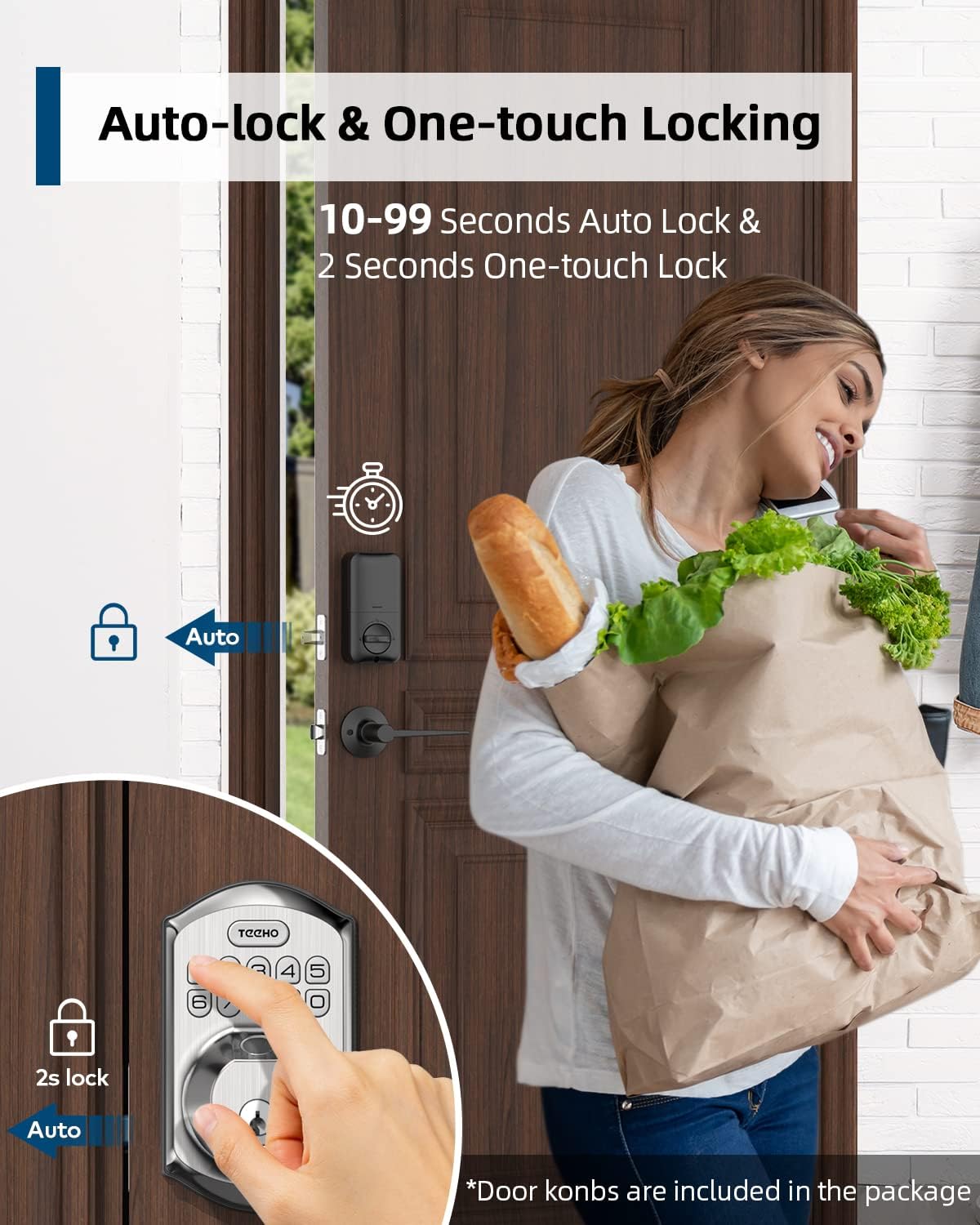
Figure 4.2: Using the anti-peep tactile keypad.
4.3 Kunci Automatik dan Kunci Satu Sentuhan
- Kunci Auto: Kunci boleh dikonfigurasikan untuk mengunci secara automatik selepas tempoh yang ditetapkan (10-99 saat) sebaik sahaja pintu ditutup.
- Kunci Satu Sentuhan: To manually lock the door instantly, press and hold any key on the keypad for 2 seconds.

Figure 4.3: Auto-lock and one-touch locking.
4.4 One-Time PIN Code
Generate a temporary, single-use PIN code for visitors or service personnel. This code will automatically delete after its first use, providing secure temporary access without compromising your permanent codes.

Figure 4.4: One-time PIN code usage.
5. Penyelenggaraan
5.1 Penggantian Bateri
The lock is designed for over 1 year of battery life under normal use. A low battery indicator will alert you when it's time to replace the 4 AA batteries. Replace all batteries simultaneously with new alkaline batteries.
5.2 Pembersihan
Bersihkan bahagian luar kunci dengan lembut, damp cloth. Avoid using abrasive cleaners or solvents, as these can damage the finish or electronic components. Ensure the fingerprint sensor and keypad are free of dirt and debris for optimal performance.
5.3 Perlindungan Cuaca
The lock has an IP54 weather resistance rating, protecting it from splashing water and limited dust ingress. While durable, avoid direct exposure to heavy rain or prolonged submersion.
6. Penyelesaian masalah
- Kunci tidak bertindak balas: Check battery levels. Replace batteries if the low battery indicator is on or if the lock is completely unresponsive.
- Cap jari tidak dikenali: Ensure your finger is clean and dry. Try re-enrolling your fingerprint if issues persist.
- Papan kekunci tidak berfungsi: Ensure the keypad is clean. If the backlight is off, check batteries.
- Kunci automatik tidak berfungsi: Verify the auto-lock setting is enabled and the delay time is correctly configured. Ensure the door is fully closed.
- Kunci terasa kaku: Periksa sebarang halangan pada bingkai pintu atau mekanisme selak. Pastikan kunci dijajarkan dengan betul.
For further assistance, please refer to the manufacturer's support resources.
7. Spesifikasi
| Ciri | Spesifikasi |
|---|---|
| Jenama | TEEHO |
| Nombor Model | TEEHO-XXXX |
| Jenis Kunci | Keypad, Fingerprint |
| bahan | Nikel |
| warna | Satin Nickel |
| Jenis Selesai | Disikat |
| Sumber Kuasa | 4 Bateri AA (Disyorkan alkali) |
| Rintangan Cuaca | IP54 |
| Komponen yang Disertakan | Fingerprint keypad door lock, 2 passage door knobs |
| Penggunaan yang Disyorkan | Residential door security and keyless entry |
8. Waranti dan Sokongan
For warranty information, technical support, or to purchase replacement parts, please contact TEEHO customer service. Refer to the product packaging or the official TEEHO weblaman web untuk maklumat hubungan.