1. Pengenalan
This manual provides detailed instructions for the pamu Fit T28 Half-in-Ear Wireless Earbuds. Please read this manual thoroughly before using the product to ensure proper operation and to maximize your listening experience. The pamu Fit T28 earbuds combine a comfortable half-in-ear design with advanced Active Noise Cancelling (ANC) technology, Bluetooth 5.3 connectivity, and intuitive touch controls.
2. Kandungan Pakej
Sahkan bahawa semua item terdapat dalam pakej produk anda:
- pamu Fit T28 Wireless Earbuds (Left and Right)
- Kes Pengecasan
- Kabel Pengecas USB-C
- Manual Pengguna

Image: pamu Fit T28 earbuds securely placed within their charging case, with the lid open, showcasing the sleek design and the 'pamu' branding on each earbud.
3. Produk Lebihview
The pamu Fit T28 earbuds are designed for comfort and high-quality audio. Key features include:
- Half-in-Ear Design: Ensures a comfortable and stable fit for extended wear.
- Pembatalan Bunyi Aktif (ANC): Reduces ambient noise by up to 20dB for an immersive audio experience.
- Dual Microphones with AI Noise Reduction: Enhances call clarity by separating voice from background noise.
- Bluetooth 5.3: Menyediakan sambungan tanpa wayar yang stabil dan cekap.
- Mod Permainan Latensi Rendah: Reduces audio delay to as low as 70ms for gaming.
- Super Bass Sound Quality: Delivers powerful and rich low-frequency response.
- Kawalan Sentuh: Manage playback, calls, and modes directly from the earbuds.
- Reka bentuk kalis air: Offers protection against sweat and splashes.

Image: A graphic illustrating the key features of the pamu Fit T28 Wireless Bluetooth Earbuds, including Active Noise Cancellation, Strong Bass, Dual MIC AI Noise Reduction, Ergonomic Design, Great Sound Quality, Game Mode Low Latency, Bluetooth 5.3, Low Power Consumption, and Power Optimization.
4. Persediaan
4.1 Mengecas Fon telinga dan Sarung
Before first use, fully charge the earbuds and the charging case. The charging case is ultra-thin and designed for portability.
- Letakkan fon telinga ke dalam bekas pengecasan. Pastikan mereka duduk dengan betul dalam slot masing-masing (L untuk kiri, R untuk kanan).
- Sambungkan kabel pengecas USB-C ke port pengecasan pada bekas dan hujung yang satu lagi ke sumber kuasa USB (cth., komputer, penyesuai dinding).
- The LED indicators on the charging case will show the charging status. A full charge typically takes approximately 1.5 hours for the case.

Image: The pamu Fit T28 earbuds in their open, ultra-thin charging case, highlighting its minimalist design and portability.

Image: A visual representation indicating 18 hours of playing time and 1.5 hours of charging time for the pamu Fit T28 earbuds and case.
4.2 Berpasangan dengan Peranti
Fon telinga akan memasuki mod berpasangan secara automatik apabila dialih keluar daripada bekas pengecasan.
- Buka bekas pengecasan dan keluarkan kedua-dua fon telinga. Mereka akan menghidupkan dan memasuki mod berpasangan secara automatik.
- Pada peranti anda (telefon pintar, tablet, komputer), dayakan Bluetooth dan cari peranti yang tersedia.
- Select "Pamu Fit T28" from the list of discovered devices.
- Setelah disambungkan, anda akan mendengar gesaan audio dan lampu penunjuk fon telinga akan bertukar.
The earbuds feature Bluetooth 5.3 for a stable and efficient connection.

Image: A visual indicating "one step automatic connection" for the pamu Fit T28 earbuds, showing them removed from the case and ready to pair with a smartphone.

Image: A stylized depiction of a microchip with "Bluetooth 5.3" prominently displayed, representing the advanced connectivity technology of the earbuds.
5. Arahan Operasi
5.1 Memakai Fon Telinga
The pamu Fit T28 earbuds feature a half-in-ear ergonomic design for a secure and comfortable fit.
- Kenal pasti fon telinga Kiri (L) dan Kanan (R).
- Gently insert each earbud into your ear canal, rotating slightly until it feels snug and stable.

Imej: Dari dekat view of a pamu Fit T28 earbud comfortably seated in an ear, illustrating its semi-in-ear design for stability.

Image: A diagram showing the pamu Fit T28 earbud positioned in an ear, emphasizing its comfortable and ergonomic fit.
5.2 Kawalan Sentuhan
The pamu Fit T28 earbuds feature intuitive touch controls on each earbud. Specific functions may vary slightly depending on the device and application.
| Tindakan | Fungsi |
|---|---|
| Ketik Tunggal (Sama ada Earbud) | Main/Jeda Muzik, Jawab Panggilan |
| Dwiketik (Sama ada Earbud) | Tamatkan Panggilan |
| Tekan Lama (Earbud Kiri) | Kelantangan Kurang |
| Tekan Lama (Earbud Kanan) | Kelantangan Naik |
| Ketik Tiga Kali (Sama ada Earbud) | Activate Voice Assistant / Switch ANC Mode (if applicable) |
5.3 Active Noise Cancelling (ANC)
The pamu Fit T28 earbuds feature Active Noise Cancelling to reduce ambient sounds. This technology actively analyzes and counteracts external noise, providing a quieter listening environment.

Image: A person wearing pamu Fit T28 earbuds in a public setting, with text overlay indicating "Active Noise Cancellation: Personal space is everywhere. Adaptive Noise Cancellation recognizes noise levels around you and adjusts to your surroundings."

Image: A diagram illustrating how the pamu Fit T28 earbuds achieve noise reduction, showing sound waves being cancelled out by the ANC microphone and the fitted in-ear design.
5.4 Membuat Panggilan
The earbuds utilize dual microphones with AI noise reduction for clear call quality.
- Jawab Panggilan: Ketik sekali sama ada fon telinga.
- Tamatkan Panggilan: Ketik dua kali sama ada fon telinga.
- Tolak Panggilan: Tekan lama sama ada fon telinga.
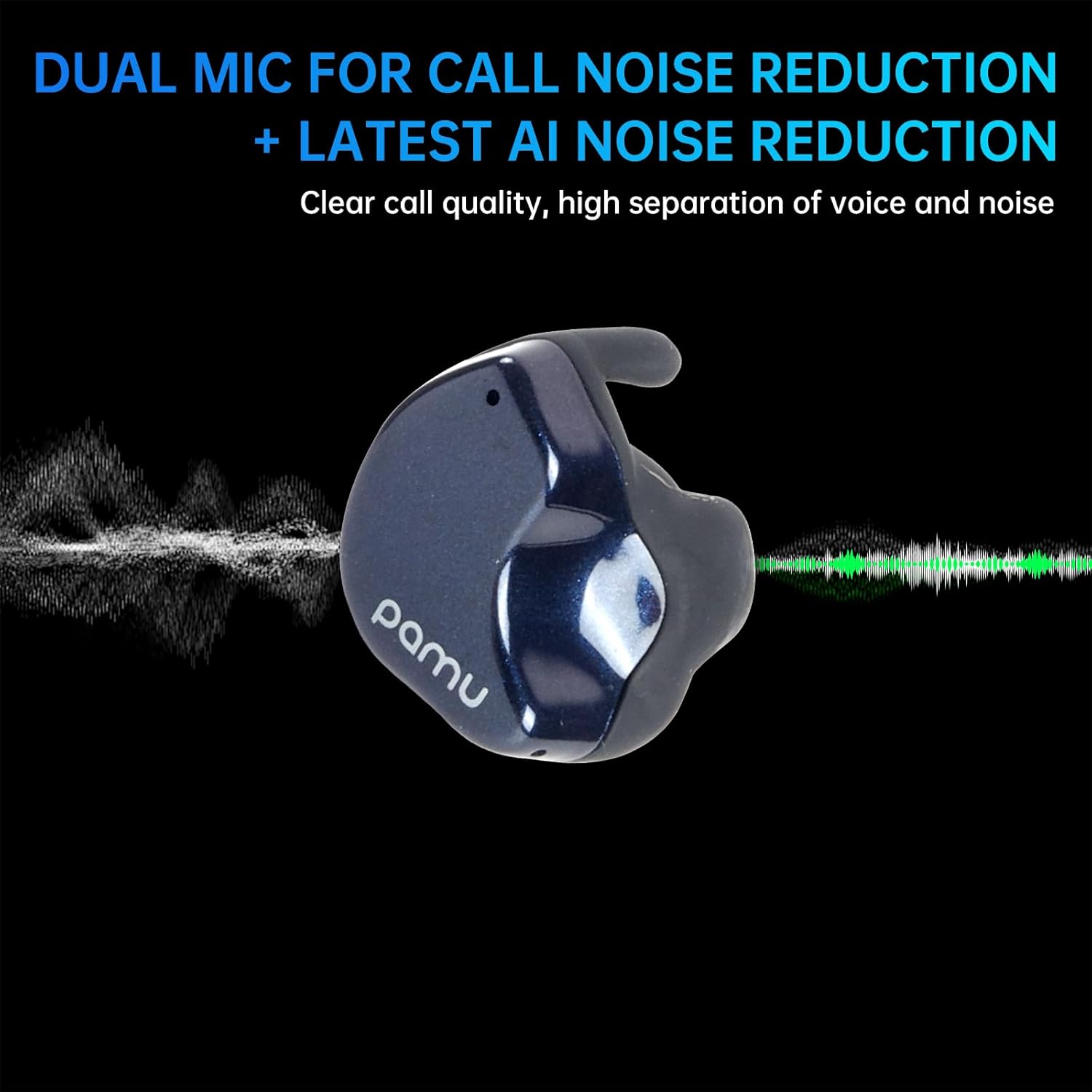
Image: A visual representation of the pamu Fit T28 earbud's dual microphone system and AI noise reduction, illustrating how it separates voice from background noise for clear calls.

Image: A person wearing pamu Fit T28 earbuds, with text overlay emphasizing "High-quality calls, dual MIC call noise reduction + the latest AI noise reduction" for comfortable sound quality.
5.5 Mod Permainan (Latensi Rendah)
For an optimized gaming experience, activate the low latency game mode. This reduces audio delay to approximately 70ms, ensuring real-time audio synchronization.
- Refer to the touch control table or product specifications for the specific gesture to activate/deactivate Game Mode.

Image: A person playing a mobile game on a smartphone, with pamu Fit T28 earbuds depicted nearby, illustrating the "Super-Bass Gaming with Low Latency" feature.

Image: A graphic showing pamu Fit earbuds and a smartphone displaying a game, with text explaining "Pamu Fit Earbuds-Ultra-low Latency Game Mode" and its benefit for seamless gaming.
6. Penyelenggaraan
6.1 Pembersihan
Pembersihan tetap membantu mengekalkan kualiti bunyi dan kebersihan.
- Lap perlahan fon telinga dan bekas pengecas dengan kain lembut, kering dan tidak berbulu.
- Jangan gunakan bahan yang melelas, pelarut atau pembersih kimia.
- Pastikan sesentuh pengecasan pada kedua-dua fon telinga dan bekas bersih dan kering.
6.2 Tahan Air
The pamu Fit T28 earbuds are waterproof, offering protection against sweat and splashes. They are not designed for submersion in water.
- Elakkan pendedahan berpanjangan kepada air.
- Dry the earbuds thoroughly before placing them back in the charging case to prevent damage.

Image: Two pamu Fit T28 earbuds covered in water droplets, illustrating their waterproof, sweatproof, and dustproof capabilities.
7. Penyelesaian masalah
If you encounter issues with your pamu Fit T28 earbuds, refer to the following common solutions:
- Tiada Bunyi:
- Pastikan fon telinga dicas.
- Periksa sambungan Bluetooth ke peranti anda.
- Laraskan kelantangan pada kedua-dua fon telinga dan peranti anda.
- Fon telinga Tidak Berpasangan:
- Place earbuds back in the case, close the lid, then open and remove them to re-enter pairing mode.
- Forget "Pamu Fit T28" from your device's Bluetooth settings and attempt to pair again.
- Pastikan fon telinga dicas dengan secukupnya.
- Kualiti Panggilan Lemah:
- Pastikan mikrofon tidak terhalang.
- Move to a quieter environment if possible, as AI noise reduction has limits.
- Check device's network signal strength.
- Earbuds Falling Out:
- Ensure earbuds are correctly inserted and rotated for a snug fit.
- The half-in-ear design may not be suitable for all ear shapes or high-impact activities.
8. Spesifikasi
| Ciri | Perincian |
|---|---|
| Nama Model | Pamu Fit T28 |
| Teknologi Ketersambungan | Wayarles (Bluetooth) |
| Versi Bluetooth | 5.3 |
| Julat Bluetooth | 10 Meter |
| Kawalan Bunyi | Pembatalan Bunyi Aktif |
| Penempatan Telinga | In Ear (Half-in-ear shape) |
| Jenis Kawalan | Kawalan Sentuh |
| Hayat Bateri (Earbud + Sarung) | Up to 24 Hours (Total) |
| Julat Kekerapan | 20 Hz - 20,000 Hz |
| Tahap Ketahanan Air | Kalis air |
| Berat Barang | 7.4 ounces (Product + Package) |
| UPC | 768443999120 |
9. Waranti dan Sokongan
For warranty information and customer support, please refer to the official pamu webtapak atau hubungi peruncit anda. Simpan bukti pembelian anda untuk sebarang tuntutan waranti.
Untuk bantuan lanjut, sila layari pamu Store on Amazon.