
1. Pengenalan
This manual provides essential instructions for the setup, operation, and maintenance of your Richmat Wireless Remote Control, Model HJH55. Please read this manual thoroughly before use to ensure proper functionality and to avoid potential issues. This remote is designed as a replacement for compatible adjustable bed bases.
2. Produk Lebihview
The Richmat Model HJH55 is a wireless remote control designed for use with adjustable bed bases. It serves as a direct replacement for existing HJH55 remotes, including both black and white versions. Ensure your current remote or bed control box specifies 'HJH55' for compatibility before attempting to pair.
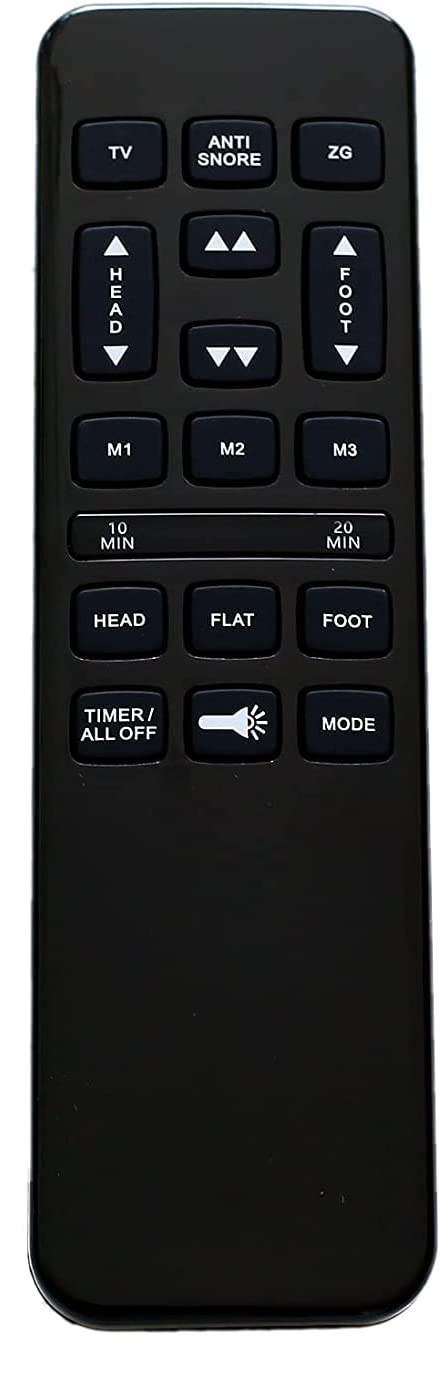
Imej 2.1: Depan view of the Richmat HJH55 wireless remote control. This image displays the general appearance of the remote, which is black with various control buttons for adjustable bed functions.
3. Arahan Persediaan dan Berpasangan
3.1 Pemasangan Bateri
The remote requires two (2) AAA batteries (not included). To install batteries:
- Buka penutup petak bateri di belakang alat kawalan jauh.
- Masukkan dua bateri AAA, pastikan kekutuban (+/-) betul seperti yang ditunjukkan di dalam petak.
- Tutup penutup petak bateri dengan selamat.
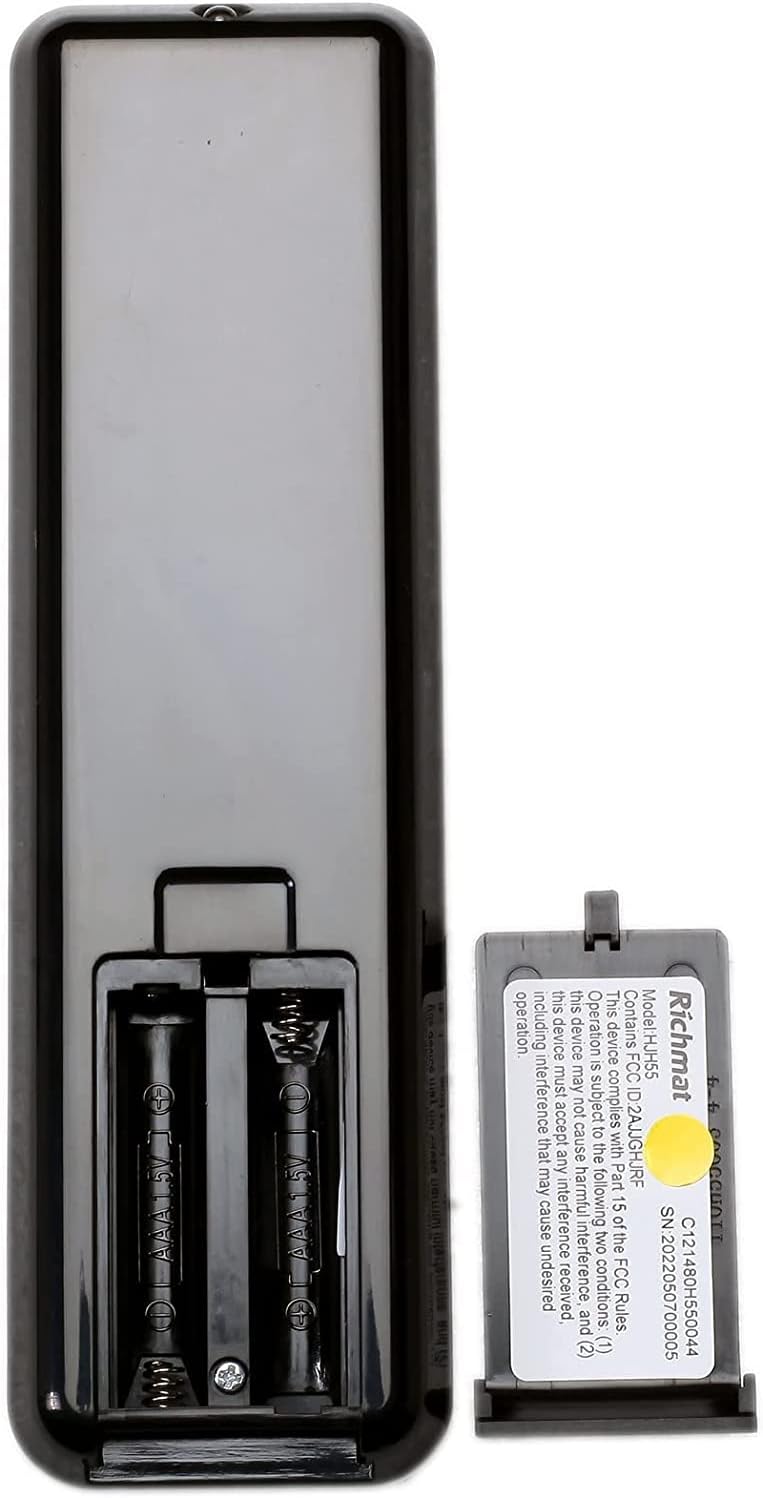
Imej 3.1: Belakang view of the Richmat HJH55 remote control with the battery compartment open. This image shows the two slots for AAA batteries and the polarity markings.
3.2 Pairing the Remote with Your Adjustable Bed
The remote does not come pre-paired and must be synced with your adjustable bed base. Follow these steps carefully:
- Pada Alat Jauh: Press and hold the "Head Up" button and the "Foot Up" button simultaneously for approximately 10 seconds.
- On the Control Box: Locate the control box underneath your bed. Press the button on the side of the control box that is typically labeled "Learn" or "Reset Coding." Do not press and hold this button; a single, brief press is sufficient.
- Pengesahan: Listen for an audible beep from the control box. This beep indicates that the remote has successfully synced with the bed base.
If the remote does not pair, ensure batteries are correctly installed and repeat the steps. If issues persist, refer to the Troubleshooting section.
4. Arahan Operasi
Once paired, your Richmat HJH55 remote control allows you to adjust your bed to various positions. The specific functions of each button will correspond to the features of your adjustable bed base. Common functions include:
- Kepala Atas/Bawah: Melaraskan bahagian kepala katil.
- Kaki Atas/Bawah: Melaraskan bahagian kaki katil.
- Flat: Returns the bed to a flat position.
- Pratetap Memori: Some remotes may have buttons to save and recall preferred positions.
Refer to your adjustable bed base's original manual for detailed descriptions of all available functions and button layouts.
5. Penyelenggaraan
5.1 Penggantian Bateri
If the remote's performance degrades or it stops responding, replace the two AAA batteries. Follow the battery installation steps in Section 3.1.
5.2 Pembersihan
To clean the remote, use a soft, dry cloth. Do not use liquid cleaners or abrasive materials, as these can damage the remote's surface or internal components.
6. Penyelesaian masalah
- Jauh tidak bertindak balas:
- Periksa sama ada bateri dipasang dengan betul dan mempunyai cas yang mencukupi. Gantikan jika perlu.
- Ensure the remote is within range of the bed's control box.
- Cuba semula proses penjodohkan seperti yang diterangkan dalam Bahagian 3.2.
- Remote paired but functions incorrectly:
- Verify that the remote model (HJH55) matches your original remote or bed control box specifications. Incompatible remotes may pair but not function correctly.
- Try re-pairing the remote.
- Gangguan:
- This device complies with Part 15 of the FCC Rules. Operation is subject to the following two conditions: (1) this device may not cause harmful interference, and (2) this device must accept any interference received, including interference that may cause undesired operation. If interference occurs, try moving the bed or remote to a different location.
If you continue to experience issues, contact the seller or manufacturer for further assistance.
7. Spesifikasi
| Nombor Model | HJH55 |
| Pengeluar | Richmat |
| Sumber Kuasa | 2 x Bateri AAA (tidak termasuk) |
| ID FCC | 2AJJGHJRF |
| Nombor Siri | 2022050700005 |
| Peranti Serasi | Katil Boleh Laras |
8. Waranti dan Sokongan
Specific warranty information for this Richmat HJH55 remote control is not provided in this manual. For details regarding warranty coverage, returns, or technical support, please contact the original seller or the manufacturer directly. Ensure you have your purchase details and the product model number (HJH55) available when contacting support.