pengenalan
The Cherub WMT-565C is a versatile 5-in-1 device designed for musicians. It integrates a metronome, tuner, tone generator, hygrometer, and thermometer into a single, compact, and rechargeable unit. This manual provides detailed instructions for operating and maintaining your WMT-565C to ensure optimal performance and longevity.

Figure 1: Cherub WMT-565C Multi-Function Device
Ciri-ciri Produk
- Fungsi 5-dalam-1: Metronome, Tuner, Tone Generator, Hygrometer, and Thermometer.
- Pemantauan Alam Sekitar: Equipped with a hygrometer and thermometer to monitor ambient humidity and temperature, crucial for instrument care.
- Large Full-Color LCD: High-definition, colorful display for easy readability of tuning, metronome settings, and environmental data.
- Adjustable Metronome Forte: Allows adjustment of metronome volume for practice. Includes electronic sound and vocal count options.
- Bateri Li-ion boleh dicas semula: Provides up to 600 minutes of battery life on a single charge.

Figure 2: WMT-565C Displaying Environmental Data and Tuning
Persediaan
Mengecas Peranti
The WMT-565C comes with a built-in rechargeable Li-ion battery. Before first use, fully charge the device using the provided USB cable. Connect the small end of the USB cable to the charging port on the device and the other end to a standard USB power adapter (not included) or a computer's USB port. The charging indicator will show the charging status.
Menghidupkan/Mematikan
Untuk menghidupkan peranti, tekan dan tahan butang Kuasa/Main button. To power off, press and hold the same button until the screen turns off.
Menggunakan Kickstand
The device features a retractable kickstand on its back for convenient tabletop use. Gently pull out the kickstand to prop up the device for better viewsudut-sudut.
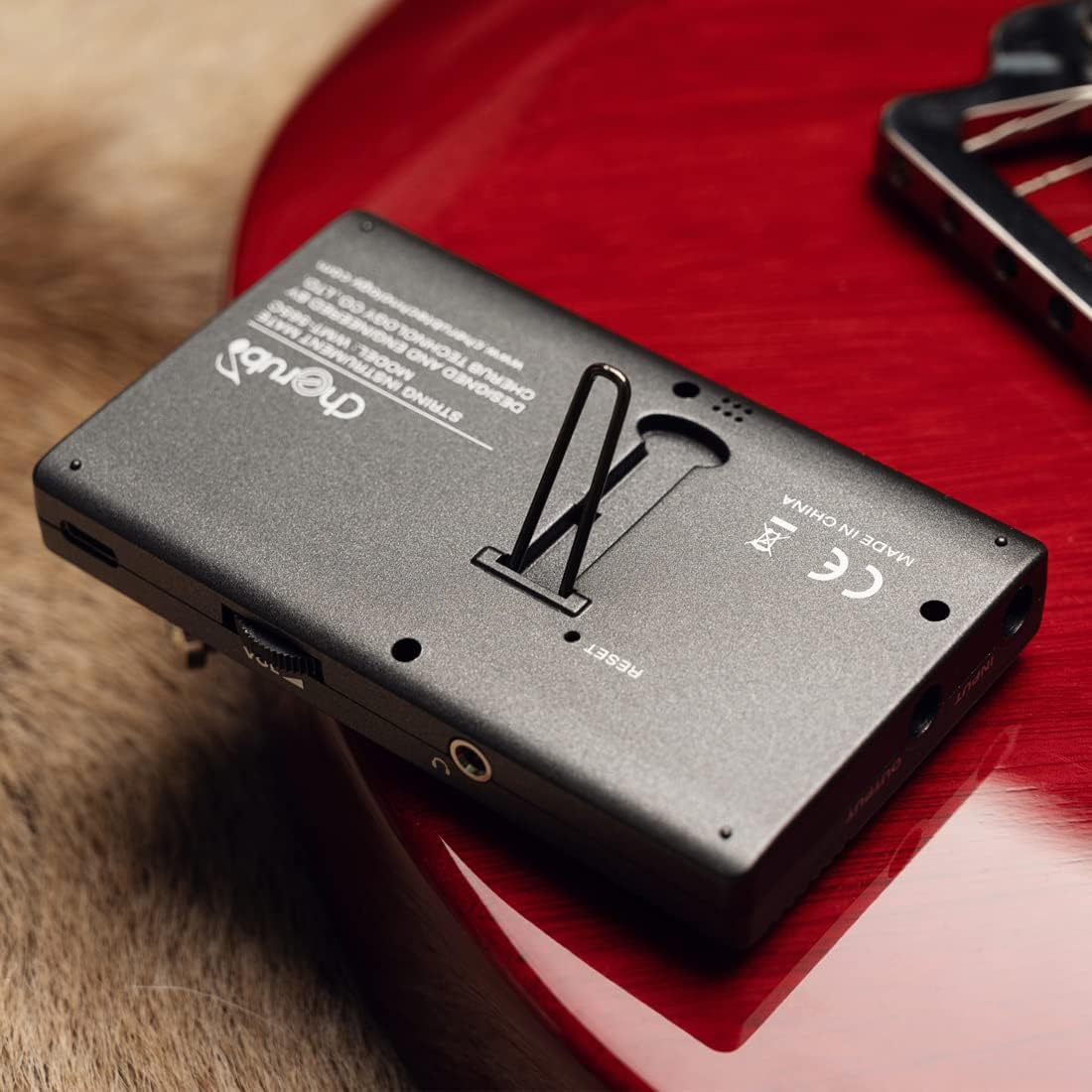
Figure 3: Device with Kickstand Extended
Arahan Operasi
Navigating Modes
Tekan ke M / T button to switch between Metronome and Tuner modes. The current mode will be displayed on the screen.

Figure 4: WMT-565C in Tuner Mode with Guitar Connection
Mod Metronom
In Metronome mode, you can adjust the tempo, beat, and rhythm. Use the Atas/Bawah arrow buttons to change values. The Forte button allows you to adjust the metronome's volume. You can also select between electronic sound and vocal count for practice.
Mod Penala
The tuner supports various instruments and chromatic tuning. Use the Beat/Item button to cycle through different tuning items (e.g., Chromatic, Guitar, Bass, Violin, Ukulele). The display will show the note, string number (for specific instruments), and pitch deviation. The screen's color changes to indicate if the note is flat (red), sharp (red), or in tune (green).
Penjana Nada
The tone generator function allows you to produce specific notes for ear training or manual tuning. Access this function through the mode selection and use the arrow buttons to select the desired note.
Pemantauan Suhu dan Kelembapan
The WMT-565C continuously monitors and displays the real-time temperature and humidity of the environment. This information is shown on the upper right corner of the LCD screen, allowing musicians to protect their instruments from adverse environmental conditions.

Figure 5: Tuner Mode with Environmental Data
Kawal Selesaiview

Figure 6: WMT-565C Control Layout
Video Produk Rasmi
Video 1: Tamatview of the Cherub WMT-565C Rechargeable Metro-Tuner's features and functions.
Penyelenggaraan
To ensure the longevity and optimal performance of your Cherub WMT-565C, follow these maintenance guidelines:
- Pembersihan: Gunakan kain lembut dan kering untuk membersihkan peranti. Elakkan menggunakan pembersih atau pelarut yang kasar.
- Storan: Simpan peranti di tempat yang sejuk dan kering jauh dari cahaya matahari langsung dan suhu yang melampau.
- Penjagaan Bateri: Cas semula peranti secara berkala, walaupun tidak kerap digunakan, untuk mengekalkan kesihatan bateri. Elakkan daripada mencas sepenuhnya bateri untuk tempoh yang lama.
- Pengendalian: Handle the device with care to prevent drops or impacts that could damage the screen or internal components.
Menyelesaikan masalah
If you encounter any issues with your Cherub WMT-565C, consider the following:
- Peranti Tidak Dihidupkan: Ensure the battery is charged. Connect the device to a power source using the USB cable and try again.
- Penalaan Tidak Tepat: Check that the correct tuning item (e.g., Guitar, Chromatic) is selected. Ensure the instrument's sound is clear and free from background noise if using the built-in microphone. If using a pickup cable, ensure it is securely connected.
- Metronome Sound Issues: Check the volume setting using the Forte button. Ensure the speaker is not obstructed.
- Kerosakan Skrin: If the screen is unresponsive or displaying incorrectly, try restarting the device. If the issue persists, contact customer support.
Spesifikasi
| Ciri | Spesifikasi |
|---|---|
| Berat Barang | 5.6 auns |
| Dimensi Pakej | 4.76 x 3.23 x 2.6 inci |
| Nombor Model Item | WMT-565C |
| Bateri | 1 Bateri Litium Polimer diperlukan. (termasuk) |
| Jenis Bateri | Polimer Litium |
| Nama Warna | Hitam |
| Tarikh Mula-mula Tersedia | 22 Mei 2023 |
Waranti dan Sokongan
The Cherub WMT-565C comes with a standard manufacturer's warranty. Please refer to the product packaging or the official Cherub webtapak untuk terma dan syarat waranti tertentu.
For technical support, troubleshooting assistance, or warranty claims, please contact Cherub customer service through their official webtapak atau maklumat hubungan yang diberikan bersama pembelian anda.