
pengenalan
Thank you for choosing the Bobtot ET2240 Portable Bluetooth Speaker. This speaker is designed for versatility and durability, featuring IPX7 waterproofing, loud stereo sound with enhanced bass, and True Wireless Stereo (TWS) pairing capabilities. This manual provides essential information for setting up, operating, and maintaining your speaker to ensure optimal performance and longevity.
Apa yang ada dalam Kotak
Sila semak kandungan pakej untuk memastikan semua item ada:
- 1 x Bobtot ET2240 Portable Bluetooth Speaker
- 1 x Kabel Pengecas USB Jenis-C
- 1 x Manual Pengguna
Produk Selesaiview
The Bobtot ET2240 speaker combines robust features with a compact design, making it ideal for various environments and activities.
Ciri-ciri Utama
- Penilaian Kalis Air IPX7: Submersible in water up to 30 feet for 30 minutes, making it suitable for poolside, beach, or shower use.
- Loud and Crisp Stereo Sound: Equipped with a 2-inch full-range speaker and dual passive radiators for clear midrange, treble, and rich bass.
- Reka Bentuk Mudah Alih dan Tahan Lama: Features a sleek triangle exterior with a durable fabric cover and includes a carrying strap for easy transport.
- Pasangan Stereo Tanpa Wayar Sejati (TWS): Connect two ET2240 speakers wirelessly for an immersive stereo sound experience.
- Panggilan bebas tangan: Built-in microphone allows for convenient call management.
- Masa Main Dilanjutkan: Up to 15 hours of playback on a single charge with its 1200mAh battery.

Image: The Bobtot ET2240 speaker submerged in water, highlighting its IPX7 waterproof capability.

Image: The Bobtot ET2240 speaker with visual sound waves, representing its powerful and clear audio output.

Image: The Bobtot ET2240 speaker shown in different outdoor settings, demonstrating its portable design and included carrying strap.
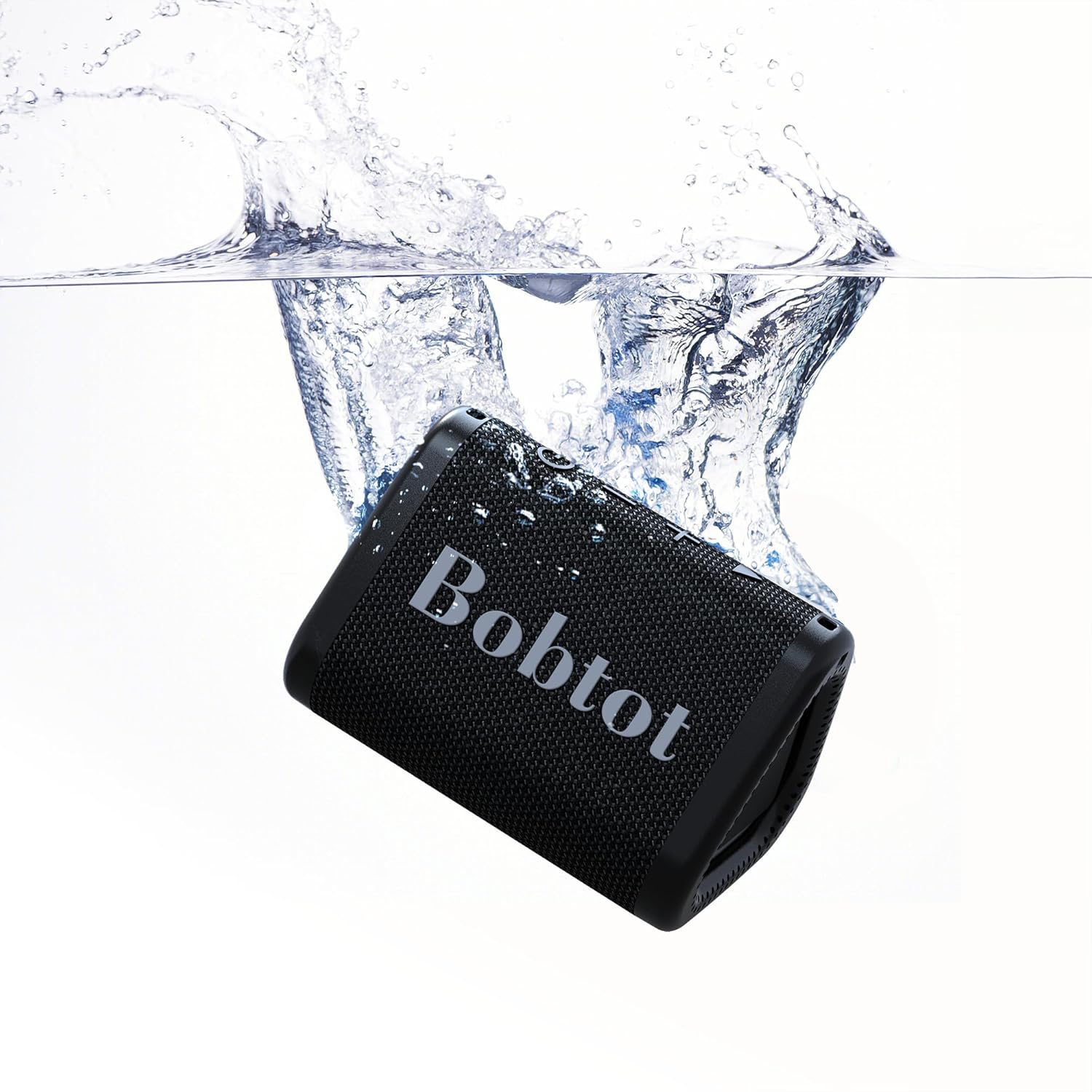
Image: Two Bobtot ET2240 speakers paired together, showcasing the True Wireless Stereo (TWS) functionality for enhanced sound.
Video: An official Bobtot video demonstrating the speaker's features, including charging, control buttons, TWS pairing, hands-free calling, and waterproofing.
Panduan Persediaan
1. Mengisi Speaker
Before first use, fully charge your speaker. Use the provided USB Type-C charging cable.
- Sambungkan hujung kabel Jenis-C ke port pengecasan pembesar suara.
- Sambungkan hujung USB-A kepada penyesuai kuasa USB yang serasi (tidak disertakan) atau port USB komputer.
- Lampu penunjuk pengecasan akan menyala semasa pengecasan dan padam apabila dicas sepenuhnya. Pengecasan penuh biasanya mengambil masa kira-kira 2.5 jam.
2. Menghidupkan/Mematikan
- Untuk menghidupkan, tekan dan tahan Butang kuasa (
 ) for 2-3 seconds until you hear an audible prompt.
 - Untuk mematikan, tekan dan tahan Butang kuasa sekali lagi selama 2-3 saat.
3. Berpasangan Bluetooth
Follow these steps to connect your speaker to a Bluetooth-enabled device:
- Ensure the speaker is powered on and in Bluetooth pairing mode (the LED indicator will flash blue).
- Pada peranti anda (telefon pintar, tablet, komputer riba), dayakan Bluetooth dan cari peranti yang tersedia.
- Select "ET2240" from the list of devices.
- Once connected, the LED indicator will turn solid blue, and you will hear a confirmation tone.
4. Gandingan True Wireless Stereo (TWS).
To pair two Bobtot ET2240 speakers for stereo sound:
- Ensure both speakers are powered on and disconnected from any Bluetooth device.
- Pada satu pembesar suara (ini akan menjadi pembesar suara utama), tekan dua kali pada Butang Main/Jeda. The speaker will enter TWS pairing mode.
- The two speakers will automatically connect to each other. Once connected, you will hear a confirmation tone, and the LED indicator on the primary speaker will flash blue, while the secondary speaker's LED will be solid blue.
- Now, connect your device to the primary speaker via Bluetooth as described in step 3.
Arahan Operasi
Main balik Muzik
- Main/Jeda: Tekan ke Butang Main/Jeda sekali.
- Lagu Seterusnya: Tekan dan tahan butang Butang Naik Kelantangan (+)..
- Trek Sebelumnya: Tekan dan tahan butang Volume Down (-) button.
- Kelantangan: Tekan pendek Butang Naik Kelantangan (+)..
- Perlahankan suara: Tekan pendek Volume Down (-) button.
Pengurusan Panggilan
- Jawab Panggilan: Tekan ke Butang Main/Jeda once when an incoming call rings.
- Tamatkan Panggilan: Tekan ke Butang Main/Jeda sekali semasa panggilan.
- Tolak Panggilan: Tekan dan tahan butang Butang Main/Jeda selama 2 saat apabila panggilan masuk berdering.
- Dail Semula Nombor Terakhir: Tekan dua kali pada Butang Main/Jeda.
Penyelenggaraan
- Pastikan pembesar suara bersih dengan mengelapnya dengan kain lembutamp kain. Elakkan bahan kimia yang keras atau pembersih yang kasar.
- Pastikan penutup port pengecasan ditutup rapat apabila tidak dicas untuk mengekalkan penarafan kalis airnya.
- Simpan pembesar suara di tempat yang sejuk dan kering jauh dari suhu yang melampau.
- Untuk menjimatkan hayat bateri, cas sepenuhnya pembesar suara sekurang-kurangnya sekali setiap tiga bulan jika tidak digunakan secara tetap.
Menyelesaikan masalah
| Masalah | Penyelesaian yang Mungkin |
|---|---|
| Speaker tidak dihidupkan. | Ensure the speaker is charged. Press and hold the Power button for 2-3 seconds. |
| Tidak boleh berpasangan dengan peranti Bluetooth. | Ensure the speaker is in pairing mode (flashing blue LED). Turn off and on your device's Bluetooth. Move closer to the speaker. |
| Tiada bunyi atau kelantangan rendah. | Adjust volume on both the speaker and your connected device. Ensure the speaker is not muted. |
| Kualiti bunyi yang buruk. | Move the speaker closer to your device. Ensure no obstacles are between the speaker and device. Check the audio source quality. |
| Gandingan TWS gagal. | Ensure both speakers are disconnected from other Bluetooth devices before initiating TWS pairing. Follow TWS pairing steps carefully. |
Spesifikasi

Image: A diagram showing the dimensions of the Bobtot ET2240 speaker.
| Ciri | Perincian |
|---|---|
| Nama Model | ET2240 |
| Jenama | Bobtot |
| Teknologi Ketersambungan | Bluetooth 5.3 |
| Julat Komunikasi Tanpa Wayar | Sehingga 30 kaki |
| Tahap Ketahanan Air | IPX7 (kalis air) |
| Jenis Pembesar Suara | Pembesar suara mudah alih |
| Saiz Pembesar Suara | 2 Inci |
| Kuasa Output Maksimum Pembesar Suara | 10 Watt |
| Mod Keluaran Audio | Stereo |
| Ciri Khas | Bass Boost, Built-in Microphone, Stereo Pairing, Waterproof |
| Sumber Kuasa | Dikuasakan Bateri |
| Kapasiti Bateri | 1200 mAh |
| Masa Bermain | Sehingga 15 jam (pada volum 50%) |
| Masa Mengecas | lebih kurang 2.5 jam |
| Dimensi Produk | 3.9"D x 2.9"W x 2.7"H |
| Berat Barang | 0.5 paun (8 auns) |
| bahan | Akrilonitril Butadiena Stirena (ABS) |
| Kaedah Kawalan | Sentuh |
Waranti dan Sokongan
The Bobtot ET2240 Portable Bluetooth Speaker comes with an extended warranty. For detailed warranty information, product support, or technical assistance, please refer to the official Bobtot webtapak atau hubungi perkhidmatan pelanggan mereka secara langsung. Simpan resit pembelian anda untuk tuntutan waranti.