
1. Pengenalan
Thank you for choosing the Rettru Q18 4K Wireless WiFi IP Camera. This manual provides detailed instructions for setting up, operating, and maintaining your camera to ensure optimal performance and security. Please read this manual thoroughly before use and retain it for future reference.
Kandungan Pakej
Sahkan bahawa semua item yang disenaraikan di bawah disertakan dalam pakej anda:
- 1 x Kamera
- 1 x Manual Pengguna
- Pembaca Kad SD 1 x
- 1 x Pangkalan Magnetik
2. Maklumat Keselamatan
To prevent damage to the product or injury to yourself or others, please observe the following safety precautions:
- Do not expose the camera to extreme temperatures, direct sunlight, or moisture.
- Elakkan daripada menjatuhkan atau mendedahkan kamera kepada hentaman yang kuat.
- Gunakan hanya aksesori pengecasan yang dinyatakan.
- Jauhkan kamera daripada kanak-kanak dan haiwan peliharaan.
- Jangan cuba membuka atau mengubah suai kamera. Ini akan membatalkan jaminan.
- Ensure proper ventilation when operating or charging the device.
3. Produk Lebihview
The Rettru Q18 is a compact 4K wireless IP camera designed for indoor and outdoor surveillance. It features a high-resolution sensor, long-lasting battery, and advanced detection capabilities.

Figure 3.1: Rettru Q18 Camera and Live View Interface. This image illustrates the compact size of the camera, held between two fingers, alongside a smartphone displaying the camera's live 4K Ultra HD feed.
Ciri-ciri Utama
- Video Ultra HD 4K: Records video at 2560x1440 (2K) resolution for clear imaging.
- Bateri 1800mAh: Provides up to 6 hours of continuous recording and over 100 days of standby time.
- Pengesanan Manusia AI: Advanced motion detection specifically identifies human shapes to reduce false alarms.
- Automatic Night Vision: Equipped with 8 straw hat 940nm infrared lights for clear night vision without a visible red glow, effective up to 28 feet.
- Audio Dua hala: Built-in speaker and microphone for real-time voice communication.
- Kanta Sudut Lebar 160 Darjah: Menawarkan bidang yang luas view for comprehensive coverage.
- Storan Setempat: Supports Micro SD cards up to 128GB (card not included).
- Kesambungan Tanpa Wayar: Connects via 2.4G Wi-Fi.
4. Panduan Persediaan
4.1 Pengecasan Awal
Before first use, fully charge the camera using a standard 5V USB power adapter and the provided charging cable. The charging indicator light will typically change color or turn off once fully charged.

Figure 4.1: Battery Capacity and Endurance. This image highlights the camera's 1800mAh battery, offering 6 hours of continuous recording and 100 days of standby time.
4.2 Pemasangan Aplikasi
The Rettru Q18 camera operates with the V380 Pro application. Download the app from your smartphone's app store (iOS App Store or Google Play Store).
- Cari untuk "V380 Pro" in your app store.
- Muat turun dan pasang aplikasi.
- Daftar akaun atau log masuk jika anda sudah mempunyai akaun.
4.3 Sambungan Wi-Fi
Follow these steps to connect your camera to your home Wi-Fi network. Ensure your Wi-Fi network is 2.4GHz, as 5GHz networks are not supported.
- Hidupkan kamera.
- Open the V380 Pro app and tap the "+" icon to add a new device.
- Select the appropriate camera type or scan the QR code on the camera (if available).
- Follow the on-screen instructions to connect the camera to your 2.4GHz Wi-Fi network. This typically involves entering your Wi-Fi password.
- Setelah disambungkan, anda boleh menamakan kamera anda dan mula secara langsung viewing.
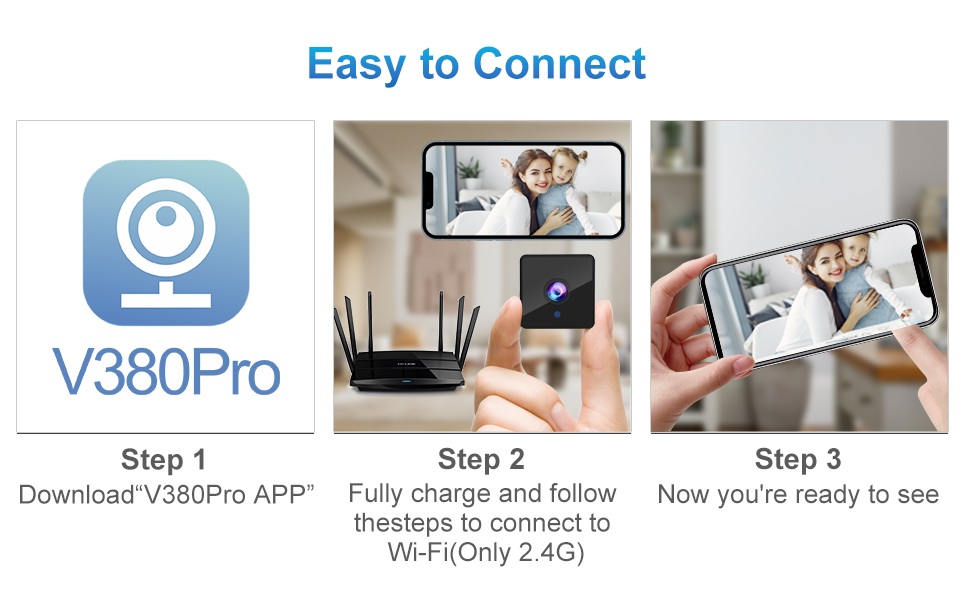
Figure 4.2: Easy Connection Steps. This graphic illustrates the three-step process for connecting the Rettru Q18 camera: downloading the V380 Pro app, charging and connecting to 2.4G Wi-Fi, and then accessing the live view.
5. Operasi
5.1 Langsung View dan Rakaman
Once connected, open the V380 Pro app to access the live video feed. You can manually initiate recording or configure continuous recording if a Micro SD card is inserted.
- Tap on the camera feed in the app to enter live view.
- Use the on-screen controls to take snapshots, record video, or access settings.
- Ensure a Micro SD card (up to 128GB) is inserted for local video storage.
5.2 Pengesanan Gerakan dan Makluman
The camera features AI human detection to minimize false alarms. When motion is detected, the camera can send alerts to your smartphone and record video.
- Navigate to the camera settings in the V380 Pro app.
- Enable "Motion Detection" and "AI Human Detection."
- Configure alert sensitivity and notification preferences.
- You can also activate the built-in siren (105dB) through the app to deter intruders.
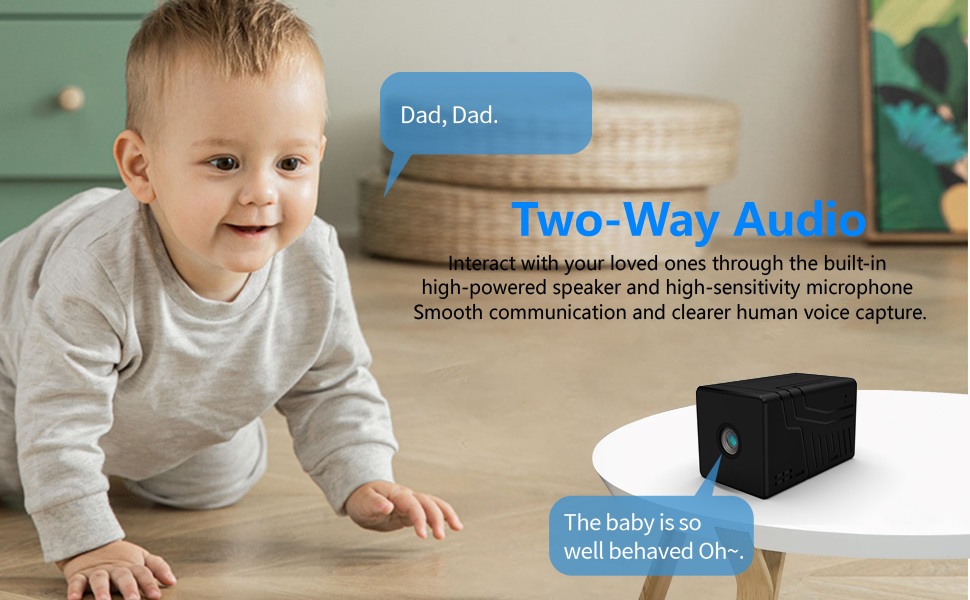
Figure 5.1: AI Motion Detection and Alerts. This image demonstrates the camera's AI motion detection capability, showing a person triggering an alert on a smartphone, with options for notification and video playback.
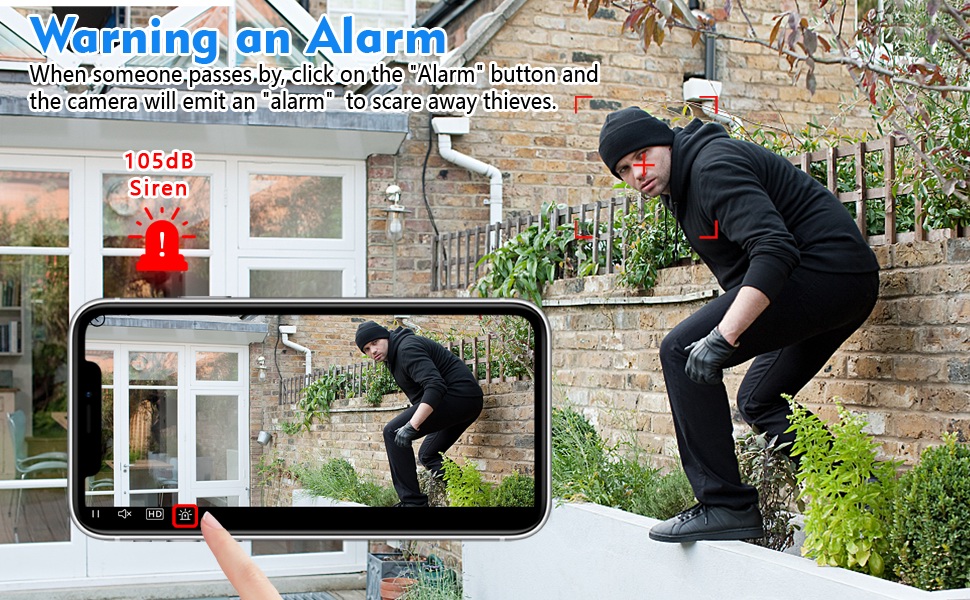
Figure 5.2: Activating the Alarm. This image illustrates the "Warning an Alarm" feature, where a user can click an "Alarm" button on their phone to activate the camera's siren when motion is detected, such as a person climbing a fence.
5.3 Penglihatan Malam
The camera automatically switches to night vision mode in low-light conditions, providing clear black-and-white video without a visible red glow from infrared LEDs.
- Night vision range is approximately 28 feet.
- Ensure no obstructions block the camera's view for optimal night vision performance.
5.4 Audio Dua Hala
Utilize the built-in speaker and microphone for two-way communication through the V380 Pro app.
- Secara langsung view, ketik ikon mikrofon untuk bercakap melalui kamera.
- Ensure your phone's volume is adjusted to hear audio from the camera.
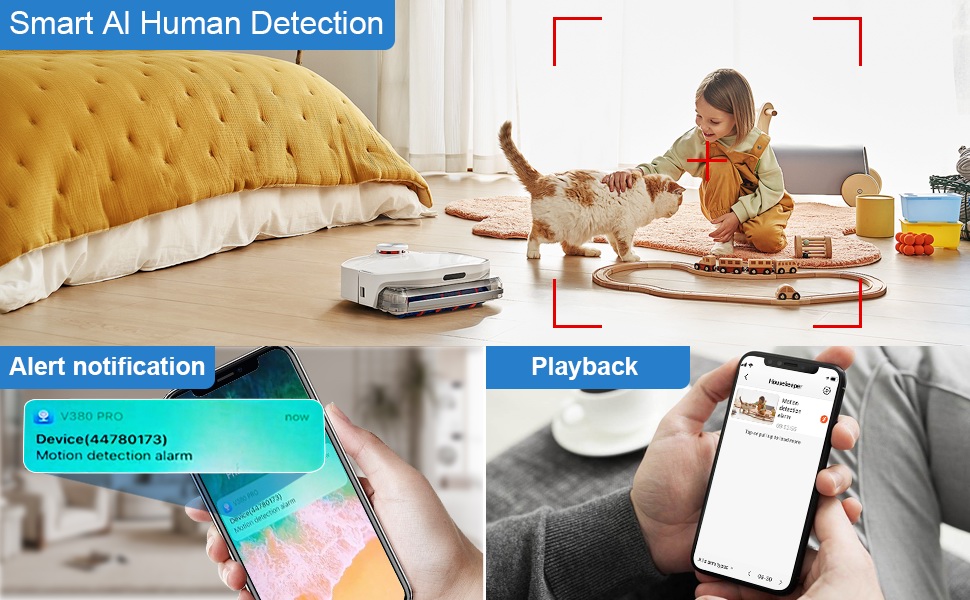
Figure 5.3: Two-Way Audio Communication. This image illustrates the two-way audio functionality, allowing users to interact with individuals near the camera, such as speaking to a baby.
6. Penyelenggaraan
6.1 Pembersihan
To maintain optimal image quality, regularly clean the camera lens. Use a soft, dry, lint-free cloth. Avoid abrasive cleaners or solvents that could damage the lens or camera body.
6.2 Penyimpanan
When not in use for extended periods, store the camera in a cool, dry place away from direct sunlight and extreme temperatures. Ensure the battery is partially charged (around 50%) before storage to prolong its lifespan.
7. Penyelesaian masalah
If you encounter issues with your Rettru Q18 camera, refer to the following common problems and solutions:
| Masalah | Penyelesaian |
|---|---|
| Kamera gagal menyambung ke Wi-Fi. |
|
| No video feed in the app. |
|
| Makluman pengesanan gerakan tidak diterima. |
|
| Poor audio quality during two-way communication. |
|
| Camera battery drains quickly. |
|
8. Spesifikasi
| Ciri | Perincian |
|---|---|
| Nama Model | Q18 |
| Resolusi Tangkapan Video | HD 4K Resolution (2560x1440) |
| Resolusi Pegun Berkesan | 5 MP |
| Teknologi Ketersambungan | Tanpa Wayar (Wi-Fi 2.4GHz) |
| Sumber Kuasa | Dikuasakan Bateri (1800mAh Lithium Ion) |
| Hayat Bateri | Up to 6 hours continuous recording, 100 days standby |
| Viewsudut | 160 Darjah |
| Julat Penglihatan Malam | 28 Kaki |
| Sokongan Storan | Kad SD Mikro sehingga 128GB (tidak termasuk) |
| Jenis Pengawal | Apl V380 Pro |
| Ciri Khas | 2-Way Audio, HD 4K Resolution, Motion Sensor, Night Vision, Portable, AI Human Detection, Built-in Siren |
| Penggunaan Dalaman/Luar | Indoor, Outdoor (IP65 rating) |
| Jenis Pemasangan | Wall-Mounted & Surface-Mounted (with magnetic base) |
| Dimensi Produk | 21.6 x 13.3 x 13.3 inches (Note: These are likely packaging dimensions; the camera itself is compact.) |
| Berat Barang | 2.65 ounces / 75 Grams |
9. Waranti dan Sokongan
Rettru products are manufactured with quality and reliability in mind. For warranty information or technical support, please contact the manufacturer directly through their official website or the contact information provided with your purchase. Please have your model number (Q18) and purchase details ready when contacting support.