
1. Lebihview
The DOOGEE T30 PRO is an advanced tablet designed for both productivity and entertainment. It features an 11-inch 2.5K display, a powerful MediaTek Helio G99 Octa-Core processor, ample memory and storage, and a long-lasting battery. This manual provides essential information for setting up, operating, maintaining, and troubleshooting your device.
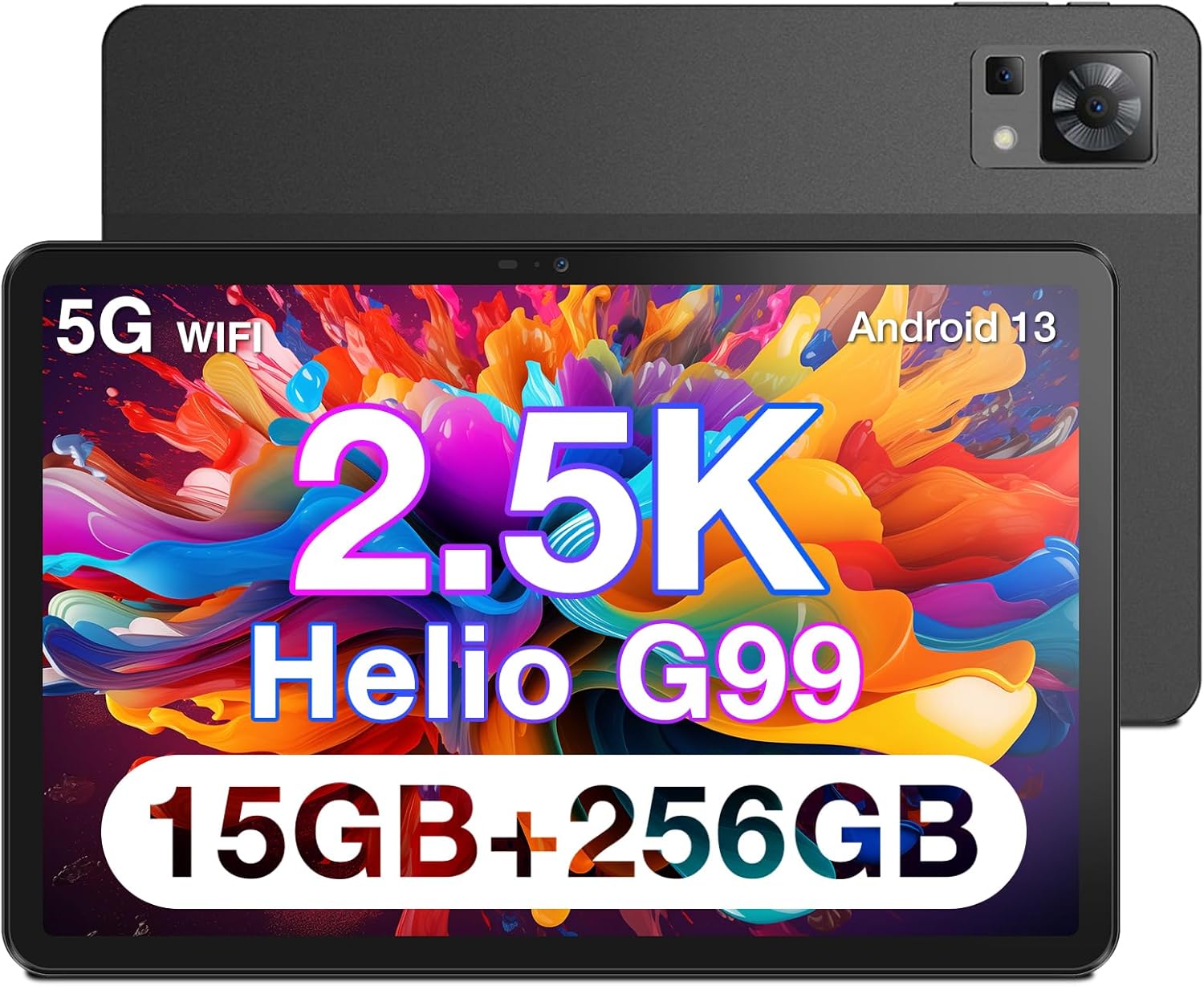
Rajah 1.1: Depan dan belakang view of the DOOGEE T30 PRO Tablet, highlighting its sleek design.

Figure 1.2: Visual representation of the tablet's 2.5K resolution, 374 Pixel Density, 85% Screen to Body Ratio, and 4 Hi-Res Speakers for an enhanced audiovisual experience.

Figure 1.3: The tablet demonstrating split-screen functionality, powered by an Octa-Core 2.2GHz processor, 15GB+256GB storage, and Android 13 system.

Figure 1.4: The DOOGEE T30 PRO Tablet is TÜV SÜD Eye Safety Certified, indicating reduced blue light emission for eye protection.

Figure 1.5: The tablet's camera capabilities, featuring a 20MP Main Camera and an 8MP Front Camera, ideal for video calls and photography.

Figure 1.6: The tablet supports 4G Dual LTE and 2.4G/5G Dual Band Wi-Fi for reliable and fast connectivity.

Figure 1.7: The ultra-thin metal unibody design of the tablet, weighing 470g and measuring 7.9mm slim. Note: Stylus is optional and not included.
2. Persediaan
2.1 Pengecasan Awal
Before first use, fully charge your DOOGEE T30 PRO Tablet. Connect the provided USB-C cable to the tablet's charging port and the other end to a compatible power adapter. The tablet supports 33W fast charging.
Video 2.1: Official product video demonstrating the features of the DOOGEE T30 PRO, including its charging capabilities and overall design. (Source: Seller)
2.2 Menghidupkan/Mematikan
- Untuk Menghidupkan: Press and hold the Power button located on the side of the tablet until the DOOGEE logo appears on the screen.
- Untuk Mematikan: Tekan dan tahan butang Kuasa sehingga menu pilihan kuasa muncul. Pilih "Matikan kuasa" dan sahkan.
- Untuk Mulakan Semula: Daripada menu pilihan kuasa, pilih "Mulakan Semula" dan sahkan.
2.3 Wizard Persediaan Awal
Setelah dihidupkan pertama, tablet akan membimbing anda melalui wizard persediaan awal. Ikuti gesaan pada skrin untuk:
- Pilih bahasa anda.
- Sambung ke rangkaian Wi-Fi.
- Sign in with your Google account (optional, but recommended for app downloads and services).
- Sediakan kunci skrin (PIN, corak, kata laluan atau cap jari).
- Review dan menerima terma dan syarat.
3. Beroperasi
3.1 Paparan dan Visual
The 11-inch 2.5K (2560x1600) display offers crisp and vibrant visuals. Adjust brightness and display settings in the 'Settings' app under 'Display'. The tablet features hardware-level blue light filter technology, certified by TÜV SÜD, to reduce eye strain during prolonged use.
3.2 Pengalaman Audio
Equipped with Hi-Res quad speakers, the tablet delivers an immersive audio experience. It also supports Widevine L1, allowing you to stream high-definition content from popular platforms like Disney+, Hulu, HBO Max, and Amazon Prime Video.
Fungsi Kamera 3.3
Capture moments with the 20MP main camera and take clear selfies or video calls with the 8MP front camera. Access the camera app from the home screen or app drawer.
3.4 Prestasi dan Penyimpanan
Powered by the MediaTek Helio G99 Octa-Core chipset, the tablet ensures smooth multitasking and gaming. With 15GB (8GB physical + 7GB virtual) RAM and 256GB internal storage, expandable up to 2TB via TF card, you have ampruang untuk semua aplikasi dan media anda.
3.5 Ketersambungan
The tablet supports 4G Dual LTE for cellular data connectivity and 2.4G/5G Dual Band Wi-Fi for high-speed internet access. Bluetooth is also available for connecting wireless accessories.
3.6 Ciri-ciri Android 13
Running on Android 13, the tablet offers an enhanced user experience with improved security and performance. Utilize features like split-screen multitasking to boost productivity, allowing you to run two apps side-by-side.
4. Penyelenggaraan
4.1 Penjagaan Bateri
Bateri 8580mAh menyediakan penggunaan yang lebih lama. Untuk memaksimumkan jangka hayat bateri:
- Elakkan suhu yang melampau.
- Jangan biarkan bateri habis sepenuhnya sebelum mengecas semula dengan kerap.
- Gunakan pengecas dan kabel asal untuk kelajuan dan keselamatan pengecasan yang optimum.
4.2 Membersihkan Tablet Anda
Gunakan kain lembut dan tidak berbulu untuk membersihkan skrin dan badan tablet. Untuk calitan degil, sedikit dampLap kain dengan air atau pembersih skrin. Elakkan menggunakan bahan kimia yang keras atau bahan yang melelas.
4.3 Kemas Kini Perisian
Regularly check for and install software updates to ensure your tablet has the latest features, security patches, and performance improvements. Go to 'Settings' > 'System' > 'System update' to check for updates.
5. Penyelesaian masalah
5.1 Isu dan Penyelesaian Biasa
- Tablet tidak boleh dihidupkan: Pastikan bateri telah dicas. Sambungkan ke pengecas dan tunggu beberapa minit sebelum cuba menghidupkannya semula.
- Skrin beku atau tidak bertindak balas: Tekan dan tahan butang Kuasa selama kira-kira 10-15 saat untuk memaksa mulakan semula.
- Isu sambungan Wi-Fi: Try restarting your Wi-Fi router. On the tablet, go to 'Settings' > 'Network & internet' > 'Internet', then forget the network and reconnect.
- Apl ranap: Clear the cache for the problematic app in 'Settings' > 'Apps' > [App Name] > 'Storage & cache' > 'Clear cache'. If the issue persists, try reinstalling the app.
- Prestasi perlahan: Tutup aplikasi latar belakang yang tidak diperlukan. Kosongkan cache dan sementara files. Consider performing a factory reset if performance issues persist after other troubleshooting steps (back up your data first).
6. Spesifikasi
| Ciri | Spesifikasi |
|---|---|
| Saiz paparan skrin berdiri | 11 Inci |
| Resolusi Skrin | 2560*1600 |
| Resolusi Skrin Maks | 166*2560 |
| Pemproses | 2.2 GHz |
| Penerangan Kad | Bersepadu |
| Jenis Wayarles | 802.11g |
| Jenama | DOOGEE |
| Siri | T30PRO |
| Nombor model item | T30PRO |
| Sistem Operasi | Android 13 |
| Berat Barang | 2.9 paun |
| Dimensi Pakej | 11.3 x 7.95 x 2.52 inci |
| warna | Hitam |
| belakang Webresolusi cam | 20 MP |
| Jenama Pemproses | Helio G99 |
| Saiz Memori Denyar | 256 GB |
| Bateri | 1 Bateri Litium Polimer diperlukan. (termasuk) |
| ASIN | B0C5LMNX24 |
| Tarikh Mula-mula Tersedia | 22 September 2023 |
| Nama Model | T30PRO |
| Kapasiti Penyimpanan Memori | 256 GB |
| Saiz Skrin | 11 Inci |
| Resolusi Paparan Maksimum | 166*2560 |
7. Waranti dan Sokongan
7.1 Maklumat Waranti
Your DOOGEE T30 PRO Tablet comes with a Waranti Terhad 2 Tahun. This warranty covers manufacturing defects and ensures your product functions as intended under normal use. Please retain your proof of purchase for warranty claims.
7.2 Polisi Pemulangan
Nikmati a 30-Day Money Back Guarantee and Free Return from the date of purchase. Refer to the retailer's return policy for specific conditions and procedures.
7.3 Sokongan Pelanggan
For any technical assistance or inquiries, 24/7 Online Support 1-on-1 is available. Please visit the official DOOGEE weblaman web atau hubungi saluran khidmat pelanggan mereka untuk pilihan sokongan terperinci.