
1. Pengenalan dan Lebihview
The AWANFI J120 is a versatile and powerful portable jump starter designed to provide reliable starting power for a wide range of vehicles. Beyond its primary function, it serves as a portable power bank and features an integrated LED flashlight for emergencies. Its compact and lightweight design ensures easy portability, making it an essential tool for any vehicle owner.

Image 1: AWANFI J120 3000A Portable Jump Starter with included jumper cables.
2. Apa yang ada di dalam Kotak
- 1 × AWANFI J120 3000A Jump Starter
- 1 × Heavy-Duty Battery Clamps (Smart Jump Cable)
- 1 × Kabel Pengecas USB Jenis-C
- 1 × Waterproof Storage Case
- 1 × User Guide for Jump Starter
- Maklumat Waranti Terhad 3 Tahun

Image 2: All items included in the AWANFI J120 Jump Starter package.
3. Ciri-ciri Produk
3.1. Ultra-Effective Jump Starting
- Arus Puncak: 3000 Amps, capable of starting engines up to 10.0L Gas or 8.0L Diesel.
- Penggunaan Serbaguna: Can start cars, trucks, motorcycles, snowmobiles, ATVs, UTVs, lawnmowers, and yachts.
- Perlindungan Keselamatan Pintar: Equipped with 10 safety features including over-charge, reverse-polarity, short-circuit, over-current, low-temperature, over-voltage, high-temperature, spark-proof, over-load, and reverse-charge protection.
- Operasi Suhu Melampau: Performs flawlessly in temperatures ranging from -4℉ to 140℉.
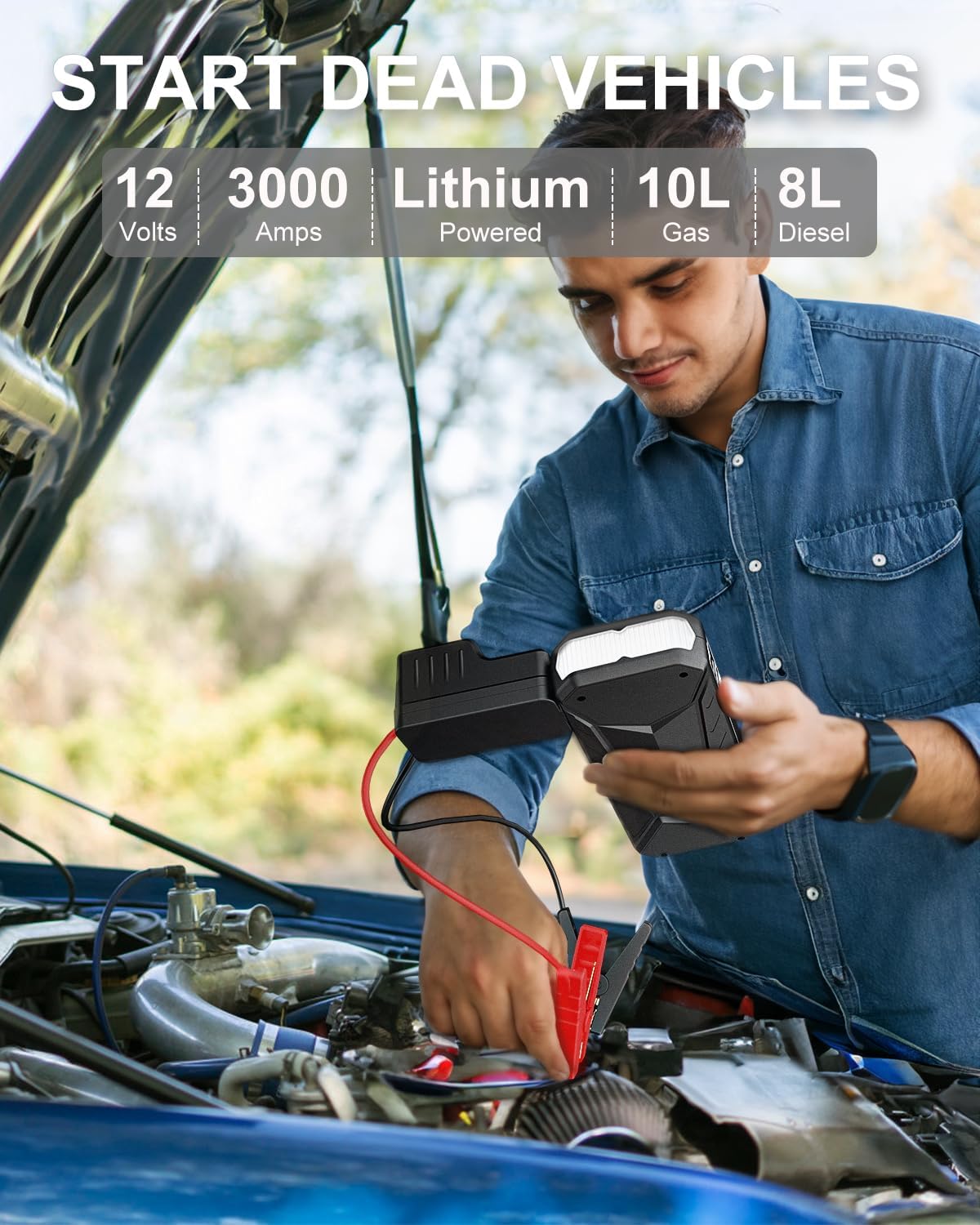
Image 3: The AWANFI J120 Jump Starter connected to a vehicle battery for jump starting.
3.2. Multi-Function Power Bank
- Output USB Dwi: Includes one USB 5V/9V/12V Quick Charge port and one USB 5V/2.4A port.
- Pengecasan Peranti: Capable of charging smartphones, tablets, and other USB-powered devices.

Image 4: The AWANFI J120 Jump Starter functioning as a portable power bank.
3.3. Integrated LED Flashlight
- 3 Mod Cahaya: Features Flash Light, Strobe Light, and SOS Light modes.
- Penggunaan Serbaguna: Sesuai untuk camping, emergencies, outdoor adventures, and travel.

Image 5: The integrated LED flashlight of the AWANFI J120 Jump Starter.
3.4. Ultra-Portable Design
- Dimensi Padat: Measures 8.46 x 3.14 x 1.18 inches.
- ringan: Weighs 1.39 pounds.
- Penyimpanan yang Mudah: Easily fits in a car emergency kit, glove box, or bag.
3.5. Designed for Ultimate Reliability
- Jangka hayat yang panjang: Guarantees over 5000+ recharge cycles.
4. Persediaan
4.1. Mengecas Pemula Lompat
Before first use, fully charge the AWANFI J120 Jump Starter. Use the provided USB Type-C charging cable to connect the jump starter to a compatible USB power source (e.g., wall adapter, car charger, computer USB port). The digital display will show the charging progress.

Image 6: Various methods for charging the AWANFI J120 Jump Starter.
5. Arahan Operasi
5.1. Lompat Memulakan Kenderaan
- Ensure the jump starter is sufficiently charged (above 30% recommended).
- Insert the smart jump cable plug firmly into the jump starter's EC5 port.
- Sambungkan cl merah (+).amp ke terminal positif (+) bateri kenderaan.
- Sambungkan cl hitam (-).amp ke terminal negatif (-) bateri kenderaan.
- Observe the indicator light on the smart jump cable. A solid green light indicates it's ready to jump start.
- If the indicator light shows an error (e.g., flashing red for reversed polarity, flashing yellow for low voltage), refer to the Troubleshooting section.
- If the vehicle battery is extremely low, press the
Ask a question about this manual
Ask about setup, troubleshooting, compatibility, parts, safety, or missing instructions. Manuals+ will review the question and use this page’s manual context to help answer it.