
1. Pengenalan
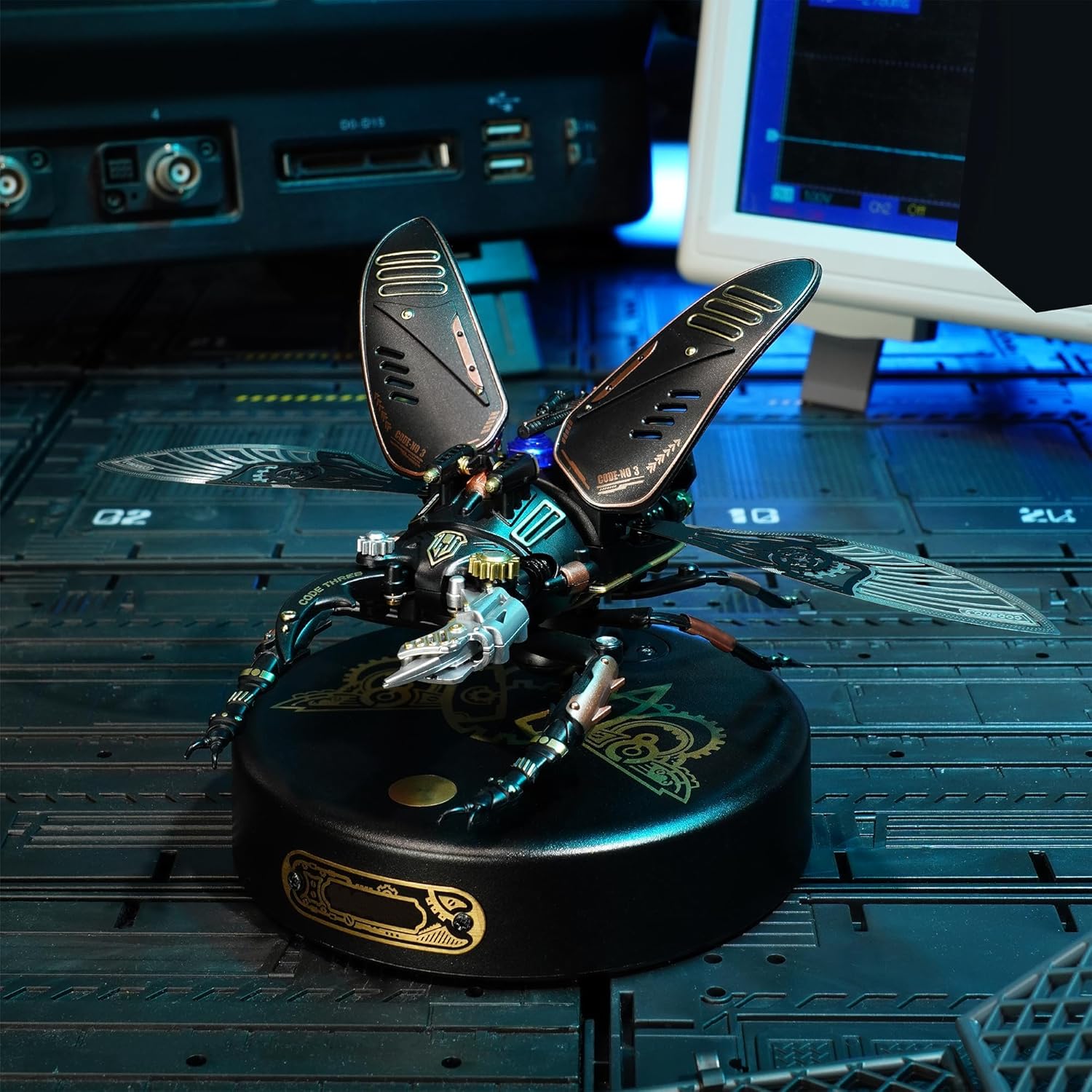
This manual provides detailed instructions for the assembly, operation, and maintenance of your ROBOTIME MI03 Storm Beetle Mechanical 3D Puzzle Model Kit. Designed with intricate steampunk elements, this model offers an engaging building experience and a unique display piece. Please read all instructions carefully before beginning assembly.
2. Kandungan Pakej
Before starting, verify that all components listed below are present in your kit:
- Plastic Pieces (various frames containing model parts)
- Buku Arahan
- Small tools (as specified in the instruction book, may include screwdriver, pliers, etc.)
- Additional materials (e.g., leather for wings, PVC for limbs, small metal components)
Note: Three AAA batteries are required for operation but are not included in the package due to customs policy.

3. Arahan Pemasangan (Persediaan)
The assembly process for the Storm Beetle model kit is designed to be engaging and typically takes approximately 3 hours. Patience and attention to detail are crucial, especially with the smaller components.
3.1 Persediaan
- Clear a well-lit, spacious workspace.
- Organize all parts according to the instruction book. Some parts are very small and require fine motor skills.
- Ensure you have three AAA batteries ready for installation.
3.2 Perhimpunan Langkah demi Langkah
Follow the included instruction book meticulously. The manual provides clear, concise steps, indicating which pieces to punch out and from which bags to retrieve necessary hardware. Pay close attention to diagrams and text to ensure correct placement of each part.

3.3 Pertimbangan Penting
- Bahagian Kecil: Many components, including screws and gears, are miniature. Use tweezers and a magnifying glass if needed.
- Delicate Parts: Some parts, particularly the wings, are delicate. Handle with care when cutting from frames.
- Pemasangan Bateri: Install the three AAA batteries into the designated compartment as per the instructions. Ensure correct polarity.

4. Arahan Operasi
Once fully assembled and batteries are installed, your Storm Beetle model is ready for operation.
4.1 Activating the Model
Locate the activation switch on the model's base. Pressing this switch will initiate the mechanical movements and light features.
4.2 Features in Operation
- Lampu LED: A flashing blue LED light on the model's back will illuminate.
- Jaws and Wings: The model's jaws will clamp, and its membranous wings will activate, moving at a frequency of approximately 30 times per minute.
- Matikan automatik: The model is designed to operate for about 3 minutes before automatically shutting off to conserve battery life.
4.3 Video Operasi
Watch this video for a demonstration of the ROBOTIME MI03 Storm Beetle model in action:
Video 4.1: Official demonstration of the ROBOTIME MI03 Beetle Model Toy Building Set, showing its mechanical movements and light features.
5. Penyelenggaraan
To ensure the longevity and optimal performance of your ROBOTIME MI03 model, follow these maintenance guidelines:
- Pembersihan: Gently dust the model regularly with a soft, dry cloth. Avoid using harsh chemicals or abrasive materials.
- Pelinciran: Periodically apply a small amount of appropriate lubricant (e.g., silicone grease, as may be included in some kits) to moving gears and joints to ensure smooth operation.
- Storan: Simpan model di tempat yang sejuk dan kering jauh dari cahaya matahari langsung dan suhu yang melampau untuk mengelakkan degradasi bahan.
- Penggantian Bateri: Replace batteries when the model's movements become sluggish or the light dims. Always use fresh AAA batteries.
6. Penyelesaian masalah
If you encounter any issues with your Storm Beetle model, refer to the following troubleshooting tips:
6.1 Model Not Operating
- Semak Bateri: Ensure batteries are correctly installed with the right polarity and are not depleted. Replace if necessary.
- Activation Switch: Verify that the activation switch is fully engaged.
- Sambungan: Inspect all electrical connections and mechanical linkages for any loose or improperly seated parts.
6.2 Sluggish Movement or Dim Light
- Gantikan Bateri: This is often an indication of low battery power.
- Pelinciran: Apply lubricant to gears and moving parts as described in the Maintenance section.
- Halangan: Check for any foreign objects or debris obstructing the movement of gears or wings.
6.3 Parts Not Moving Correctly
- Semak semula Perhimpunan: Refer to the instruction manual and carefully review the assembly steps for the affected part. Incorrect placement of even small components can impact functionality. The manual often includes steps for disassembling specific sections if motorization issues arise.
- Over-tightening: Ensure screws are not over-tightened, which can restrict movement.
7. Spesifikasi
| Ciri | Perincian |
|---|---|
| Dimensi Produk | 3.9 x 7.3 x 4.5 inci |
| Berat Barang | 1.3 paun |
| Nombor Model | MI03 |
| Pengeluar | ROBOTIME |
| Umur Disyorkan | 14 tahun dan ke atas |
| Bilangan Kepingan | 115 |
| Sumber Kuasa | 3 x Bateri AAA (tidak termasuk) |
8. Waranti dan Sokongan
For any questions, concerns, or support regarding your ROBOTIME MI03 Storm Beetle Model Kit, please refer to the contact information provided in your product packaging or visit the official ROBOTIME website. Specific warranty details, if applicable, will be outlined in the documentation accompanying your product.