
TaIYanG A2996, A2995, A2993, A2567, A2568, A2569
TaIYanG Keyboard Case User Manual
Jenama: TaIYanG | model: A2996, A2995, A2993, A2567, A2568, A2569
1. Pengenalan
This manual provides comprehensive instructions for the TaIYanG Keyboard Case, designed to enhance your iPad Mini experience. Please read this manual thoroughly before use to ensure proper operation and longevity of your device.
Produk Selesaiview
The TaIYanG Keyboard Case transforms your iPad Mini into a versatile laptop-like device, offering a comfortable typing experience and precise trackpad control. It features a robust design with a 360° rotatable hinge, a vibrant 7-color backlit keyboard, and an integrated multi-touch trackpad.
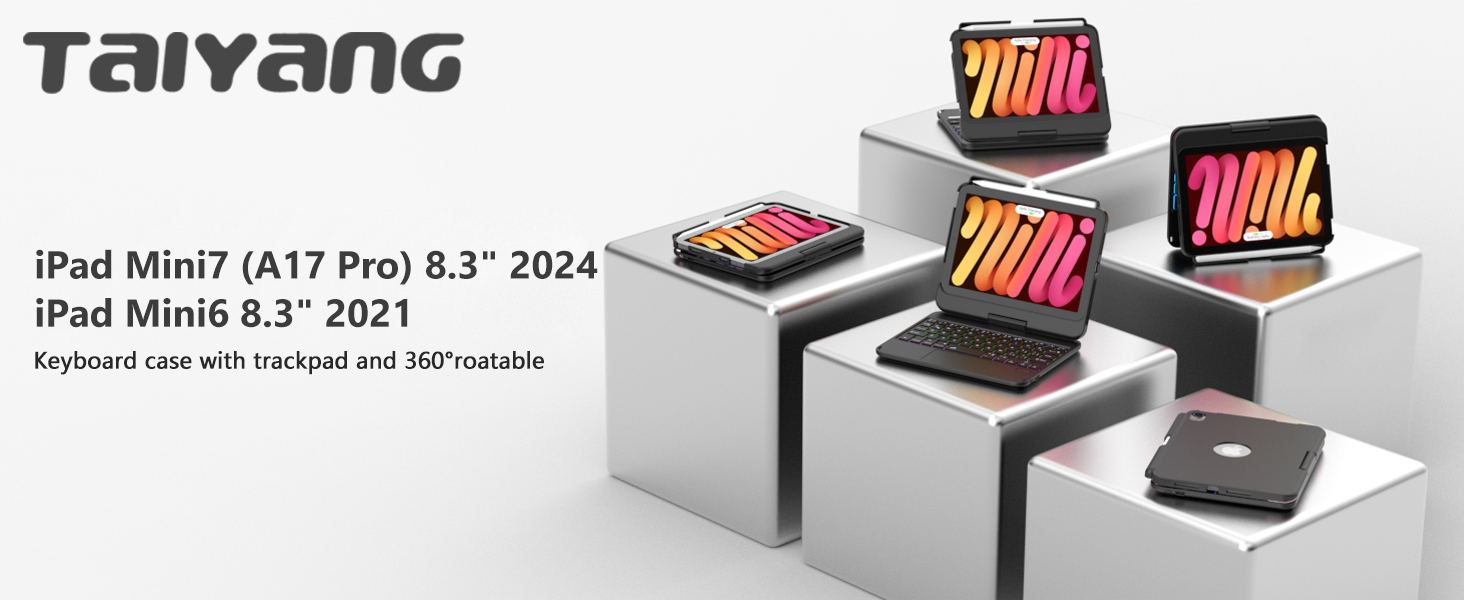
Image: TaIYanG Keyboard Case with an iPad Mini, highlighting its compatibility with iPad Mini 7th (A17 Pro 2024) and iPad Mini 6th (2021) models.
Keserasian
This keyboard case is specifically designed for:
- iPad Mini 7th Generation (A17 Pro 2024, 8.3-inch) - Model Numbers: A2996, A2995, A2993
- iPad Mini 6th Generation (2021, 8.3-inch) - Model Numbers: A2567, A2568, A2569
Please verify your iPad model number on the back of your device to ensure compatibility. This case is NOT compatible with any other iPad models.

Image: Visual guide showing compatible iPad Mini 7th and 6th generation models, and explicitly stating older models are not compatible.
2. Panduan Persediaan
2.1 Kandungan Pakej
Selepas membuka bungkusan, pastikan semua item berikut ada:
- 1 x TaIYanG Touch Keyboard Case for iPad Mini 6th/7th Gen
- 1 x Kabel Pengecas USB
- 1 x Manual Pengguna
- 1 x Card Service
2.2 Mengecas Papan Kekunci
Before initial use, fully charge the keyboard. Use the provided USB charging cable to connect the keyboard to a power source.
- Masa Pengecasan: Kira-kira 2-3 jam untuk cas penuh.
- Masa Siap sedia: Sehingga 130 hari.
- Masa Kerja Mampan: Sehingga 100 jam.

Imej: Jarak dekat view of the USB-C fast charging port on the keyboard, with charging time and battery life indicators.
2.3 Berpasangan Bluetooth
Follow these steps to connect your keyboard case to your iPad via Bluetooth:
- Pastikan papan kekunci dicas.
- Turn on the keyboard by sliding the power switch.
- On the keyboard, press the "Fn" key simultaneously with the "Q" key to activate Bluetooth pairing mode. The Bluetooth indicator light on the keyboard will flash.
- Pada iPad anda, pergi ke tetapan > Bluetooth.
- Hidupkan Bluetooth. iPad anda akan mencari peranti yang tersedia.
- Select "Bluetooth Keyboard" (or similar name) from the list of devices.
- Setelah disambungkan, lampu penunjuk Bluetooth pada papan kekunci akan berhenti berkelip.
3. Operasi
3.1 Memasang iPad Anda
Carefully insert your iPad Mini into the protective case. Ensure it is securely seated within the frame.
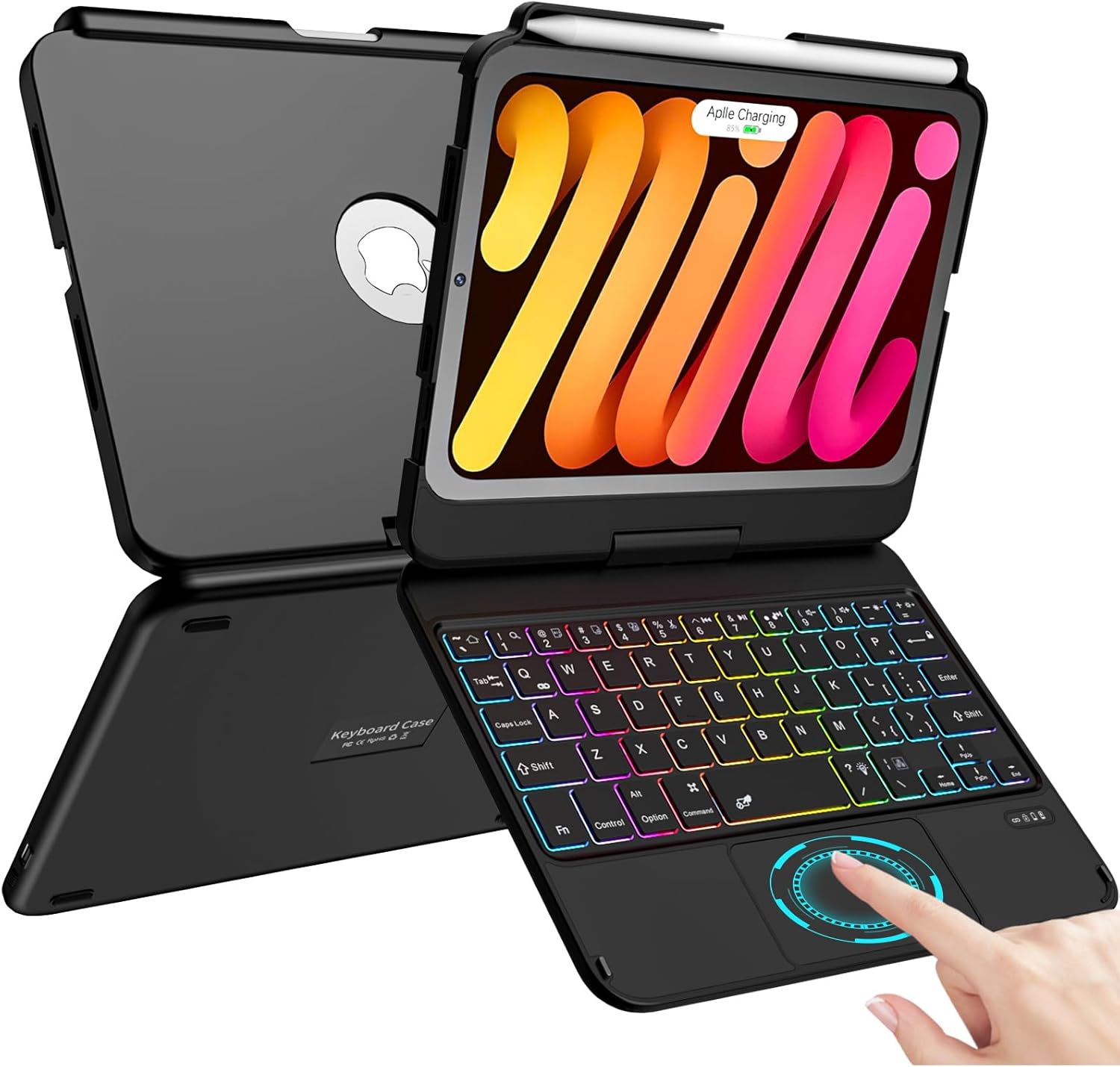
Image: The TaIYanG Keyboard Case with an iPad Mini securely installed, showcasing the backlit keyboard and multi-touch trackpad.
3.2 Hinge Functionality and Viewsudut
The keyboard case features a sturdy dual-axis rotatable 360° hinge, stress-tested for 20,000 cycles. When first opening the hinge, it may feel tight; apply appropriate effort.
The 360° swivel and 180° flip design allows for multiple viewing angles and modes:
- Mod Jenis: Standard laptop-like setup for typing.
- View Mod: Fold the keyboard back to use your iPad as a display.
- Mod Baca: Fold the case completely back for a tablet-like reading experience.
- Facetime Mode: Position the iPad for video calls.

Image: Illustrations demonstrating the 360° swivel and 180° flip capabilities, showing the case in Type, View, Read, and Facetime orientations.

Image: A visual representation of the keyboard case's 360° rotatable and 180° flip features, allowing for various usage scenarios.
3.3 Ciri-ciri Papan Kekunci
The keyboard features a premium comfortable 78-key layout with several advanced functionalities:
- Papan Kekunci Bercahaya Belakang 7 Warna: Choose from 7 backlight colors and 3 brightness levels to suit your environment. This feature illuminates the keys for typing in low-light conditions.
- Pintasan iPadOS: Utilize dedicated shortcut keys for quick access to functions like backlight adjustment, brightness control, volume control, and media playback.

Image: A visual display of the 7 different backlight colors available for the keyboard.

Imej: Papan kekunci menunjukkanasing its 7-color backlight and highlighting the iPadOS shortcut keys for enhanced productivity.
3.4 Pad Jejak Berbilang Sentuh
The integrated multi-touch trackpad allows for precise navigation and control, transforming your iPad into a highly performant laptop. It supports various gestures for efficient interaction with your iPad.
- Gerak isyarat: Utilize swipe, scroll, and click gestures to navigate your iPad Mini faster and more intuitively.
- Nota: For the multi-function touchpad to work correctly, your iPad needs to be upgraded to iOS 13 or above.

Image: The multi-touch trackpad with visual cues indicating its gesture-enabled functionality for improved working efficiency.

Image: Icons illustrating various multi-touch gestures supported by the trackpad, such as multi-touch touchpad, manage files, browse webs, and switch apps.
3.5 Built-in Apple Pencil Holder
The case includes a dedicated slot for holding your Apple Pencil. It also supports the 2nd Generation Apple Pencil's magnetic attachment and wireless charging without needing to remove the case. (Apple Pencil is NOT included).
3.6 Fungsi Tidur/Bangun Automatik
The keyboard case automatically wakes your iPad when opened and puts it to sleep when closed. This feature helps conserve battery life for your iPad.
4. Penyelenggaraan dan Penjagaan
To ensure the longevity and optimal performance of your TaIYanG Keyboard Case, follow these care guidelines:
- Pembersihan: Gunakan yang lembut, damp cloth to wipe the exterior of the case. Avoid harsh chemicals or abrasive materials.
- Perlindungan: The case is designed with anti-fingerprint, dust-proof, and scratch-resistant properties, along with an aluminum alloy body for full protection.
- Storan: Apabila tidak digunakan untuk tempoh yang lama, simpan bekas di tempat yang sejuk dan kering.

Image: Diagram illustrating the protective features of the case, including anti-fingerprint, dust-proof, scratch-resistant, and aluminum alloy construction.
5. Penyelesaian masalah
If you encounter any issues with your TaIYanG Keyboard Case, please refer to the following common solutions:
| Masalah | Penyelesaian |
|---|---|
| Hinge is stiff or difficult to open. | The hinge is designed to be sturdy. Apply appropriate effort when opening for the first time. It will loosen slightly with use. |
| Papan kekunci tidak bersambung melalui Bluetooth. |
|
| Trackpad is not responsive or gestures don't work. | Ensure your iPad's operating system is updated to iOS 13 or above. Multi-touch trackpad functionality requires this version or newer. |
| Keyboard backlight is not working. | Check if the backlight feature is enabled and adjust brightness levels using the dedicated iPadOS shortcut keys. |
6. Spesifikasi
| Ciri | Perincian |
|---|---|
| Jenama | TaIYanG |
| Nombor Model | A2567, A2568, A2569 (for iPad Mini 6th Gen); A2996, A2995, A2993 (for iPad Mini 7th Gen) |
| Peranti Serasi | iPad Mini 7th (A17 Pro) 2024 Generation (8.3-inch), iPad Mini 6th 2021 Generation (8.3-inch) |
| Teknologi Ketersambungan | Bluetooth |
| Penerangan Papan Kekunci | Pelbagai Fungsi |
| Bilangan Kunci | 78 |
| Backlighting papan kekunci | 7-Color RGB Backlight |
| Ciri Khas | Backlit, Portable, Rechargeable, Multi-Touch Trackpad, 360° Rotatable Hinge, Apple Pencil Holder, Auto Sleep/Wake |
| Jenis Bateri | 1 bateri Lithium Ion (termasuk) |
| Port Pengecasan | USB-C |
| Berat Barang | 1.41 paun (lebih kurang 640g) |
| Dimensi Pakej | 9.09 x 7.05 x 1.22 inci |
| Tarikh Mula-mula Tersedia | 20 Jun 2023 |
7. Waranti dan Sokongan
TaIYanG is committed to providing quality products and superior service. Your keyboard case comes with a service card for support.
If you have any questions regarding your product's models, functions, or require assistance, please do not hesitate to contact TaIYanG customer support. We aim to resolve any issues within 24 hours.
For contact information, please refer to the service card included in your package or visit the official TaIYanG store on Amazon.