
1. Pengenalan
The Lavales ML301 is a versatile 2-in-1 Bluetooth 5.3 audio adapter designed to enhance your audio experience. It functions as both a transmitter (TX mode) and a receiver (RX mode), allowing you to wirelessly connect various audio devices. This manual provides detailed instructions for setup, operation, and troubleshooting to ensure optimal performance of your ML301 adapter.
2. Ciri-ciri Utama
- Fungsi 2-dalam-1: Easily switch between Transmitter (TX) and Receiver (RX) modes.
- Teknologi Bluetooth 5.3: Provides stable, fast, and reliable wireless connections with improved power efficiency.
- Audio Latensi Rendah: Supports aptX Low Latency codec for audio synchronization with video, reducing delay to less than 40ms.
- Bunyi Kesetiaan Tinggi: Features aptX-HD decoding technology for crystal-clear, CD-quality stereo sound (24Bit/48Hz).
- Sokongan Dwi Pautan: Connects up to two Bluetooth headphones or earbuds simultaneously in TX mode.
- Keserasian Luas: Compatible with all 3.5mm Aux jacks, suitable for use with TVs, PCs, airplane entertainment systems, car stereos, and wired speakers.
- Jangka Hayat Bateri: Menawarkan sehingga 18 jam masa bermain dengan sekali cas.
- Reka bentuk padat dan mudah alih: Small and lightweight for easy transport and use on the go.

The Lavales ML301 features an advanced Bluetooth 5.3 chip for stable and efficient wireless connectivity.

The ML301 offers an extended wireless range of up to 100 feet (30 meters).
3. Kandungan Pakej
Sahkan bahawa semua item terdapat dalam pakej anda:
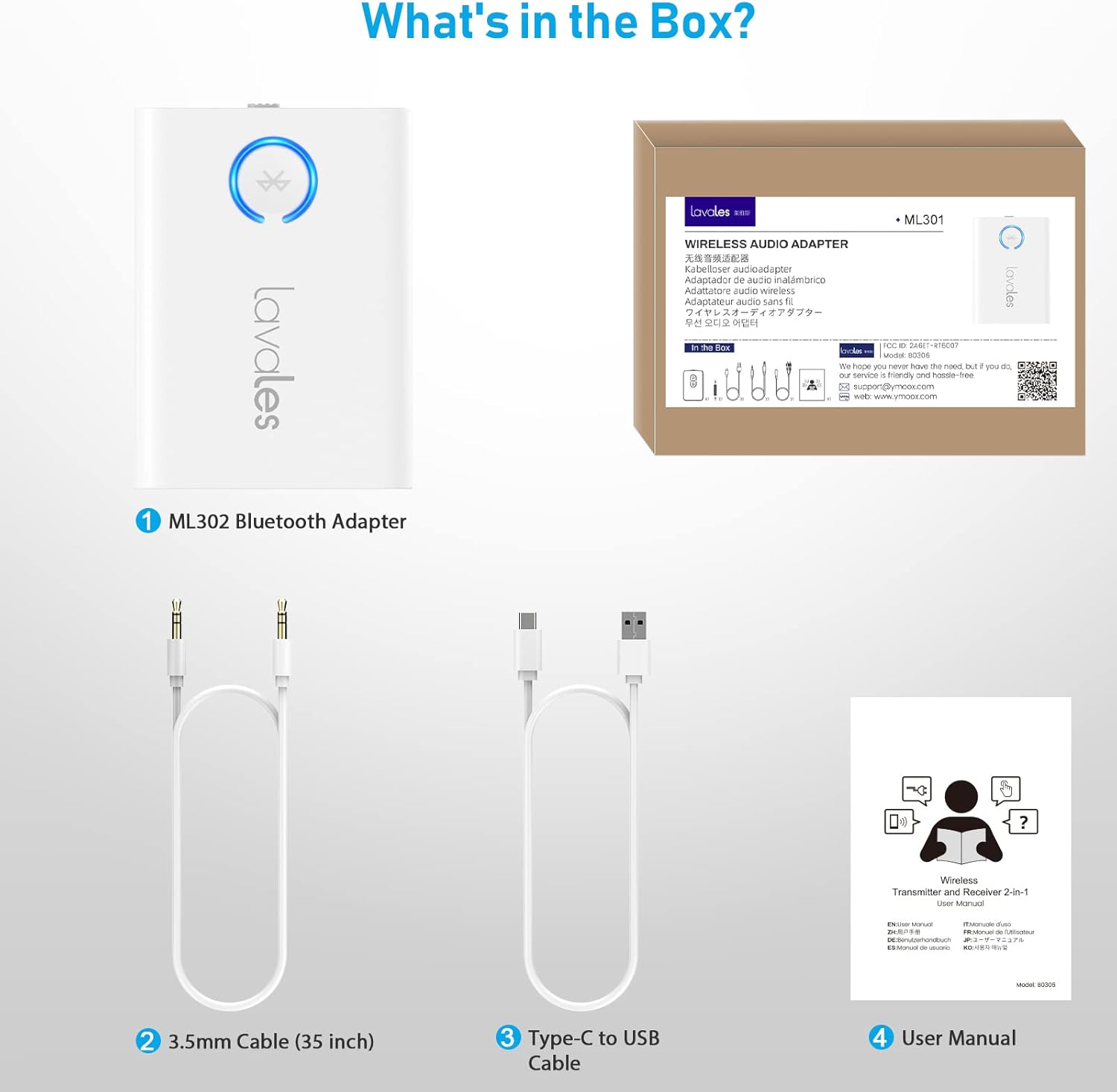
The package includes the ML301 Bluetooth Adapter, a 3.5mm audio cable, a Type-C to USB charging cable, and the user manual.
- 1 x Lavales ML301 Bluetooth Adapter
- 1 x 3.5mm Audio Cable (35 inches)
- 1 x Jenis-C ke Kabel Pengecasan USB
- 1 x Manual Pengguna
4. Produk Lebihview
Familiarize yourself with the components and indicators of your Lavales ML301 adapter.

The Lavales ML301 is designed to be compact and portable.

The ML301 functions as both a Transmitter (TX) and a Receiver (RX).
Indicator Lights and Modes
- Cahaya Biru: Indicates standard Bluetooth pairing or connection.
- Lampu Hijau: Indicates aptX-HD or aptX-Adaptive codec is active.
- Cahaya Ungu: Indicates Dual Link status (two devices connected simultaneously).
- Suis TX/RX: Luncur untuk memilih mod Pemancar (TX) atau Penerima (RX).

The LED indicator changes color to show the active audio codec and connection status.
This short video demonstrates the indicator light changes on the Lavales ML301, showing different colors for various connection statuses and audio codecs.
5. Panduan Persediaan
5.1 Mengecas Peranti
Before initial use, fully charge your Lavales ML301 adapter. Connect the provided Type-C USB cable to the charging port on the adapter and the other end to a USB power source (e.g., wall adapter, computer USB port). The indicator light will show charging status and turn off when fully charged.
5.2 Pemilihan Mod (TX/RX)
The ML301 features a physical switch to select between Transmitter (TX) and Receiver (RX) modes. Slide the switch to the desired mode before connecting or pairing.
5.3 Pairing in TX Mode (Transmitter)
In TX mode, the ML301 transmits audio from a non-Bluetooth device to Bluetooth headphones or speakers.
- Luncurkan suis ke TX mod.
- Connect the ML301 to your audio source (e.g., TV, PC, airplane entertainment system) using the 3.5mm audio cable.
- Power on the ML301. It will automatically enter pairing mode, indicated by a flashing blue light.
- Letakkan fon kepala atau pembesar suara Bluetooth anda ke dalam mod berpasangan.
- The ML301 will automatically search for and connect to your Bluetooth audio device. Once connected, the indicator light will turn solid blue (or green/yellow if aptX codecs are active).
5.4 Pairing in RX Mode (Receiver)
In RX mode, the ML301 receives audio from a Bluetooth-enabled device (e.g., smartphone, tablet) and outputs it to a wired audio system (e.g., wired speakers, car stereo).
- Luncurkan suis ke RX mod.
- Connect the ML301 to your wired audio system using the 3.5mm audio cable.
- Power on the ML301. It will automatically enter pairing mode, indicated by a flashing blue light.
- On your smartphone or tablet, enable Bluetooth and search for "Lavales ML301" in the list of available devices.
- Select "Lavales ML301" to connect. Once connected, the indicator light will turn solid blue (or green/yellow if aptX codecs are active).
5.5 Dual Link Pairing (TX Mode Only)
The ML301 can connect to two Bluetooth headphones simultaneously in TX mode.
- Follow steps 1-5 for standard TX mode pairing to connect the first pair of headphones.
- Once the first headphone is connected, put the second pair of Bluetooth headphones into pairing mode.
- The ML301 will automatically search for and connect to the second device. The indicator light will turn purple when both devices are successfully connected.
6. Arahan Operasi
6.1 Using in TX Mode (Transmitter)
The TX mode allows you to transmit audio wirelessly from devices that lack Bluetooth functionality.
- Airplane Entertainment: Plug the ML301 into the 3.5mm audio jack of an airplane's in-flight entertainment system. Pair with your wireless headphones to enjoy movies or music.

Enjoy wireless audio on flights by connecting the ML301 to the airplane's audio jack.
- TVs and PCs: Connect the ML301 to the 3.5mm audio output of your TV or PC. Pair with your Bluetooth headphones for private listening without disturbing others.

Experience synchronized audio and video when using the ML301 with your TV and aptX-LL compatible headphones.
6.2 Using in RX Mode (Receiver)
The RX mode enables your wired audio systems to receive Bluetooth audio from your smartphone or tablet.
- Stereo Kereta: Plug the ML301 into your car's 3.5mm AUX input. Pair your smartphone with the ML301 to stream music wirelessly through your car's speakers.

Stream music wirelessly from your phone to your car stereo using the ML301 in RX mode.
- Pembesar Suara/Fon Kepala Berwayar: Connect the ML301 to your wired speakers or headphones. Pair your smartphone to enjoy wireless audio playback on your existing wired setup.

Revitalize your wired speakers by enabling Bluetooth connectivity with the ML301.
7. Important Notes and Safety Information
Please observe the following important information for optimal performance and device longevity:

Key considerations for using your Lavales ML301 adapter.
- If your headphones or speakers do not support aptX-Low Latency or aptX-Adaptive technology, audio lag may be approximately 1-2 seconds.
- This product is not recommended for use with musical instruments such as electronic pianos or guitars, as significant latency may occur.
- AirPods series devices only support SBC/AAC audio formats and do not support other formats when connected to the ML301.
- Avoid charging the device while it is in use, as this can potentially damage the battery and affect its overall lifespan and playtime.
- When using Dual Link mode (connecting with two headphones simultaneously), the audio format will default to SBC only. Other audio formats cannot be selected in this mode.
8. Penyelesaian masalah
If you encounter issues with your Lavales ML301, refer to the following common solutions:
- Tiada Kualiti Audio/Bunyi Lemah:
- Ensure the 3.5mm audio cable is securely connected to both the ML301 and the audio source/destination.
- Check the volume levels on both the ML301 and your connected audio device (headphones/speakers/phone).
- Verify that the ML301 is in the correct mode (TX for transmitting, RX for receiving).
- If experiencing buzzing or static, try using a different 3.5mm cable or power source.
- Isu Berpasangan:
- Ensure the ML301 and your Bluetooth audio device are both in pairing mode.
- Make sure the devices are within close proximity (within 1 meter) during pairing.
- Turn off and restart both the ML301 and your Bluetooth audio device, then attempt pairing again.
- Clear previous Bluetooth connections on your audio device if it has trouble connecting.
- Audio Lag/Delay:
- For minimal latency, ensure both the ML301 and your Bluetooth headphones/speakers support aptX-Low Latency or aptX-Adaptive technology.
- Some headphones may have a 'game mode' or 'low latency mode' that needs to be enabled.
- As noted, a 1-2 second delay is normal if aptX-LL/Adaptive is not supported by both devices.
- Dual Link Not Working:
- Ensure both headphones are in pairing mode when attempting to connect the second device.
- Remember that Dual Link mode will use the SBC audio format.
- Peranti Tidak Dihidupkan:
- Ensure the device is fully charged. Connect it to a power source and allow it to charge for at least 30 minutes before attempting to power it on.
9. Spesifikasi
| Ciri | Spesifikasi |
|---|---|
| Nombor Model | ML301 |
| Versi Bluetooth | 5.3 |
| Teknologi Ketersambungan | Wayarles (Bluetooth) |
| Codec Audio Disokong | aptX-Low Latency, aptX-HD, aptX-Adaptive, SBC, AAC |
| Mod Pengendalian | Pemancar (TX), Penerima (RX) |
| Jenis Bateri | Polimer Litium (termasuk) |
| Hayat Bateri (Anggaran) | 18 jam |
| Port Pengecasan | USB Jenis-C |
| Input/Output Audio | Jack Aux 3.5mm |
| Dimensi Produk | 2.05 x 1.5 x 0.43 inci (5.2 x 3.8 x 1.1 cm) |
| Berat Barang | 2.46 auns (70 gram) |
| bahan | plastik |
10. Waranti dan Sokongan
For warranty information or technical support, please refer to the contact details provided in the product packaging or visit the official Lavales webtapak. Simpan resit pembelian anda untuk tuntutan waranti.