
pengenalan
This manual provides detailed instructions for the installation, operation, and maintenance of your Mars Gaming MARSGAMING MCX ATX PC Gaming Case, Model MCF. Please read this manual thoroughly before beginning assembly to ensure proper setup and optimal performance.

Figure 1: Mars Gaming MARSGAMING MCX ATX PC Gaming Case (Model MCF)
Ciri-ciri Utama
- Advanced Gaming Lighting: Features triple vented front and rear fans with ARGB lighting, complemented by a Metal-Mesh front design and tempered glass side window.
- Reka Bentuk Aerodinamik: Sophisticated look with pure geometric lines and premium finishes. The aerodynamically designed front panel enhances ventilation and airflow.
- Full ARGB Compatibility: ARGB lighting with multiple preset effects, controllable via an ARGB connector or motherboard for extensive aesthetic customization.
- Kapasiti Penyejukan Maksimum: Includes a triple front fan system and a 120mm rear fan. Supports up to 6 x 120mm fans, removable magnetic top and bottom filters, and dual chamber design. Full support for up to 360mm liquid cooling.
- Maximum Internal Capacity: Supports ATX, micro-ATX, and mini-ITX motherboards, up to 5 hard drives, and efficient internal cable management. Accommodates VGAs up to 305mm long (330mm without front fan) and 167mm wide, and heatsinks up to 177mm high.
Kandungan Pakej
Pastikan semua komponen ada di dalam pakej sebelum meneruskan pemasangan.
- Mars Gaming MARSGAMING MCX ATX PC Gaming Case (Model MCF)
- 4 x Kipas ARGB 120mm (prapasang)
- Kit aksesori (skru, pengikat, pengikat kabel)
- Manual Pengguna (dokumen ini)
Arahan Persediaan
1. Menyediakan Kes
Place the case on a stable, flat surface. Remove the tempered glass side panel by unscrewing the thumb screws at the rear of the case and carefully sliding the panel off.
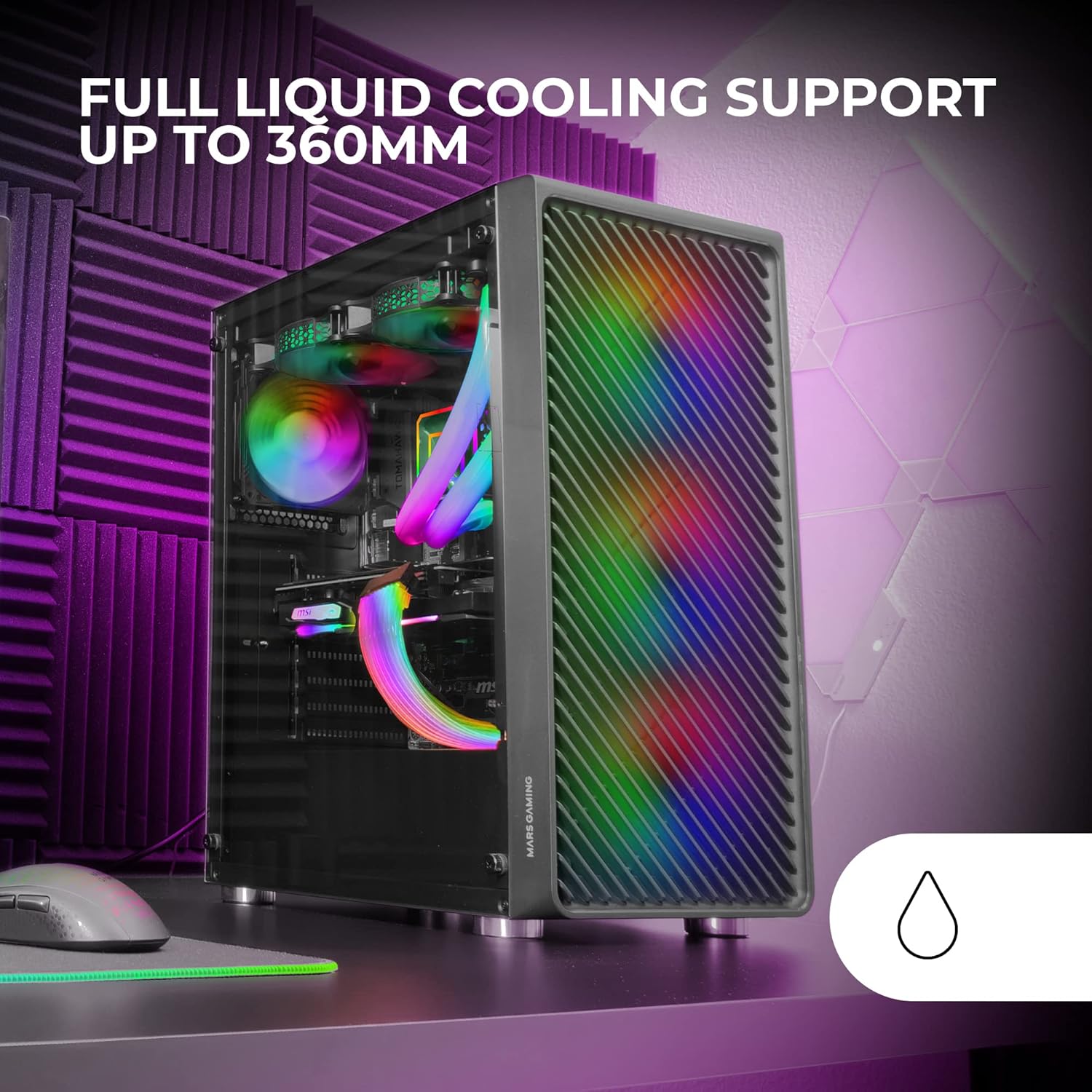
Figure 2: Tempered Glass Side Window
The front panel features a Metal-Mesh design for optimal airflow.

Figure 3: Metal-Mesh Front Panel
2. Pemasangan Papan Induk
Install the appropriate standoffs for your ATX, Micro-ATX, or Mini-ITX motherboard. Carefully place the motherboard into the case, aligning it with the standoffs and the I/O shield opening. Secure the motherboard with screws from the accessory kit.
3. Pemasangan Unit Bekalan Kuasa (PSU).
The case features a bottom-mount power supply design. Slide your PSU into its designated compartment at the bottom rear of the case and secure it with screws. Route the necessary cables through the cable management cutouts.
4. Pemasangan Pemacu Storan
Install your 3.5-inch hard drives and 2.5-inch solid-state drives into the available drive bays. The case supports up to 5 hard drives. Refer to the internal layout diagram for bay locations.
5. Graphics Card (VGA) Installation
Remove the necessary PCI-E slot covers. Insert your graphics card into the appropriate PCI-E slot on your motherboard and secure it with screws. The case supports VGAs up to 305mm long (330mm without a front fan) and 167mm wide.
6. Cooling System Installation (Fans & Liquid Cooling)
The case comes with four pre-installed 120mm ARGB fans (three front, one rear). Additional fans can be installed as follows:
- Atas: Up to 2 x 120mm or 2 x 140mm fans.
- Depan: Up to 3 x 120mm or 2 x 140mm fans (pre-installed).
- belakang: 1 x kipas 120mm (telah dipasang).
For liquid cooling, the case supports radiators up to 360mm.

Figure 4: Pre-installed 4x 120mm ARGB Fans

Figure 5: Internal Layout and Cooling Support
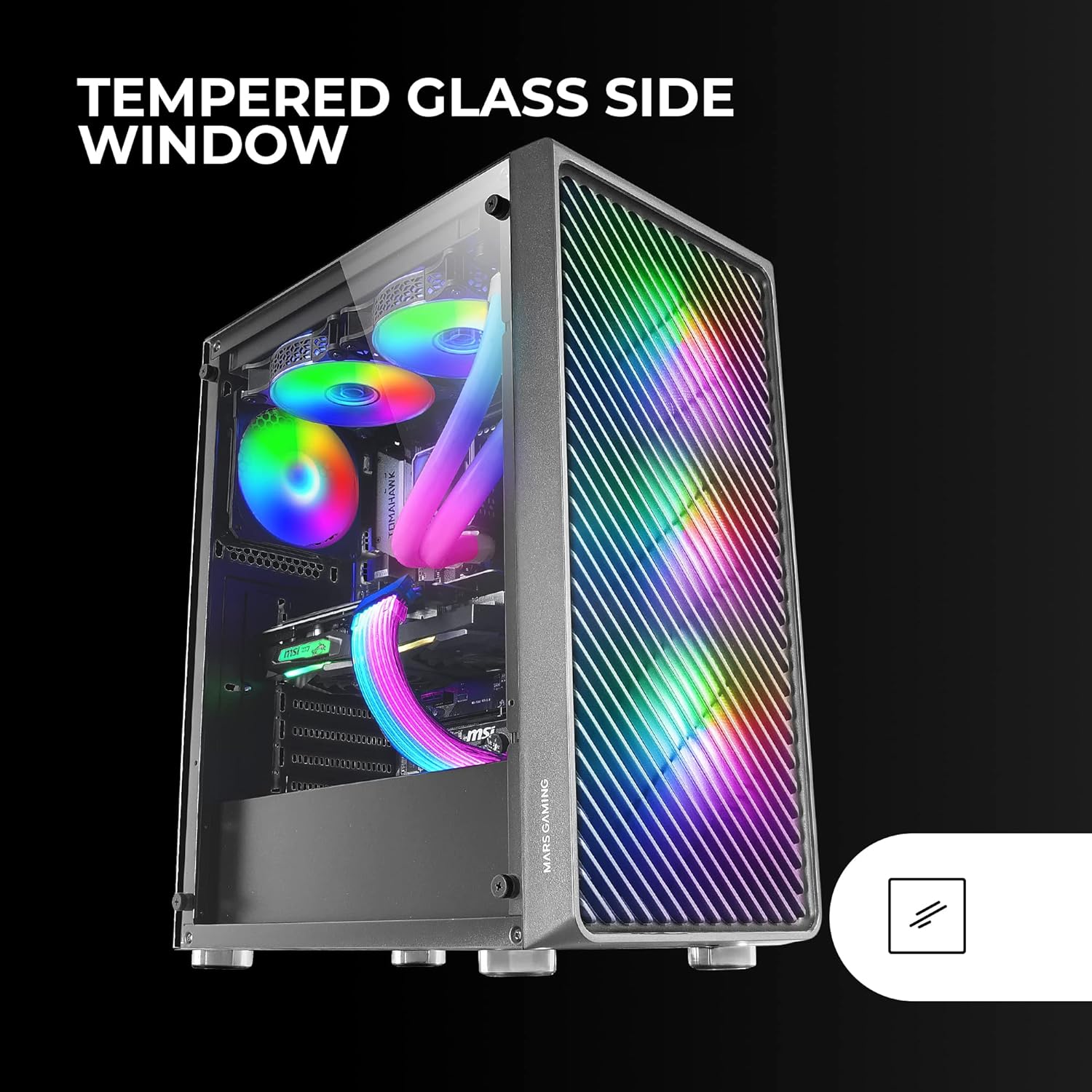
Figure 6: Liquid Cooling Support
7. Pengurusan Kabel
Gunakan potongan pengurusan kabel dan titik pengikat di belakang dulang papan induk untuk menghalakan dan mengikat kabel. Ini meningkatkan aliran udara dan estetika.
8. Perhimpunan Akhir
Once all components are installed and cables are managed, reattach the tempered glass side panel and secure it with the thumb screws.
Arahan Operasi
Menghidupkan
Connect your power supply to a wall outlet. Press the power button located on the top panel of the case to turn on your system.
Kawalan Pencahayaan ARGB
The pre-installed ARGB fans can be controlled via your motherboard's ARGB software (if connected to an ARGB header) or through the integrated controller (if applicable). Refer to your motherboard manual for specific ARGB software instructions. The case offers multiple preset lighting effects.
Penyelenggaraan
Membersihkan Kes
Regularly clean the exterior of the case with a soft, damp cloth. Avoid abrasive cleaners. For interior cleaning, use compressed air to remove dust from components and fans.
Penyelenggaraan Penapis Debu
The case features removable magnetic dust filters on the top and bottom. Periodically remove and clean these filters to maintain optimal airflow and prevent dust buildup inside the system. Wash with water and mild soap, then dry completely before reattaching.
Menyelesaikan masalah
Kipas Tidak Berputar / RGB Tidak Berfungsi
- Check all fan and ARGB connections to the motherboard or controller.
- Pastikan bekalan kuasa menyediakan kuasa yang mencukupi.
- Verify that ARGB software or physical controls are correctly configured.
Poor Airflow / Overheating
- Clean all dust filters and fans.
- Ensure proper fan orientation for intake and exhaust.
- Verify that no cables are obstructing airflow.
- Consider adding additional fans if temperatures remain high.
Sistem Tidak Dihidupkan
- Periksa semua sambungan kuasa dari PSU ke papan induk dan komponennya.
- Ensure the front panel power button cable is correctly connected to the motherboard.
- Verify the PSU is switched on.
Spesifikasi
| Ciri | Perincian |
|---|---|
| Jenama | Permainan Mars |
| Nama Model | MCF |
| Jenis Kes | Mid Tower |
| Keserasian Papan Induk | ATX, Micro ATX, Mini-ITX |
| bahan | logam |
| warna | Hitam |
| Dimensi Item (D x W x H) | 14.96"D x 8.5"W x 18.11"H |
| Berat Barang | 4.7 Kilogram |
| Internal Bays Quantity | 5 (for 3.5" Hard Disk Form Factor) |
| GPU Max Length | 305mm (330mm without front fan) |
| CPU Ketinggian Max Cooler | 177mm |
| Peminat prapasang | Kipas ARGB 4 x 120mm |
| Kaedah Penyejukan | Air, Water |
| Sokongan Penyejuk Cecair | Up to 360mm radiator |
| Jenis Pemasangan Bekalan Kuasa | Pelekap Bawah |
| Jumlah Port USB | 2 (USB 2.0) |
| Ciri Khas | RGB Lighting, Tempered Glass Side Panel, Metal-Mesh Front Panel |
Waranti dan Sokongan
For warranty information and technical support, please refer to the official Mars Gaming webtapak atau hubungi bahagian perkhidmatan pelanggan mereka. Simpan bukti pembelian anda untuk tuntutan waranti.
Pengeluar: Permainan Mars