
1. Pengenalan
Terima kasih kerana membeliasing the Hoco BS55 Wireless Outdoor Speaker. This manual provides important information regarding the setup, operation, and maintenance of your speaker. Please read it carefully before using the product to ensure proper function and to extend its lifespan. Keep this manual for future reference.
2. Produk Lebihview
2.1 Kandungan Pakej
- Hoco BS55 Wireless Outdoor Speaker
- Kabel Pengecasan
- Kabel Audio (AUX)
- Wired Microphone (may vary by package)
- Manual Arahan
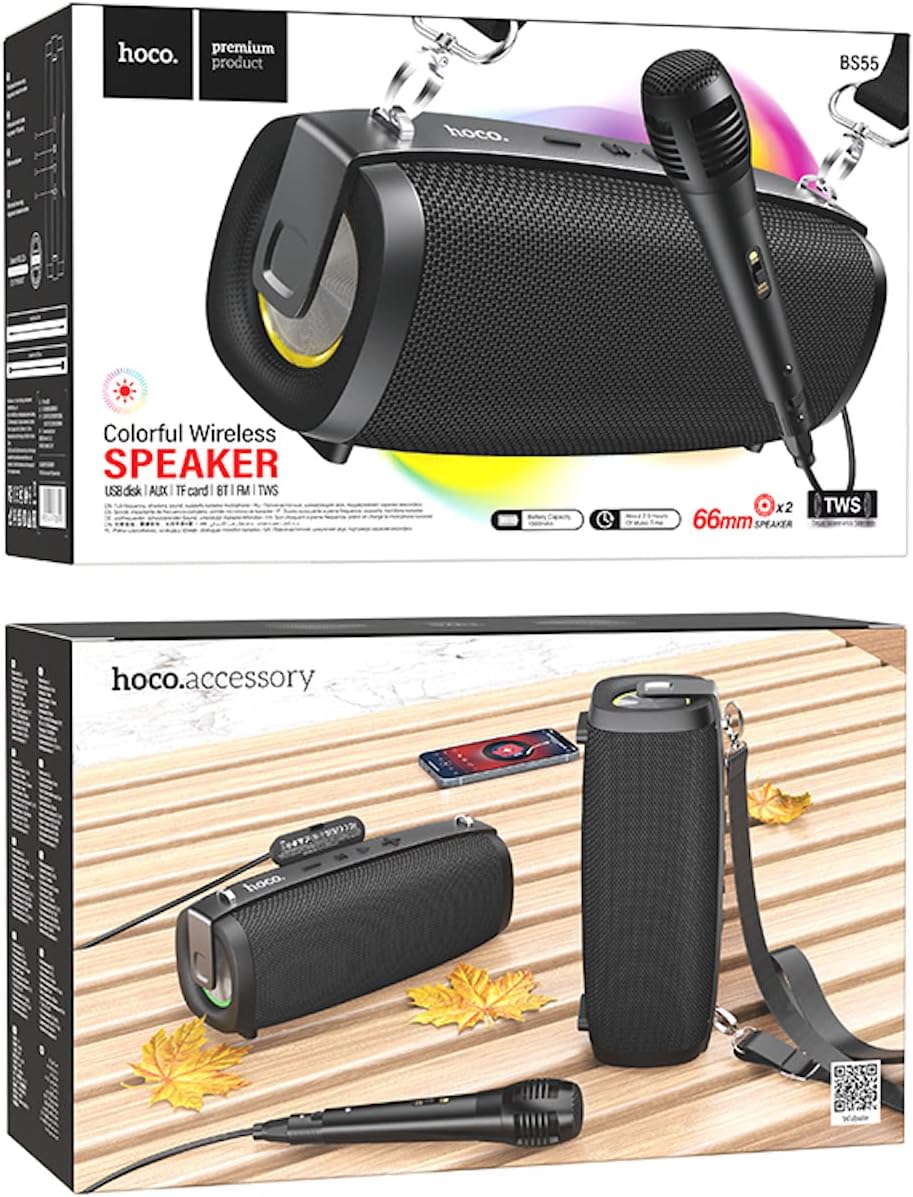
Image: Hoco BS55 Speaker packaging, illustrating the speaker, a wired microphone, and connecting cables.
2.2 Komponen dan Kawalan Pembesar Suara

Image: The Hoco BS55 speaker, highlighting its control panel with buttons and various input ports.
- Butang Kuasa: Press and hold to turn the speaker ON/OFF. Short press to switch between modes.
- '-' Butang: Tekan sebentar untuk trek sebelumnya. Tekan lama untuk mengurangkan kelantangan.
- 'M' (Mode) Button: Short press to cycle through input modes (Bluetooth, FM Radio, TF Card, AUX, USB).
- '>' (Play/Pause) Button: Tekan pendek untuk memainkan atau menjeda muzik.
- Butang '+': Tekan sebentar untuk trek seterusnya. Tekan lama untuk meningkatkan kelantangan.
- Port USB: For USB flash disk playback.
- Slot Kad TF: Untuk main balik kad TF (MicroSD).
- Input AUX: Untuk menyambungkan peranti audio luaran melalui kabel audio 3.5mm.
- Input Mikrofon: Untuk menyambungkan mikrofon berwayar.
- Port Pengecasan: Untuk mengecas bateri dalaman pembesar suara.
3. Persediaan
3.1 Mengecas Speaker
Before first use, fully charge the speaker. Connect the charging cable to the speaker's charging port and the other end to a USB power adapter (not included) or a computer's USB port. The charging indicator light will illuminate during charging and turn off when fully charged. Charging time is approximately 2 hours.
3.2 Menghidupkan/Mematikan
Tekan dan tahan butang Butang Kuasa for a few seconds to turn the speaker ON. You will hear an audible prompt. To turn OFF, press and hold the Butang Kuasa sekali lagi.
4. Arahan Operasi
4.1 Mod Bluetooth
- Turn on the speaker. It will automatically enter Bluetooth pairing mode, indicated by a flashing light and an audible prompt.
- Dayakan Bluetooth pada peranti mudah alih anda (telefon pintar, tablet, dll.).
- Cari untuk "Hoco BS55" in the list of available Bluetooth devices and select it to pair.
- Sebaik sahaja berjaya dipasangkan, anda akan mendengar bunyi pengesahan. Anda kini boleh memainkan audio daripada peranti anda melalui pembesar suara.
- Gunakan '+' dan '-' buttons for volume control, and the '>' button for play/pause. Short press '+' or '-' untuk trek seterusnya/sebelumnya.
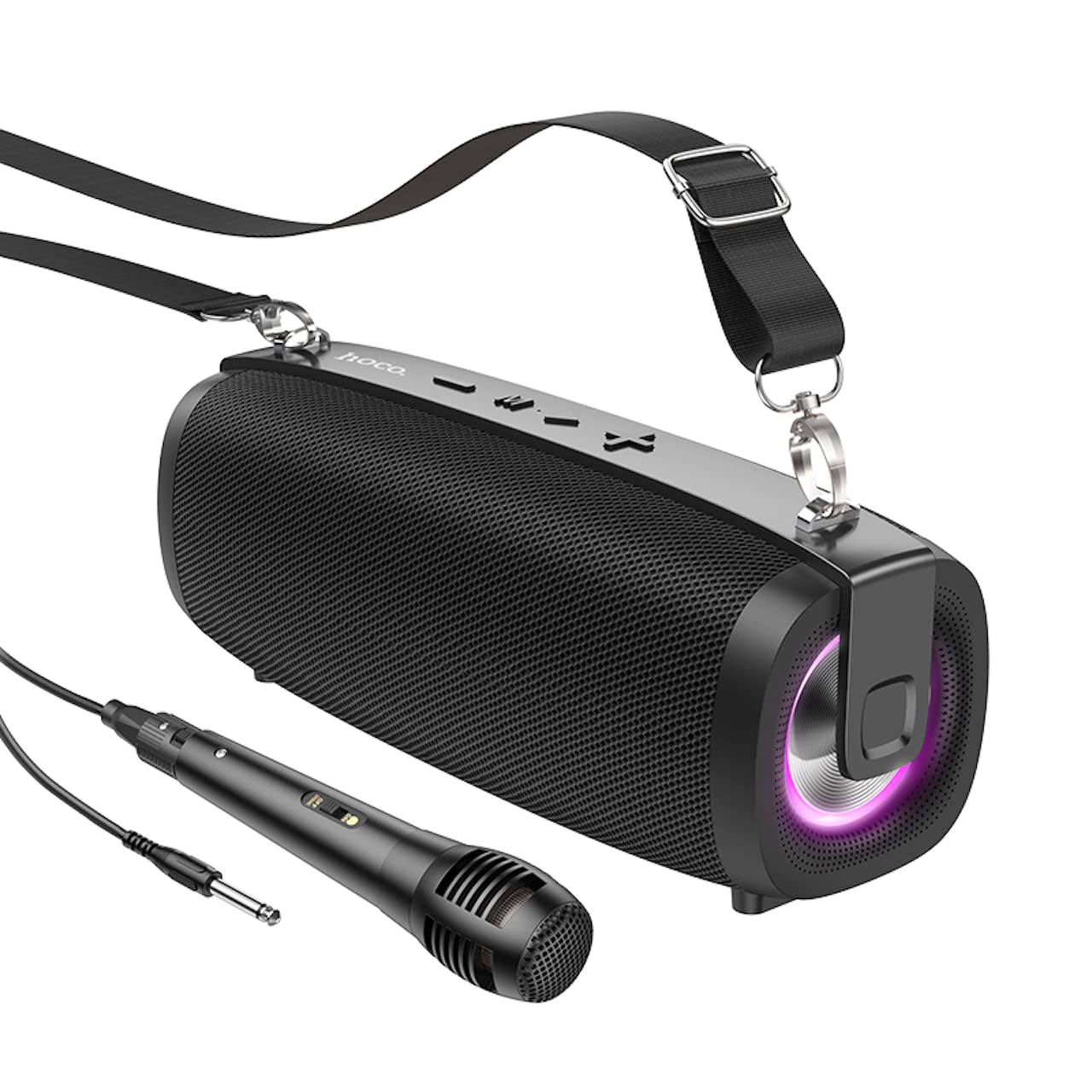
Image: The Hoco BS55 Wireless Outdoor Speaker, ready for use.
Mod Radio 4.2 FM
- Tekan pendek 'M' (Mode) Button until you hear the FM radio prompt.
- Untuk mengimbas secara automatik dan menyimpan stesen yang tersedia, tekan lama butang '>' (Play/Pause) Button. Pembesar suara akan mengimbas dan menyimpan stesen secara automatik.
- Tekan pendek '+' or '-' butang untuk bertukar antara stesen FM yang disimpan.
4.3 TF Card / USB Flash Disk Mode
- Insert a TF (MicroSD) card or a USB flash disk into the corresponding slot.
- The speaker will automatically switch to TF Card or USB mode and begin playing audio files. If it doesn't, short press the 'M' (Mode) Button untuk memilih mod yang betul.
- Gunakan '+' dan '-' buttons for volume control, and short press them for next/previous track. Use the '>' butang untuk main/jeda.
4.4 Mod Input AUX
- Connect one end of the 3.5mm audio cable to the speaker's AUX input port and the other end to the audio output of your external device (e.g., MP3 player, computer).
- Tekan pendek 'M' (Mode) Button until you hear the AUX mode prompt.
- Control playback and volume primarily from your external device. The speaker's volume buttons will also function.
4.5 Fungsi TWS (Stereo Wayarles Sejati).
The TWS function allows you to pair two Hoco BS55 speakers together for a stereo sound experience.
- Ensure both BS55 speakers are turned ON and are not connected to any Bluetooth device.
- Pada salah satu pembesar suara (ini akan menjadi pembesar suara utama), tekan lama 'M' (Mode) Button until you hear a pairing tone.
- The two speakers will automatically search and pair with each other. Once connected, you will hear a confirmation sound.
- Sekarang, sambungkan peranti mudah alih anda ke pembesar suara utama melalui Bluetooth seperti yang diterangkan dalam bahagian 4.1. Kedua-dua pembesar suara akan memainkan audio dalam stereo.
4.6 Wired Microphone Usage
If your package includes a wired microphone, connect it to the speaker's dedicated microphone input port. The speaker will automatically detect the microphone. Adjust the volume as needed using the speaker's volume controls or your connected device.
5. Penyelenggaraan
- Pembersihan: Gunakan kain lembut dan kering untuk membersihkan pembesar suara. Jangan gunakan pembersih atau pelarut yang kasar.
- Storan: Simpan pembesar suara di tempat yang sejuk dan kering jauh dari cahaya matahari langsung dan suhu yang melampau.
- Penjagaan Bateri: To prolong battery life, charge the speaker regularly, even if not in use. Avoid fully discharging the battery frequently.
- Tahan Air: The Hoco BS55 speaker is tidak kalis air. Avoid exposing it to water, rain, or excessive moisture to prevent damage.
- Elakkan Kesan: Do not drop or subject the speaker to strong impacts.
6. Penyelesaian masalah
| Masalah | Penyelesaian |
|---|---|
| Speaker tidak dihidupkan. | Pastikan pembesar suara dicas. Sambungkannya ke sumber kuasa dan cuba lagi. |
| Tiada bunyi. | Periksa tahap kelantangan pada pembesar suara dan peranti anda yang disambungkan. Pastikan mod input yang betul dipilih. |
| Tidak boleh berpasangan melalui Bluetooth. | Make sure the speaker is in Bluetooth pairing mode. Disable and re-enable Bluetooth on your device. Move the speaker closer to your device. Ensure no other devices are connected to the speaker. |
| Penerimaan radio FM kurang baik. | Try repositioning the speaker. Perform an auto-scan again. |
| Gandingan TWS gagal. | Ensure both speakers are not connected to any other Bluetooth device. Try restarting both speakers and repeating the TWS pairing process. |
7. Spesifikasi
| Ciri | Spesifikasi |
|---|---|
| Model | BS55 |
| Dimensi (L x W x H) | 202 x 89.5 x 71.4 mm (20.2 x 7.1 x 9 cm) |
| Berat badan | 810 g |
| Versi Bluetooth | 5.3 |
| Cip Bluetooth | JLAC6965E |
| Kapasiti Bateri | 1500mAh |
| Masa Mengecas | Lebih kurang 2 jam |
| Masa Main semula Muzik | Sehingga 2.5 jam |
| Saiz Unit Pembesar Suara | 66mm * 2 |
| Kuasa Keluaran | 5W * 2 (Jumlah 10W) |
| Pilihan Kesambungan | Bluetooth, FM Radio, TF Card, AUX, USB Flash Disk, TWS |
| Sokongan Mikrofon | Input mikrofon berwayar |
| Tahan Air | Tidak kalis air |
| warna | Hitam |
8. Waranti dan Sokongan
Hoco products are designed and manufactured to the highest quality standards. For warranty information and customer support, please refer to the warranty card included with your purchase or contact your local Hoco distributor or retailer. Keep your proof of purchase for any warranty claims.