1. Maklumat Keselamatan Penting
Please read all safety instructions carefully before using the BYINTEK P70 Smart WiFi Projector. Keep this manual for future reference.
- Sumber Kuasa: Gunakan hanya penyesuai kuasa yang disediakan. Pastikan volumtage matches the projector's requirements.
- Keselamatan Bateri: The projector contains a built-in lithium-ion battery. Do not expose to extreme temperatures, puncture, or disassemble.
- Pengudaraan: Pastikan pengudaraan yang betul di sekitar projektor untuk mengelakkan terlalu panas. Jangan halang bukaan pengudaraan.
- haba: The projector may become warm during operation. This is normal. Avoid touching the lens or vents immediately after use.
- Pendedahan Cahaya: Jangan lihat terus ke dalam kanta projektor apabila lamp is on, as the bright light can cause eye strain or damage.
- Air dan Kelembapan: Jauhkan projektor daripada air, hujan dan kelembapan berlebihan. Jangan kendalikan dengan tangan yang basah.
- Pembersihan: Putuskan kuasa sebelum membersihkan. Gunakan kain lembut dan kering. Jangan gunakan pembersih cecair atau aerosol.
- Kanak-kanak: Keep the projector and its accessories out of reach of children.
2. Produk Lebihview
The BYINTEK P70 is a portable smart DLP projector designed for versatile entertainment and presentation needs. It features an 8000mAh built-in battery, Android 9.0 operating system, auto-focus, and 3D support.
2.1 Kandungan Pakej
- BYINTEK P70 Projector x 1
- Alat kawalan jauh x 1
- Penyesuai Kuasa x 1
- Tripod Mini x 1
- Beg simpanan x 1
- Manual Pengguna x 1
2.2 Ciri-ciri Utama
- Reka Bentuk Mudah Alih: Padat dan ringan untuk pengangkutan yang mudah.
- Bateri Terbina dalam: 8000mAh battery provides 1.5 to 3 hours of playback.
- Smart Android OS: Android 9.0 for app downloads, online streaming, and gaming.
- Autofokus: Automatic focus adjustment for clear images.
- Pembetulan Keystone 6D: Advanced keystone correction for flexible placement.
- Sokongan 3D: Enjoy immersive 3D content.
- Kesambungan Tanpa Wayar: Supports wireless screen mirroring from Android, iOS, and PC devices.
- Kesambungan Berwayar: USB data cable sync for iOS and select Android devices.
- Saiz Unjuran Besar: Up to 200 inches.
- 4K Playback: Supports up to 4K video input.
- Long LED Lamp kehidupan: 30,000 jam.
- Pembesar Suara Dwi Stereo: Integrated 2x5W speakers for clear audio.

Image: Infographic detailing the BYINTEK P70's features including 4K support, DLP display, 6D keystone, 8000mAh battery, 3D, Type-C charge, 2G+32G memory, Android OS, and stereo speakers.
3. Persediaan
3.1 Charging the Projector
Before first use, fully charge the projector. Connect the provided power adapter to the projector's Type-C port and plug it into a power outlet. The charging indicator will show the charging status.

Image: The BYINTEK P70 projector connected to a power bank via a Type-C cable, illustrating its portable charging capability.
3.2 Penempatan Awal
Letakkan projektor pada permukaan yang stabil dan rata. Untuk optimum viewing, position it directly in front of your projection screen or wall. The included mini tripod can be used for angle adjustments.
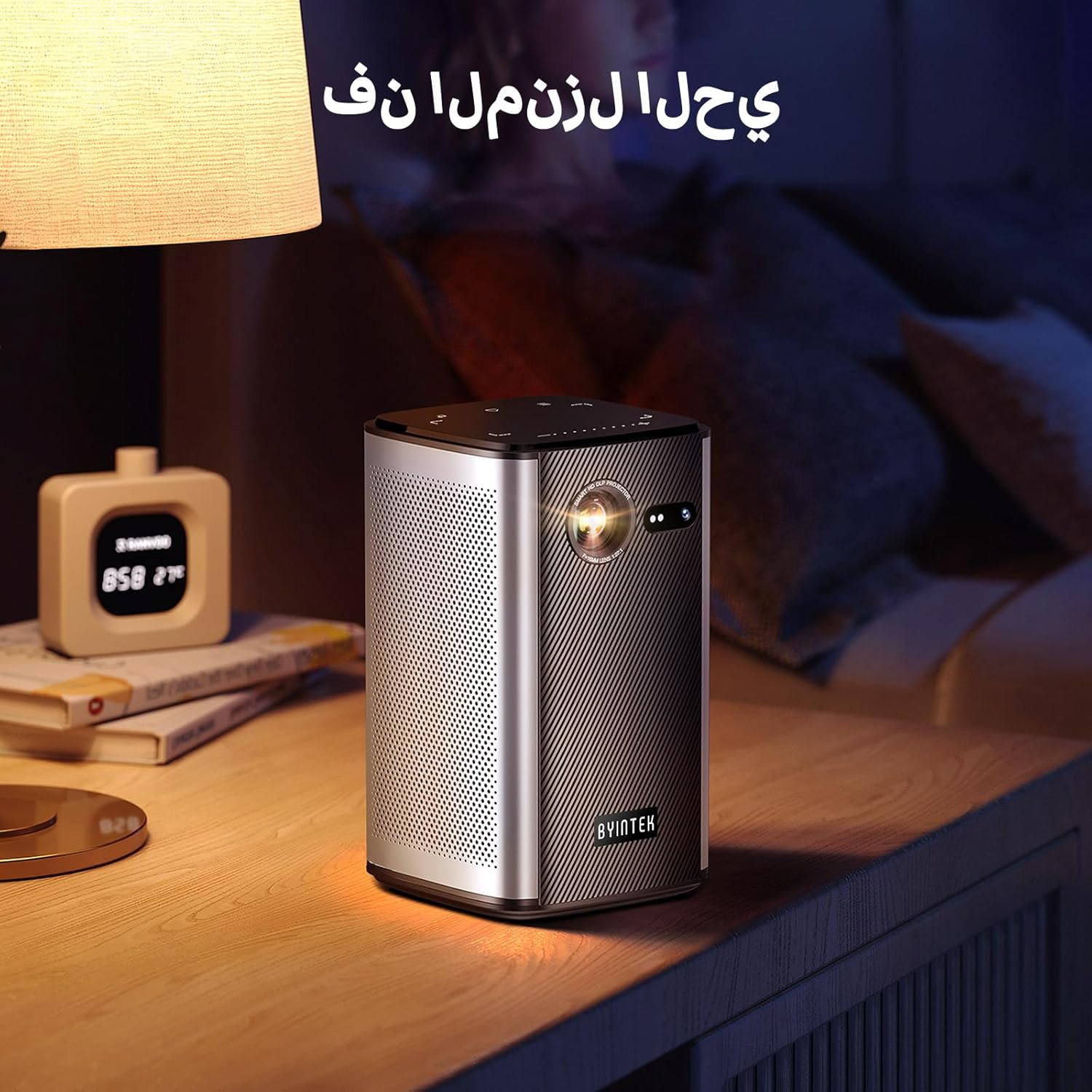
Image: The BYINTEK P70 projector placed on a bedside table, ready for indoor use.
3.3 Menghidupkan/Mematikan
Press and hold the power button on the projector or remote control to turn the device on or off.
3.4 Fokus dan Pembetulan Keystone
The BYINTEK P70 features automatic focus. For keystone correction, navigate to the settings menu using the remote control. The 6D keystone correction allows for precise image adjustment, even with side projection.

Image: A visual representation of the projector's auto-focus feature, showing a clear image projected onto a wall.
4. Arahan Operasi
4.1 Navigating the Android OS
Use the remote control to navigate the Android 9.0 interface. The home screen provides access to pre-installed apps and settings. You can download additional applications from the app store.

Image: The projector displaying its Android operating system interface with various application icons like Miracast, Settings, AirPlay, Market, File Explorer, YouTube, and Netflix.
4.2 Pencerminan Skrin Tanpa Wayar
The projector supports wireless screen mirroring for Android, iOS, and PC devices. Access the 'Miracast' or 'AirPlay' app on the projector's home screen and follow the on-screen instructions to connect your device.
4.3 Wired Screen Mirroring
For iOS devices and some Android devices, you can use a USB data cable for wired screen synchronization. Connect your device to the projector's USB port using its original data cable.
4.4 Main Semula 3D
The BYINTEK P70 supports 3D content. To enjoy 3D movies, ensure your media file is in a compatible 3D format (e.g., Blu-ray 3D, SBS, TNB) and use active shutter 3D glasses (sold separately).

Image: A family wearing 3D glasses, enjoying a 3D movie projected by the BYINTEK P70, showcasing its 3D capability.
4.5 Zum Digital
Adjust the image size from 50% to 100% using the digital zoom function on the remote control. This allows you to fit the image perfectly to your screen without moving the projector.
5. Penyelenggaraan
5.1 Membersihkan Lensa
Gunakan kain lembut dan tidak berbulu yang direka khas untuk kanta optik untuk mengelap kanta projektor dengan lembut. Elakkan penggunaan bahan kasar atau bahan kimia yang keras.
5.2 Membersihkan Bahagian Luar
Wipe the exterior of the projector with a soft, dry cloth. Do not use liquid cleaners or sprays directly on the device.
5.3 Penyimpanan
When not in use, store the projector in a cool, dry place, away from direct sunlight and extreme temperatures. Use the provided storage bag to protect it from dust and scratches.
5.4 Penjagaan Bateri
Untuk memanjangkan hayat bateri, elakkan daripada kerap mencas bateri sepenuhnya. Jika menyimpan untuk tempoh yang lama, cas bateri sehingga kira-kira 50% dan cas semula setiap beberapa bulan.
6. Penyelesaian masalah
| Masalah | Kemungkinan Punca | Penyelesaian |
|---|---|---|
| Tiada imej ditayangkan | Projector not powered on; input source not selected; cable not connected. | Ensure projector is on. Select correct input source (HDMI, USB, Wireless). Check cable connections. |
| Imej kabur | Out of focus; projector too close/far from screen; lens dirty. | Allow auto-focus to adjust. Adjust projector distance. Clean the lens. |
| Alat kawalan jauh tidak berfungsi | Batteries low/dead; remote not paired; obstruction. | Replace remote batteries. Ensure line of sight to projector's IR receiver. Re-pair remote if necessary (refer to specific pairing instructions in the full manual). |
| Tiada bunyi | Kelantangan terlalu rendah; peranti audio luaran disambungkan; format audio tidak disokong. | Increase projector volume. Disconnect external audio devices. Check audio format compatibility. |
| Wireless mirroring issues | Poor Wi-Fi signal; device compatibility; firewall settings. | Ensure strong Wi-Fi signal. Check device compatibility with Miracast/AirPlay. Disable firewalls temporarily for testing. |
| Projektor terlalu panas | Pengudaraan tersumbat; penggunaan berpanjangan dalam persekitaran panas. | Pastikan lubang udara kosong. Kendalikan di kawasan yang mempunyai pengudaraan yang baik. Biarkan projektor sejuk. |
7. Spesifikasi
| Ciri | Spesifikasi |
|---|---|
| Jenama | BYINTEK |
| Nombor Model | P70 |
| Dimensi Produk | 8.2 x 8.2 x 14.2 cm |
| Berat Barang | 1.58 Kilogram |
| Bateri | 1 Lithium Ion battery (included), 8000mAh, 29.6 Wh |
| Sistem Operasi | Android |
| Resolusi Paparan | 960 x 540 |
| Resolusi Paparan Maks | 4K Ultra HD Megapixel |
| Teknologi Ketersambungan | Wi-Fi |
| Ciri Khas | Auto-focus, 3D Ready, Built-in Wi-Fi Receiver |
| Penggunaan yang Disyorkan | Pawagam Rumah |
| Jenis Paparan | DLP |
| Faktor Bentuk | Mudah alih |
| Jenis Pemasangan | Pemasangan Tripod |
| Port USB 3.0 | 1 |
| Port HDMI | 1 |
| Voltage | 12 Volt |
| Wattage | 25 Watt |
| Sumber Kuasa | AC & Bateri |
8. Waranti dan Sokongan
The BYINTEK P70 Smart WiFi Projector comes with a standard manufacturer's warranty. For specific warranty details, please refer to the warranty card included in your product packaging or contact BYINTEK customer support.
If you encounter any issues or have questions regarding your projector, please contact BYINTEK customer support through their official website or the contact information provided in your product documentation. Please have your model number (P70) and purchase details ready when contacting support.