
1. Produk Lebihview
The Zhizhi Smart Watch HXT72BK is a versatile fitness tracker designed for both men and women, offering a comprehensive suite of features to support an active and connected lifestyle. This smartwatch allows you to make and answer calls directly from your wrist via Bluetooth, receive message notifications, and track various health and fitness metrics.
Key features include 24-hour heart rate tracking, real-time blood oxygen monitoring, sleep analysis, and support for 20 different sports modes. Its IPX8 waterproof rating ensures durability for various activities, including swimming. The watch boasts a 1.91-inch TFT full-touch colorful screen, offering excellent visual experience and customizable watch faces. With a 270 mAh battery, it provides 7-15 days of usage on a single charge.
2. Apa yang ada di dalam Kotak
Upon opening your Zhizhi Smart Watch HXT72BK package, you will find the following items:
- Jam Tangan Pintar (1 unit)
- Black Watch Band (1 unit)
- Blue Watch Band (1 unit)
- Manual Pengguna (1 unit)
- Magnetic Charger (1 unit)

3. Panduan Persediaan
3.1 Pengecasan Awal
Before first use, fully charge your smartwatch. Connect the magnetic charger to the charging points on the back of the watch and plug the USB end into a power source. The watch screen will indicate charging status.

3.2 Pemasangan Apl dan Berpasangan
- Muat turun Apl: Scan the QR code in the user manual or search for "FitCloudPro" in your phone's app store (Google Play for Android, App Store for iOS).
- Dayakan Bluetooth: Hidupkan fungsi Bluetooth pada telefon pintar anda.
- Open App & Connect: Open the FitCloudPro app, click "Please connect device," then "Select device," and find "P72" to bind it.
- Enable Call Function: After connecting "P72," accept the pairing request on your phone. Turn on the call Bluetooth switch on the watch. In your phone's Bluetooth settings, grant necessary permissions for "P72."
3.3 Changing Watch Bands
The smartwatch comes with two interchangeable silicone bands (black and blue). To change a band, locate the quick-release pins on the underside of the band where it connects to the watch. Slide the pin to detach the band, then align the new band and slide the pin back into place until it clicks securely.
4. Arahan Operasi
4.1 Navigasi Asas
- Skrin Sentuh: Swipe left, right, up, or down to navigate through menus and features.
- Butang Sisi: Press the side button to return to the home screen or wake the display.
- Angkat untuk Bangun: The screen will light up automatically when you raise your wrist.
4.2 Panggilan & Pemberitahuan Bluetooth
Once connected via Bluetooth, you can make and answer calls directly from your watch using its built-in speaker and microphone. You will also receive notifications for calls, SMS, and various social media apps (WhatsApp, Facebook, etc.) directly on your watch screen.

4.3 Pemantauan Kesihatan
The smartwatch continuously monitors your health metrics:
- Kadar Jantung: 24-hour continuous heart rate tracking.
- Oksigen Darah (SpO2): Pemantauan tahap oksigen darah masa nyata.
- Penjejakan Tidur: Monitors sleep status (deep sleep, light sleep, awakening) and provides comprehensive sleep quality analysis.
- Latihan pernafasan: Guided breathing exercises to help relax.

4.4 Activity & Sports Modes
Jejaki aktiviti dan senaman harian anda dengan tepat:
- Pedometer: Accurately tracks steps, calories burned, and distance.
- 20+ Mod Sukan: Supports various activities like walking, running, swimming, yoga, hiking, cycling, basketball, and more. Provides detailed insights into your activity data.

4.5 Penyesuaian
Personalize your watch to match your style:
- Tonton Wajah: Choose from 8 pre-installed dials or over 100 additional dials available in the app.
- Muka Jam Tangan DIY: Upload your favorite photos (family, pets, etc.) to create custom watch faces.

4.6 Ciri Tambahan
- Maklumat Cuaca: Get current weather updates directly on your wrist.
- Kawalan Muzik: Kawal main balik muzik pada telefon pintar anda (main, jeda, langkau trek).
- Kawalan Kamera: Gunakan jam tangan anda sebagai pengatup jauh untuk kamera telefon anda.
- Penggera, Jam randik, Pemasa: Essential utility functions for daily use.
- Peringatan Sedentari: Memberi amaran kepada anda untuk bergerak selepas tempoh tidak aktif.
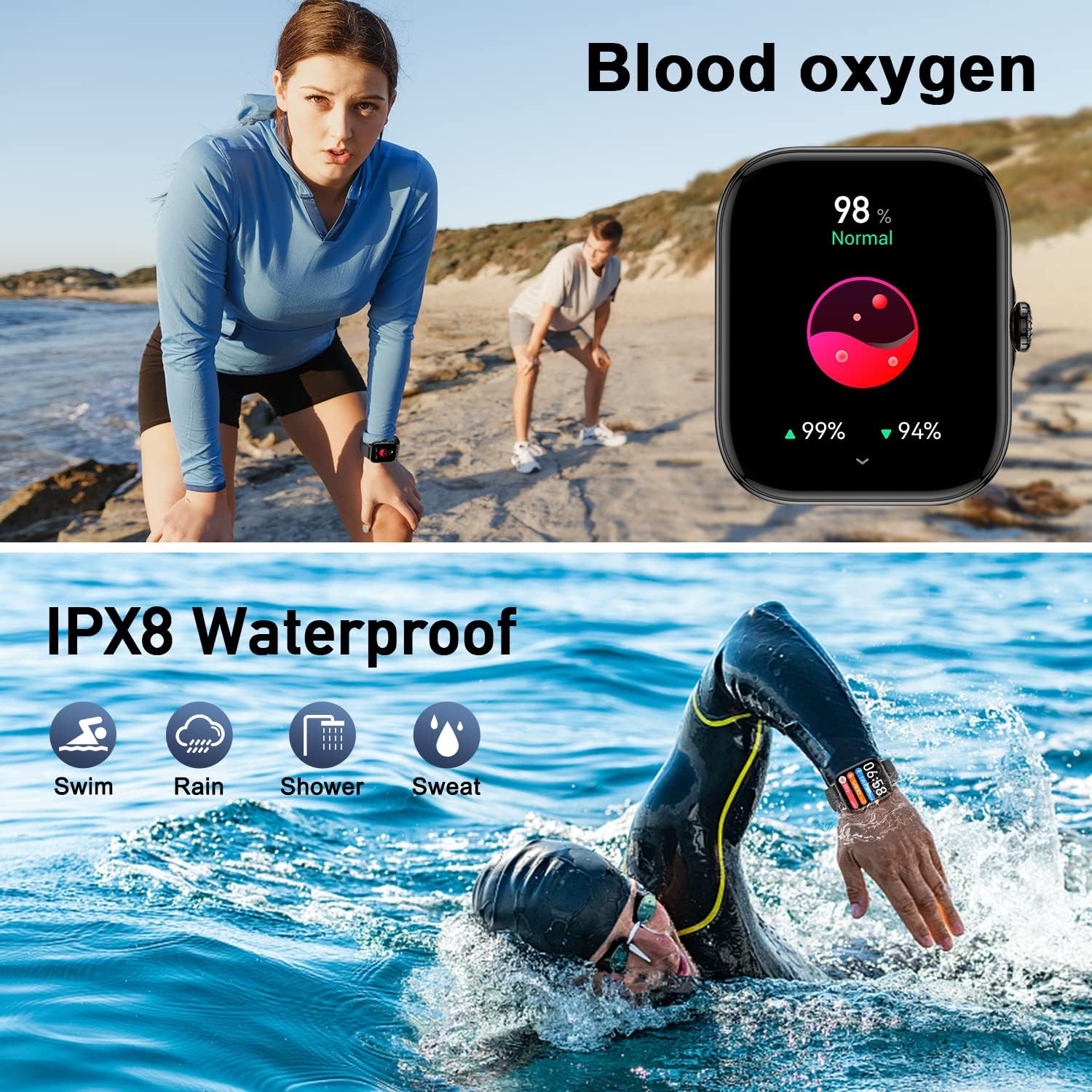
4.7 Waterproof Functionality
The Zhizhi Smart Watch HXT72BK is IPX8 waterproof, making it suitable for various water-related activities like swimming, showering, and enduring rain or sweat. It is designed to withstand immersion in water up to 1.5 meters for up to 30 minutes. Avoid using buttons while submerged to prevent water ingress.

4.8 Alarm, Timer, and Waterproof Test Demonstration
Watch this video for a detailed demonstration of the alarm, timer, and waterproof test features of the Zhizhi Smart Watch HXT72BK.
5. Penyelenggaraan
5.1 Pembersihan
Regularly clean your smartwatch and bands to ensure optimal performance and hygiene. Use a soft, damp cloth to wipe the screen and bands. Avoid using harsh chemicals or abrasive materials that could damage the device.
5.2 Penyimpanan
When not in use for extended periods, store the smartwatch in a cool, dry place away from direct sunlight and extreme temperatures. Ensure it is fully charged before storing to prolong battery life.
6. Penyelesaian masalah
6.1 Isu Ketersambungan
- Pastikan Bluetooth Hidup: Verify Bluetooth is enabled on both your smartphone and the smartwatch.
- Mulakan semula Peranti: Cuba mulakan semula telefon pintar dan jam tangan pintar anda.
- pasangan semula: If issues persist, unpair the device from your phone's Bluetooth settings and re-pair through the FitCloudPro app.
6.2 Bacaan Tidak Tepat
- Kesesuaian yang Sesuai: Pastikan jam tangan dipakai dengan kemas di pergelangan tangan anda, tidak terlalu ketat atau terlalu longgar.
- Penderia Bersih: Keep the sensors on the back of the watch clean and free from debris.
- Penyegerakan Apl: Ensure the watch is regularly synced with the FitCloudPro app for updated data.
6.3 Hayat Bateri Pendek
- Lumpuhkan Ciri yang Tidak Digunakan: Turn off features like continuous heart rate monitoring or media audio if not needed.
- Laraskan Kecerahan Skrin: Mengurangkan kecerahan skrin boleh memanjangkan hayat bateri dengan ketara.
- Check for App Updates: Ensure the FitCloudPro app and watch firmware are up to date.
7. Spesifikasi
| Ciri | Perincian |
|---|---|
| Jenama | zhizhi |
| Nombor Model | HXT72BK |
| Saiz Skrin | 1.91 Inci |
| Sistem Operasi | Android and iOS (Android 5.0+, iOS 9.0+) |
| Teknologi Ketersambungan | Bluetooth |
| Kapasiti Bateri | 270 Miliamp Jam (Litium Polimer) |
| Hayat Bateri | 7-15 hari (penggunaan biasa) |
| Tahan Air | IPX8 |
| Pemantauan Kesihatan | Heart Rate, Blood Oxygen (SpO2), Sleep Monitor, Breath Training |
| Penjejakan Aktiviti | Steps, Calories, Distance, 20+ Sports Modes |
| Komunikasi | Bluetooth Calling (Make/Answer), SMS & SNS Notifications |
| Ciri-ciri lain | Weather, Music Control, Camera Control, Alarm, Stopwatch, Timer, Sedentary Reminder, Customizable Watch Faces |
| Berat Barang | 4.6 auns |
8. Waranti dan Sokongan
For warranty information and customer support, please refer to the documentation included in your product package or contact Zhizhi customer service directly. Keep your purchase receipt as proof of purchase for any warranty claims.