
zhizhi HXT72PK
User Manual: zhizhi Smart Watch
Model: HXT72PK
pengenalan
Thank you for choosing the zhizhi Smart Watch. This device is designed to enhance your daily life by combining advanced fitness tracking, health monitoring, and smart communication features. This manual provides detailed instructions to help you set up, operate, and maintain your new smartwatch.

Image: The zhizhi Smart Watch in pink and black, showcasing reka bentuk anggun dan paparan digitalnya.
Apa yang ada dalam Kotak
Sila semak kandungan pakej anda untuk memastikan semua item ada:
- 1 x zhizhi Smart Watch
- 1 x Pink Watch Band
- 1 x Black Watch Band
- 1 x Manual Pengguna
- 1 x Pengecas Magnetik
Panduan Persediaan
1. Mengecas Peranti
Before first use, fully charge your smartwatch. Connect the magnetic charger to the charging points on the back of the watch and plug the USB end into a power adapter (not included) or a computer USB port.
- Masa Pengecasan: Kira-kira 2-3 jam untuk cas penuh.
- Hayat Bateri: Up to 7-15 days depending on usage.
2. Downloading the FitCloudPro App
The zhizhi Smart Watch requires the "FitCloudPro" app for full functionality and data synchronization. Follow these steps:
- Hidupkan fungsi Bluetooth pada telefon pintar anda.
- Open the "Google Play Store" (for Android) or "APP Store" (for iOS).
- Cari untuk "FitCloudPro" and download the app.

Image: Visual guide showing how to download the FitCloudPro app from app stores and enable Bluetooth.
3. Pairing the Watch (Bluetooth Connection)
Once the app is installed, pair your smartwatch with your phone:
- Open the FitCloudPro app.
- Tap "Please connect device" or navigate to the "Device" section.
- Select "Select device" and find "P72" (the watch's Bluetooth name) from the list.
- Confirm the pairing request on your phone.
4. Enabling Call Function
To use the call feature, additional steps are required:
- After connecting "P72" in the app, accept the mobile phone system's pop-up pairing request.
- On the watch, turn on the call Bluetooth switch. This is necessary for making calls and playing media sound through the watch.
- In your phone's Bluetooth settings, ensure all necessary permissions for "P72" are enabled.
- Once connected, you can use the watch to answer/make calls. If the call function is not needed, you can turn it off to conserve battery life.


Image: The smartwatch displaying call and message interfaces, demonstrating its communication capabilities.
Arahan Operasi
Navigasi Asas
- Skrin Sentuh: The 1.91" HD full-touch screen allows for intuitive navigation. Swipe left/right, up/down, and tap to select.
- Butang Sisi: Typically used to return to the home screen or wake the device.
- Angkat untuk Bangun: The screen will light up automatically when you raise your hand.
Watch Faces Customization
Personalize your watch with over 100 watch faces available through the FitCloudPro app, or use your own photos.
- Menukar Muka Jam: Access the watch face gallery in the FitCloudPro app to select and sync new designs.
- Muka Jam Tangan DIY: Upload your favorite pictures (e.g., family, pets) to create custom watch faces via the app.
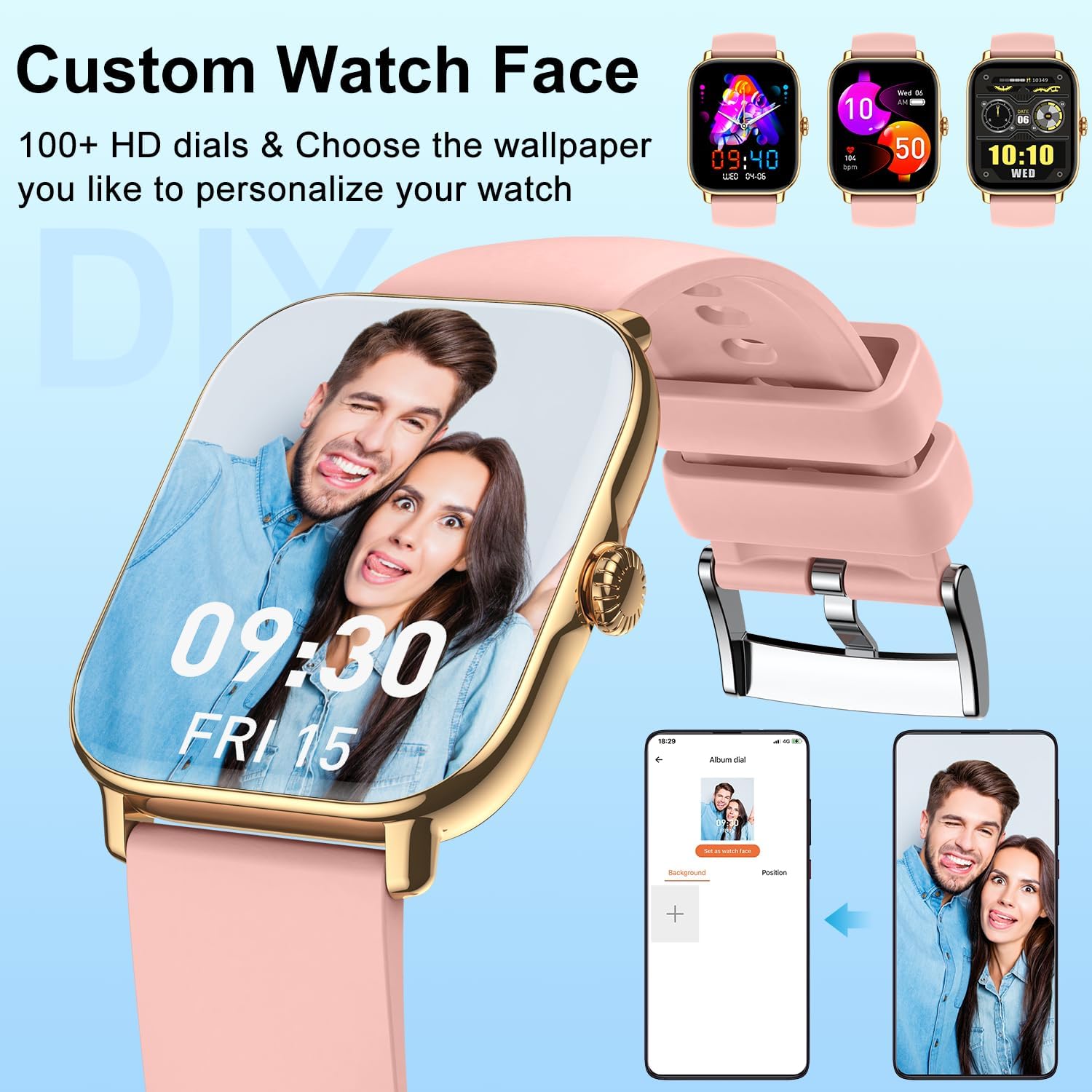
Imej: Rancangan jam tangan pintarcasing a personalized watch face with a user's photo, highlighting customization options.
Ciri-ciri Komunikasi
- Buat/Jawab Panggilan: With the Bluetooth call function enabled, you can dial numbers, answer incoming calls, and view call history directly from your wrist using the built-in speaker and microphone.
- Terima Pemberitahuan: Get real-time alerts for calls, SMS, and app notifications (Facebook, Twitter, WhatsApp, LinkedIn, Instagram, etc.) directly on your watch. The watch will vibrate to notify you.
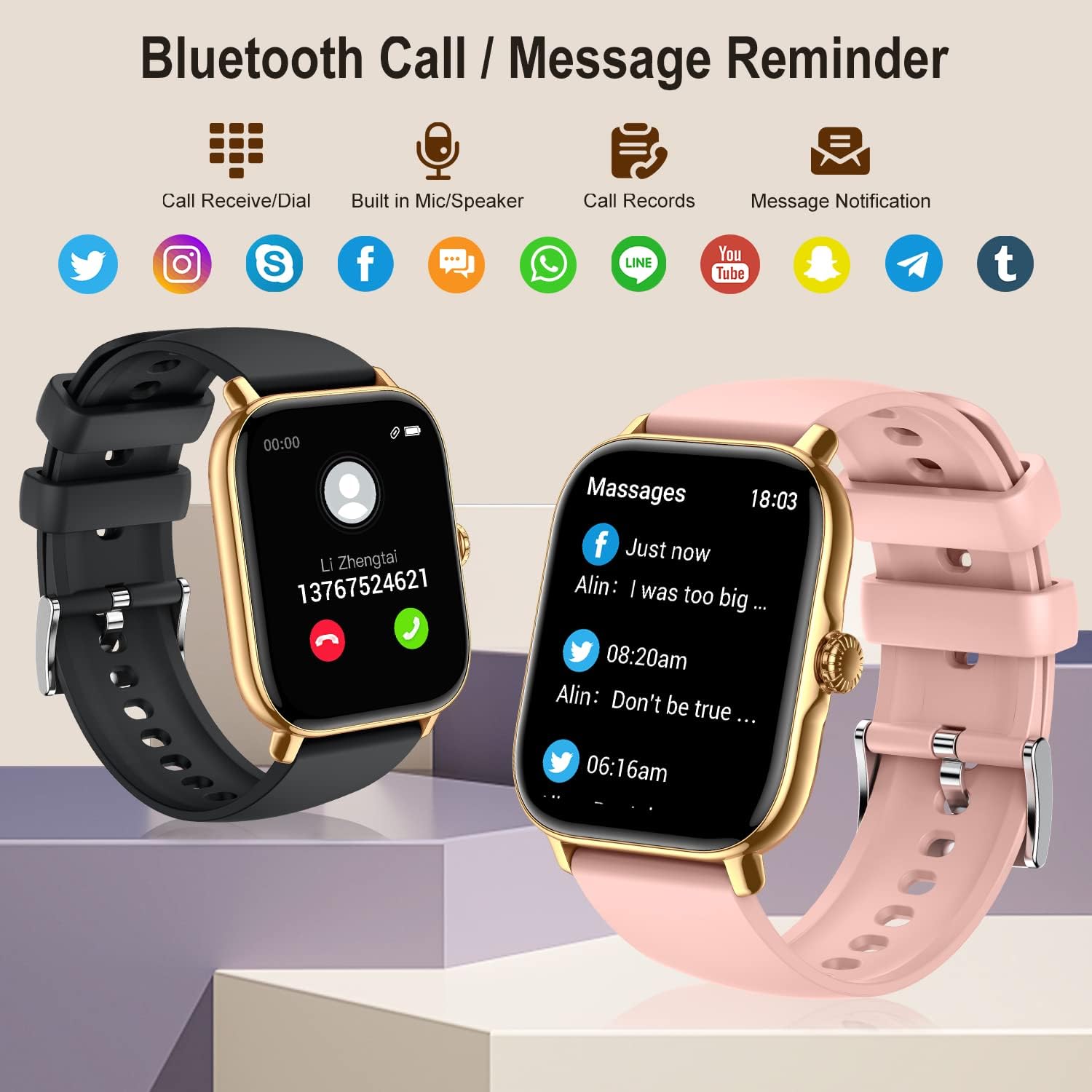
Image: The smartwatch showing its Bluetooth call and message reminder capabilities, with icons for popular social media and messaging apps.
Pemantauan Kesihatan
The smartwatch provides comprehensive health data to help you monitor your well-being.
- Pemantauan Denyut Jantung: 24-hour continuous heart rate tracking using high-performance optical sensors.
- Pemantauan Oksigen Darah (SpO2): Real-time blood oxygen saturation monitoring.
- Pemantauan Tidur: Automatically monitors and analyzes your sleep quality (deep sleep, light sleep, awakening) to provide insights into your sleep patterns.
- Latihan pernafasan: Guided breathing exercises to help you relax and manage stress.
- Penjejakan Kesihatan Wanita: Track menstrual cycles, log periods, and gauge ovulation (requires setup in the app).

Image: The smartwatch showing sleep tracking details and health monitoring features like heart rate, blood oxygen, and breath training.
Penjejakan Kecergasan
Track your daily activity and workouts with precision.
- Pedometer: Accurately tracks your steps, calories burned, and distance covered throughout the day.
- Mod Berbilang Sukan: Supports 20 different sport modes including walking, running, cycling, swimming, yoga, basketball, and more. Select the appropriate mode for accurate data recording.
- Data Aktiviti: After exercise, review detailed data such as exercising time, average heart rate, distance, steps, and calories in the FitCloudPro app to analyze your performance.

Image: The smartwatch showing comprehensive activity tracking, including steps, calories, and distance, alongside a wide array of supported sports modes.
Ciri Pintar Lain
- Kawalan Muzik: Control music playback on your smartphone directly from your watch (play, pause, skip tracks).
- Kawalan Kamera: Gunakan jam tangan anda sebagai pengatup jauh untuk kamera telefon anda.
- Maklumat Cuaca: View keadaan dan ramalan cuaca semasa.
- Jam loceng: Set multiple alarms to vibrate on your wrist.
- Jam randik & Pemasa: Alatan penting untuk aktiviti penentuan masa.
- Peringatan Sedentari: Terima makluman untuk bergerak jika anda tidak aktif terlalu lama.
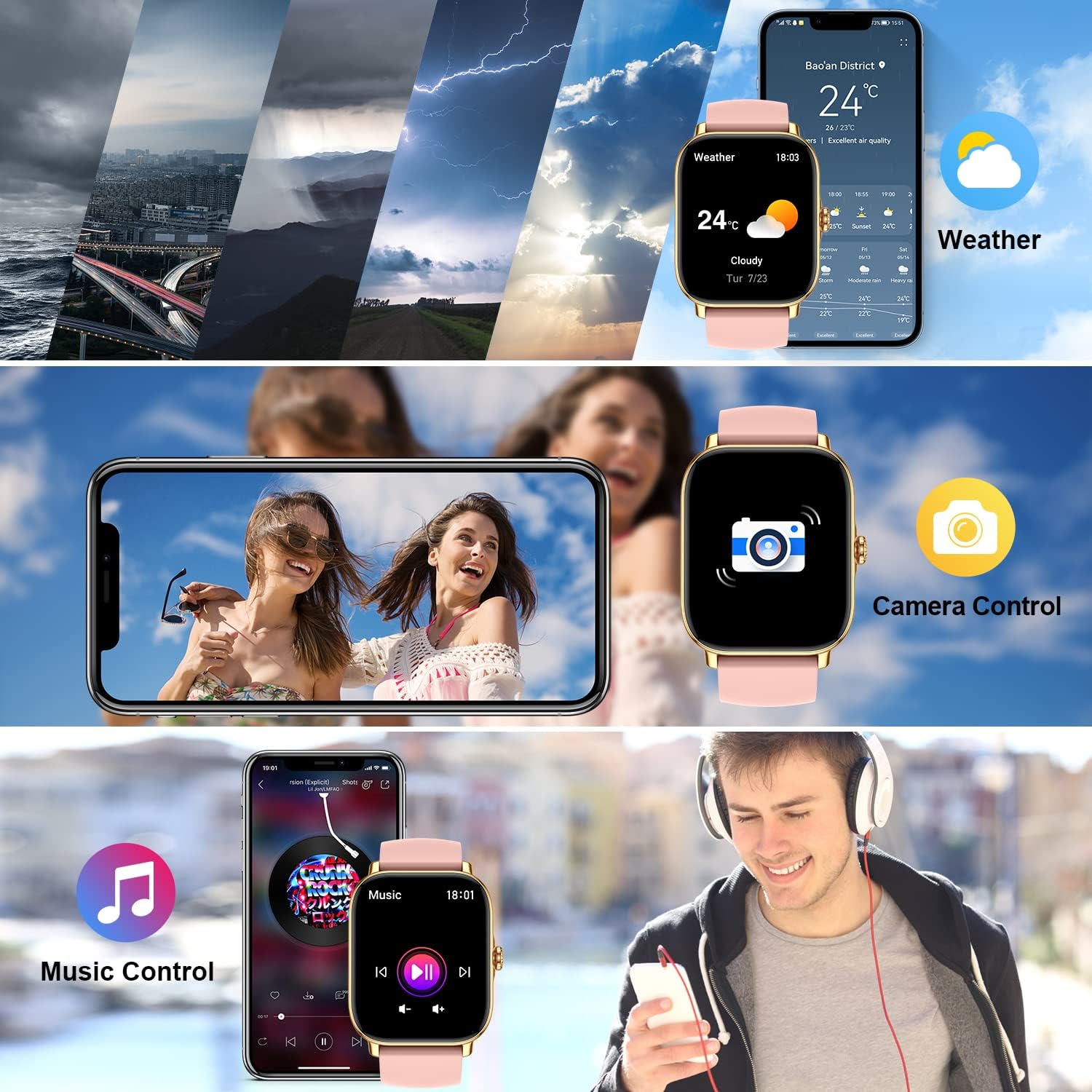
Image: The smartwatch demonstrating its weather display, remote camera control, and music playback control features.
Penyelenggaraan
Membersihkan Jam Tangan Pintar Anda
To ensure accurate readings and prolong the life of your device, keep it clean:
- Lap skrin dan badan jam tangan dengan kain lembut dan tidak berbulu.
- For stubborn spots, dampen the cloth slightly with water. Do not use harsh chemicals or abrasive cleaners.
- Regularly clean the charging contacts on the back of the watch to ensure proper charging.
Rintangan Air (IPX8)
The zhizhi Smart Watch is IPX8 waterproof, meaning it can withstand immersion in water under certain conditions. It is suitable for:
- Berenang (air cetek)
- Hujan dan percikan
- Mandi (elakkan air panas dan wap)
- Sweat during exercise
Penting: Do not use the watch in hot water, saunas, or steam rooms. Avoid prolonged immersion in deep water. After contact with saltwater, rinse the watch with fresh water and dry it thoroughly.

Image: The smartwatch showing blood oxygen monitoring and demonstrating its IPX8 waterproof capability during swimming.
Penjagaan Bateri
- Elakkan suhu yang melampau, yang boleh merendahkan hayat bateri.
- Jangan biarkan jam tangan dalam keadaan nyahcas sepenuhnya untuk tempoh yang lama.
- Use only the provided magnetic charger.
Menyelesaikan masalah
| Masalah | Penyelesaian yang Mungkin |
|---|---|
| Watch not turning on/charging. | Ensure the magnetic charger is correctly aligned with the watch's charging points. Try a different USB power source. Allow the watch to charge for at least 30 minutes before attempting to turn it on. |
| Cannot connect to the FitCloudPro app. | Ensure Bluetooth is enabled on your phone. Make sure the watch is charged and within range. Restart both your phone and the watch. Reinstall the FitCloudPro app if necessary. Check app permissions on your phone. |
| Fungsi panggilan tidak berfungsi. | Verify that the call Bluetooth switch is enabled on the watch. Check your phone's Bluetooth settings to ensure "P72" has all necessary permissions for calls. Ensure the watch is connected to your phone's Bluetooth for calls, not just data sync. |
| Notifikasi tidak diterima. | Check notification settings within the FitCloudPro app. Ensure app permissions for notifications are granted on your phone. Make sure the app is running in the background and not being closed by battery optimization settings. |
| Inaccurate health/fitness data. | Ensure the watch is worn snugly on your wrist, about one finger's width above the wrist bone. Clean the sensors on the back of the watch. Ensure your personal information (height, weight, age) is accurate in the FitCloudPro app. |
| Hayat bateri pendek. | Frequent use of call function, continuous heart rate monitoring, and screen-on time can reduce battery life. Adjust settings in the app to optimize battery usage. Turn off features you don't use regularly. |
Spesifikasi
| Ciri | Perincian |
|---|---|
| Nombor Model | HXT72PK |
| Saiz Skrin | 1.91 Inches TFT Full Touch |
| Kapasiti Bateri | Polimer Litium 270 mAh |
| Hayat Bateri | 7-15 hari (penggunaan biasa) |
| Tahan Air | IPX8 |
| Ketersambungan | Bluetooth |
| Keserasian Sistem Pengendalian | Android 5.0 dan ke atas, iOS 9.0 dan ke atas |
| Penderia | Heart Rate, Blood Oxygen (SpO2), Pedometer |
| Input Antara Muka Manusia | Skrin sentuh, Mikrofon |
| Berat Barang | 4.6 auns |
| Dimensi Pakej | 10.75 x 3.43 x 0.67 inci |
Waranti dan Sokongan
For warranty information and customer support, please refer to the contact details provided with your purchase or visit the official zhizhi webtapak. Simpan resit pembelian anda sebagai bukti pembelian untuk sebarang tuntutan waranti.
Jika anda menghadapi sebarang masalah yang tidak diliputi dalam manual ini, sila hubungi pasukan khidmat pelanggan kami untuk mendapatkan bantuan.
Ask a question about this manual
Ask about setup, troubleshooting, compatibility, parts, safety, or missing instructions. Manuals+ will review the question and use this page’s manual context to help answer it.