
Produk Selesaiview
The Transcend ESD310 is a compact and high-speed external solid-state drive designed for versatile data storage and transfer. It features dual USB-C and USB-A connectors for broad compatibility across various devices.
Ciri-ciri Utama
- Pemindahan Data Berkelajuan Tinggi: Up to 1050MB/s read and 950MB/s write speeds with USB 3.2 Gen 2 (10Gbps) interface.
- Kesambungan Dwi: Integrated USB-C and USB-A connectors for compatibility with a wide range of devices.
- Keserasian Universal: Works with Windows, macOS, Linux, Android, iPhone, iPad, PS5, Xbox, Steam Deck, and more.
- Reka Bentuk Mudah Alih: Lightweight and compact form factor for easy transport.
- Keselamatan Data: Supports One-Time Password (OTP) protection via Transcend Elite software.
Video: Tamatview of the Transcend ESD310 Portable SSD, highlighting its compact size, dual connectors, and high-speed capabilities.

Image: The ultra-portable and lightweight design of the ESD310, with its dimensions and weight indicated.
Apa yang ada dalam Kotak
- Transcend ESD310 External SSD
No additional cables are required due to the integrated dual connectors.
Persediaan
The Transcend ESD310 is designed for plug-and-play functionality. It comes pre-formatted as exFAT for immediate use across multiple operating systems.
Menyambung ke Peranti Anda
- Kenal pasti penyambung yang betul: The ESD310 features both a USB-C and a USB-A connector. Select the one compatible with your device's port.
- Masukkan SSD: Gently insert the appropriate connector into your device's USB port. Ensure it is fully seated.
- Pengecaman Peranti: Your operating system should automatically detect the ESD310 as an external storage device. It will appear as a removable drive.

Image: The Transcend ESD310 features both USB-C and USB-A connectors for broad compatibility.

Image: Connecting the ESD310 to a laptop and a smartphone using its dual USB-A and USB-C design.
Arahan Operasi
File Pemindahan
Once connected, the ESD310 functions like any standard external drive. You can drag and drop files, salin dan tampal, atau gunakan peranti anda file management system to transfer data.
- Windows/macOS: Buka File Explorer (Windows) or Finder (macOS), locate the ESD310 drive, and manage files seperti biasa.
- Android: Gunakan a file manager app to access the ESD310.
- iPhone/iPad (USB-C models): Open the "Files" app, navigate to "Browse," and select the Transcend drive under "Locations."
Video: Instructions on how to use the Transcend ESD310 with an iPhone for ProRes video transfer.

Image: The ESD310 connected to a laptop, showing high-speed data transfer in progress.
Using with Gaming Consoles (PS5, Xbox, Steam Deck, ROG Ally)
The ESD310 can be used to expand storage for compatible gaming consoles. Connect the drive to an available USB port on your console. Refer to your console's specific instructions for formatting external storage and managing game installations.
Video: Demonstrates connecting the Transcend ESD310 to a Steam Deck for expanded game storage.
Transcend Elite Software (Optional)
Transcend Elite is a complimentary data management software available for download from Transcend's official website. It offers features such as backup, restore, data encryption, and cloud backup functions.
- One-Time Password (OTP) Protection: If you forget your password for the ESD310, the OTP function allows you to receive a one-time password via email to regain access to your data. This feature requires prior setup within the Transcend Elite software.

Imej: Selesaiview of Transcend Elite software features including backup, restore, encryption, and cloud integration.
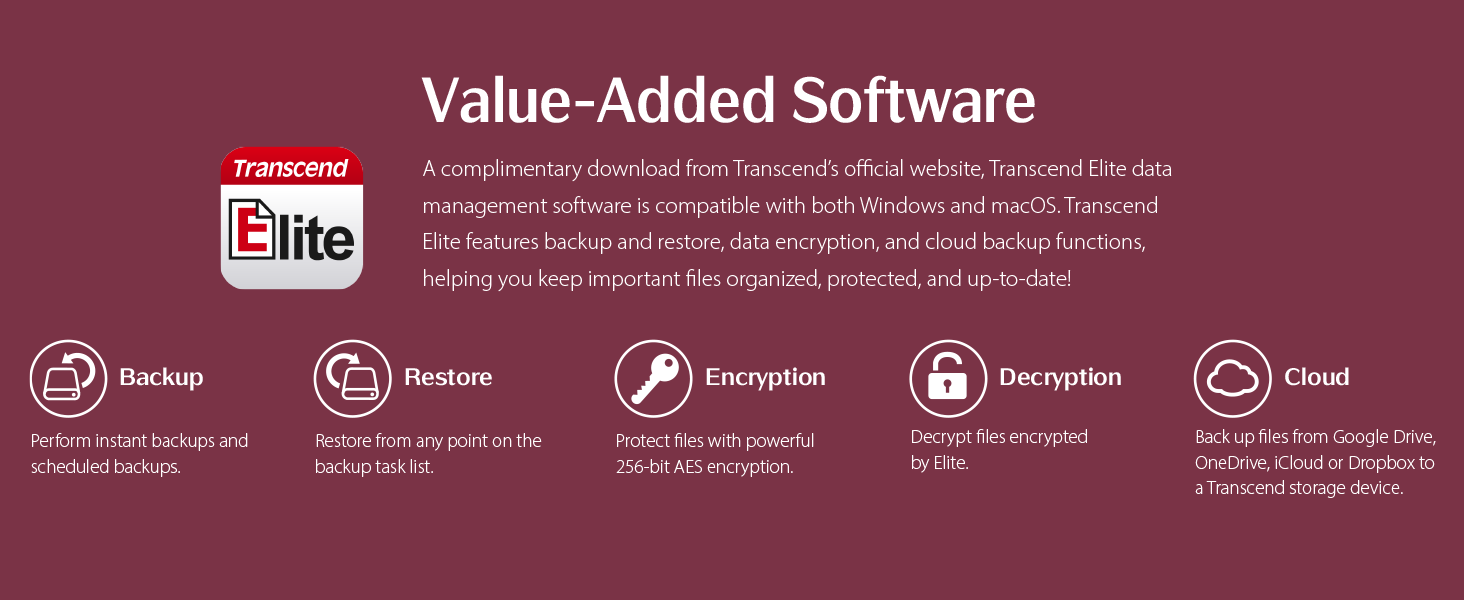
Image: Transcend Elite software interface showing the One-Time Password (OTP) recovery process.
Penyelenggaraan
- Penyingkiran Selamat: Always safely eject or unmount the ESD310 from your device before physically disconnecting it to prevent data corruption.
- Pengurusan Suhu: During prolonged high-speed data transfers, the drive may become warm. This is normal for high-performance SSDs. If transferring very large amounts of data (e.g., over 100GB), consider transferring in smaller batches to allow the drive to cool, which can help maintain optimal performance.
- Penjagaan Fizikal: Keep the drive clean and free from dust and moisture. Avoid dropping or subjecting it to strong impacts.
- Kemas kini Firmware: Semak maklumat rasmi Transcend secara berkala website for any available firmware updates for the ESD310 to ensure optimal performance and compatibility.
Menyelesaikan masalah
Pemacu Tidak Dikenali
- Semak Sambungan: Ensure the ESD310 is fully and correctly inserted into the USB port. Try a different USB port or a different device if possible.
- Correct Port Type: Verify you are using the correct USB-C or USB-A port for the connector.
- Keserasian Peranti: While broadly compatible, some older devices (e.g., certain smart TVs) may not recognize exFAT formatted drives or USB 3.2 devices.
- Isu Pemandu: On Windows, check Device Manager for any unrecognized devices and update USB drivers if necessary.
Kelajuan Pemindahan Lambat
- USB Port Speed: Ensure you are connected to a USB 3.2 Gen 2 (10Gbps) port for maximum performance. Connecting to USB 3.0 (5Gbps) or USB 2.0 (480Mbps) ports will result in lower speeds.
- Device Performance: The speed can also be limited by the host device's hardware, software, and the type of filesedang dipindahkan.
- Pendikit Terma: As mentioned in Maintenance, prolonged transfers of very large files can cause the drive to heat up and temporarily reduce speed to protect components. Allow the drive to cool or transfer in smaller batches.
Data Access Issues (Password Protected)
- Transcend Elite: If you have enabled password protection, ensure you are using the Transcend Elite software to unlock the drive.
- One-Time Password (OTP): If you forgot your password, use the OTP function within Transcend Elite to receive a recovery password via your registered email.
Spesifikasi
| Ciri | Perincian |
|---|---|
| Kapasiti Storan Digital | 512 GB |
| Antara muka | USB 3.2 Gen 2 (10Gbps), backward compatible with USB 3.0 and USB 2.0 |
| Teknologi Ketersambungan | USB |
| Kelajuan Baca | Sehingga 1050 MB/s |
| Tulis Kelajuan | Sehingga 950 MB/s |
| Kesambungan Perkakasan | USB Jenis-A, USB Jenis-C |
| Peranti Serasi | Desktop, Gaming Console, Laptop, Tablet, iPhone, Android devices |
| Compatible Video Game Consoles | ASUS ROG Ally RC71L-NH001W, Microsoft Xbox SERIES X, Sony PlayStation 5, Valve Steam Deck |
| Berat Barang | 0.01 Paun (lebih kurang 4.5 gram) |
| Dimensions (L x W x Thickness) | 2.8"L x 0.8"W x 0.3"Th (approx. 71.4mm x 20mm x 7.9mm) |
| Nama Model | ESD310 |
| Nombor Model | TS512GESD310C |
| warna | Hitam |
| Bahan Kepungan | Aluminium, Plastik |
| Ciri-ciri Tambahan | 5 year limited warranty, Password Protection, Portable |
Waranti dan Sokongan
Maklumat Waranti
The Transcend ESD310 External SSD comes with a Waranti terhad 5 tahun. Please retain your proof of purchase for warranty claims. For detailed warranty terms and conditions, refer to the official Transcend webtapak.
Sokongan Teknikal
For further assistance, technical support, or to download the Transcend Elite software and firmware updates, please visit the official Transcend webtapak:
You can also find FAQs and contact information for customer service on their webtapak.