
1. Produk Lebihview
The Cudy GS108D is an 8-port Gigabit Ethernet Network Switch designed for expanding your network connectivity. It offers high-speed data transfer for devices such as computers, IPTVs, printers, NAS, game consoles, and routers. Featuring a plug-and-play design, fanless operation, and energy-efficient technology, this switch provides a reliable and quiet solution for both home and office networks.

Imej: Depan view of the Cudy GS108D switch, highlighting its 8 Gigabit Ethernet ports and LED indicators.
Ciri-ciri Utama:
- 8 Port Ethernet Gigabit: Menyediakan sambungan berwayar berkelajuan tinggi untuk pelbagai peranti.
- Pasang dan Main: Requires no software installation or configuration for immediate use.
- Reka bentuk tanpa kipas: Ensures quiet operation, suitable for any environment.
- Cekap Tenaga: Compliant with IEEE802.3az standard, saving power when ports are idle.
- Pemasangan Serbaguna: Menyokong kedua-dua penempatan desktop dan pelekap di dinding.
2. Kandungan Pakej
Sahkan bahawa pakej anda mengandungi item berikut:
- Cudy GS108D 8-Port Gigabit Ethernet Network Switch
- Penyesuai Kuasa
- Manual Arahan (dokumen ini)
- Ethernet Cable (may vary by region/package)

Image: Contents of the Cudy GS108D package, showing the switch, power adapter, and an Ethernet cable.
3. Penerangan Fizikal
Panel Depan:
The front panel features eight 10/100/1000 Mbps RJ45 ports. Each port has an associated LED indicator to show link/activity status.
- LED kuasa: Menunjukkan status kuasa suis.
- LED Pautan/Akta (1-8):
- Hijau Pepejal: A device is connected and the link is active.
- Hijau Berkelip: Data is being transmitted or received on the port.
- Mati: No device is connected or the link is inactive.

Imej: Terperinci view of the Cudy GS108D's front panel, showing the 8 RJ45 ports and their corresponding LED indicators.
Panel belakang:
The rear panel typically contains the power input port.
Dimensi:
The compact design of the GS108D allows for flexible placement. Approximate dimensions are 138mm (5.43") L x 61.5mm (2.42") W x 24mm (0.94") H.
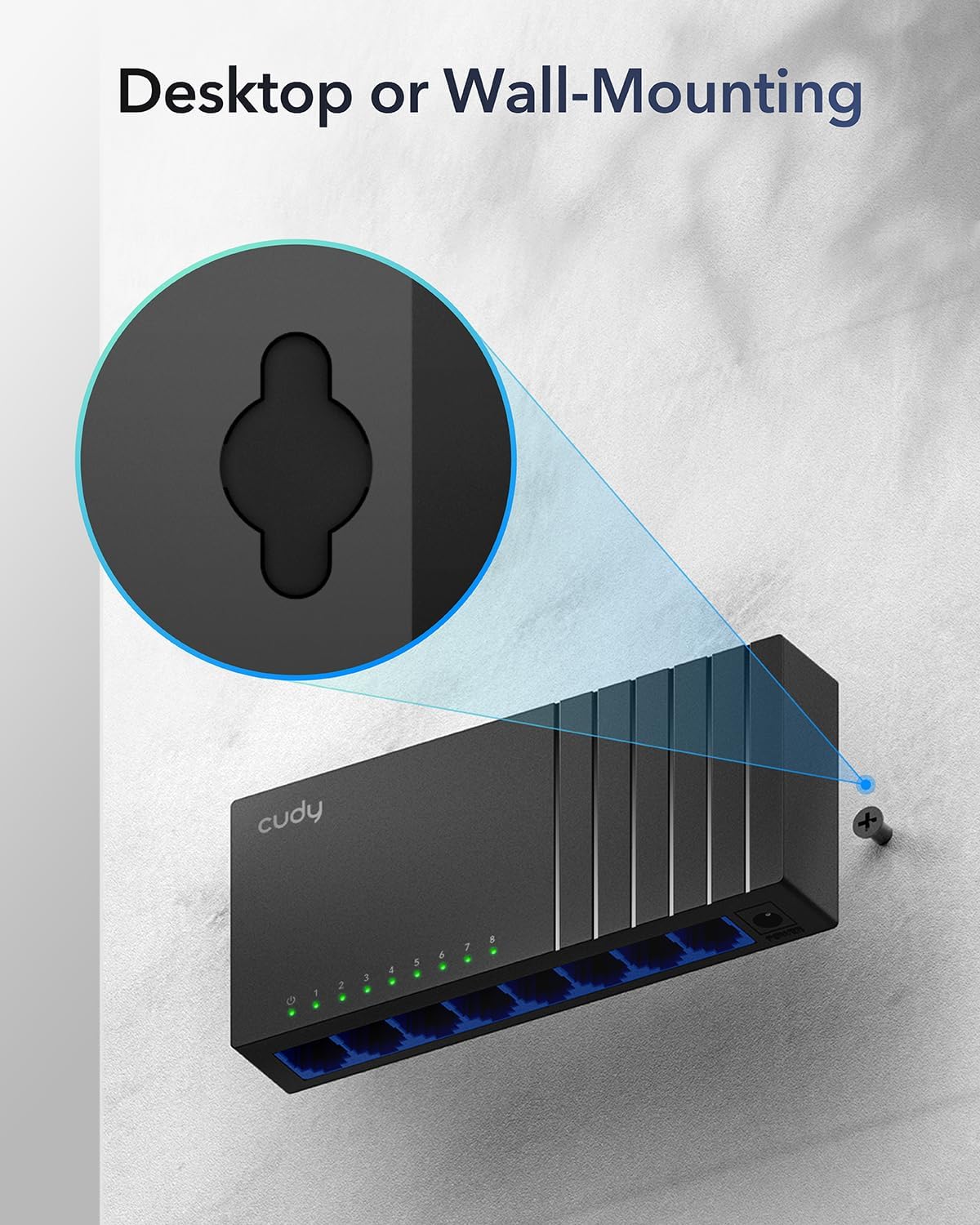
Image: The Cudy GS108D switch with its compact dimensions clearly indicated.
4. Arahan Persediaan
The Cudy GS108D switch is designed for simple plug-and-play installation. No complex configuration is required.
Langkah 1: Sambungan Kuasa
- Connect one end of the provided power adapter to the power port on the rear panel of the GS108D switch.
- Palamkan hujung satu lagi penyesuai kuasa ke soket elektrik standard.
- Verify that the Power LED on the front panel illuminates, indicating the switch is receiving power.

Image: The Cudy GS108D switch with its power adapter connected and ready for use.
Langkah 2: Sambungan Peranti
- Connect your network devices (e.g., computer, router, NAS, game console) to any of the 8 RJ45 ports on the front panel using standard Ethernet cables (Cat5e or higher recommended for Gigabit speeds).
- Ensure the Link/Act LED for each connected port illuminates, indicating a successful connection. If the LED is flashing, data is being transmitted.

Image: A laptop being connected to the Cudy GS108D switch with an Ethernet cable, demonstrating a typical setup.
Langkah 3: Pilihan Pemasangan
The GS108D supports both desktop placement and wall mounting.
- Peletakan Desktop: Simply place the switch on a flat, stable surface.
- Pemasangan Dinding: The switch features mounting slots on its underside. Use appropriate screws (not included) to secure the switch to a wall.

Image: The Cudy GS108D switch shown with its wall-mounting slots, illustrating how it can be securely attached to a wall.
5. Arahan Operasi
Once connected, the Cudy GS108D operates automatically without further user intervention.
Auto-Rundingan
Each port on the switch automatically detects the network speed (10/100/1000 Mbps) and duplex mode (Half/Full Duplex) of the connected device and adjusts accordingly for optimal performance.
Pengoptimuman Trafik
The switch features a 4 Mbit packet buffer to ensure stable and efficient data forwarding, reducing packet loss and improving overall network performance, especially during high traffic loads.
Energy Efficiency (IEEE 802.3az)
The GS108D incorporates energy-efficient Ethernet technology. It automatically adjusts power consumption based on cable length and network traffic, reducing energy usage when ports are idle or when connected devices are turned off.

Image: Visual representation of the power-saving feature, showing reduced energy consumption when ports are idle.
Penghantaran Jarak Jauh
The switch supports long-distance Ethernet cable runs, allowing for reliable data transmission up to 170 meters (557 feet) with Cat5e or higher Ethernet cables.

Image: Illustration of the Cudy GS108D's capability for long-distance transmission, up to 170 meters, requiring Cat5e or higher cables.
6. Penyelenggaraan
To ensure optimal performance and longevity of your Cudy GS108D switch, follow these maintenance guidelines:
- penempatan: Place the switch in a cool, dry location away from direct sunlight, heat sources, and excessive moisture. Ensure adequate ventilation around the device.
- Pembersihan: Gunakan kain lembut dan kering untuk membersihkan bahagian luar suis. Jangan gunakan cecair atau pembersih aerosol.
- Kuasa: Use only the provided power adapter. Disconnect the power adapter during electrical storms or when unused for long periods.
- Kabel: Ensure all Ethernet cables are securely connected and free from damage.
7. Penyelesaian masalah
If you encounter issues with your Cudy GS108D switch, refer to the following common troubleshooting steps:
Tiada Kuasa
- Pastikan penyesuai kuasa disambungkan dengan selamat pada suis dan soket elektrik yang berfungsi.
- Periksa sama ada alur keluar kuasa berfungsi dengan memasang peranti lain.
- Verify that the Power LED on the switch is illuminated. If not, try a different power outlet.
No Link/Activity on a Port
- Pastikan kabel Ethernet dipasang dengan kukuh pada kedua-dua port suis dan peranti yang disambungkan.
- Try using a different Ethernet cable to rule out cable damage.
- Sambungkan peranti ke port lain pada suis.
- Verify that the connected device (e.g., computer, router) is powered on and its network adapter is enabled.
- If connecting to a router, ensure the router's port is active.
Kelajuan Rangkaian Perlahan
- Ensure you are using Cat5e or higher Ethernet cables for Gigabit speeds. Older Cat5 cables may limit speed.
- Check the Link/Act LED for the port. A solid green light indicates a Gigabit connection. If it's amber or off, there might be a speed mismatch or connection issue.
- Verify that the connected devices also support Gigabit Ethernet.
- Kurangkan kesesakan rangkaian dengan mengehadkan aktiviti jalur lebar tinggi serentak.
8. Spesifikasi
| Ciri | Penerangan |
|---|---|
| Jenama | Cudy |
| Nombor Model | GS108D |
| Bilangan Pelabuhan | 8 |
| Antara muka | RJ45 |
| Kadar Pemindahan Data | 1000 Megabit Sesaat (Gigabit) |
| Jenis Suis | Suis Ethernet |
| Peranti Serasi | Camera, Desktop, Laptop, Router |
| Voltage | 28 Volts (Input for power adapter) |
| Suhu Operasi | 40°F hingga 104°F (4.4°C hingga 40°C) |
| Jenis Bahan Sarung | plastik |
| Dimensi Item (L x W x H) | 7.87" x 5.91" x 5.91" (Product packaging dimensions, actual device is smaller) |
| Berat Barang | 200 Gram |
9. Waranti dan Sokongan
Maklumat Waranti:
The Cudy GS108D 8-Port Gigabit Ethernet Network Switch comes with a Waranti 2 Tahun from the date of purchase. Please retain your proof of purchase for warranty claims. This warranty covers defects in materials and workmanship under normal use.
Sokongan Teknikal:
For technical assistance, troubleshooting, or further inquiries, please visit the official Cudy website or contact Cudy customer support. Cudy is committed to delivering high-performance, user-friendly communication technology and provides resources to help you with your product.
You can often find support resources, FAQs, and contact information on the Cudy Store on Amazon or the main Cudy webtapak.