
VQTIL bb429
VQTIL Golf Rangefinder Model bb429 User Manual
Laser Range Finder with Slope and Flag Acquisition
1. Pengenalan
This manual provides detailed instructions for the VQTIL Golf Rangefinder Model bb429. This device utilizes advanced laser technology to accurately measure distances up to 700 yards, featuring slope correction, flag acquisition with vibration, and 6X magnification. Please read this manual thoroughly before using the product to ensure proper operation and to maximize its performance.
2. Maklumat Keselamatan
Sila patuhi langkah berjaga-jaga keselamatan berikut untuk mengelakkan kecederaan dan kerosakan pada peranti:
- Keselamatan Laser: This device emits invisible laser radiation. Do not stare into the laser beam or aim it at others. Class 1 laser product.
- Perlindungan Mata: Do not look directly at the sun through the rangefinder, as this may cause permanent eye damage.
- Keselamatan Bateri: The device uses a rechargeable Lithium-Ion Polymer battery. Do not disassemble, puncture, or expose the battery to extreme temperatures or fire. Dispose of batteries according to local regulations.
- Tahan Air: The device is water resistant (IP54 rated), meaning it is protected against splashing water. Do not submerge the device in water.
- Pembersihan: Use a soft, dry cloth to clean the lenses and body. Avoid abrasive materials or harsh chemicals.
3. Kandungan Pakej
Sahkan bahawa semua item terdapat dalam pakej:
- VQTIL Golf Rangefinder Model bb429
- Membawa Beg
- Kabel Pengecas USB (Jenis-C)
- Kain Pembersih
- Manual Pengguna
4. Produk Lebihview
The VQTIL Golf Rangefinder is designed for precision and ease of use on the golf course. It features a compact design and intuitive controls.

Rajah 4.1: VQTIL Golf Rangefinder with key features highlighted. This image illustrates the device's capabilities including its range, magnification, field of view, measurement speed, continuous scan function, USB-C charging port, distance unit options, accuracy, waterproof rating, and vibration feedback.
Pengenalan Komponen:
- Kanta Objektif: Front lens for viewing the target.
- Pelarasan kanta mata/Diopter: Adjust to focus the display for clear viewing.
- Butang Kuasa/Pengukuran: Activates the device and initiates distance measurement.
- Butang Mod: Switches between different measurement modes (e.g., standard, flag lock, continuous scan).
- Suis Cerun: External switch to enable or disable the slope compensation feature, making the device tournament legal when disabled.
- Port Pengecasan USB-C: Untuk mengecas semula bateri dalaman.
- Jalur Magnet: Located on the side for attaching to metal surfaces like a golf cart frame.
5. Persediaan
5.1 Mengecas Bateri
The rangefinder is equipped with a built-in 750mAh rechargeable Lithium-Ion Polymer battery. Before first use, fully charge the device.
- Cari port pengecas USB-C di sisi pencari jarak.
- Connect the provided USB-C cable to the rangefinder and the other end to a standard USB power adapter (not included) or a computer USB port.
- Penunjuk pengecasan akan menyala. Setelah dicas sepenuhnya, penunjuk akan berubah atau padam.
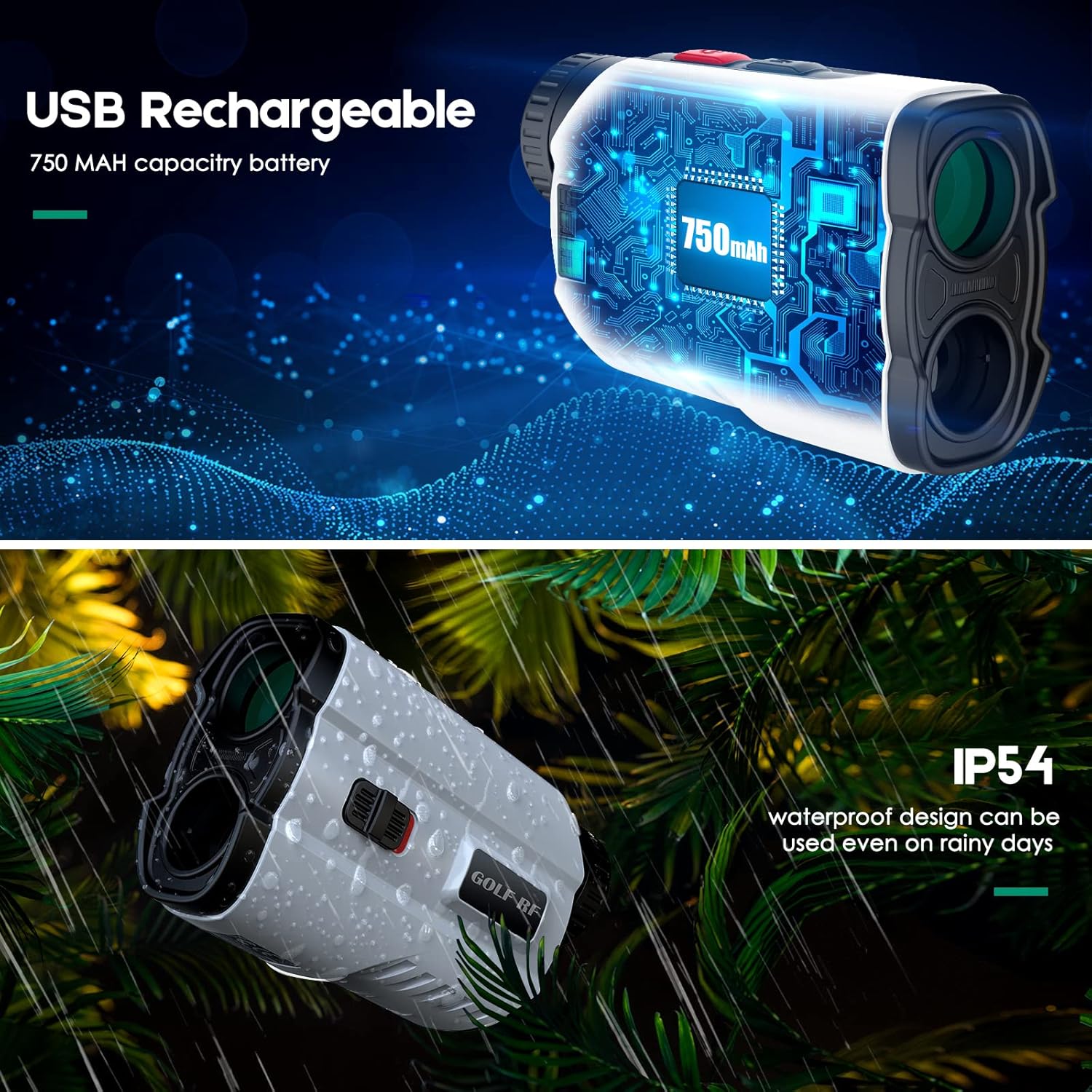
Rajah 5.1: Illustration of the USB rechargeable feature and IP54 waterproof rating. The image shows the internal battery structure and the device being used in light rain, highlighting its durability.
5.2 Menghidupkan/Mematikan
- To power on, press the Power/Measurement button briefly. The display will activate.
- Peranti akan dimatikan secara automatik selepas tempoh tidak aktif untuk menjimatkan bateri.
5.3 Pelarasan Diopter
Rotate the eyepiece left or right until the display and target appear clear and sharp to your eye.
5.4 Unit Selection (Yards/Meters)
With the device powered on, press and hold the Mode button for approximately 3 seconds to switch between Yards (Y) and Meters (M) display units.
6. Arahan Operasi
6.1 Pengukuran Jarak Asas
- Hidupkan peranti.
- Aim the crosshairs in the display at your desired target.
- Press the Power/Measurement button once. The measured distance will be displayed instantly.

Rajah 6.1: Golfer demonstrating the fast and accurate scan feature. This image shows a user aiming the rangefinder at a flag on the golf course, illustrating its capability to quickly calculate distances even with slight movement.
6.2 Slope Compensation Function
The rangefinder can calculate slope-adjusted distances, providing a more accurate "play as" distance for uphill or downhill shots. It also features an external switch to disable this function for tournament play.
- Enable/Disable Slope: Use the external physical switch on the side of the device to toggle the slope function on or off. When disabled, the device is legal for golf tournaments.
- When slope is enabled, the display will show both the actual measured distance and the slope-adjusted distance.

Rajah 6.2: Visual representation of the precise slope compensation function. The image illustrates how the rangefinder calculates and displays both the direct measured distance and the slope-adjusted distance, aiding golfers in club selection.
6.3 Flag Acquisition with Vibration Lock
This mode helps to lock onto the flagstick, ignoring background objects, and confirms the lock with a vibration.
- Ensure the device is in Flag Lock mode (usually indicated by a flag icon on the display). Press the Mode button to cycle through modes if necessary.
- Aim the crosshairs at the flagstick.
- Press and hold the Power/Measurement button while slowly scanning across the flagstick.
- Once the flag is acquired, the device will vibrate twice, and the distance to the flag will be displayed.

Rajah 6.3: Demonstration of the Vibration Lock Mode. This image shows the rangefinder's display before and after locking onto a flagpole, indicating the two-vibration confirmation for flag acquisition.
6.4 Mod Imbasan Berterusan
For scanning multiple targets or moving objects, use the continuous scan mode.
- Press the Mode button until the continuous scan icon appears (if applicable).
- Press and hold the Power/Measurement button.
- Pan the rangefinder across various targets. The distance display will update continuously.
6.5 Magnetic Attraction Feature
The rangefinder includes a powerful magnetic strip for convenient attachment.
- The magnetic strip is located on the right side of the device.
- Attach the rangefinder to any suitable metal surface, such as the frame of a golf cart, for easy access during play.

Rajah 6.4: Demonstration of the magnetic attraction feature. This image shows the rangefinder securely attached to the metal frame of a golf cart, highlighting its powerful magnetic strip for convenient storage and access.
7. Penyelenggaraan
- Kanta Pembersihan: Use the provided cleaning cloth or a soft, lint-free cloth to gently wipe the objective and eyepiece lenses. Do not use excessive force or abrasive materials.
- Pembersihan Badan: Lap badan pencari jarak dengan lembut, damp cloth. Avoid using solvents or harsh detergents.
- Storan: Store the device in its carrying bag in a cool, dry place when not in use. Avoid direct sunlight and extreme temperatures.
- Penjagaan Bateri: To prolong battery life, avoid fully discharging the battery frequently. Recharge the device regularly, even if not used for extended periods.
8. Penyelesaian masalah
| Masalah | Kemungkinan Punca | Penyelesaian |
|---|---|---|
| Peranti tidak dihidupkan. | Bateri lemah atau habis. | Cas bateri menggunakan kabel USB-C yang disediakan. |
| Bacaan jarak yang tidak tepat. | Lens is dirty; target is too small or reflective; environmental interference (fog, heavy rain). | Clean the lenses. Ensure target is clear. Avoid use in extreme weather conditions. |
| Paparan adalah kabur. | Diopter tidak dilaraskan dengan betul. | Putar kanta mata untuk melaraskan diopter sehingga paparan jelas. |
| Cannot acquire flag. | Not in Flag Lock mode; unsteady hand; flag obscured. | Ensure Flag Lock mode is active. Scan slowly across the flag. Try again when the flag is clearer. |
9. Spesifikasi
| Ciri | Perincian |
|---|---|
| Nombor Model | bb429 |
| Julat Pengukuran | 5 - 700 yards (3 - 700 meters) |
| Ketepatan | ±0.5 ela |
| Pembesaran | 6X |
| Bidang View | 7 darjah |
| Mengukur Kelajuan | <0.5 saat |
| Jenis Bateri | Rechargeable Lithium-Ion Polymer, 3.7V, 750mAh |
| Port Pengecasan | USB Jenis-C |
| Tahap Ketahanan Air | IP54 (Tahan Air) |
| Dimensi Produk | 12.7 x 5.08 x 7.62 cm |
| Berat Barang | 180 Gram |
| bahan | plastik |
| warna | putih |
| Pengeluar | Shenzhen Hanwei Intelligent Technology Co., LTD |
10. Waranti dan Sokongan
This VQTIL Golf Rangefinder Model bb429 comes with a Waranti pengilang 30 hari dari tarikh pembelian, meliputi kecacatan pada bahan dan mutu kerja.
For warranty claims, technical support, or any inquiries regarding your product, please contact the manufacturer directly:
- Pengeluar: Shenzhen Hanwei Intelligent Technology Co., LTD
- Please refer to your purchase documentation for specific contact details or visit the official VQTIL webtapak untuk maklumat sokongan.
Sila simpan bukti pembelian anda untuk perkhidmatan waranti.
Ask a question about this manual
Ask about setup, troubleshooting, compatibility, parts, safety, or missing instructions. Manuals+ will review the question and use this page’s manual context to help answer it.