
pengenalan
The SENCKIT S1 Bluetooth Tracker is designed to help you locate your valuable items quickly and efficiently. Utilizing Apple's Find My network, this smart tracker allows you to pinpoint the location of your keys, bags, wallets, pets, and other belongings directly from your iOS device. This manual provides detailed instructions for setting up, operating, and maintaining your SENCKIT S1 tracker.

Image: SENCKIT S1 Bluetooth Tracker, a white square device with a keychain, next to an iPhone displaying its location on a map.
Maklumat Keselamatan
Amaran: Tidak sesuai untuk kanak-kanak di bawah 36 bulan.
Please keep the device and its small parts, especially the battery, out of reach of young children to prevent choking hazards.
Kandungan Pakej
Sahkan bahawa semua item terdapat dalam pakej anda:
- 1 x SENCKIT S1 Bluetooth Tracker
- 1 x Manual Arahan (dokumen ini)
Persediaan
1. Pemasangan Bateri
The SENCKIT S1 tracker uses a replaceable CR2032 button cell battery. The battery is pre-installed, but you may need to remove a protective strip before first use.
- Locate the small groove on the side of the tracker.
- Carefully pry open the tracker casing using a thin, non-metallic tool or your fingernail.
- If present, remove the plastic protective strip from the battery compartment.
- Pastikan bateri CR2032 dipasang dengan betul dengan bahagian positif (+) menghadap ke atas.
- Close the tracker casing dengan kuat sehingga ia klik pada tempatnya.

Image: The SENCKIT S1 tracker with its back cover removed, revealing the internal circuit board and a CR2032 battery. This illustrates the battery installation process.
2. Berpasangan dengan Apple Find My App
The SENCKIT S1 tracker is designed to work exclusively with Apple's Find My network. Ensure your iOS device is running the latest version of iOS.
- Buka yang telah dipasang Cari Saya aplikasi pada iPhone atau iPad anda.
- Ketik pada barang tab di bahagian bawah skrin.
- Ketik + Add Item, kemudian pilih Item Disokong Lain.
- Place your SENCKIT S1 tracker near your iOS device. The app will detect the tracker.
- Ketik Sambung apabila digesa.
- Follow the on-screen instructions to name your item and link it to your Apple ID.
- Ketik Setuju to the privacy statement and then Selesai. Your tracker is now paired.

Image: A sequence of three iPhone screens demonstrating the initial steps to pair the SENCKIT S1 tracker with the Apple Find My app, from opening the app to selecting "Other Supported Item."

Image: A sequence of three iPhone screens illustrating the completion of the pairing process, including tapping "Connect," linking to an Apple ID, and finalizing the setup.
Arahan Operasi
1. Locating Nearby Items
When your SENCKIT S1 tracker is within Bluetooth range of your iOS device, you can make it play a sound to help you find it.
- Buka Cari Saya apl.
- Pergi ke barang tab and select your SENCKIT S1 tracker.
- Ketik Mainkan Bunyi. The tracker will emit a loud ring (up to 90dB) to guide you to its location.
- Ketik Stop Sound once you have found your item.

Image: An iPhone screen displaying the "Play Sound" function within the Find My app, indicating the tracker's proximity and the ability to trigger an audible alert. A SENCKIT tracker with keys is shown next to the phone.
2. Locating Far Away Items
If your item is out of Bluetooth range, the Apple Find My network can help you locate it. Hundreds of millions of Apple devices anonymously and securely relay the location of your tracker to you.
- Buka Cari Saya apl.
- Pergi ke barang tab and select your SENCKIT S1 tracker.
- The app will display the tracker's last known location on a map.
- Ketik Arah to get navigation to the tracker's location.

Image: An iPhone screen displaying the Find My app with a map showing the current location of the SENCKIT S1 tracker, indicating its use for remote tracking.
3. Left-Behind Alerts
Receive notifications if you leave your item behind and it goes out of range of your iOS device.
- Dalam Cari Saya app, select your SENCKIT S1 tracker.
- Tatal ke bawah dan dayakan Maklumkan Apabila Tertinggal togol.
- You can also set specific locations where you do not want to be notified (e.g., your home).
4. Mod Hilang
If your SENCKIT S1 tracker is truly lost, you can enable Lost Mode to help others return it to you.
- Dalam Cari Saya app, select your SENCKIT S1 tracker.
- Tatal ke bawah dan ketik Dayakan bawah Mod Hilang.
- Follow the prompts to enter a contact phone number or email address.
- If someone finds your tracker and scans it with an NFC-enabled smartphone, they will see your contact information.

Image: An iPhone screen displaying the "Lost Mode" feature within the Find My app, showing how a contact number can be displayed to someone who finds the tracker.
Penyelenggaraan
1. Penggantian Bateri
The SENCKIT S1 tracker has a battery life of up to 1 year. The Find My app will notify you when the battery is low. Replace the CR2032 battery following these steps:
- Locate the small groove on the side of the tracker.
- Carefully pry open the tracker casing.
- Keluarkan bateri CR2032 lama.
- Masukkan bateri CR2032 baharu dengan bahagian positif (+) menghadap ke atas.
- Close the tracker casing dengan kuat sehingga ia klik pada tempatnya.

Image: A graphic illustrating the SENCKIT S1 tracker's replaceable battery feature, highlighting its long-term use with a 365-day battery life.
2. Pembersihan
To clean your SENCKIT S1 tracker, wipe it with a soft, dry, or slightly damp kain. Elakkan menggunakan bahan kimia yang keras atau bahan yang kasar, kerana ini boleh merosakkan peranti.
Menyelesaikan masalah
- Tracker not pairing:
- Pastikan bateri dipasang dengan betul dan mempunyai cas yang mencukupi.
- Make sure your iOS device's Bluetooth is enabled.
- Bring the tracker very close to your iOS device during pairing.
- Mulakan semula peranti iOS anda dan cuba pasangkan semula.
- Tracker not playing sound:
- Check the battery level in the Find My app. Replace the battery if low.
- Pastikan penjejak berada dalam julat Bluetooth peranti iOS anda.
- Lokasi tidak tepat:
- Location accuracy depends on the density of Apple devices in the Find My network. In remote areas, updates may be less frequent.
- Pastikan peranti iOS anda mempunyai sambungan internet yang stabil untuk kemas kini peta.
Spesifikasi
| Model | S1 |
| Dimensi | 1.5"P x 1.5"L x 0.28"T (38mm x 38mm x 7mm) |
| Berat badan | 0.88 auns (8.7g) |
| Jenis Bateri | CR2032 (Boleh Ganti) |
| Hayat Bateri | Sehingga 1 tahun |
| Ketersambungan | Bluetooth |
| Julat Tanpa Wayar | 10-20M (Indoor), 20-30M (Outdoor) |
| Kelantangan Buzzer | Sehingga 90dB |
| Tahan Air | IP65 |
| Keserasian | Apple Find My (iOS Compatible) |
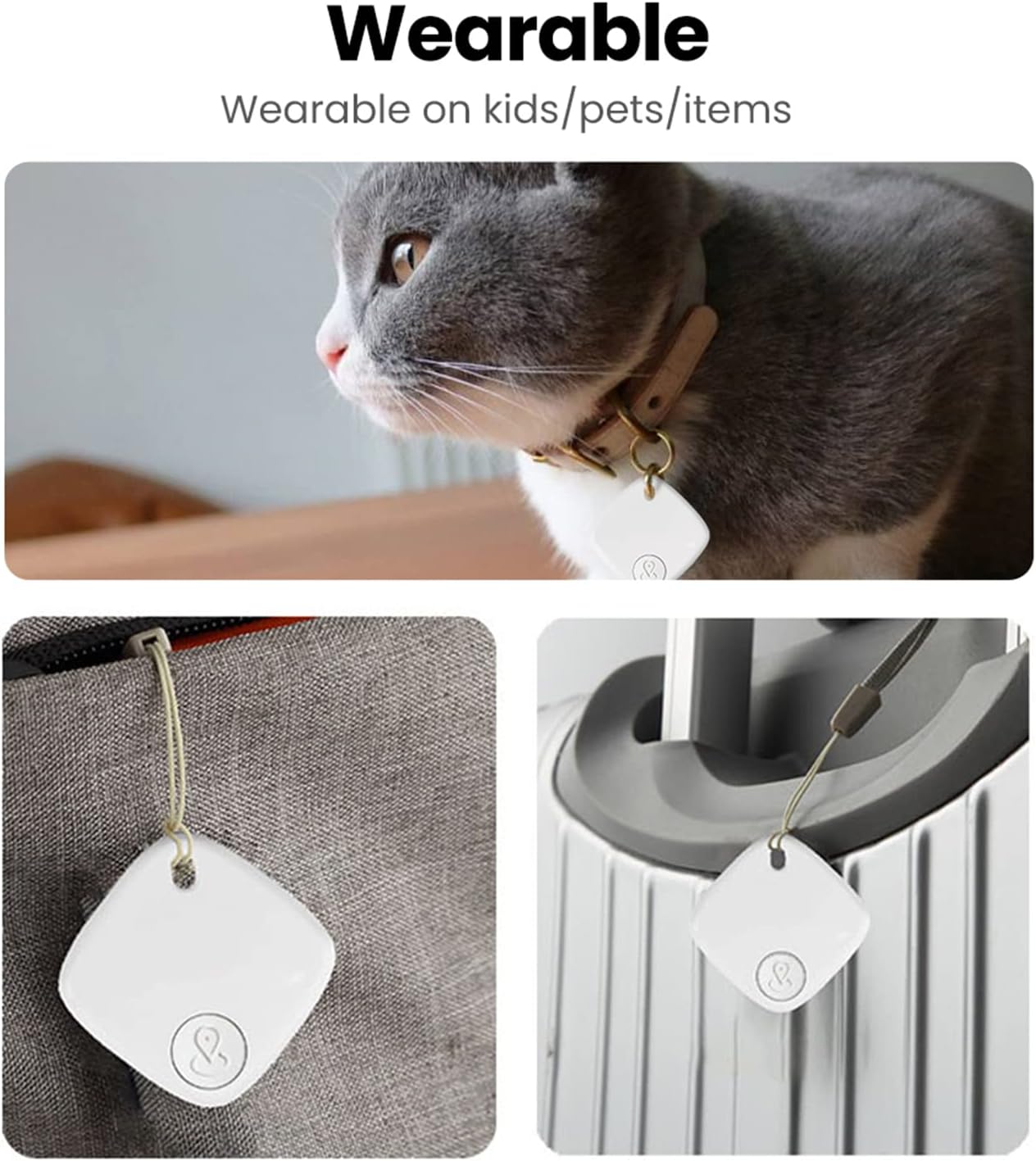
Image: A detailed diagram illustrating the physical dimensions and key specifications of the SENCKIT S1 Bluetooth Tracker.
Senario Penggunaan
The SENCKIT S1 Bluetooth Tracker is versatile and can be attached to various items:
- kunci: Attach to your keyring to easily find misplaced keys.
- Bags & Backpacks: Secure to your luggage, handbag, or backpack for travel or daily use.
- Dompet: Slip into your wallet to prevent loss.
- Haiwan peliharaan: Attach to your pet's collar to help locate them if they wander off.

Image: A collage demonstrating various applications of the SENCKIT S1 tracker, including attachment to a pet's collar, a bag, and luggage.