1. Pengenalan
This manual provides essential information for the safe operation and maintenance of your Generic SG900-S GPS RC Drone. Please read this manual thoroughly before operating the drone to ensure proper function and to prevent damage or injury. The SG900-S is a foldable RC quadcopter equipped with a 1080P HD camera, GPS positioning, and various intelligent flight modes.
2. Garis Panduan Keselamatan
Operating an RC drone requires caution. Adhere to the following safety guidelines:
- Semakan Pra-Penerbangan: Always inspect the drone, propellers, and battery for any damage before each flight. Ensure all components are securely attached.
- Persekitaran: Fly in open areas, away from people, animals, buildings, and power lines. Avoid flying in strong winds, rain, or other adverse weather conditions.
- Garis penglihatan: Kekalkan garis penglihatan visual dengan dron sepanjang masa.
- Keselamatan Bateri: Use only the provided battery and charger. Do not overcharge or puncture the battery. Discontinue use if the battery shows signs of swelling or damage.
- Keselamatan Kipas: Jauhkan tangan, muka dan pakaian longgar daripada kipas yang berputar.
- Hormati Privasi: Be mindful of privacy laws when using the camera function.
- Cadangan Umur: Produk ini tidak sesuai untuk kanak-kanak di bawah umur 14 tahun.
3. Kandungan Pakej
Sahkan bahawa semua item terdapat dalam pakej:
- 1 x SG900-S RC Quadcopter
- 1 x Battery (7.4V 1600mAh modularized battery)
- 1 x Alat Kawalan Jauh
- 2 x Kipas Ganti
- 2 x USB Cables (for drone and controller charging)
- 1 x Pemutar skru
- 4 x Protective Rings (Propeller Guards)
- 1 x Manual Pengguna (dokumen ini)

Figure 3.1: Contents of the SG900-S drone package.
4. Persediaan
4.1 Membuka Dron
The SG900-S drone features a foldable design for portability. Gently unfold the arms of the drone until they lock into position. Ensure all arms are fully extended before flight.
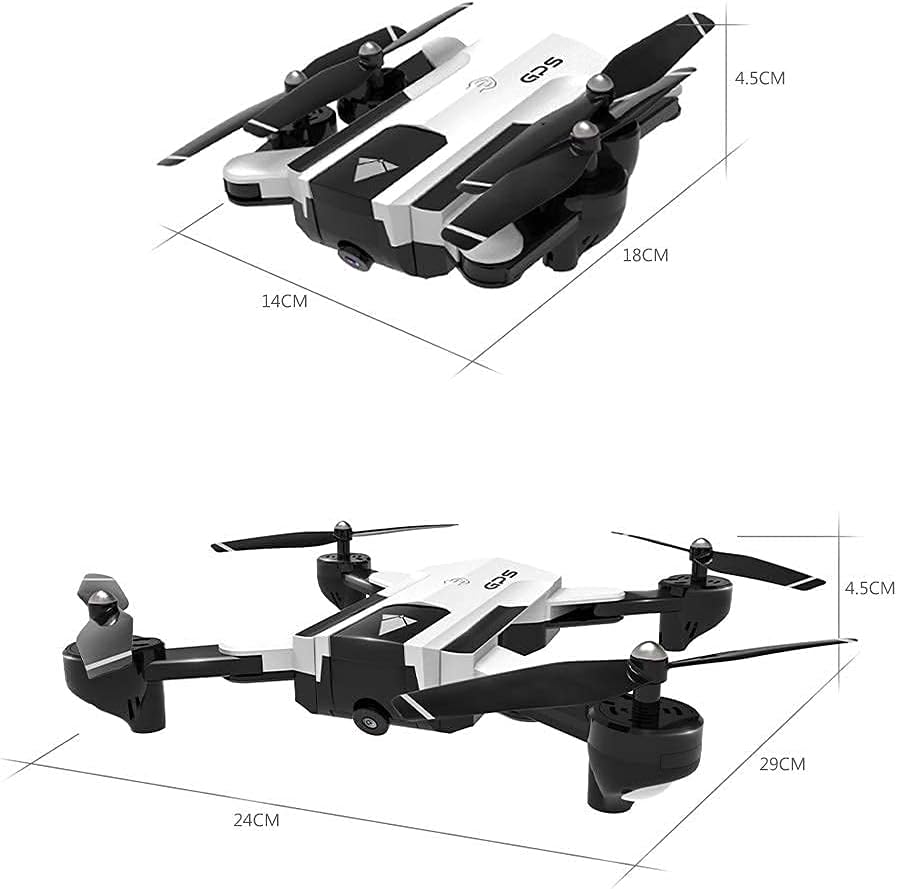
Figure 4.1: SG900-S drone folded and unfolded dimensions.
4.2 Pemasangan dan Pengecasan Bateri
- Bateri Drone: Insert the 7.4V 1600mAh modularized battery into the drone's battery compartment until it clicks into place. To charge, remove the battery from the drone and connect it to the provided USB charging cable. Connect the USB cable to a 5V/2A USB power adapter (not included). Charging time is approximately 180 minutes.
- Bateri Alat Kawalan Jauh: The remote controller has a built-in 3.7V 390mAh battery. Connect the controller to a USB power source using its dedicated USB charging cable.
4.3 Pemasangan Propeller Guard
For beginner pilots or indoor flights, attach the protective rings (propeller guards) to the drone's arms to prevent damage from collisions.
4.4 Pemasangan dan Sambungan Apl
Download the dedicated control app for the SG900-S drone on your smartphone or tablet. Cari untuk the app name (usually found in the manual or on the product packaging) in your device's app store. Once installed:
- Hidupkan dron.
- Go to your device's Wi-Fi settings and connect to the drone's Wi-Fi network (e.g., "SG900-S_XXXX").
- Open the control app. The app should automatically connect to the drone, displaying the live camera feed.
5. Arahan Operasi
5.1 Kawalan Asas Penerbangan
Ensure the drone is placed on a flat, level surface before takeoff.
- Satu Keberangkatan Utama: Press the one-key takeoff button on the remote controller or in the app. The drone will automatically ascend to a safe altitude and hover.
- Satu Pendaratan Utama: Tekan butang pendaratan satu kekunci. Drone akan perlahan-lahan turun dan mendarat secara automatik.
- Pendikit (Lekat Kiri Atas/Bawah): Controls altitude (ascend/descend).
- Yaw (Left Stick Kiri/Kanan): Rotates the drone left or right.
- Hadapan/Undur (Kanan Lekat Atas/Bawah): Moves the drone forward or backward.
- Sideward Flight (Right Stick Left/Right): Moves the drone left or right sideways.
5.2 GPS Positioning and Altitude Hold
The SG900-S utilizes GPS for stable flight and precise positioning. Altitude Hold maintains a consistent altitude, making the drone easier to control.

Figure 5.1: GPS Positioning and Automatic Return features.

Figure 5.2: Outdoor GPS Fixed Point flight.
5.3 Mod Penerbangan Pintar
- Mod Ikut Saya: In this mode, the drone will automatically follow the remote controller (or connected mobile device) at a set distance. Activate this feature via the control app.
- Multi-Point Fly (Waypoint Flight): Use the control app to draw a path on the map. The drone will then fly along the specified route, visiting each waypoint in sequence.

Figure 5.3: Multi-Point Fly (Fixed Flight) setup in the app.
- Mod Keliling: Select a point of interest in the app, and the drone will circle around it at a specified radius and altitude, capturing footage.
- Mod Tanpa Kepala: In headless mode, the drone's orientation is relative to the pilot, regardless of the drone's actual front direction. This simplifies control for beginners.
5.4 1080P HD Camera and FPV
The integrated 1080P HD camera allows for high-quality photo and video capture. The WiFi FPV (First Person View) system transmits a live video feed to your connected mobile device, providing a real-time view from the drone's perspective.
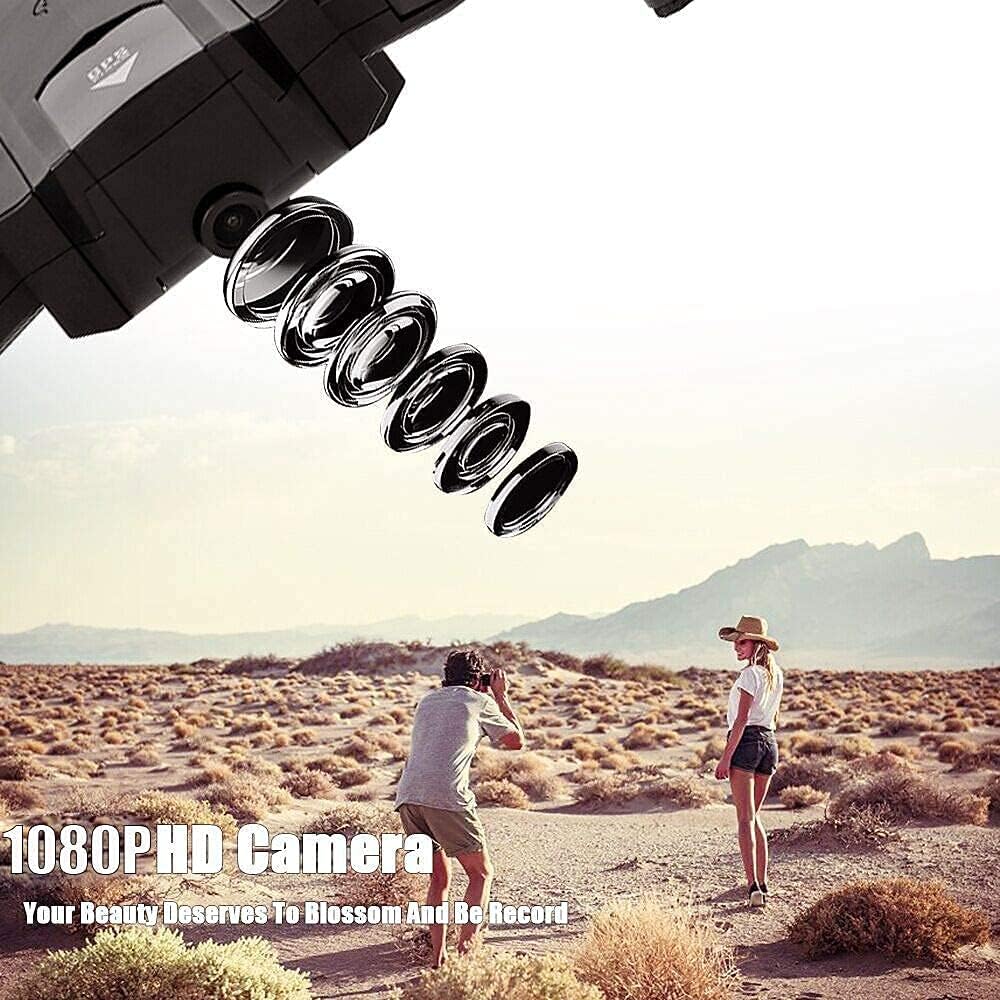
Figure 5.4: 1080P HD Camera in action.
To record video or take photos, use the corresponding buttons on the remote controller or within the control app. Captured media is typically saved to your connected mobile device.
6. Penyelenggaraan
- Pembersihan: Gunakan kain lembut dan kering untuk membersihkan badan dron dan kanta kamera. Elakkan menggunakan bahan kimia yang keras.
- Penggantian Kipas: If propellers are damaged, replace them with the provided spare propellers. Ensure the correct propeller (A or B) is installed on the corresponding motor.
- Penjagaan Bateri: Store batteries in a cool, dry place. Do not store fully charged or fully discharged for extended periods.
- Storan: Apabila tidak digunakan, lipat dron dan simpan di tempat yang selamat untuk mengelakkan kerosakan.
7. Penyelesaian masalah
- Drone does not respond: Ensure the drone and remote controller are fully charged and properly paired. Check for any obstructions to the propellers.
- Penerbangan tidak stabil: Calibrate the drone's gyroscope and compass as per app instructions. Ensure flight is in an open area with good GPS signal.
- Tiada suapan FPV: Verify that your mobile device is connected to the drone's Wi-Fi network and the control app is open. Restart both the drone and your device if necessary.
- Drone flies away: Immediately press the One Key Return button. Ensure GPS signal is strong before flight.
- Masa penerbangan yang singkat: Ensure the battery is fully charged. Flight time can be affected by aggressive flying, strong winds, or cold temperatures.
8. Spesifikasi
| item | Spesifikasi |
|---|---|
| Model | SG900-S |
| Kamera | 1080P HD |
| Bahan Utama | ABS |
| Kaedah Kawalan | APP / Remote Controller |
| Kekerapan Kawalan Jauh | 2.4GHz |
| Saluran | 4 saluran |
| WIFI Transmission Distance | Anggaran. 80m |
| Remote Controller Distance | Anggaran. 300m |
| Kuasa Pemancar | 3.7V 390mAh battery (built-in) |
| Bateri Quadcopter | 7.4V 1600mAh modularized battery |
| Maximum Flying Time | lebih kurang 20 minit |
| Masa Mengecas | lebih kurang 180 minit |
| Saiz Dilipat | 180 * 140 * 45mm |
| Saiz Terbuka | 290 * 240 * 45mm |


