
Produk Selesaiview
The JOOAN W5-U Dual Lens Security Camera is an advanced indoor surveillance solution designed for comprehensive home monitoring. Featuring two independent lenses, it offers simultaneous monitoring of two distinct areas, eliminating blind spots. This camera supports both 5GHz and 2.4GHz WiFi networks, ensuring flexible and reliable connectivity. Key functionalities include real-time motion and sound detection, two-way audio communication with a one-touch call feature, color night vision, and versatile storage options.

Image: The JOOAN W5-U Dual Lens Security Camera, showcasing its compact design and dual lenses.
Ciri-ciri Utama
- Dual Cameras & 5G/2.4G WiFi Support: Monitors two distinct areas simultaneously with flexible 5GHz and 2.4GHz network compatibility.
- Real-time Detection & Alerts: Features motion and sound detection with customizable sensitivity, triggering alarms and sending instant phone notifications.
- Pilihan Penyimpanan Selamat: Offers secure cloud storage for up to 30 days of video history and supports local Micro SD card storage up to 256GB (card not included).
- Advanced Night Vision & PTZ: Equipped with 12 infrared lights and 2 floodlights for infrared, full-color, or smart auto night vision modes. Provides 355° pan and 80° tilt with 8x digital zoom for extensive coverage.
- Two-Way Audio & One-Touch Call: Built-in microphone and speaker enable clear two-way communication. A dedicated button allows children or elderly individuals to initiate a call to your connected device.
Panduan Persediaan
- Muat turun Apl: Download the "cam720" app from your device's App Store (iOS) or Google Play Store (Android). Register for an account.
- Hidupkan Kamera: Connect the camera to a power source using the provided USB cable and power adapter. The camera will power on automatically.
- Tetapkan semula Kamera: Locate the reset button (often under the movable lens part). Press and hold the reset button until you hear a "Di-Di-" sound, indicating the camera is ready for pairing.
- Sambung ke WiFi: In the "cam720" app, follow the on-screen instructions to add a new device. Select the WiFi connection option and enter your home WiFi password. Ensure your phone, camera, and router are within 2 meters of each other during setup.
- Persediaan Lengkap: The app will guide you through the remaining steps to connect and bind the device to your account.
Video: This video demonstrates the WiFi connection steps for the JOOAN Dual Lens Camera, guiding users through app download, camera reset, and network pairing.
Arahan Operasi
Dual Lens Monitoring
The camera features two lenses: a fixed bottom lens and a rotatable upper lens. This allows for simultaneous monitoring of two different areas within your home. The upper lens can be controlled via the app to pan 355° and tilt 80°, providing extensive coverage.

Image: Illustration of the JOOAN W5-U camera providing 360° view coverage by monitoring two areas simultaneously.
Pengesanan Pergerakan dan Bunyi
The camera is equipped with real-time motion and sound detection. When activity is detected, the camera will sound an alarm and send a message notification to your phone. You can customize the detection sensitivity (high, medium, low) within the app to minimize false alarms.

Image: The JOOAN W5-U camera detecting an intruder, with icons indicating real-time alert, sound alarm, phone alarm, and customized alarm information.
Mod Penglihatan Malam
Choose from three night vision modes: infrared, full color, or smart (auto). The camera utilizes 12 infrared lights and 2 floodlights to provide clear visibility in low-light conditions.
Two-Way Audio and One-Touch Call
Engage in two-way audio communication through the camera's built-in microphone and speaker. For quick communication, a dedicated "One Touch Call" button on the camera allows family members to initiate a call to your connected device.

Image: A child pressing the one-touch call button on the JOOAN W5-U camera, with a phone displaying a video call.
Pilihan Storan
Recordings can be stored securely in the cloud, offering up to 30 days of video history. Alternatively, you can insert a Micro SD card (up to 256GB, not included) for local storage.
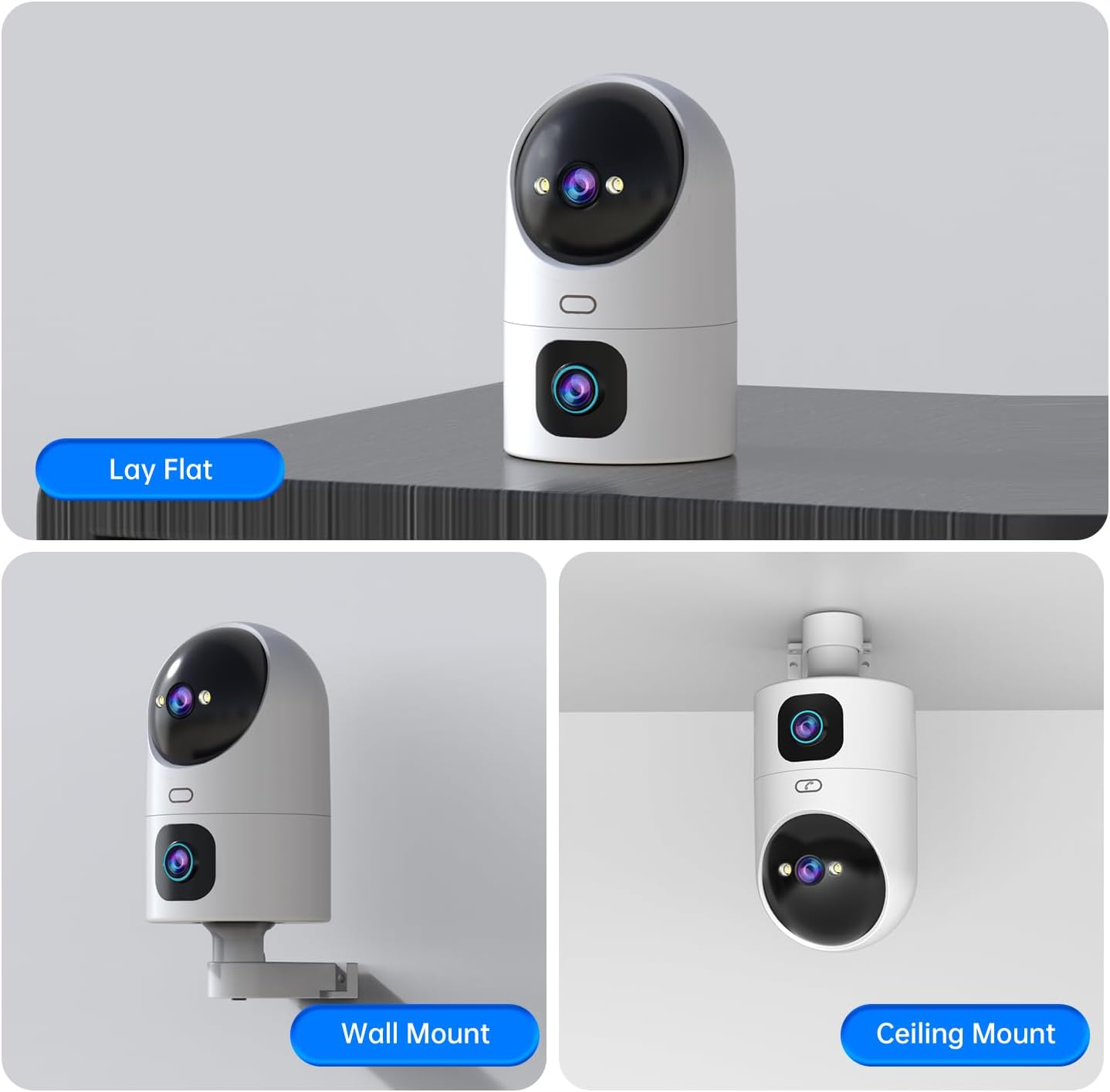
Image: The JOOAN W5-U camera illustrating its two storage methods: SD Card Storage and Cloud Storage.
Video: This video highlights the dual lens functionality and one-touch call feature of the JOOAN camera, demonstrating its use in various home and retail environments.
Penyelenggaraan
- Pembersihan: Gently wipe the camera lenses and body with a soft, dry cloth. Avoid using harsh chemicals or abrasive materials.
- Kemas kini Firmware: Semak aplikasi "cam720" secara berkala untuk kemas kini perisian tegar yang tersedia bagi memastikan prestasi dan keselamatan yang optimum.
- Bekalan Kuasa: Gunakan hanya penyesuai kuasa yang disediakan untuk mengelakkan kerosakan pada peranti.
Menyelesaikan masalah
- Isu Sambungan: If the camera fails to connect, ensure it is within range of your WiFi router and that the WiFi password is correct. Try resetting the camera and repeating the setup process.
- Kualiti Video Lemah: Check your internet connection speed. Ensure the camera lenses are clean and free from obstructions.
- Tiada Pemberitahuan: Verify that app notifications are enabled in your phone's settings and within the "cam720" app. Adjust detection sensitivity if necessary.
- Masalah Audio Dua Hala: Ensure your phone's microphone and speaker are functioning correctly. Check the volume settings in the app.
Spesifikasi
| Nombor Model | W5-U |
| Penggunaan Dalaman/Luar | Dalaman |
| Teknologi Ketersambungan | Wireless (5G/2.4G WiFi) |
| Ciri Khas | Motion Sensor, Night Vision, PTZ Technology, Two-Way Audio, One-Touch Call |
| Resolusi Penderia Foto | 2 MP (2Kx2) |
| Julat Pan/Sendeng | Kuali 355°, Condongkan 80° |
| Zum Digital | 8x |
| Night Vision Lights | 12 Infrared LEDs, 2 Floodlights |
| Pilihan Storan | Cloud Storage, Micro SD Card (up to 256GB) |
| Voltage | 5 Volt |
| Wattage | 7.5 watt |
| Dimensi Item | 3.74 x 3.66 x 6.89 inci |
Waranti dan Sokongan
Untuk maklumat jaminan dan sokongan teknikal, sila rujuk JOOAN rasmi webtapak atau hubungi perkhidmatan pelanggan mereka secara langsung. Simpan resit pembelian anda untuk tuntutan waranti.
JOOAN is committed to providing excellent customer service and technology support. For further assistance, please visit the Kedai JOOAN di Amazon.