
Taurus 973981000
Taurus Air Fry Digital Grill User Manual
Model: 973981000 | Brand: Taurus
1. Pengenalan
The Taurus Air Fry Digital Grill is a versatile kitchen appliance designed for healthier cooking. It functions as both an oil-free fryer and an oven, utilizing hot air circulation to cook food with little to no added oil. This manual provides essential information for safe operation, setup, maintenance, and troubleshooting to ensure optimal performance and longevity of your appliance.

The Taurus Air Fry Digital Grill, showcasing its spacious interior with three levels for cooking various dishes simultaneously, including vegetables, chicken, and fries.
2. Arahan Keselamatan Penting
Apabila menggunakan peralatan elektrik, langkah berjaga-jaga keselamatan asas hendaklah sentiasa diikuti untuk mengurangkan risiko kebakaran, kejutan elektrik dan kecederaan kepada orang.
- Baca semua arahan sebelum menggunakan perkakas.
- Jangan sentuh permukaan panas. Gunakan pemegang atau tombol.
- Untuk melindungi daripada kejutan elektrik, jangan rendam kord, palam atau unit utama di dalam air atau cecair lain.
- Pengawasan rapi diperlukan apabila sebarang perkakas digunakan oleh atau berhampiran kanak-kanak.
- Cabut plag dari soket apabila tidak digunakan dan sebelum membersihkan. Biarkan sejuk sebelum memakai atau menanggalkan bahagian.
- Jangan kendalikan sebarang perkakas dengan kord atau palam yang rosak atau selepas perkakas tidak berfungsi atau rosak dalam apa jua cara.
- Penggunaan lampiran aksesori yang tidak disyorkan oleh pengilang perkakas boleh menyebabkan kecederaan.
- Jangan gunakan di luar rumah.
- Jangan biarkan kord tergantung di tepi meja atau kaunter, atau menyentuh permukaan panas.
- Jangan letakkan pada atau berhampiran gas panas atau penunu elektrik, atau dalam ketuhar yang dipanaskan.
- Berhati-hati yang melampau mesti digunakan apabila menggerakkan perkakas yang mengandungi minyak panas atau cecair panas lain.
- Sentiasa pasangkan plag pada perkakas terlebih dahulu, kemudian pasangkan kord ke dalam salur keluar dinding. Untuk memutuskan sambungan, matikan mana-mana kawalan kepada "mati", kemudian tanggalkan palam dari alur keluar dinding.
- Jangan gunakan perkakas untuk kegunaan selain daripada yang dimaksudkan.
3. Produk Lebihview
Familiarize yourself with the main components and accessories of your Taurus Air Fry Digital Grill.
Komponen dan Aksesori

Rotisserie Spit: Ideal for evenly cooking a whole chicken or roasts. The image shows the rotisserie accessory and a chicken being cooked inside the grill.

Bakul Mesh Berputar: Perfect for achieving crispy results on items like fries, nuts, or popcorn with continuous tumbling. The image displays the mesh basket accessory.

Mesh Racks and Drip Tray: The appliance includes multiple mesh racks for multi-level cooking and a drip tray to collect excess oil and crumbs, making cleanup easier. The image shows the grill with its dimensions and the included racks and tray.
4. Persediaan dan Penggunaan Pertama
Follow these steps before using your Air Fry Digital Grill for the first time.
- Buka bungkusan Perkakas: Keluarkan gril dan semua aksesori dari pembungkusan dengan berhati-hati.
- Keluarkan Bahan Pembungkusan: Ensure all protective films, stickers, and packaging inserts are removed from inside and outside the appliance.
- Pembersihan Awal: Wash all removable parts (mesh racks, drip tray, rotisserie spit, mesh basket) with warm soapy water. Wipe the interior and exterior of the main unit with a damp kain. Keringkan semua bahagian dengan teliti sebelum dipasang semula.
- penempatan: Place the appliance on a stable, level, heat-resistant surface, away from walls or other appliances to allow for proper air circulation. Ensure there is at least 10 cm of free space on all sides.
- Sambungan Kuasa: Palamkan kord kuasa ke salur keluar elektrik yang dibumikan.
- Penggunaan Pertama Burn-Off: It is recommended to run the appliance empty for about 10-15 minutes at 180°C (356°F) during the first use. This helps to burn off any manufacturing residues and odors. A slight odor or smoke may be present, which is normal. Ensure the area is well-ventilated.
5. Arahan Operasi
Learn how to operate your Taurus Air Fry Digital Grill for various cooking needs.
Panel Kawalan

A terperinci view of the intuitive touch screen control panel, featuring 8 pre-set cooking programs for various food types.
The digital touch screen allows for easy control of cooking settings. It features a clear display for time and temperature, along with various function icons.
Operasi Asas
- Hidupkan/Mati Kuasa: Press the power icon to turn the appliance on or off.
- Menetapkan Suhu: Use the temperature control buttons (usually '+' and '-') to adjust the cooking temperature between 40°C and 200°C (104°F and 392°F). The image below shows the temperature range capability.

The appliance set to a temperature, highlighting its wide temperature range from 40°C to 200°C for versatile cooking.
- Masa Tetapan: Use the time control buttons to set the cooking duration, typically from 0 to 60 minutes.
- Mula / Jeda: Press the start/pause button to begin or temporarily stop the cooking process.
Program yang telah ditetapkan
The grill comes with 8 pre-set programs for common dishes, simplifying your cooking experience. Select the desired program icon on the touch screen, and the appliance will automatically set the optimal time and temperature.
| Program | Typical Food Items | Nota |
|---|---|---|
| kentang goreng | French fries, potato wedges | For crispy results, shake the basket halfway through. |
| ayam | Chicken wings, drumsticks, small whole chicken | Use rotisserie for whole chicken. |
| ikan | Fish fillets, shrimp | Masak hingga mengelupas. |
| daging | Steaks, pork chops | Laraskan masa untuk kesediaan yang diingini. |
| Sayur-sayuran | Broccoli, bell peppers, carrots | Toss with a little oil for best results. |
| bakar | Cakes, muffins, pastries | Gunakan alat bakar yang sesuai. |
| Pizza | Frozen or fresh pizza | Ensure pizza fits on the rack. |
| Dehidrat | Fruits, vegetables, jerky | Low temperature, long cooking time. |
Menggunakan Aksesori
- Fungsi Rotisserie: Insert the rotisserie spit through the center of the food (e.g., whole chicken). Secure with forks. Place the spit into the designated slots inside the grill. Select the rotisserie icon on the control panel to activate rotation.
- Bakul Mesh Berputar: Place food inside the mesh basket and secure the lid. Insert the basket into the rotisserie slots. Activate the rotation function for even cooking.
- Mesh Racks: Use the mesh racks for air frying, baking, or dehydrating. Place food directly on the racks or use oven-safe dishes. The multi-level design allows for cooking different items simultaneously.
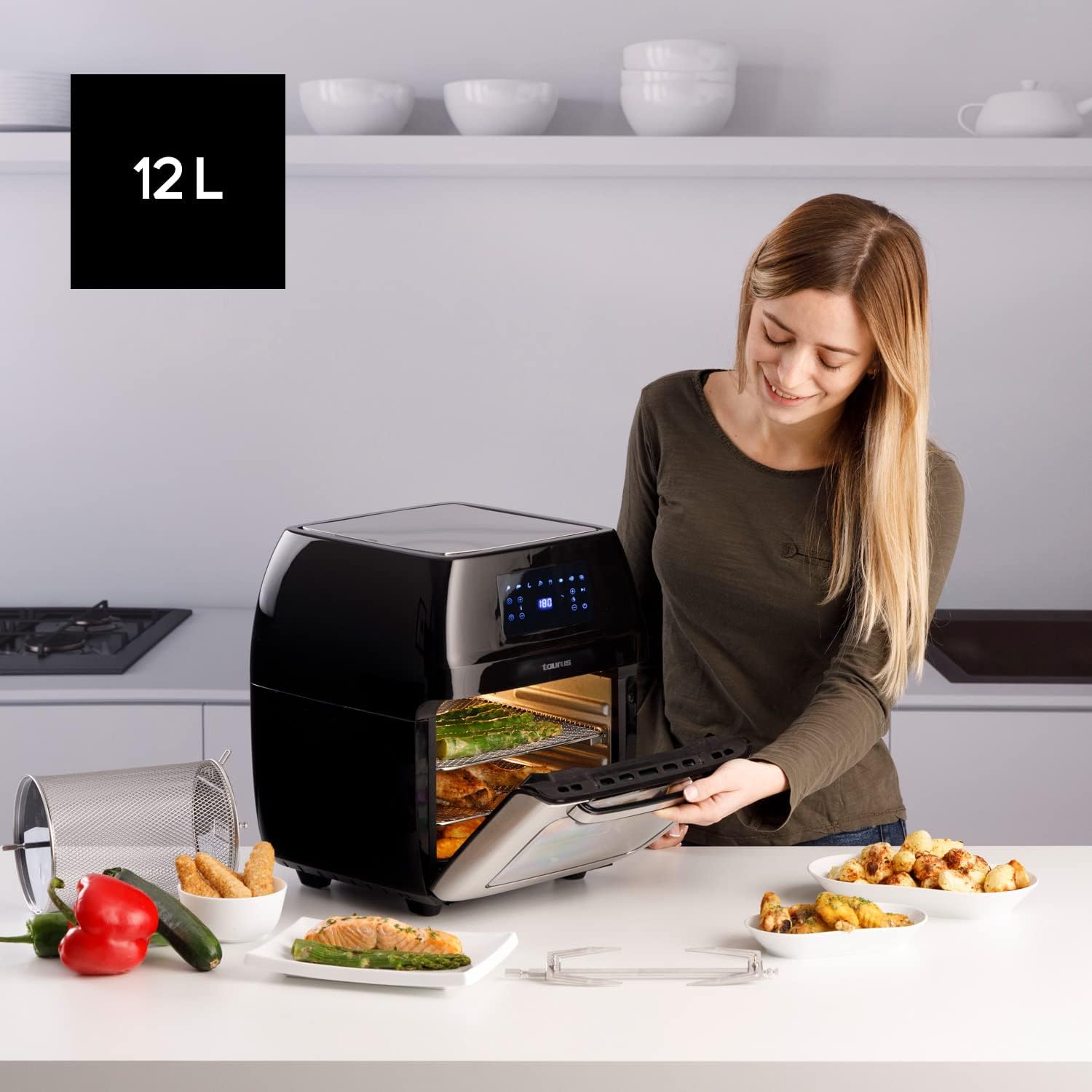
A user opening the 12-liter capacity Air Fry Digital Grill, demonstrating its large interior suitable for family-sized meals, with various cooked dishes around.
6. Penyelenggaraan dan Pembersihan
Pembersihan yang kerap memastikan ketahanan dan prestasi optimum peralatan anda.
- Cabut plag dan Sejukkan: Sentiasa cabut plag perkakas dari salur keluar kuasa dan biarkan ia sejuk sepenuhnya sebelum dibersihkan.
- Bersihkan Bahagian Boleh Alih: The mesh racks, drip tray, rotisserie spit, and mesh basket are removable and dishwasher-safe for easy cleaning. For stubborn food residue, soak in warm soapy water before washing.
- Dalaman Bersih: Wipe the interior of the grill with a damp kain dan detergen lembut. Elakkan pembersih yang kasar atau pad penggosok yang boleh merosakkan salutan tidak melekat.
- Luaran Bersih: Lap permukaan luar dengan lembut, damp kain. Jangan gunakan bahan kimia yang keras atau bahan yang melelas.
- Storan: Pastikan semua bahagian bersih dan kering sebelum menyimpan perkakas. Simpan di tempat yang sejuk dan kering.
7. Penyelesaian masalah
Rujuk bahagian ini untuk isu biasa dan penyelesaiannya.
| Masalah | Kemungkinan Punca | Penyelesaian |
|---|---|---|
| Perkakas tidak dihidupkan. | Tidak dipasang; Kerosakan salur keluar kuasa; Kerosakan perkakas. | Pastikan kord kuasa dipasang dengan selamat ke soket yang berfungsi. Cuba outlet lain. Jika masalah berterusan, hubungi sokongan pelanggan. |
| Makanan tidak dimasak sekata. | Overcrowding; Incorrect temperature/time; Food not shaken/turned. | Do not overcrowd the basket/racks. Adjust temperature and time as needed. For smaller items, shake or turn food halfway through cooking. |
| Asap putih datang dari perkakas. | Grease residue; High fat content food. | Clean the drip tray and interior thoroughly. For high-fat foods, drain excess fat from the drip tray during cooking. |
| Makanan tidak rangup. | Too much moisture; Not enough oil (for certain foods); Overcrowding. | Pat food dry before cooking. A light spray of oil can help. Ensure proper air circulation by not overcrowding. |
8. Spesifikasi Teknikal
| Spesifikasi | Perincian |
|---|---|
| Jenama | Taurus |
| Nombor Model | 973981000 |
| Kapasiti | 12 Liter |
| kuasa | 1700 Watt |
| Voltage | 230 Volt |
| bahan | Keluli Tahan Karat |
| Dimensi (L x W x H) | 39 x 34.5 x 43 cm |
| Berat badan | 7.91 Kilogram |
| Ciri Khas | Boleh diprogramkan |
9. Waranti dan Sokongan Pelanggan
For warranty information and customer support, please refer to the documentation included with your purchase or visit the official Taurus webtapak. Simpan bukti pembelian anda untuk sebarang tuntutan waranti.
Ask a question about this manual
Ask about setup, troubleshooting, compatibility, parts, safety, or missing instructions. Manuals+ will review the question and use this page’s manual context to help answer it.