
pengenalan
Terima kasih kerana membeliasing the Walfront Wooden LED Digital Alarm Clock. This manual provides comprehensive instructions to help you set up, operate, and maintain your new alarm clock. Please read this guide thoroughly before use to ensure proper functionality and longevity of the product.
Produk Selesaiview dan Ciri Utama
The Walfront Wooden LED Digital Alarm Clock combines functionality with a sleek, natural design. Its wooden and ABS material construction ensures durability and a pleasant aesthetic. The clock features a clear LED display and several convenient functions.

Image: The Walfront Wooden LED Digital Alarm Clock, showcasing its digital display for time, date, and day of the week.
ciri-ciri:
- Bahan Tahan Lama: Constructed from wood and ABS material, providing a textured, durable, and long-lasting design.
- Paparan Digital LED: Features a clear LED light digital display that illuminates through the smoothed wooden surface, visible even in low light.
- Fungsi Kawalan Suara: Activates the display to show time, date, and day of the week simultaneously upon detecting sound.
- Pilihan Format Masa: Supports both 12-hour and 24-hour time systems.
- Kecerahan boleh laras: Offers three levels of brightness adjustment for comfortable viewdalam pelbagai keadaan pencahayaan.
- Berbilang Penggera: Includes three independent alarm functions.
- Weekday Alarm Setting: Option to set alarms to activate only on weekdays.
Panduan Persediaan
Mengkuasakan Peranti:
The Walfront Digital Alarm Clock can be powered in two ways:
- Kabel Data USB: Connect the provided USB data cable to the DC 5V port on the back of the clock and plug the other end into a compatible USB power adapter (not included) or a USB port.
- Bateri AAA: For portable use or as a backup, insert four (4) AAA batteries (not included) into the battery compartment located on the back of the clock. Ensure correct polarity.
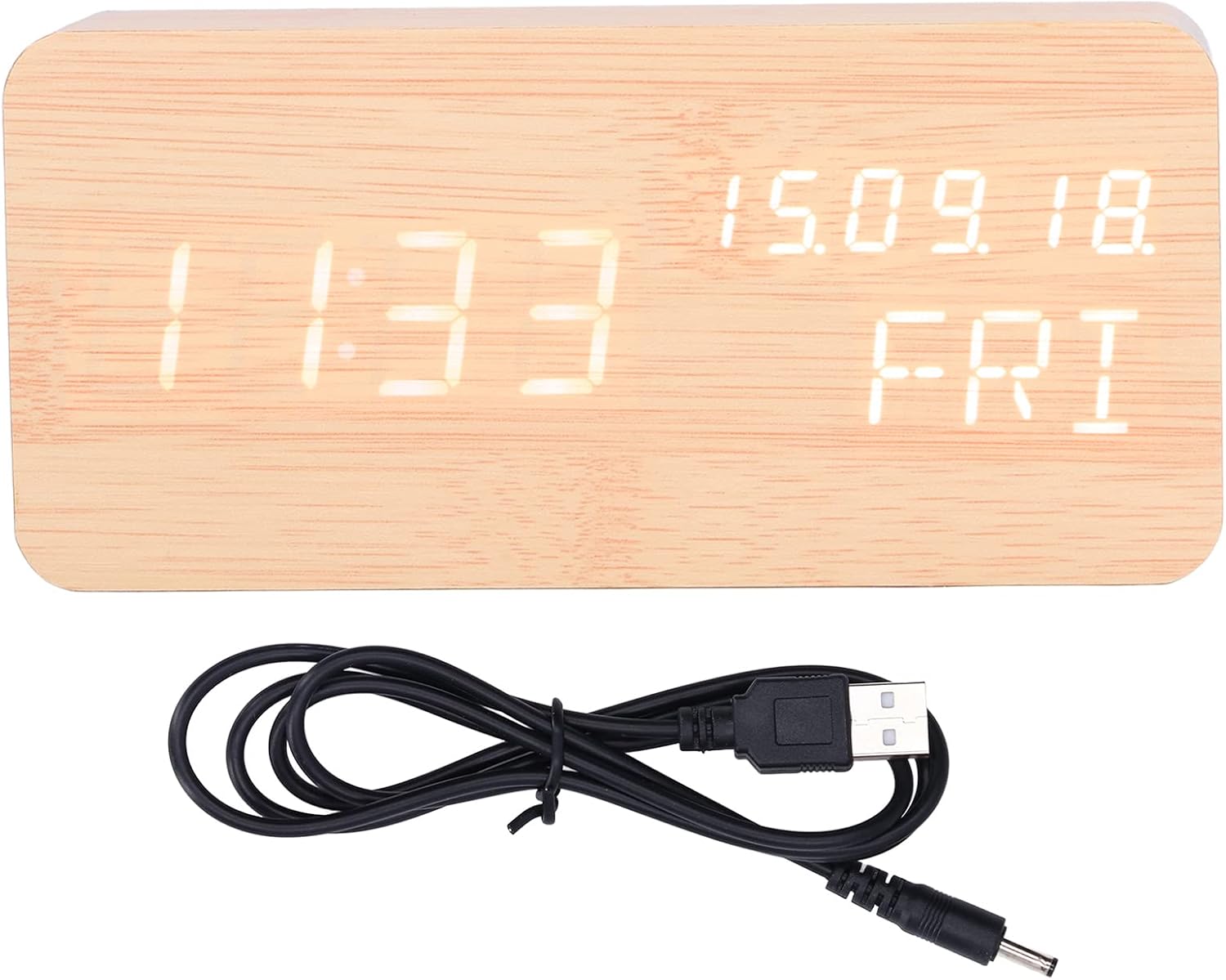
Image: The USB power cable used to power the alarm clock.

Imej: Belakang view of the alarm clock, highlighting the battery compartment and control buttons (SET, UP, DOWN).
Arahan Operasi
The clock features three control buttons on the back: SET, UP, dan TURUN.
Menetapkan Masa dan Tarikh:
- Tekan dan tahan butang SET button to enter time setting mode. The display will flash.
- Gunakan UP dan TURUN butang untuk melaraskan jam. Tekan SET untuk mengesahkan dan beralih kepada minit.
- Laraskan minit dengan UP/TURUN, kemudian tekan SET untuk mengesahkan.
- Continue this process to set the year, month, and day.
- After setting the date, you can select 12-hour or 24-hour format using UP/TURUN, kemudian tekan SET.

Image: Two Walfront alarm clocks, demonstrating the display of time, date, and day of the week.
Menetapkan Penggera:
The clock supports three independent alarms (AL1, AL2, AL3).
- Dalam mod paparan masa biasa, tekan butang SET button repeatedly to cycle through AL1, AL2, AL3 settings.
- When an alarm (e.g., AL1) is displayed, press and hold SET to enter its setting mode.
- guna UP/TURUN to adjust the alarm hour, then press SET.
- Adjust alarm minutes with UP/TURUN, kemudian tekan SET.
- You can then choose to enable/disable the alarm or set it for weekdays only (indicated by 'ON E' for weekday alarm). Use UP/TURUN untuk memilih, kemudian tekan SET untuk mengesahkan.
- Repeat for AL2 and AL3 as needed.
Pelarasan Kecerahan:
The clock offers three levels of brightness. In normal time display mode, press the UP button to cycle through the brightness levels (L1, L2, L3, where L3 is brightest).
Fungsi Kawalan Suara:
To activate the voice control function, ensure the clock is in power-saving mode (display off). A sound (e.g., clap, tap) will temporarily illuminate the display to show the time, date, and day of the week.

Image: The alarm clock displaying the current temperature in Celsius, alongside the date and day.
Penyelenggaraan
- Pembersihan: Use a soft, dry cloth to wipe the surface of the clock. Avoid using abrasive cleaners or solvents, which may damage the wooden finish or display.
- penempatan: Place the clock on a stable, flat surface. Avoid direct sunlight, high temperatures, or high humidity, which can affect the wood and electronic components.
- Penggantian Bateri: If using batteries, replace all four AAA batteries simultaneously when the display dims or functions become erratic. Do not mix old and new batteries.
- Sumber Kuasa: When not in use for extended periods, disconnect the USB power cable and remove batteries to prevent leakage.
Menyelesaikan masalah
| Masalah | Kemungkinan Punca | Penyelesaian |
|---|---|---|
| Display is dim or not visible. | Low battery power or brightness setting is too low. | Replace batteries or connect via USB. Press UP to adjust brightness level. |
| Clock not responding to voice control. | Voice control feature might be off or ambient noise is too low. | Ensure the clock is in power-saving mode (display off). Make a louder sound to activate. |
| Penggera tidak berbunyi. | Alarm is not set or is set for weekdays only and it's a weekend. | Check alarm settings (AL1, AL2, AL3) and ensure they are enabled for the desired days. |
| Masa atau tarikh yang dipaparkan salah. | Time/date was not set correctly or power interruption. | Re-enter time and date settings as per "Setting Time and Date" instructions. |
Spesifikasi Produk
| Ciri | Perincian |
|---|---|
| Jenis Item | Jam Penggera |
| bahan | Wood, ABS |
| Saiz Produk | Approx. 150 x 40 x 70 mm / 5.9 x 1.6 x 2.8 inches |
| Berat Barang | 9.2 auns |
| Bekalan Kuasa | USB data cable (DC 5V), 4 x AAA batteries (not included) |
| Fungsi Paparan | Time, Date, Week, Temperature (Celsius/Fahrenheit) |
| Sistem Masa | Sistem 12/24 jam |
| Tahap Kecerahan | 3 tahap boleh laras |
| Fungsi Penggera | 3 sets of alarms, Weekday alarm option |
| Ciri Khas | Fungsi kawalan suara |
| Nombor Model | WALFRONT73dgi05csv |
Waranti dan Sokongan
For warranty information or technical support, please refer to the retailer's return policy or contact Walfront customer service directly. Keep your purchase receipt as proof of purchase.