1. Pengenalan
Thank you for choosing the Kyvol E25 Robot Vacuum Cleaner. This manual provides essential information for the safe operation, maintenance, and troubleshooting of your new device. Please read this manual thoroughly before using the product and keep it for future reference.

The Kyvol E25 robot vacuum seamlessly integrates into your home, providing efficient cleaning while you enjoy time with your family.
2. Arahan Keselamatan
To reduce the risk of injury or damage, read these safety instructions carefully and keep them handy when setting up, using, and maintaining your robot.
- Perkakas ini boleh digunakan oleh kanak-kanak berumur 8 tahun ke atas dan orang yang kurang keupayaan fizikal, deria atau mental atau kurang pengalaman dan pengetahuan jika mereka telah diberi penyeliaan atau arahan mengenai penggunaan perkakas dengan cara yang selamat dan memahami bahaya yang terlibat .
- Kanak-kanak harus diawasi untuk memastikan mereka tidak bermain dengan perkakas.
- Pembersihan dan penyelenggaraan pengguna tidak boleh dibuat oleh kanak-kanak tanpa pengawasan.
- Only use the power adapter supplied by the manufacturer.
- Do not use the robot in environments with open flames or fragile objects.
- Pastikan robot tidak terdedah kepada air atau cecair lain.
- The robot is equipped with fall prevention sensors. However, always ensure there are no significant drops or stairs without barriers where the robot operates.

The robot vacuum is equipped with sensors to detect drops and prevent falls from elevated surfaces.
3. Kandungan Pakej
Please check the box for all the following items:
- Robot Vacuum Cleaner Body
- Bateri AAA untuk Kawalan Jauh
- Power Adapter (for Charging Station)
- Stesen Pengecasan
- Alat Kawalan Jauh
- Berus Sisi (2 pasang)
- Manual Arahan
- Panduan Penggunaan Apl
- Alat Pembersihan
- Magnetic Strip (6.6 ft/2m)
- HEPA Filter Set
- Pita 3M

All accessories and components included in the Kyvol E25 Robot Vacuum Cleaner package.
4. Produk Lebihview
Familiarize yourself with the main components of your Kyvol E25 Robot Vacuum Cleaner.

The Kyvol E25 features a sleek design with intuitive controls and app connectivity.
Komponen Robot
- Panel Atas: Power button, Home button, Wi-Fi indicator.
- sisi: Bumper, infrared sensors, charging contacts.
- Bawah: Driving wheels, side brushes, main brush, dust bin, cliff sensors.
5. Persediaan
5.1 Penempatan Dok Pengecasan
Place the charging dock on a hard, level surface against a wall. Ensure there is at least 1 meter (3 feet) of clear space to the sides and 2 meters (6 feet) in front of the charging dock. Plug in the power adapter.
5.2 Pengecasan Awal
Place the robot on the charging dock. The indicator light will show charging status. Fully charge the robot before first use (approximately 5-6 hours).
5.3 App Installation & Wi-Fi Connection
Download the Kyvol app from your smartphone's app store. Follow the in-app instructions to connect your robot to your home Wi-Fi network. Note: The robot only supports 2.4GHz Wi-Fi networks.

Connect your robot vacuum to Wi-Fi for smart control via the app or voice commands with Alexa.
5.4 Boundary Strip Installation
Use the included magnetic boundary strip to create virtual walls, preventing the robot from entering specific areas. Place the strip flat on the floor in areas you want the robot to avoid.
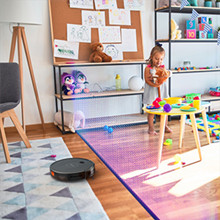
The magnetic boundary strip allows you to define no-go zones for the robot vacuum.

The ultra-thin 7cm design allows the robot to clean under low-lying furniture where dust often accumulates.
6. Beroperasi
6.1 Mod Pembersihan
The Kyvol E25 offers four cleaning modes:
- Mod Auto: The robot automatically cleans the entire floor area.
- Mod Tepi: Robot membersihkan sepanjang dinding dan tepi perabot.
- Mod Spot: The robot intensely cleans a specific small area.
- Mod Manual: Control the robot's movement manually using the app or remote control.

Select from various cleaning modes to suit your specific cleaning needs.
6.2 Memulakan/Menjeda/Menghentikan Pembersihan
Press the power button on the robot, use the remote control, or the Kyvol app to start, pause, or stop a cleaning cycle.
6.3 Penjadualan
Use the Kyvol app to set a cleaning schedule for your robot. It will automatically start cleaning at the programmed times.
6.4 Kawalan Suara (Alexa)
The Kyvol E25 is compatible with Amazon Alexa. Enable the Kyvol skill in your Alexa app and link your account to control the robot with voice commands (e.g., "Alexa, ask Kyvol to start cleaning").

Control your robot vacuum conveniently via the mobile app, remote control, or voice commands with Alexa.

The robot vacuum can easily navigate over small obstacles and transitions up to 1.5cm in height.
7. Penyelenggaraan
Penyelenggaraan tetap memastikan prestasi optimum dan memanjangkan jangka hayat vakum robot anda.
7.1 Dust Bin & Filter Cleaning
Empty the dust bin after each use. The dust bin and filter are washable. Rinse them with water and allow them to air dry completely before reinserting.

The dustbin and filter are designed for easy washing to maintain hygiene.
7.2 Berus Sisi
Check the side brushes regularly for tangled hair or debris. Use the cleaning tool to remove any obstructions. Replace worn brushes as needed.
7.3 Main Brush
Remove the main brush cover and lift out the main brush. Use the cleaning tool to cut and remove any hair or debris wrapped around the brush. Reinstall the brush and cover.
7.4 Sensors & Charging Contacts
Wipe the cliff sensors and charging contacts on the robot and charging dock with a clean, dry cloth to ensure proper function.
8. Penyelesaian masalah
If you encounter issues with your Kyvol E25, refer to the table below for common problems and solutions.
| Masalah | Kemungkinan Punca | Penyelesaian |
|---|---|---|
| Robot tidak dihidupkan | Low battery; Power button not pressed | Charge the robot; Press and hold the power button for 3 seconds |
| Robot tidak mengecas | Charging contacts dirty; Charging dock not powered | Clean contacts; Ensure dock is plugged in |
| Robot kerap tersangkut | Too many obstacles; Low clearance areas | Clear obstacles; Use boundary strips for low areas |
| Prestasi pembersihan yang lemah | Tong habuk penuh; Berus kusut; Penapis tersumbat | Empty dust bin; Clean brushes; Clean/replace filter |
| Tidak dapat menyambung ke Wi-Fi | Incorrect Wi-Fi band (5GHz); Wrong password | Ensure 2.4GHz network; Re-enter password; Restart router |
9. Spesifikasi
| Ciri | Spesifikasi |
|---|---|
| Nama Model | E25 |
| Jenama | Kyvol |
| Kuasa Sedutan | Sehingga 2800Pa |
| Kapasiti Bateri | 3200mAh Litium-ion |
| Masa jalan | Sehingga 150 minit |
| Masa Mengecas | lebih kurang 5-6 jam |
| Kapasiti Tong Debu | 700ml |
| Ketinggian | 7.2 cm (2.83 inci) |
| Dimensi (L x W x H) | 32.5 x 32.4 x 7.2 cm |
| Berat badan | 4.59 kg (berbungkus) |
| Keserasian Wi-Fi | 2.4GHz sahaja |
| Pembantu Suara | Serasi dengan Alexa |
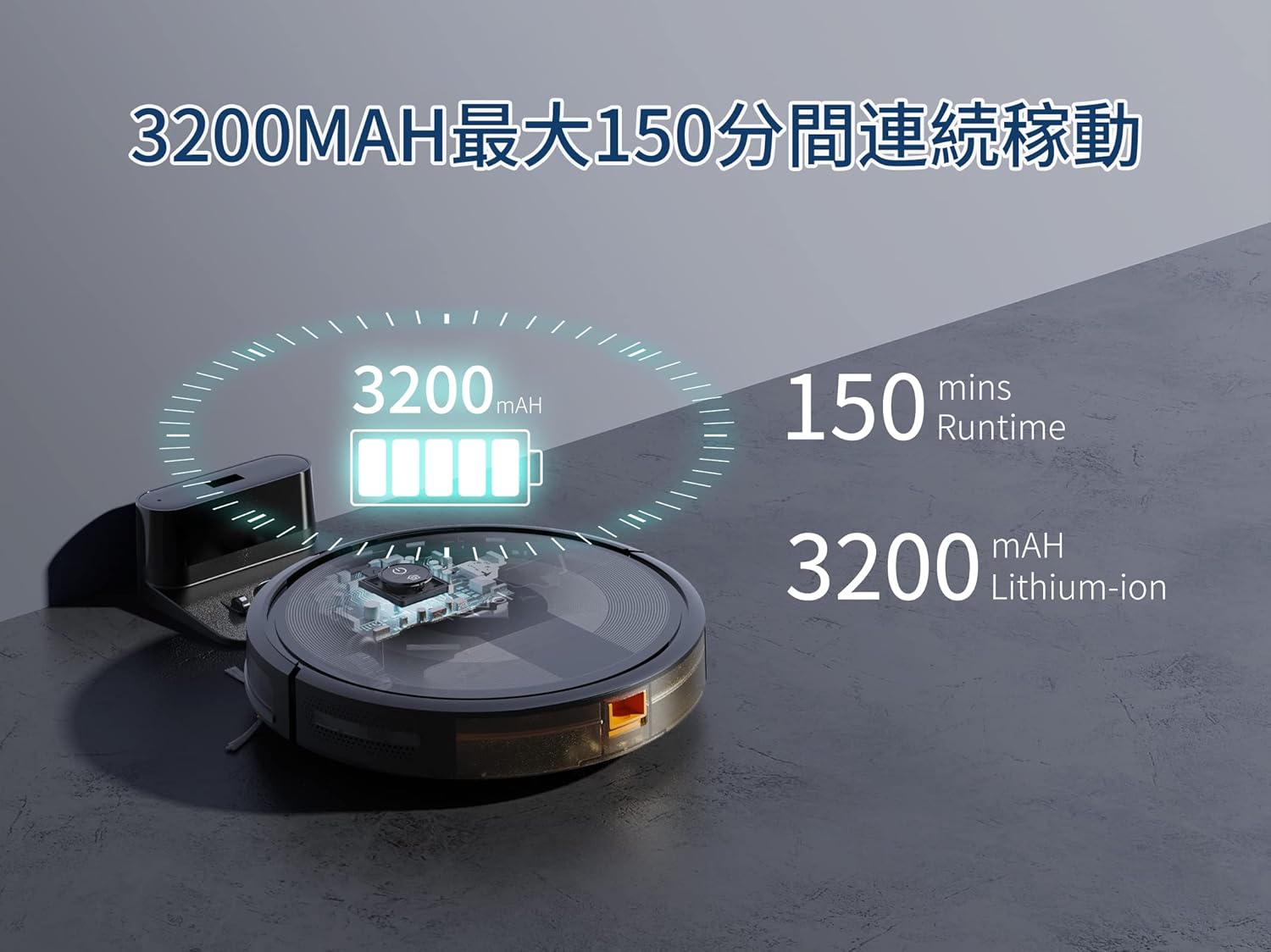
The Kyvol E25 features a 3200mAh battery, providing up to 150 minutes of continuous cleaning.
10. Waranti dan Sokongan
The Kyvol E25 Robot Vacuum Cleaner comes with a 1-year manufacturer's warranty from the date of purchase. This warranty covers defects in materials and workmanship under normal use.
For technical support, warranty claims, or any questions regarding your product, please contact Kyvol customer service. Refer to the contact information provided in the App Usage Guide or visit the official Kyvol webtapak untuk mendapatkan bantuan.
Nota: Tiada video produk rasmi daripada penjual tersedia untuk disertakan dalam manual ini.