
1. Pengenalan
Thank you for choosing the EBTOOLS 2.4G Wireless Keyboard and Mouse combo. This product is designed for comfortable and efficient use with its low-noise operation, adjustable DPI settings, and reliable 2.4G wireless connectivity. This manual provides detailed instructions for setup, operation, and maintenance to ensure optimal performance.
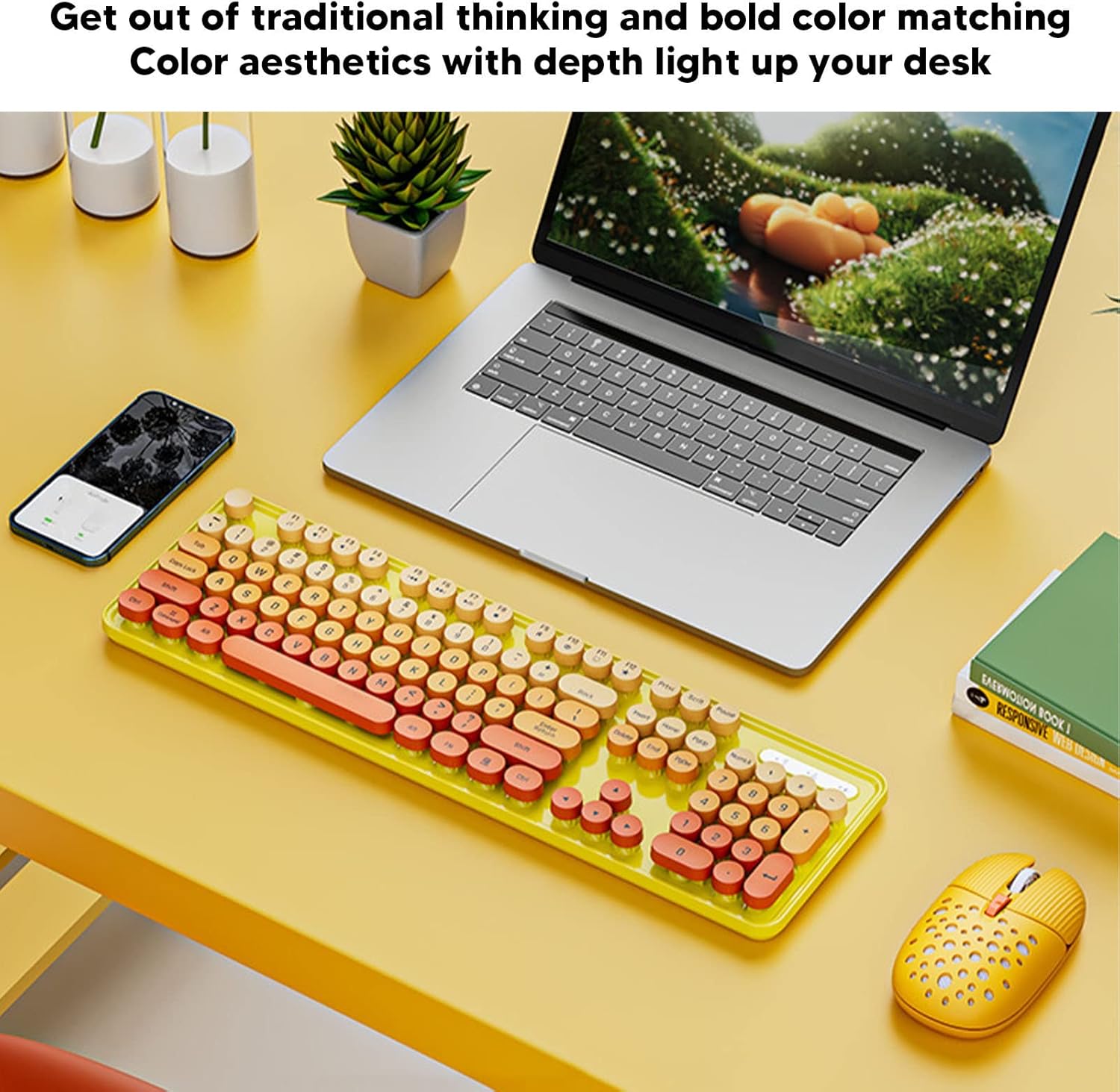
Image: The EBTOOLS 2.4G Wireless Keyboard and Mouse in mixed color yellow, displayed on a desk alongside a laptop and smartphone, showcasing its design and compact form factor.
2. Kandungan Pakej
- 1 x EBTOOLS 2.4G Wireless Keyboard
- 1 x EBTOOLS 2.4G Wireless Mouse
- 1 x USB Receiver (typically stored in the mouse battery compartment)
- Manual Pengguna (dokumen ini)
3. Arahan Persediaan
3.1. Pemasangan Bateri
The keyboard and mouse require batteries for operation. Please ensure you have 1 AA battery for the keyboard and 1 AA battery for the mouse (batteries are not included).
- Cari petak bateri di bahagian bawah papan kekunci.
- Buka penutup petak bateri.
- Insert the AA battery according to the polarity indicators (+/-) inside the compartment.
- Tutup penutup petak bateri dengan selamat.

Image: The underside of the EBTOOLS keyboard with the battery compartment open, showing where to insert the AA battery.
3.2. Menyambungkan Penerima USB
The keyboard and mouse share a single 2.4G USB receiver for wireless connection.
- Locate the USB receiver. It is typically stored in the battery compartment of the mouse for safekeeping.
- Remove the USB receiver from its storage slot.
- Plug the USB receiver into an available USB port on your computer (desktop PC, laptop, etc.).
- Sistem ini sepatutnya mengesan dan memasang pemacu yang diperlukan secara automatik. Ini ialah peranti pasang dan main.

Image: A diagram illustrating the compatibility of the keyboard and mouse with various systems, including desktop PCs, laptops, and other computers, highlighting its plug-and-play functionality.

Image: An illustration demonstrating the 2.4G wireless connection mode for the keyboard and mouse, emphasizing the ability to connect two devices wirelessly with a single receiver.
4. Arahan Operasi
4.1. Melaraskan DPI Tetikus
The mouse features three adjustable DPI (Dots Per Inch) settings to suit your preference and task requirements. You can cycle through these settings by pressing the DPI button, usually located near the scroll wheel on the mouse.
- 800 DPI: Suitable for precise tasks or slower cursor movement.
- 1600 DPI: Standard setting for general use.
- 2400 DPI: Ideal for faster cursor movement, such as gaming or navigating large screens.
4.2. Using Multimedia Keys
The keyboard is equipped with 18 multimedia keys for quick access to various functions. These keys are typically activated by pressing the Fn key in combination with the corresponding function key (F1-F12) or dedicated multimedia keys.

Imej: A terperinci view of the EBTOOLS keyboard layout, highlighting the standard keys and the 18 multimedia keys, along with their respective functions such as volume control, media playback, and quick access to applications.
Common multimedia functions include:
- Volume Down / Up / Mute
- Play / Pause / Previous Track / Next Track
- Home / My Computer / Mail / Favorites
- Other system-specific functions
5. Penyelenggaraan
5.1. Pembersihan
To maintain the longevity and appearance of your keyboard and mouse:
- Gunakan kain lembut dan kering untuk mengelap permukaan.
- Untuk kotoran degil, sedikit dampen kain dengan air atau larutan pembersih lembut. Elakkan bahan kimia yang keras.
- Use compressed air to remove dust and debris from between the keyboard keys.
5.2. Penggantian Bateri
When the keyboard or mouse becomes unresponsive or exhibits intermittent connectivity, it may be time to replace the batteries. Follow the battery installation steps in Section 3.1.

Image: An illustration depicting the energy-saving features of the keyboard and mouse, emphasizing lower power consumption and extended battery life for continuous use.
6. Penyelesaian masalah
| Masalah | Penyelesaian |
|---|---|
| Papan kekunci/Tetikus tidak bertindak balas |
|
| Sambungan terputus-putus |
|
| Kursor tetikus tidak menentu atau tidak bergerak dengan lancar |
|
7. Spesifikasi
| Ciri | Perincian |
|---|---|
| Jenama | EBTOOLS |
| warna | Mixed Color Yellow |
| Teknologi Ketersambungan | 2.4G Radio Frequency Wireless |
| Ciri Khas | Operasi Bunyi Rendah |
| Peranti Serasi | Personal Computer (Desktop PC, Laptop) |
| Sistem Operasi | Major PC Operating Systems |
| Hand Orientation (Mouse) | Ambidextrous |
| Bateri Diperlukan | Yes (1 AA for keyboard, 1 AA for mouse) |
| Number of Keys (Keyboard) | 104 |
| Sumber Kuasa | Dikuasakan Bateri |
| Susun atur papan kekunci | QWERTY |
| Tetapan DPI tetikus | 800, 1600, 2400 (Boleh Laras) |
| bahan | ABS |
8. Video Produk Rasmi
8.1. Keyboard and Mouse Overview
Video: Tamatview of the EBTOOLS Keyboard and Mouse, demonstrating its features and design. This video is provided by the seller, Zhiyavex-US.
8.2. Yunseity Wireless Keyboard and Mouse Demonstration
Video: A demonstration of the Yunseity Wireless Keyboard and Mouse, showcasing its functionality and user experience. This video is provided by the seller, Zhiyavex-US.
9. Waranti dan Sokongan
Produk EBTOOLS direka bentuk untuk kebolehpercayaan dan prestasi. Untuk sebarang pertanyaan, sokongan teknikal atau pertanyaan jaminan, sila rujuk maklumat hubungan yang diberikan bersama pembelian anda atau lawati laman web rasmi EBTOOLS. webtapak. Sila simpan bukti pembelian anda untuk tuntutan waranti.
The product comes with a standard return policy of 30 days from the date of purchase for refund or replacement, as per seller terms.