
pengenalan
This manual provides essential information for the setup, operation, and maintenance of your HyperX Cloud Earbuds II. Please read thoroughly to ensure optimal performance and longevity of your product.
Apa yang ada dalam Kotak
- HyperX Cloud Earbuds II
- Four (4) sets of Eartips (various sizes)
- Sarung Pembawa Cangkang Keras
- Panduan Mula Pantas

Image: HyperX Cloud Earbuds II packaging and included accessories.
Persediaan
1. Memilih Telinga yang Tepat
The HyperX Cloud Earbuds II come with four sets of redesigned eartips (ranging from large to extra small) to ensure a comfortable and secure fit. Experiment with different sizes to find the best fit for your ears. A proper fit is crucial for optimal audio quality and comfort.

Image: Various eartip sizes for personalized fit.
2. Menyambungkan Fon telinga
The Cloud Earbuds II connect via a 3.5mm jack. They are compatible with PC, Nintendo Switch, Steam Deck™, and mobile devices that utilize a 3.5mm connection.
- Locate the 3.5mm audio port on your device.
- Insert the low-profile 90° plug of the earbuds into the audio port. The angled design helps prevent snags and tangles.

Imej: Pro rendahfile 90-degree 3.5mm plug for device connection.
Arahan Operasi
1. Audio and Microphone Usage
The earbuds feature 14mm drivers optimized for mobile audio, providing a clear listening experience for gaming, videos, or audiobooks. A built-in microphone allows for communication during gaming or phone calls.

Image: Earbuds highlighting 14.3mm drivers and built-in microphone.
2. Butang Pelbagai Fungsi
The in-line multi-function button provides quick control over calls and media on supported devices. Specific actions may vary depending on your device.
- Akhbar Tunggal: Play/Pause media, Answer/End call.
- Tekan dua kali: Langkau ke trek seterusnya.
- Tiga Tekan: Pergi ke trek sebelumnya.
Penyelenggaraan
1. Pembersihan
- Lap fon telinga dan kabel perlahan-lahan dengan kain lembut dan kering.
- Keluarkan telinga dan bersihkannya dengan sabun lembut dan air jika perlu. Pastikan ia benar-benar kering sebelum dipasang semula.
- Elakkan menggunakan bahan kimia yang keras atau bahan yang melelas.
2. Penyimpanan
When not in use, store the earbuds in the provided hard-shell carrying case to protect them from damage and tangles. The case is designed for easy portability and storage.
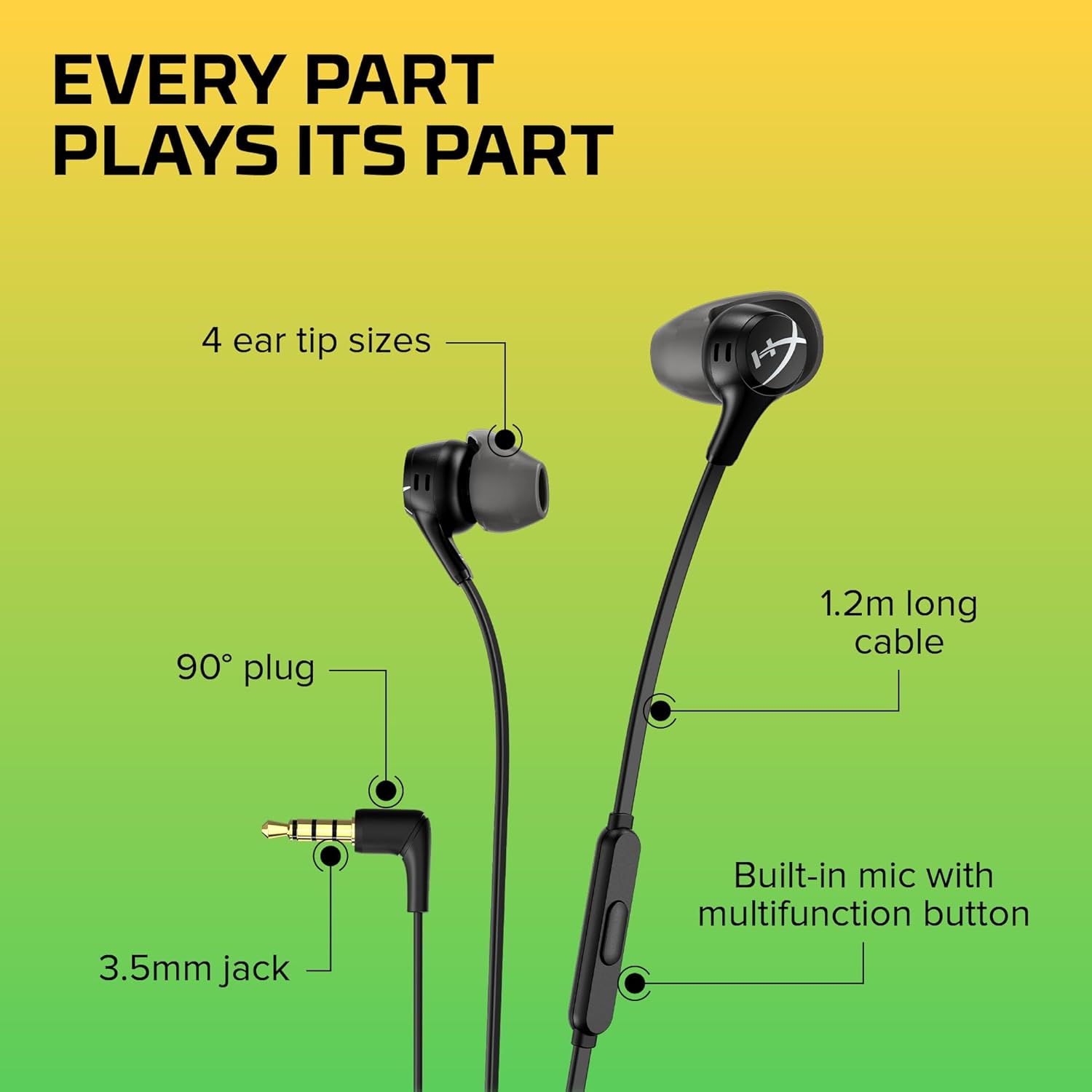
Image: Hard-shell carrying case for protection and portability.
Menyelesaikan masalah
- Tiada Bunyi:
- Pastikan bicu 3.5mm dimasukkan sepenuhnya ke dalam port audio peranti anda.
- Semak tetapan kelantangan peranti anda.
- Test the earbuds with another device to rule out a device-specific issue.
- Mikrofon Tidak Berfungsi:
- Pastikan bicu 3.5mm dimasukkan sepenuhnya.
- Semak tetapan input mikrofon peranti anda.
- Some devices may require a splitter for separate audio and microphone jacks (not included).
- Poor Fit/Comfort:
- Experiment with all four included eartip sizes to find the most comfortable and secure fit.
- Ensure the earbuds are correctly oriented in your ears.
Spesifikasi
| Jenama | HyperX |
| Nama Model | Earbuds II Black (70N24AA) |
| Teknologi Ketersambungan | Berwayar (Bicu 3.5 mm) |
| Saiz Pemacu Audio | 14 Milimeter |
| Respons Kekerapan | 20 KHz |
| Sensitiviti | 105 dB |
| Impedans | 65 Ohm |
| Ciri Khas | Hard Shell Case, Built-in Microphone |
| Ciri Kabel | Retractable (flat cable design) |
| Berat Barang | 0.001 auns |
| Dimensi Produk | 48.8 x 1.9 x 1 inci |
Waranti dan Sokongan
The HyperX Cloud Earbuds II come with a 2-year warranty, as indicated on the product packaging. For warranty claims, technical support, or additional product information, please visit the official HyperX webtapak atau hubungi perkhidmatan pelanggan mereka secara langsung.
For further assistance, please refer to the official HyperX support channels.
Video Produk Rasmi
Video: HyperX Cloud Earbuds 2 Product Overview by HP US. This video provides a general overview of the earbuds' features and design.