
pengenalan
This manual provides essential information for setting up, operating, maintaining, and troubleshooting your Apple iPhone SE 3rd Generation. This model features a 4.7-inch Retina HD display, an A15 Bionic chip for fast performance, and a durable design with IP67 water resistance. It is equipped with an advanced single-camera system and supports 5G connectivity.
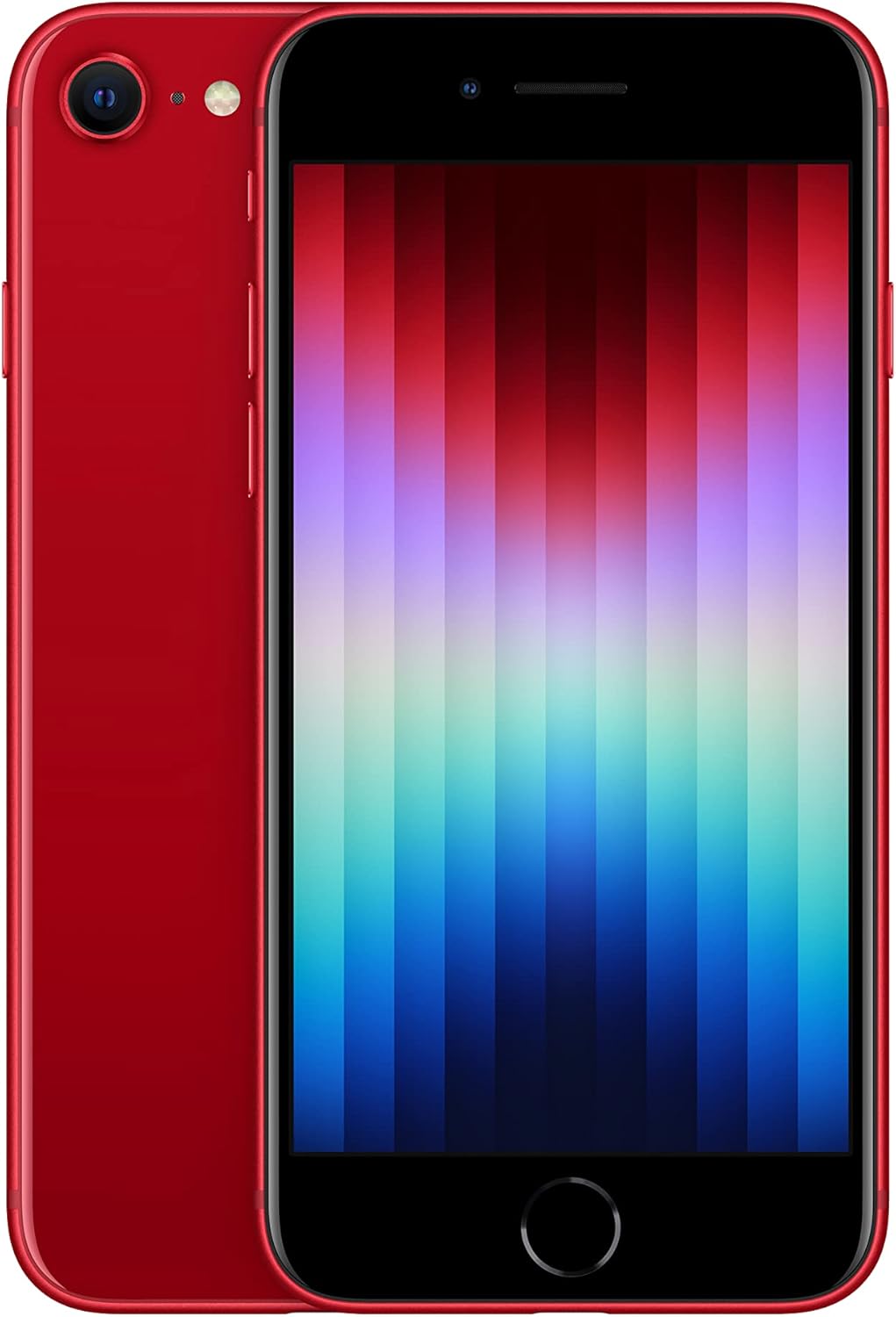
Rajah 1: Depan dan belakang view of the Apple iPhone SE 3rd Generation in red. The front shows the display with app icons, and the back highlights the single camera and Apple logo.
Persediaan
Follow these steps to set up your new iPhone SE 3rd Gen:
- Hidupkan kuasa: Press and hold the Power/Lock button on the right side of the device until the Apple logo appears.
- Konfigurasi Awal: Ikut arahan pada skrin untuk memilih bahasa, rantau dan sambungkan ke rangkaian Wi-Fi anda.
- Pemindahan Data: You can transfer data from an old device or set up as a new iPhone.
- ID Apple: Log masuk dengan Apple ID anda atau buat yang baharu.
- Persediaan ID Sentuh: Configure Touch ID for secure authentication using the Home button.
- Pemasangan Kad SIM:
Locate the SIM card slot on the right side of the device. Use the SIM ejector tool (not included, typically comes with the original phone) to open the tray. Insert your nano-SIM card into the tray and reinsert it into the phone. Ensure the tray is fully closed to maintain water resistance.

Rajah 2: Sisi view of the iPhone SE 3rd Gen's right side, highlighting the SIM card slot and volume buttons.
- Aksesori yang disertakan: Your device comes with a USB Cable for charging and data transfer.
Beroperasi
Paparan dan Interaksi
The iPhone SE 3rd Gen features a 4.7-inch Retina HD display with a resolution of 1334 x 750 pixels. This display provides excellent visual quality for watching videos, playing games, and general use. The Home button includes Touch ID for secure and convenient authentication.

Figure 3: Close-up of the iPhone SE 3rd Gen's Home button, which integrates Touch ID for fingerprint recognition.
Ciri Kamera
The device is equipped with an advanced single-camera system:
- Kamera Belakang: 12MP Wide camera with Smart HDR 4, Photographic Styles, Portrait mode, and 4K video recording up to 60 fps.
- Kamera Depan: 7MP FaceTime HD camera with Smart HDR 4, Photographic Styles, Portrait mode, and 1080p video recording.
The camera system delivers high-quality photos and videos, suitable for content creation and everyday use. The difference in quality compared to higher-end models is minimal for the average user.

Rajah 4: Terperinci view of the iPhone SE 3rd Gen's single rear camera lens and flash module.
Prestasi
Dikuasakan oleh Cip Bionic A15 and 4GB of RAM, the iPhone SE 3rd Gen offers lightning-fast performance. This hardware configuration ensures smooth multitasking, responsive app usage, and efficient handling of demanding applications like video editing (e.g., iMovie) and gaming. The 4GB RAM is a significant upgrade from previous generations, contributing to the device's future-proofing for several years of iOS updates and security patches.

Figure 5: A collage illustrating key features of the iPhone SE 3rd Gen, including 5G capability, the powerful A15 Bionic chip, and its durable construction.
Aplikasi Pra-dipasang
Your iPhone SE 3rd Gen comes with several pre-installed Apple applications, enhancing productivity and creativity:
- Nombor: A powerful spreadsheet application.
- iMovie: For video editing and creation.
- GarageBand: For music creation and production.
- ucaptama: Untuk menghasilkan pembentangan.
- halaman: A word processing application.
- Klip: For creating short videos with effects.
Hayat Bateri
The battery life of the iPhone SE 3rd Gen is improved over its predecessor. While heavy usage like watching many videos or playing games may require a mid-day charge, for typical daily use, the device can last a full day with approximately 20-30% charge remaining. The device supports up to 15 hours of video playback.
Penyelenggaraan
To ensure the longevity and optimal performance of your iPhone SE 3rd Gen, consider the following maintenance tips:
- Pembersihan: Gunakan kain lembut dan tidak berbulu untuk membersihkan skrin dan badan. Elakkan bahan yang melelas atau bahan kimia yang keras.
- Tahan Air: The device has an IP67 water resistance rating, meaning it can withstand submersion in up to 1 meter of water for 30 minutes. However, this is not permanent and resistance might decrease over time with normal wear. Avoid intentional submersion and exposure to liquids.
- Kemas Kini Perisian: Regularly update your iOS to the latest version to benefit from security patches, bug fixes, and new features. The A15 Bionic chip ensures the device will receive iOS updates for several years.
- Penjagaan Bateri: Untuk memaksimumkan jangka hayat bateri, elakkan suhu yang melampau dan cuba kekalkan cas bateri antara 20% dan 80% jika boleh.
Menyelesaikan masalah
If you encounter issues with your iPhone SE 3rd Gen, try these common troubleshooting steps:
- Mulakan semula Peranti: A simple restart can resolve many minor software glitches. Press and hold the Power/Lock button, then slide to power off. Wait a few seconds, then press the Power/Lock button again to turn it back on.
- Semak Sambungan: If experiencing network issues, ensure Wi-Fi or cellular data is enabled and you have a strong signal. Try toggling Airplane Mode on and off.
- Apl Tidak Menjawab: If an app is frozen, force close it by double-pressing the Home button to open the App Switcher, then swipe the problematic app's card upwards to close it. Reopen the app.
- Gangguan Perisian: If issues persist, ensure your iOS is up to date. If it is, consider backing up your device and performing a factory reset (Settings > General > Transfer or Reset iPhone > Erase All Content and Settings).
- Longkang Bateri: Review battery usage in Settings > Battery to identify apps consuming excessive power. Adjust settings or limit background activity for those apps.
Spesifikasi
| Ciri | Perincian |
|---|---|
| Jenama | epal |
| Nama Model | iPhone SE (Generasi Ketiga) |
| Nombor Model Item | A2595 |
| Saiz Skrin | 4.7 Inci |
| Jenis Paparan | Retina HD |
| Sistem Operasi | iOS 15 (semasa pelancaran) |
| Model CPU | A15 Bionic |
| Saiz Terpasang Memori RAM | 4 GB |
| Kapasiti Penyimpanan Memori | 128 GB |
| Kamera Belakang | 12MP Wide |
| Kamera Depan | 7MP FaceTime HD |
| Teknologi Selular | 5G |
| Pembawa Tanpa Wayar | Tidak dikunci untuk Semua Pengangkut |
| warna | MERAH |
| Berat Barang | 13.7 auns |
| Tahan Air | IP67 |
| Jenis Bateri | Litium Ion (termasuk) |
| Apa yang ada dalam kotak | Kabel USB |
Waranti & Sokongan
For warranty information and technical support, please refer to the official Apple website or contact Apple Support directly. Details regarding your specific warranty coverage can often be found by entering your device's serial number on Apple's support page.