
pengenalan
This manual provides detailed instructions for the safe and efficient use of your Jectse N509 2G Flip Phone. Please read this manual thoroughly before operating the device and keep it for future reference.

Image: The Jectse N509 flip phone in its closed state, featuring a pink and white gradient finish adorned with elegant butterfly patterns.
Persediaan
1. Pemasangan Bateri
- Tanggalkan penutup belakang telefon dengan berhati-hati.
- Insert the provided 6800 mAh lithium-ion battery into the battery compartment, ensuring the contacts align correctly.
- Pasang semula penutup belakang sehingga ia terpasang dengan selamat di tempatnya.
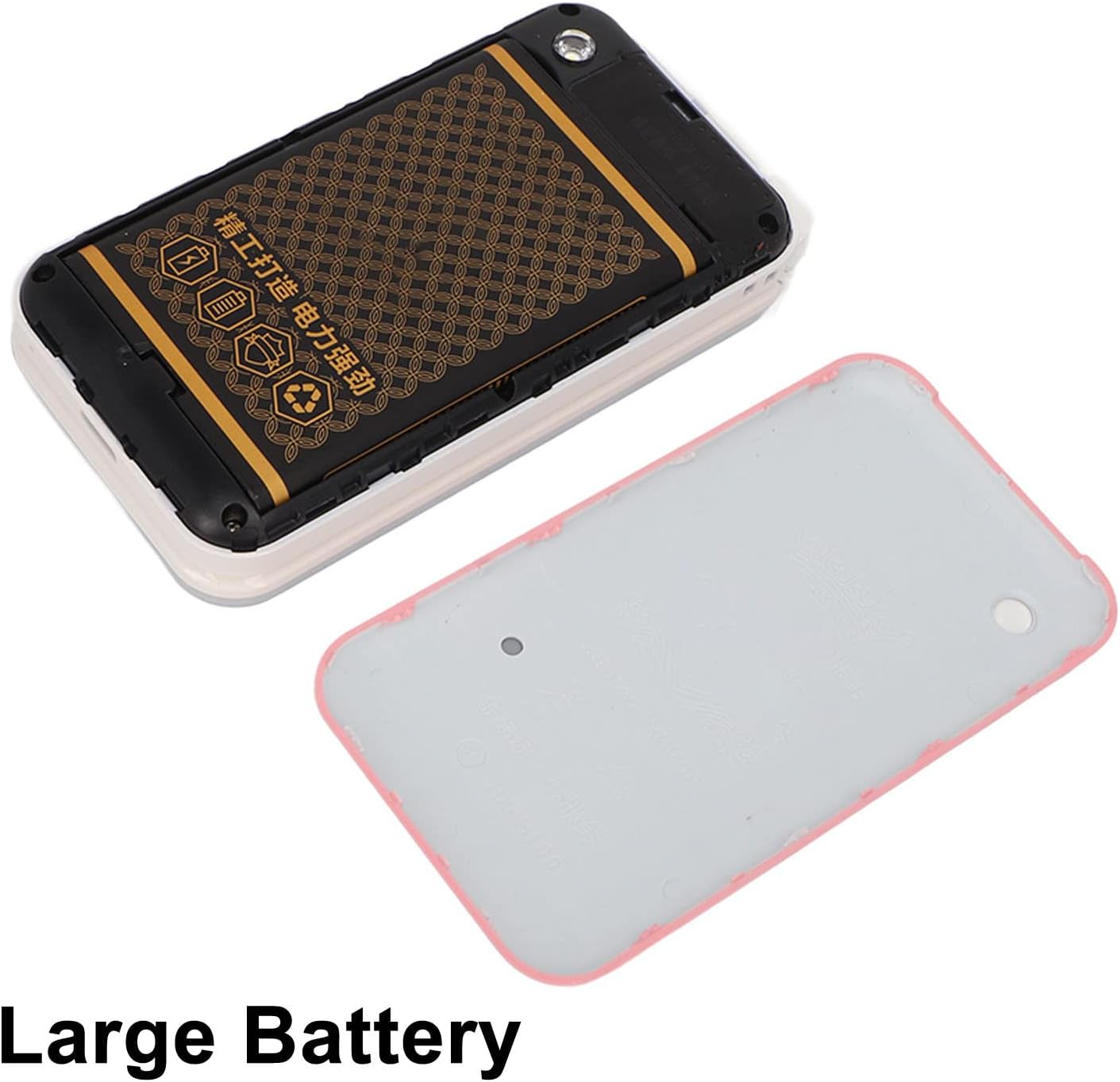
Image: The phone's back cover is removed, revealing the battery compartment and the large capacity battery ready for installation.
2. Pemasangan Kad SIM dan Kad Memori
The N509 supports dual SIM cards and one memory card (up to 16GB, not included).
- With the battery removed, locate the SIM card slots and memory card slot.
- Insert your SIM cards into the designated slots.
- If desired, insert a memory card into its slot.
- Pasang semula bateri dan penutup belakang.
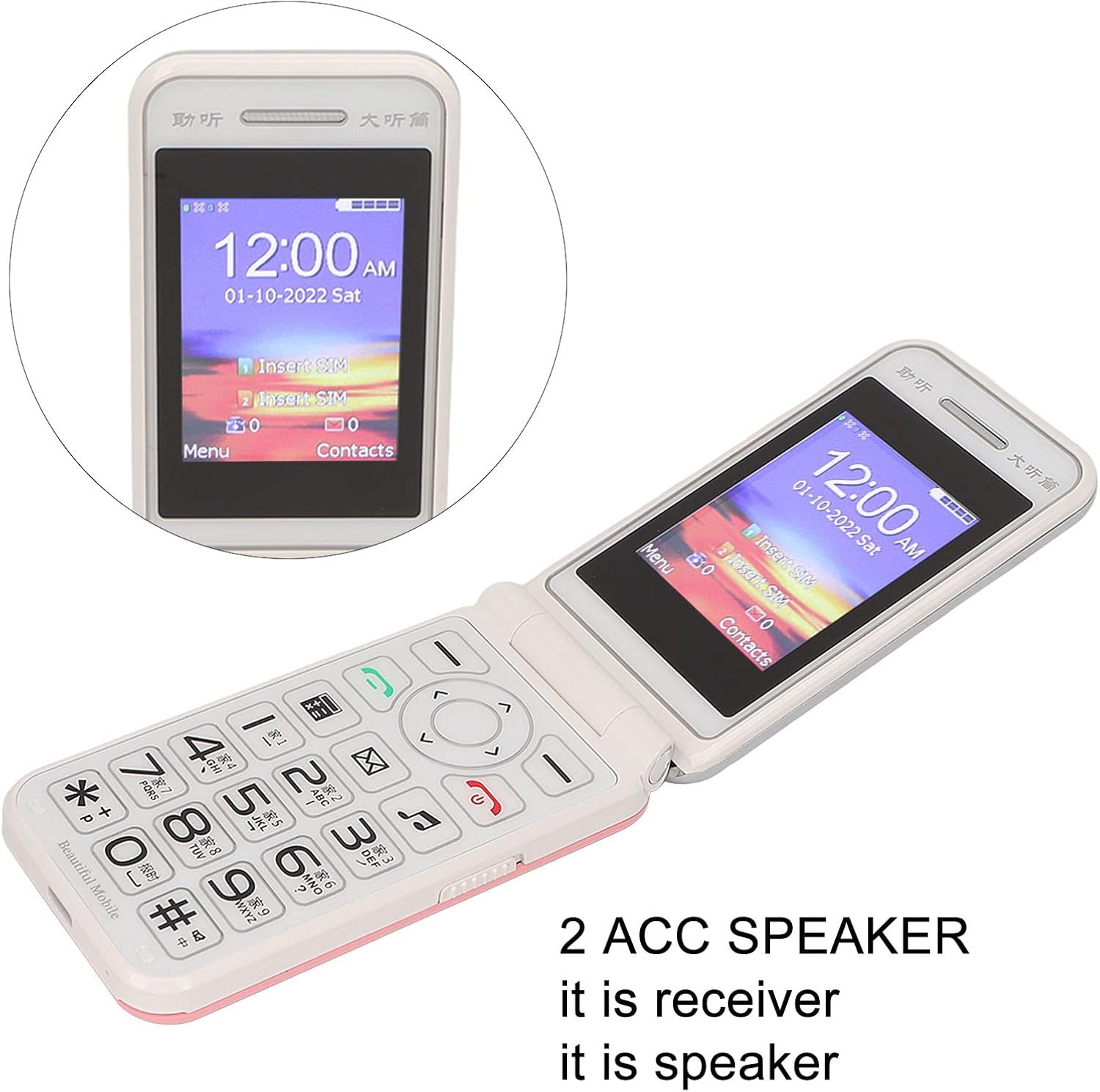
Image: The phone's screen prompts to "Insert SIM", indicating the need for SIM card installation before use.
3. Mengecas Bateri
Sebelum penggunaan pertama, cas sepenuhnya bateri telefon.
- Connect the Type-C charger cable to the charging port on the phone.
- Palamkan pengecas ke salur keluar kuasa.
- The charging indicator will show the charging status. Disconnect the charger once the battery is full.

Imej: Dari dekat view of the Type-C charging port on the Jectse N509 flip phone, highlighting its modern connectivity.
4. Menghidupkan/Mematikan
- Untuk Menghidupkan: Tekan dan tahan butang Kuasa sehingga skrin menyala.
- Untuk Mematikan: Press and hold the Power button until the power-off options appear, then select 'Power Off'.
Arahan Operasi
1. Fungsi Asas
- Membuat Panggilan: Masukkan nombor telefon menggunakan papan kekunci dan tekan butang panggil hijau.
- Menjawab Panggilan: Tekan butang panggil hijau apabila telefon berdering.
- Panggilan Akhir: Tekan butang tamat panggilan berwarna merah.
- Menghantar Mesej: Navigate to the 'Messages' menu, select 'New Message', enter the recipient's number and your text, then send.

Image: The Jectse N509 flip phone is open, showcasing its vibrant 2.4-inch HD color display and the clearly visible, large keypad with LED backlighting.
2. Papan Kekunci dan Navigasi
The phone features large, backlit buttons for easy operation, especially in low-light conditions.
- Kekunci Navigasi: Use the directional pad to navigate through menus and options. The center button typically acts as 'OK' or 'Select'.
- Kekunci lembut: The keys directly below the screen perform functions indicated by the text on the display above them.
- Kekunci Nombor: Used for dialing numbers and text input.
- Lampu latar: The keypad features a backlight for visibility in dark environments.

Image: This composite image highlights key features: the large battery for extended use, oversized buttons for ease of dialing, a convenient on/off switch, and the modern Type-C charging port.
3. Fungsi SOS
The N509 includes an SOS function for emergencies. Refer to the phone's settings to configure emergency contacts and messages.
- Mengaktifkan SOS: Typically, a dedicated SOS button or a long press of a specific key will activate this function, sending pre-set messages and dialing emergency contacts.
4. Extended Functions
The phone supports various additional features:
- Music and Video Player: Access multimedia files disimpan pada kad memori.
- Pelayar Imej: View foto.
- Perakam: Rakam audio.
- Kalendar: Jejaki tarikh dan acara.
- Jam loceng: Tetapkan berbilang penggera.
- Kalkulator: Lakukan pengiraan asas.
- Lampu suluh: Aktifkan lampu suluh terbina dalam.
- Jam randik: Use for timing events.
- Call Blacklist: Sekat nombor yang tidak diingini.
- Senarai Panggilan: View sejarah panggilan.
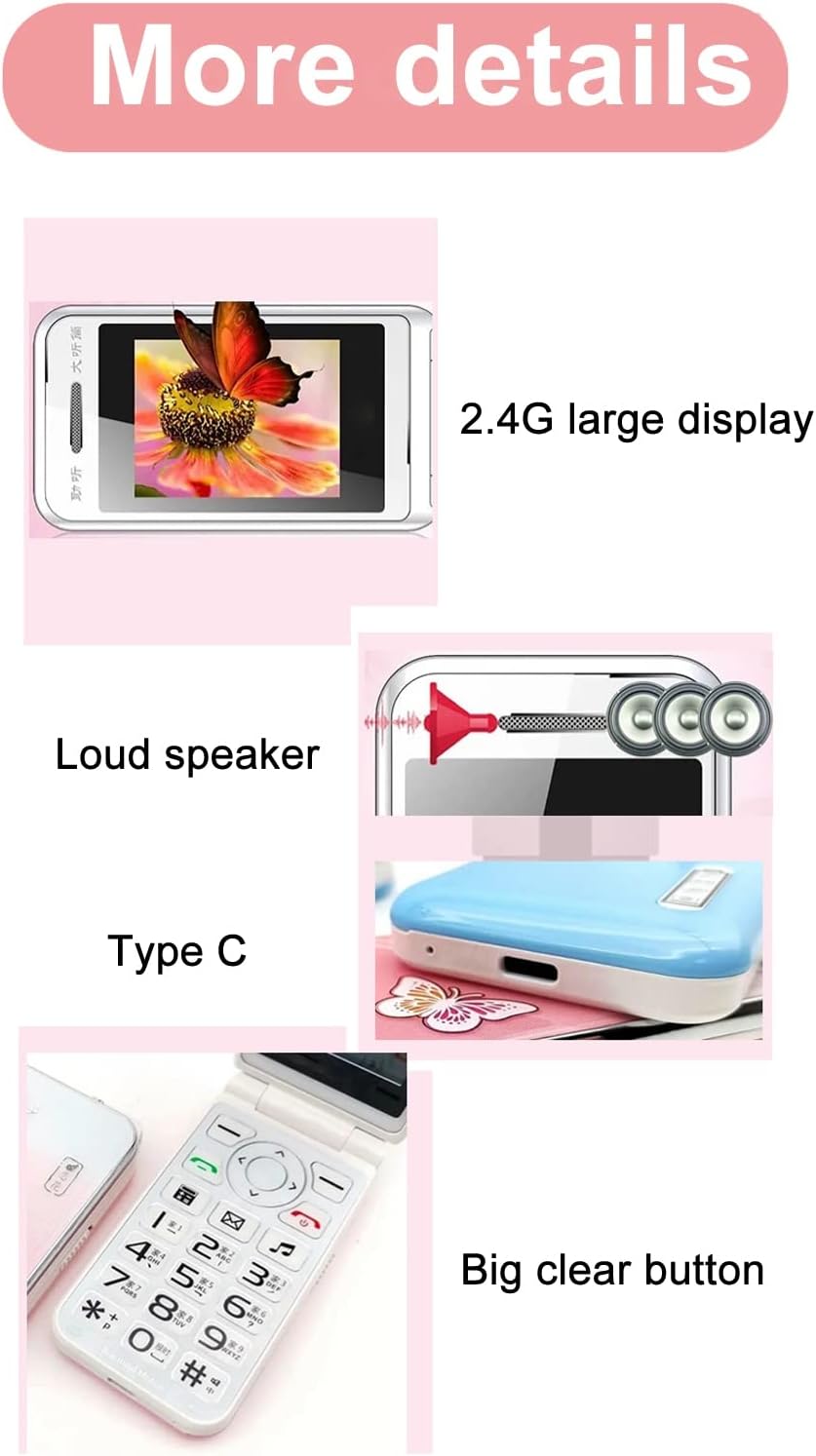
Image: This image details the phone's features, including its 2.4G large display, powerful loudspeaker, and convenient Type-C charging interface.
Penyelenggaraan
1. Pembersihan
Gunakan kain lembut dan kering untuk membersihkan bahagian luar telefon. Elakkan menggunakan pembersih cecair atau bahan kasar.
2. Penjagaan Bateri
- Elakkan daripada mendedahkan bateri kepada suhu yang melampau.
- Jangan tebuk atau rosakkan bateri.
- If the phone will not be used for an extended period, charge it periodically to maintain battery health.
Menyelesaikan masalah
| Isu | Penyelesaian yang Mungkin |
|---|---|
| Telefon tidak dihidupkan | Pastikan bateri dipasang dan dicas dengan betul. Sambungkan pengecas dan cuba lagi. |
| Tiada isyarat rangkaian | Check if the SIM card is properly inserted. Verify with your service provider that your SIM card supports 2G GSM 900/1800 networks. The N509 only supports 2G networks. |
| Tidak boleh membuat atau menerima panggilan | Ensure you have network coverage. Check SIM card balance or plan. Verify that the number is not on the call blacklist. |
| Bateri tidak dicas | Check the charger cable and adapter for damage. Ensure the Type-C port is clean and free of debris. Try a different power outlet. |
Nota Penting tentang Keserasian Rangkaian: The Jectse N509 phone exclusively supports 2G GSM 900/1800 networks. Before purchasing or using, please confirm with your local SIM card operator that they provide 2G network services in your area. Some operators, particularly in regions like the USA (e.g., AT&T, T-Mobile), may no longer support 2G networks.
Spesifikasi
| Ciri | Perincian |
|---|---|
| Model | N509 (Jectseft5hwserna-12) |
| bahan | ABS |
| Saiz Skrin Utama | 2.4 inches HD Color Display |
| Slot Kad SIM | 2 (Dual SIM) |
| Slot Kad Memori | 1 (supports up to 16GB, not included) |
| Jenis Bateri | Litium-ion |
| Kapasiti Bateri | 6800 mAh |
| Jalur Kekerapan | 2G GSM 900/1800 |
| Jenis Rangkaian | 2G GSM |
| Penampilan | Flip Phone |
| Antara muka | Jenis-C |
| Bahasa yang Disokong | English, French, Portuguese, Malay, Indonesian, Vietnamese, Russian, Arabic, Hebrew, Thai |
| Ciri Khas | Large Buttons, LED Backlight, SOS Function, Music/Video Player, Image Browser, Recorder, Calendar, Alarm, Calculator, Flashlight, Stopwatch, Call Blacklist |
| Dimensi (Pakej) | 15 x 9 x 6 cm |
| Berat (Anggaran) | 246 g |
Waranti dan Sokongan
For warranty information and technical support, please refer to the documentation included with your purchase or contact Jectse customer service through their official channels. Keep your proof of purchase for warranty claims.
Untuk bantuan lanjut, anda boleh melawati Jectse Brand Store.