
1. Pengenalan
The Dangbei Neo Smart Projector is a compact, portable device designed to deliver a high-quality home theater experience. Featuring official Netflix licensing, 1080P Full HD resolution, HDR10 support, and intelligent adjustment technologies, this projector offers versatile entertainment options with ease of use. This manual provides essential information for setting up, operating, and maintaining your projector.

Figure 1: Dangbei Neo Smart Projector.
2. Apa yang ada di dalam Kotak
Upon unboxing your Dangbei Neo Smart Projector, verify that all the following items are included:
- Projektor Pintar Dangbei Neo
- Alat Kawalan Jauh
- Penyesuai Kuasa
- Kabel Kuasa
- Manual Pengguna
- Kain Pembersih

Figure 2: Projector and included accessories.
3. Persediaan
3.1 Hidupkan Kuasa Awal
- Connect the power cable to the power adapter, then plug the adapter into the projector's DC input port.
- Palamkan kabel kuasa ke salur keluar elektrik yang sesuai.
- Tekan butang kuasa pada projektor atau alat kawalan jauh untuk menghidupkan peranti.
3.2 Sambungan Rangkaian
The projector supports 5GHz Wi-Fi and Bluetooth 5.0 for seamless connectivity.
- Navigate to the 'Settings' menu on the projector's home screen.
- Select 'Network' and choose your desired Wi-Fi network. Enter the password if prompted.
- For Bluetooth devices, select 'Bluetooth' in the 'Settings' menu and pair your device.
3.3 Intelligent Adjustment Technologies
The Dangbei Neo features 4-in-1 smart adjustment for an optimal viewpengalaman:
- Fokus Auto: The projector automatically adjusts for a clear and sharp image.
- Pembetulan Auto Keystone: The image is automatically adjusted to a rectangular shape, correcting for angled projections.
- Muatan Skrin Pintar: The projector automatically aligns the image with the screen boundaries.
- Mengelakkan halangan: The projection automatically adjusts to avoid obstacles in its path.
These features typically activate automatically upon startup or movement of the projector. Manual adjustments are also available in the settings menu.
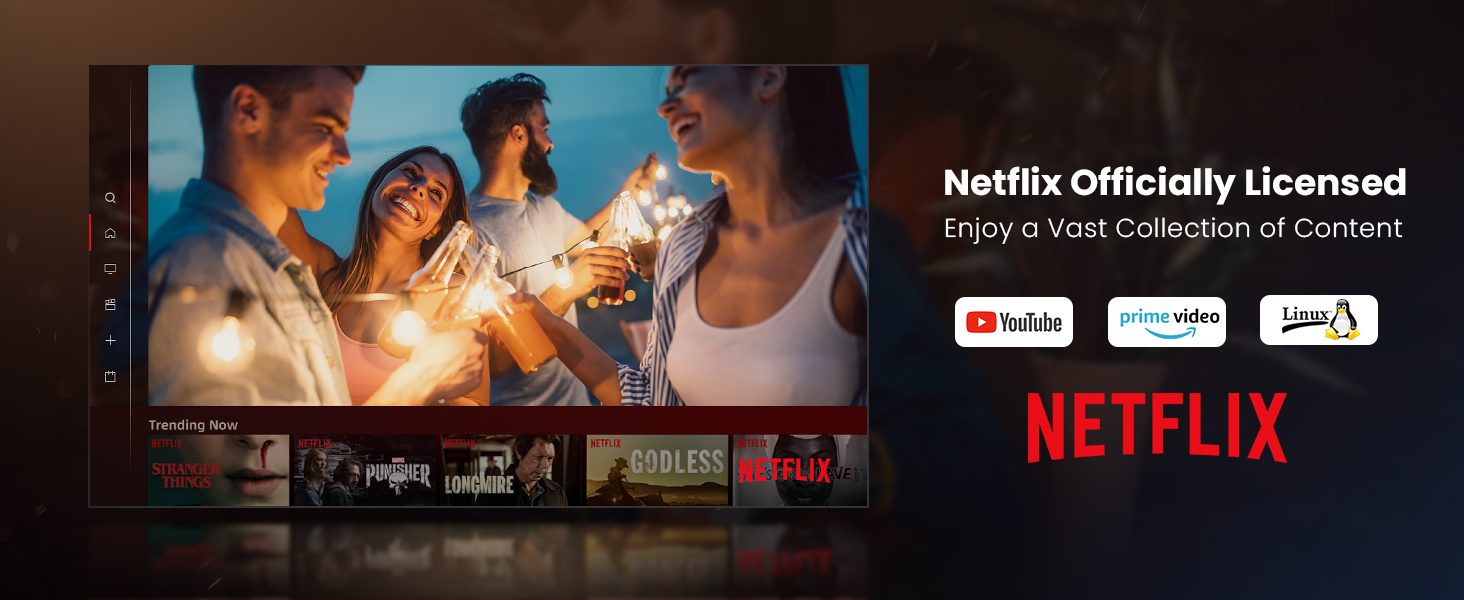
Figure 3: Visual representation of auto-focus and auto-keystone correction.
3.4 Menyambung Peranti Luaran
Projektor ini menawarkan pelbagai pilihan sambungan:
- HDMI: Connect gaming consoles, laptops, or other HDMI-enabled devices. One HDMI port supports ARC for enhanced audio return.
- USB: Use the USB ports for multimedia playback from external storage devices.
- SPDIF: Untuk output audio digital kepada sistem bunyi yang serasi.
- LAN: Untuk sambungan internet berwayar.
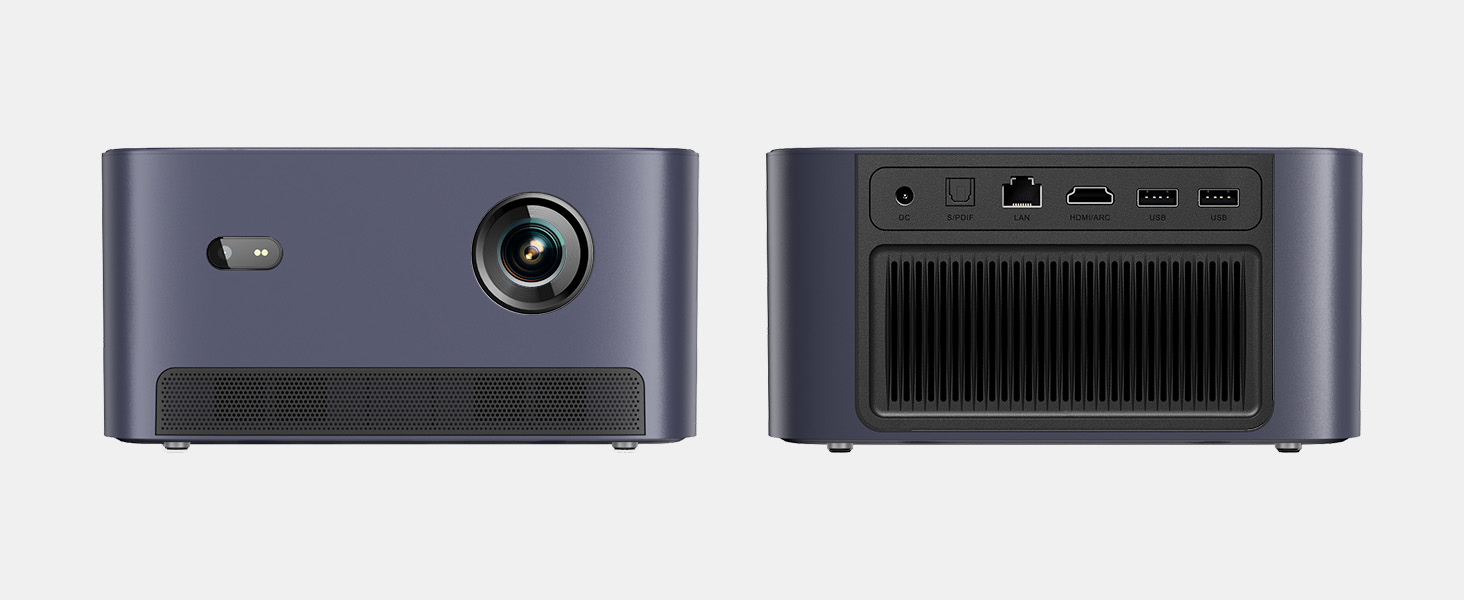
Rajah 4: Belakang view of the projector showing various input/output ports.
5. Arahan Operasi
5.1 Menavigasi Antara Muka
The projector runs on a Linux-based operating system with a user-friendly interface. Use the remote control's directional pad and 'OK' button to navigate through menus and select options.
5.2 Aplikasi Pra-pasang
Enjoy a variety of streaming content with pre-installed and officially licensed applications:
- Netflix: Access your Netflix subscription directly.
- YouTube: Stream videos from YouTube.
- Video Perdana: Watch content from Amazon Prime Video.
- Additional apps are available through the integrated app store.

Figure 5: Projector displaying the Netflix interface.
5.3 Tetapan Gambar dan Audio
Optimumkan anda viewpengalaman dengan ciri-ciri berikut:
- Resolusi: Native 1080P Full HD with support for HDR10/HLG for sharp, crisp images.
- Saiz Unjuran: Up to 120 inches for an immersive cinematic experience.
- Audio: Integrated 2x6W speakers with Dolby Audio support provide 360° surround sound.
- AI Brightness Adjustment: Automatically optimizes brightness based on ambient light.

Figure 6: Large projected image from the Dangbei Neo.

Figure 7: Illustration of 360° surround sound from the projector.
6. Penyelenggaraan
- Pembersihan: Use the provided cleaning cloth to gently wipe the lens and exterior surfaces. Avoid abrasive materials or harsh chemicals.
- Pengudaraan: Ensure the projector's ventilation ports are clear and unobstructed to prevent overheating.
- Lamp kehidupan: The laser light source has a lifespan of up to 30,000 hours, providing long-term use without frequent lamp penggantian.
7. Penyelesaian masalah
| Masalah | Kemungkinan Punca | Penyelesaian |
|---|---|---|
| No image/blurry image | Power issue, focus/keystone incorrect, lens obstructed | Check power connection. Use auto-focus/keystone or adjust manually. Clean the lens. |
| Tiada bunyi | Volume too low, audio output settings, external device issue | Increase volume. Check audio settings. Ensure external device audio is working. |
| Isu sambungan Wi-Fi/Bluetooth | Kata laluan salah, peranti di luar julat, gangguan | Verify password. Move closer to router/device. Reduce interference. |
| Projektor terlalu panas | Blocked ventilation, prolonged use | Ensure vents are clear. Allow projector to cool down. |
8. Spesifikasi
| Ciri | Perincian |
|---|---|
| Jenama | Dangbei |
| Model | Neo |
| Resolusi Paparan | 1920 x 1080 (1080P FHD) |
| Sokongan HDR | HDR10/HLG |
| Sumber Cahaya | Laser (ALPD) |
| Lamp kehidupan | Sehingga 30,000 jam |
| Kecerahan | 2100 Lumen ISO |
| Nisbah Kontras | 12,000: 1 (Dinamik) |
| Sistem Operasi | OS Linux |
| Apl prapasang | Netflix, YouTube, Video Perdana |
| Ketersambungan | 5GHz Wi-Fi, Bluetooth 5.0, HDMI (ARC), USB, SPDIF, LAN |
| Audio | 2x6W Dolby Audio Speakers, 360° Surround Sound |
| Ciri-ciri Pintar | Auto Focus, Auto Keystone Correction, Intelligent Screen Fit, Obstacle Avoidance, AI Brightness Adjustment |
| Dimensi | 7.87 x 6.18 x 3.94 inci |
| Berat badan | 0.141 auns |
9. Waranti dan Sokongan
The Dangbei Neo Smart Projector comes with a standard manufacturer's warranty. For detailed warranty information, product support, or service inquiries, please refer to the warranty card included in your package or visit the official Dangbei webtapak.
Sokongan dalam talian: www.dangbei.com
10. Video Produk Rasmi
Tonton video produk rasmi untuk visual overview of the Dangbei Neo Smart Projector's features and capabilities.
Video: Dangbei Neo Netflix Officially-Licensed Smart Projector. This video highlights key features and usage scenarios.