
1. Pengenalan
Thank you for choosing the BYINTEK U70 Pro Portable 4K 3D DLP Projector. This manual provides essential information for the safe and efficient operation of your device. Please read it thoroughly before use and retain it for future reference.

Image 1.1: The BYINTEK U70 Pro Portable Projector and its remote control.
2. Maklumat Keselamatan
- Jangan lihat terus ke dalam kanta projektor apabila lamp sedang aktif.
- Pastikan pengudaraan yang betul untuk mengelakkan terlalu panas. Jangan sekat bukaan pengudaraan.
- Gunakan hanya penyesuai kuasa yang disediakan.
- Jauhkan peranti daripada air, kelembapan dan suhu yang melampau.
- Jangan cuba membuka atau membaiki projektor sendiri. Hubungi kakitangan servis yang berkelayakan.
- Jauhkan daripada kanak-kanak.
3. Kandungan Pakej
Sahkan bahawa semua item terdapat dalam pakej anda:
- 1 x BYINTEK U70 Pro Projector
- 1 x Alat Kawalan Jauh
- 1 x HD Cable
- 1 x Manual Pengguna (dokumen ini)
- 1 x Penyesuai Daya DC 19V 3.42A
4. Produk Lebihview
Biasakan diri anda dengan komponen dan antara muka projektor.
Imej 4.1: Depan dan belakang views of the BYINTEK U70 Pro Projector, highlighting its various ports and controls.
Komponen Utama:
- Kanta: Projection output.
- Pad kekunci: Manual control buttons on top.
- Penerima IR: Untuk isyarat kawalan jauh.
- DC 12V-in: Port input kuasa.
- USB 3.0 / USB 2.0: For connecting USB storage devices, mouse, or keyboard.
- Suis kuasa: Untuk menghidupkan/mematikan projektor.
- Audio-out (3.5mm Jack): For external speakers or headphones.
- HD-masuk (HDMI): Untuk menyambungkan sumber video luaran.
- Pembesar Suara 5W: Pembesar suara stereo terbina dalam.
- Penapis Habuk Boleh Tanggal: Untuk pembersihan dan penyelenggaraan yang mudah.
- Universal Bracket Hole (d=1/4inch, 6mm): Untuk pemasangan pada tripod atau dudukan siling.
5. Persediaan
5.1 Menghidupkan/Mematikan
- Connect the DC 19V 3.42A Power Adapter to the projector's DC 12V-in port.
- Press the Power Switch to turn the projector on. The indicator light will illuminate.
- To power off, press the Power Switch again.
5.2 Penempatan dan Unjuran
The BYINTEK U70 Pro supports a projection size of 30-300 inches with a projection distance of 1-8 meters. The optimal aspect ratio is 16:9, but 16:10 and 4:3 are also supported.
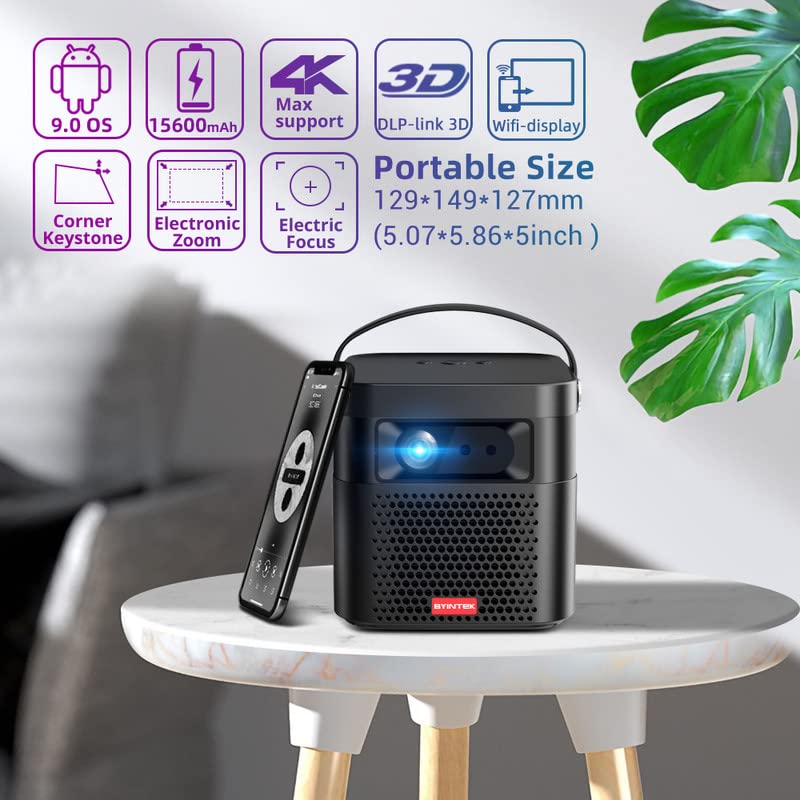
Image 5.1: The BYINTEK U70 Pro Projector highlighting its portable size and advanced features.
5.3 Fokus dan Pembetulan Keystone
- Ciri-ciri projektor Auto Fokus for quick image clarity.
- For fine-tuning, use the Fokus Elektrik function via the remote control or on-device keypad.
- Auto Manual Vertical Keystone Correction is available to adjust image distortion when the projector is not perfectly perpendicular to the screen.
- Corner Keystone correction allows for individual corner adjustments.
5.4 Ketersambungan
The projector offers various connection options:
- HDMI: Connect external devices like TV sticks, X-BOX, PS4, PCs, or laptops using the provided HD Cable.
- USB: Insert USB sticks or SSD hard drives for media playback. Supports USB 2.0 and USB 3.0.
- Wi-Fi: Connect to your wireless network for online content and wireless projection.
- Bluetooth: For connecting external Bluetooth speakers or headphones (if supported by the Android OS).
6. Arahan Operasi
6.1 Android 9.0 OS Pintar
The BYINTEK U70 Pro runs on Android 9.0, providing a smart interface with 32GB internal storage. Navigate the interface using the remote control or by connecting a USB mouse/keyboard.

Image 6.1: The Android 9.0 operating system interface, allowing access to various applications.
6.2 Tayangan Tanpa Wayar
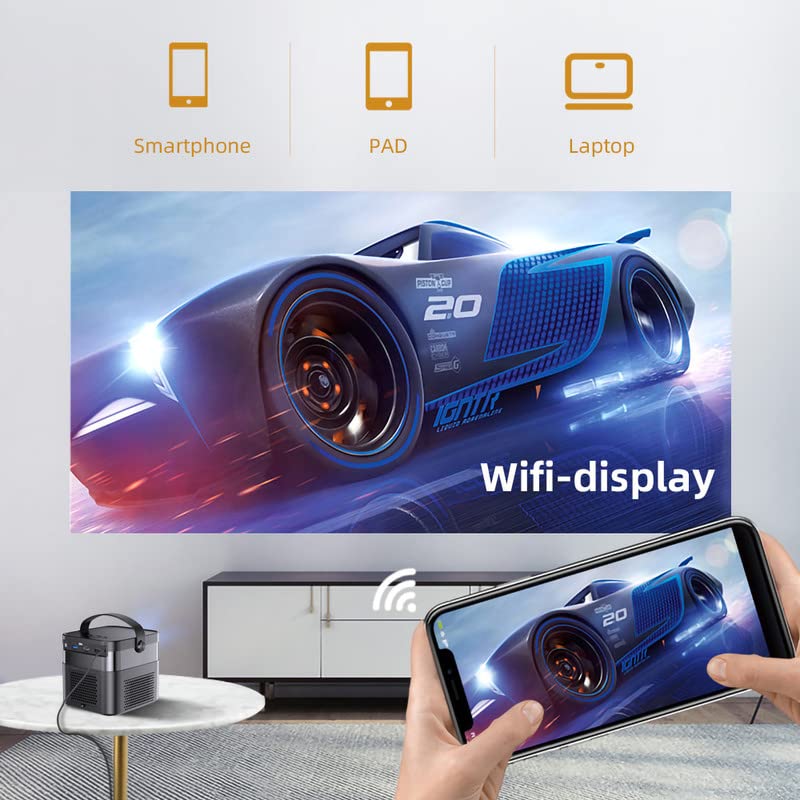
Wirelessly connect your Android or iOS devices for screen mirroring.

Image 6.2: Wireless display functionality, enabling screen mirroring from smartphones, tablets, and laptops.
- Pastikan kedua-dua projektor dan peranti mudah alih anda disambungkan ke rangkaian Wi-Fi yang sama.
- Select the appropriate wireless projection app (e.g., Airplay, Miracast, DLNA, Eshare) on the projector's home screen.
- Follow the on-screen instructions to connect your smartphone, tablet, or laptop.
6.3 Fungsi 3D
Projektor menyokong 3D Sebenar content for an immersive viewpengalaman dalam.
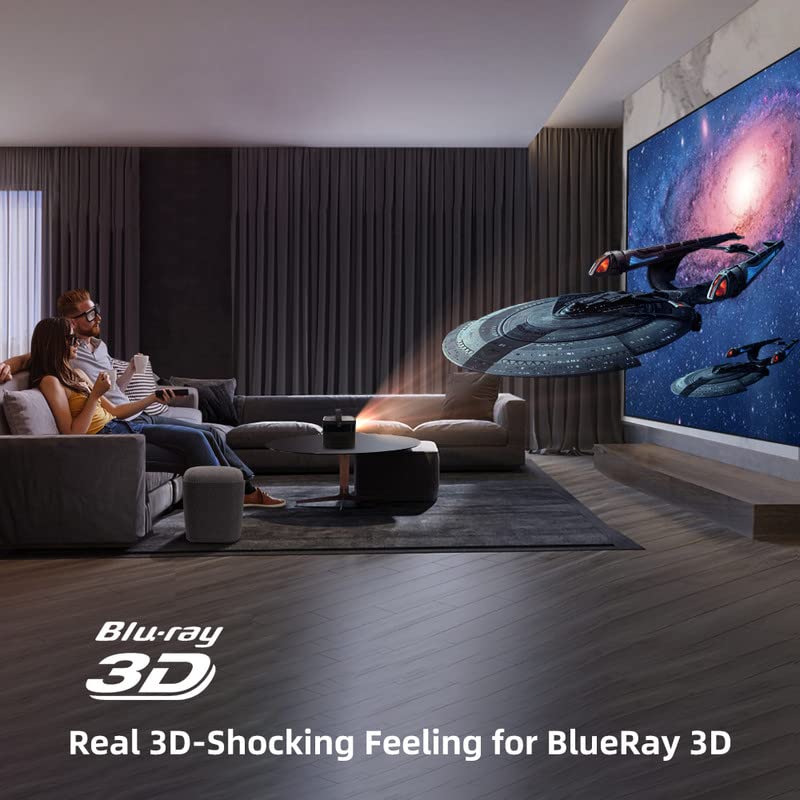
Image 6.3: The projector displaying 3D content for an immersive home theater experience.
- To enjoy 3D content, you will need compatible 3D glasses (sold separately).
- Play 3D-enabled media (e.g., Blu-ray 3D) through a connected device.
- Activate the 3D mode on the projector via the settings menu.
6.4 Keluaran Audio
The projector has built-in 2 x 5W speakers. For enhanced audio, connect external speakers or headphones via the 3.5mm Audio Jack or Bluetooth.
7. Penyelenggaraan
7.1 Membersihkan Lensa
Gunakan kain lembut dan tidak berbulu yang direka khas untuk kanta optik. Jangan gunakan pembersih yang kasar atau daya yang berlebihan.
7.2 Membersihkan Penapis Habuk
The projector features a detachable dust filter. Regularly remove and clean it to maintain optimal performance and prevent overheating. Refer to Image 4.1 for the location of the detachable dust filter.
7.3 Penjagaan Bateri
The projector includes a rechargeable battery. To prolong battery life:
- Elakkan menyahcas sepenuhnya bateri dengan kerap.
- Store the projector in a cool, dry place if not used for extended periods.
- Charge the battery periodically if stored for a long time.
8. Penyelesaian masalah
Jika anda menghadapi masalah, rujuk kepada masalah dan penyelesaian biasa berikut:
| Masalah | Kemungkinan Punca | Penyelesaian |
|---|---|---|
| Tiada imej dipaparkan | Power cable loose, input source incorrect, lens cap on | Check power connection, select correct input source, remove lens cap |
| Imej kabur | Focus not adjusted, keystone incorrect | Adjust focus using remote/keypad, correct keystone settings |
| Tiada bunyi | Volume too low, external audio device not connected, source audio issue | Increase volume, check external audio connections, verify source audio output |
| Alat kawalan jauh tidak berfungsi | Batteries dead, IR receiver blocked | Replace batteries, ensure clear line of sight to IR receiver |
| Amaran terlalu panas | Blocked ventilation, dusty filter | Ensure clear ventilation, clean dust filter |
9. Spesifikasi
Detailed technical specifications for the BYINTEK U70 Pro Projector:
| Ciri | Spesifikasi |
|---|---|
| Jenama | BYINTEK |
| Model | BYINTEK-UFO-U70-PRO |
| Teknologi Paparan | DLP (LED) |
| Kecerahan Imej | 500 ANSI Lumen |
| Resolusi Asli | 1280 x 800 (supports 1080p Full HD Pixels, Max supports 4K signal input) |
| Nisbah Kontras Imej | 15000:1 |
| Nisbah Aspek | 16:9 (also 16:10, 4:3) |
| Saiz Unjuran | 30-300 inci |
| Jarak Unjuran | 1-8 meter |
| Sistem Operasi | Android 9.0 |
| Storan Dalaman | 32GB |
| Ciri Khas | Built-In 3D, Auto Focus, Short Throw, Built-in Speakers, Rechargeable Battery, Wireless Projection |
| Antara Muka Perkakasan | HDMI, USB 2.0, USB 3.0 |
| Teknologi Ketersambungan | Wi-Fi |
| Output Audio | 3.5mm Audio Jack, Built-in 2 x 5W Speakers |
| Sumber Kuasa | DC 19V 3.42A, Rechargeable Battery |
| Wattage | 65 Watt |
| Dimensi Produk | 12.9 x 14.9 x 12.7 cm |
| Berat Barang | 1.36 kg |
| Tahun Model | 2023 |
10. Waranti dan Sokongan
10.1 Maklumat Waranti
The BYINTEK U70 Pro Projector comes with a Waranti 1 Tahun dari tarikh pembelian. Sila simpan bukti pembelian anda untuk tuntutan waranti. Waranti melindungi kecacatan pembuatan di bawah keadaan penggunaan biasa.
10.2 Sokongan Pelanggan
For technical assistance, warranty claims, or any other inquiries, please contact BYINTEK customer support:
- Nombor Telefon: +91 8885241706
- e-mel: care@justshop24x7.com