
1. Pengenalan
Thank you for choosing the Havit MS1038 Programmable RGB Gaming Mouse. This manual provides essential information for setting up, operating, maintaining, and troubleshooting your new gaming mouse. Please read this guide thoroughly to ensure optimal performance and longevity of your device.
2. Produk Lebihview
The Havit MS1038 is a high-performance wired gaming mouse designed for precision and customization. It features a high-precision optical sensor, adjustable DPI settings up to 8000, 7 programmable buttons, and dynamic RGB backlighting to enhance your gaming experience.
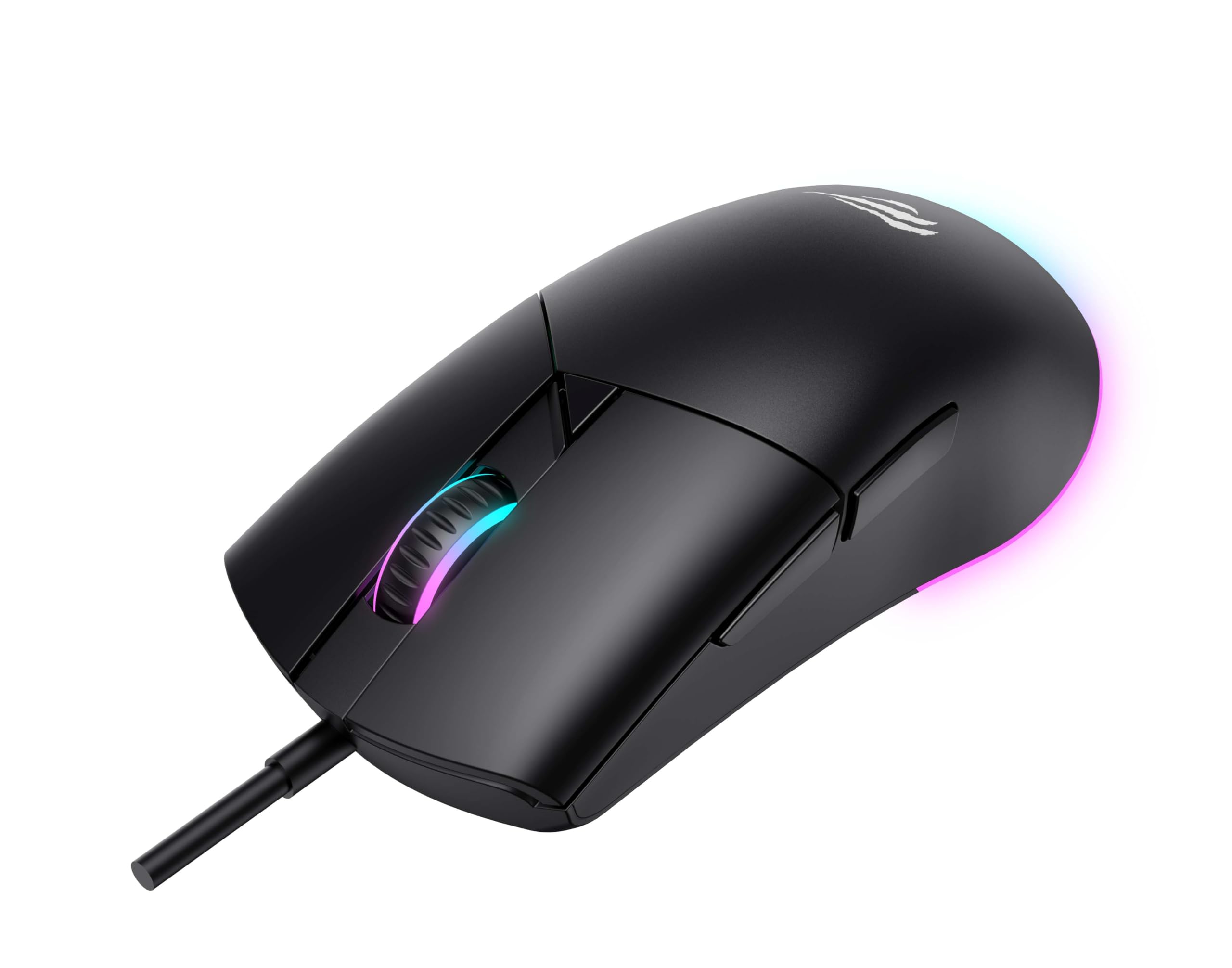
Rajah 1: Depan view of the Havit MS1038 Gaming Mouse, showcasing its ergonomic design and RGB lighting.
3. Spesifikasi
| Ciri | Perincian |
|---|---|
| Jenama | Havit |
| Model | MS1038 |
| warna | Hitam |
| Ketersambungan | USB (Berwayar) |
| Ciri Khas | RGB Backlight, Programmable Buttons, High-Precision Optical Sensor |
| Peranti Serasi | PC, Laptop, Tablet |
| Pengesanan Pergerakan | Optik |
| Tetapan DPI | 1200-2400-3200-4800-6400-8000 DPI |
| Bilangan Butang | 7 |
| Jangka Hayat Utama | 3,000,000 klik |
| Panjang Kabel | 1.6 meter |
| Vol Operasitage | 5V |
| Arus Operasi | 150mA |
| Cip | SPCP199C |
| Dimensi (L*W*H) | 121 x 64 x 42 mm |
| Berat Produk | 82g |
| Bateri Diperlukan | Tidak |
| Sumber Kuasa | Corded |
| OS yang serasi | Windows, Mac, Linux |
| Negara Asal | China |
4. Panduan Persediaan
- Buka bungkusan Tetikus: Carefully remove the Havit MS1038 mouse from its packaging.
- Sambung ke Komputer: Palamkan penyambung USB tetikus ke dalam port USB yang tersedia pada komputer anda.
- Pemasangan Pemandu: The mouse is typically plug-and-play. Your operating system (Windows, Mac, Linux) should automatically detect and install the necessary drivers. Allow a few moments for the installation to complete.
- Pemasangan Perisian (Pilihan): For advanced customization of programmable buttons and RGB lighting, download the official Havit MS1038 software from the manufacturer's webtapak. Ikut arahan pada skrin untuk pemasangan.
5. Arahan Operasi
5.1 Fungsi Asas
- Klik Kiri: Tindakan utama.
- Klik kanan: Tindakan sekunder, biasanya membuka menu konteks.
- Roda Tatal: Scrolls content up or down. Pressing the scroll wheel often acts as a middle click.
5.2 Pelarasan DPI
The Havit MS1038 features a dedicated DPI button (usually located behind the scroll wheel) to cycle through different sensitivity settings. Each press will switch to the next DPI level, indicated by a change in the RGB lighting color or pattern.
- Available DPI settings: 1200, 2400, 3200, 4800, 6400, 8000.
- Select the DPI that best suits your preference for gaming or general use.
5.3 Butang Boleh Aturcara
The mouse has 7 buttons, including the standard left/right click, scroll wheel, DPI button, and additional side buttons. These additional buttons can be customized using the Havit MS1038 software.

Rajah 2: Sisi view of the Havit MS1038 Gaming Mouse, highlighting the additional programmable buttons.
6. Penyesuaian
To unlock the full potential of your Havit MS1038 mouse, utilize the dedicated software (available for download from the Havit official weblaman web). Perisian ini membolehkan anda:
- Butang Pemetaan Semula: Assign custom functions, macros, or keyboard shortcuts to any of the 7 programmable buttons.
- Adjust DPI Stages: Fine-tune the DPI levels and assign specific values to each stage.
- Control RGB Lighting: Choose from various lighting effects, colors, and brightness levels to personalize your mouse's appearance.
- Buat Profiles: Save different configurations for various games or applications.
7. Penyelenggaraan
Proper care ensures the longevity and performance of your mouse.
- Pembersihan: Gunakan kain lembut dan kering untuk mengelap permukaan tetikus. Untuk kotoran degil, sedikit dampen kain dengan air atau larutan pembersih lembut. Elakkan bahan kimia yang keras.
- Penjagaan Sensor: Pastikan sensor optik di bahagian bawah tetikus bersih dan bebas daripada habuk atau serpihan. Gunakan kapas jika perlu.
- Pengurusan Kabel: Elakkan selekoh tajam atau tarikan berlebihan pada kabel USB untuk mengelakkan kerosakan.
- Storan: Apabila tidak digunakan, simpan tetikus dalam persekitaran yang bersih dan kering dari suhu yang melampau.
8. Penyelesaian masalah
If you encounter issues with your Havit MS1038 mouse, refer to the following common solutions:
- Tetikus Tidak Menjawab:
- Pastikan kabel USB dipasang dengan selamat ke dalam port USB yang berfungsi.
- Cuba pasangkan tetikus ke port USB yang berbeza.
- Mulakan semula komputer anda.
- Pergerakan Kursor Tidak Menentu:
- Bersihkan penderia optik di bahagian bawah tetikus.
- Ensure you are using the mouse on a clean, non-reflective surface or a mouse pad.
- Check for any software conflicts or outdated drivers.
- Pencahayaan RGB Tidak Berfungsi:
- Sahkan bahawa tetikus telah disambungkan dengan betul.
- If using customization software, ensure lighting effects are enabled and configured correctly.
- Butang Tidak Berfungsi:
- If programmable buttons are not working as expected, check the settings in the Havit MS1038 software.
- Ensure no other software is interfering with mouse button assignments.
9. Waranti dan Sokongan
The Havit MS1038 Programmable RGB Gaming Mouse comes with a Waranti 1 tahun dari tarikh pembelian. Waranti ini meliputi kecacatan pembuatan di bawah penggunaan biasa.
For technical support, warranty claims, or further assistance, please contact Havit customer service through their official website or your local retailer. Please have your proof of purchase ready when contacting support.