
1. Pengenalan
Thank you for choosing the Lecoo DS102 Wireless Bluetooth + AUX 6W Stereo Soundbar Portable Speaker. This device is designed to provide a high-quality audio experience with versatile connectivity options. Please read this manual carefully before use to ensure proper operation and to maximize the lifespan of your speaker.

Imej 1: Depan view of the Lecoo DS102 Soundbar Speaker.
2. Kandungan Pakej
The package for your Lecoo DS102 speaker includes the following items:
- 1x Lecoo DS102 Wireless Bluetooth AUX Soundbar Speaker
- 1x Manual Pengguna
Video 1: Unboxing the Lecoo DS102 Soundbar Speaker, showing the speaker and included manual.
3. Persediaan
The Lecoo DS102 speaker is designed for easy setup. It receives power via a USB connection and offers both AUX and Bluetooth for audio input.
3.1 Sambungan Kuasa
- Connect the USB cable from the speaker to a powered USB port (e.g., computer, USB wall adapter).
- The speaker will power on automatically.
3.2 Audio Connection Options
The DS102 offers two primary ways to connect for audio playback:
Sambungan Bluetooth
- Pastikan pembesar suara dihidupkan.
- Pada peranti anda (telefon pintar, tablet, komputer), dayakan Bluetooth dan cari peranti yang tersedia.
- Select "Lecoo DS102" from the list to pair. A confirmation sound will indicate successful pairing.
Sambungan AUX
- Sambungkan satu hujung kabel audio 3.5mm (tidak disertakan) ke port input AUX pada pembesar suara.
- Sambungkan hujung kabel audio 3.5mm yang satu lagi ke bicu output audio peranti anda.
- Pembesar suara akan bertukar kepada mod AUX secara automatik apabila kabel dikesan.

Image 2: The Lecoo DS102 speaker showing Bluetooth and wired AUX connectivity.
Video 2: Demonstration of connecting the Lecoo DS102 speaker via USB for power and AUX for audio input.
4. Arahan Operasi
4.1 Kawalan Kelantangan
The Lecoo DS102 features a rotary control knob for easy volume adjustment. Rotate the knob clockwise to increase the volume and counter-clockwise to decrease it.

Image 3: Close-up of the rotary volume control knob.
Video 3: A hand adjusting the rotary volume control knob on the Lecoo DS102 speaker.
4.2 Main Balik Audio
Once connected via Bluetooth or AUX, simply start playing audio from your connected device. The soundbar will output the audio.
Video 4: The Lecoo DS102 speaker playing music, demonstrating its audio output.
5. Ciri-ciri
- Prestasi Audio Luar Biasa: The Lecoo DS102 Bluetooth + Wired V5.0 Stereo 6W Soundbar Portable Speaker delivers a high-quality audio experience with 6W output power, filling your room with sound. Bluetooth 5.0 technology ensures seamless connectivity within 10 to 30 meters, allowing you to enjoy wireless music sharing.
- Pilihan Kesambungan Serbaguna: In addition to Bluetooth, the Lecoo DS102 is equipped with AUX and USB connections. This allows for easy connection to various devices, including wired connections. The rotary control knob provides convenient volume adjustment.
- Reka bentuk padat dan elegan: With its stylish and compact dimensions (380mm x 75mm x 60mm), the Lecoo speaker seamlessly fits into any environment. Enjoy excellent sound quality whether at home or during outdoor activities.
- Durable and Environmentally Adaptable: A wide operating temperature range of -20°C to +45°C makes the Lecoo DS102 suitable for use in various environments, from indoor spaces to outdoor events. Its durable construction ensures long-lasting use.
- Ideal for Home and Outdoor Use: The Lecoo DS102 is an excellent choice for those looking to create a home theater system or a high-quality audio system. It offers a rich sound experience with various audio outputs, ensuring impressive sound quality at all times.
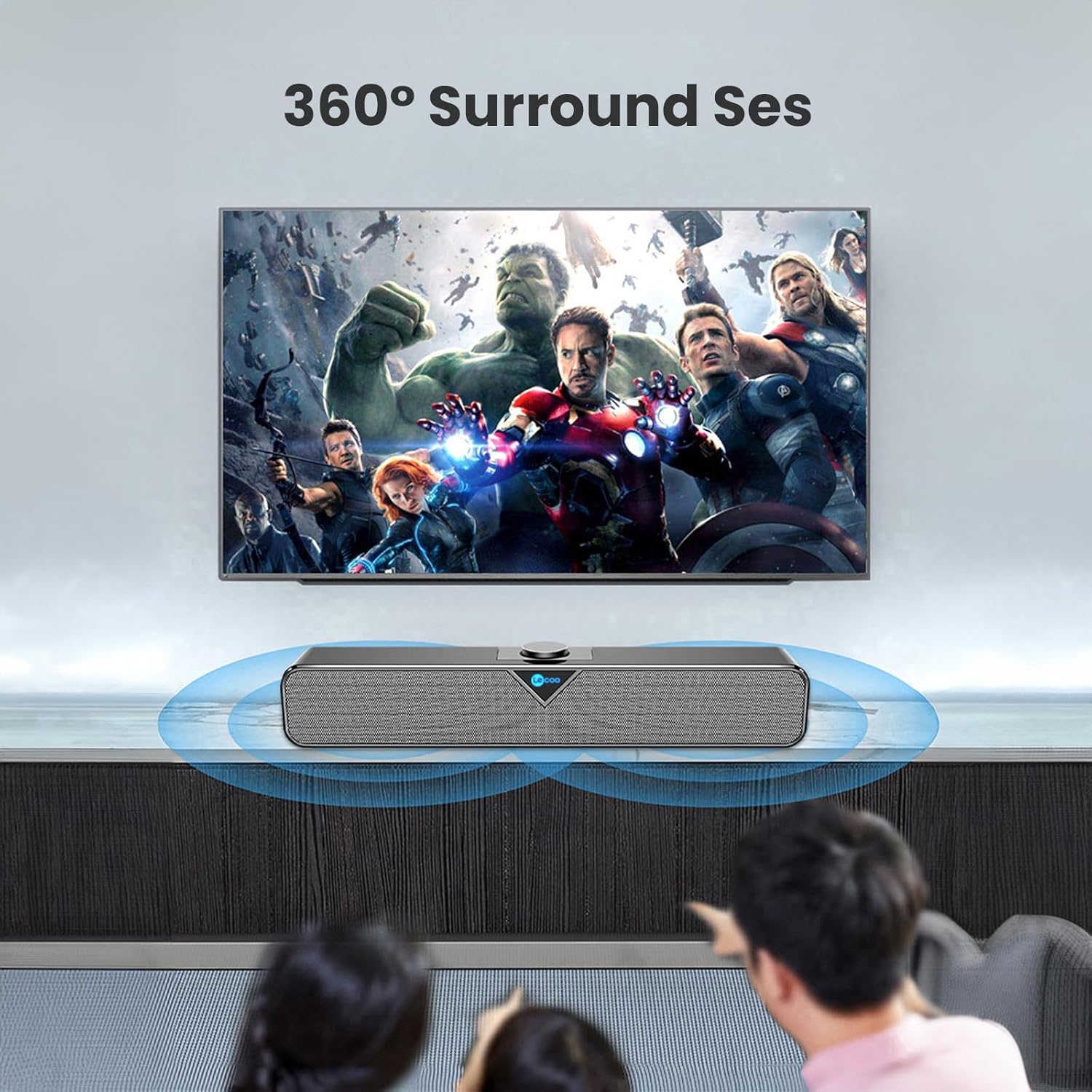
Image 4: The Lecoo DS102 speaker illustrating its sound projection.

Image 5: The Lecoo DS102 speaker integrated into a home entertainment setup.

Image 6: Internal diagram highlighting the dual speaker design.
6. Spesifikasi
| Spesifikasi | Nilai |
|---|---|
| Nama Model | DS102 |
| Jenis Pembesar Suara | Bar bunyi |
| Ciri-ciri Utama | Bass Boost, Shock Resistant, Lightweight, High-Resolution Audio |
| Penggunaan yang Disyorkan | Smartphones or Tablets, Computers, DVD Players, Music Players, Gaming Consoles, Surround Sound Systems, Televisions |
| Peranti Serasi | Monster, Samsung, Vestel, Xiaomi, iPhone |
| warna | Hitam |
| Komponen yang Disertakan | 1x User Manual, 1x Lecoo DS102 Wireless Bluetooth AUX Soundbar Speaker |
| Dimensi Produk (D x W x H) | 6D x 38W x 7.5H cm |
| Berat Produk | 1200 Gram |
| Impedans | 4 Ohm |
| Kalis air | Tidak |
| Jenis Waranti | Official Distributor Warranty |
| Julat Maksimum (Bluetooth) | 10 meter (393.7 inci) |
| Kuantiti | 1 |
| Kaedah Kawalan | Tombol Putar |
| Teknologi Komunikasi Tanpa Wayar | Bluetooth |
| Sumber Kuasa | Wired Electric (USB) |
| Pengeluar | Lecoo |
| Tarikh Tersedia Pertama | 1 Mac 2023 |
| Kuasa Output Maksimum Pembesar Suara | 6 Watt |
| Teknologi Ketersambungan | Bluetooth+Wired (AUX) |
| Mod Keluaran Audio | Mono |
| Jenis Pemasangan | Lekapan Desktop |
7. Penyelenggaraan
To ensure the longevity and optimal performance of your Lecoo DS102 speaker, follow these maintenance guidelines:
- Pembersihan: Gunakan kain lembut dan kering untuk membersihkan permukaan pembesar suara. Jangan gunakan pembersih cecair atau bahan kasar.
- Storan: Simpan pembesar suara di tempat yang sejuk dan kering jauh dari cahaya matahari langsung dan suhu yang melampau.
- Pengendalian: Elakkan daripada menjatuhkan pembesar suara atau terkena impak yang kuat.
- Pendedahan Air: This product is not waterproof. Avoid exposure to water or high humidity.
8. Penyelesaian masalah
If you encounter any issues with your Lecoo DS102 speaker, please refer to the following common problems and solutions:
- Tiada Bunyi:
- Ensure the speaker is powered on and the USB cable is securely connected.
- Semak tahap kelantangan pada kedua-dua pembesar suara dan peranti anda yang disambungkan.
- If using Bluetooth, ensure the speaker is paired correctly and within range. Try re-pairing.
- If using AUX, ensure the 3.5mm audio cable is fully inserted into both the speaker and your device.
- Verify that the correct audio output is selected on your source device.
- Isu Sambungan Bluetooth:
- Ensure the speaker is not already connected to another device.
- Move your device closer to the speaker to ensure it is within the 10-30 meter range.
- Matikan dan hidupkan Bluetooth pada peranti anda, kemudian cuba pasangkan sekali lagi.
- Some users have noted that the Bluetooth feature is always active. Ensure no unintended devices are connected.
- Sound Distortion at High Volume:
- Reduce the volume level on both the speaker and your source device.
- For optimal sound quality, it is recommended to use the speaker at around 80% of its maximum volume.
- No Power On/Off Button:
- The Lecoo DS102 does not feature a dedicated power on/off button. To power off the device, disconnect the USB power cable.
9. Waranti dan Sokongan
The Lecoo DS102 speaker comes with an Official Distributor Warranty in Turkey. For warranty claims, technical support, or further assistance, please contact your local Lecoo distributor or authorized service center.
Sila simpan bukti pembelian anda untuk tujuan waranti.