
HyperX 6N0A8AA
HyperX Pulsefire Haste 2 Wired Gaming Mouse User Manual
Model: 6N0A8AA
Produk Selesaiview
The HyperX Pulsefire Haste 2 is a wired gaming mouse designed for high-performance gaming. It features an ultra-lightweight design, a high-precision sensor, and durable switches, optimized for speed and responsiveness.
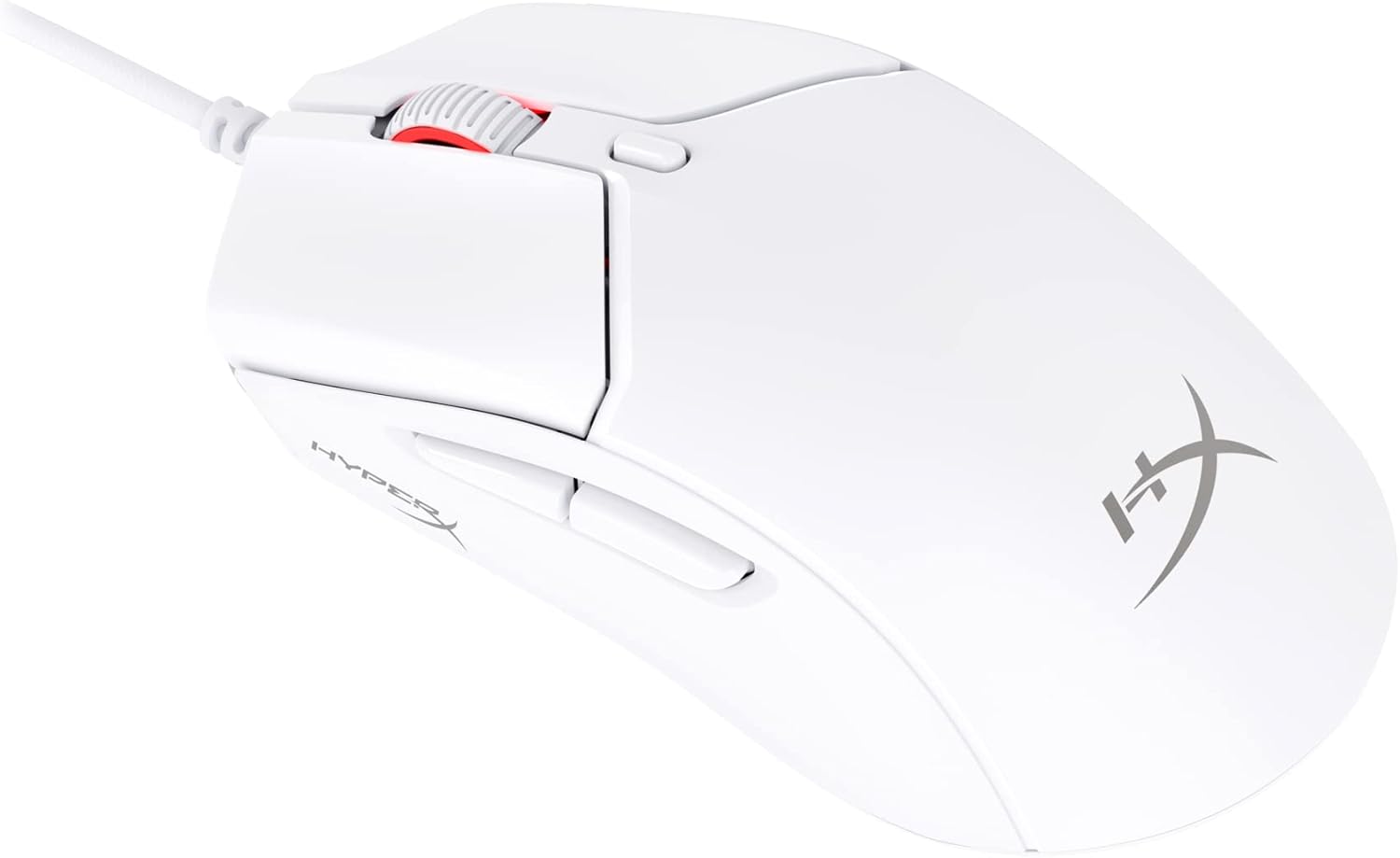
Figure 1: HyperX Pulsefire Haste 2 Wired Gaming Mouse (White)
Kandungan Pakej
Sahkan bahawa semua item terdapat dalam pakej:
- HyperX Pulsefire Haste 2 Wired Gaming Mouse
- HyperX Grips (pre-applied or in package)
- Extra PTFE Skates
- Quick Start Guide (refer to the official PDF user guide for full details: Panduan Pengguna PDF)
Persediaan
Menyambungkan Tetikus
- Cari port USB yang tersedia pada komputer anda.
- Plug the USB connector of the HyperX Pulsefire Haste 2 mouse into the USB port.
- The mouse is plug-and-play and should be recognized automatically by your operating system (Windows, macOS, Linux).
Applying Grip Tape (Optional)
The mouse includes optional grip tape for enhanced control and comfort. To apply:
- Pastikan permukaan tetikus bersih dan kering.
- Carefully peel the backing from the grip tape pieces.
- Align and firmly press the grip tape onto the designated areas (left/right mouse buttons, left/right sides of the mouse).

Figure 2: Anti-Slip Grip Tape Application Area
Mengendalikan Tetikus
Fungsi Asas
The HyperX Pulsefire Haste 2 features standard mouse buttons and a scroll wheel:
- Klik Kiri: Tindakan utama.
- Klik kanan: Menu tindakan/konteks sekunder.
- Roda Tatal: Tatal ke atas/bawah, klik tengah.
- Butang Sisi: Biasanya digunakan untuk navigasi ke hadapan/belakang web browsers or customizable functions.
- Butang DPI: Located behind the scroll wheel, cycles through preset DPI (sensitivity) levels.
Perisian HyperX NGENUITY
To unlock the full potential of your Pulsefire Haste 2, download and install the HyperX NGENUITY software. This software allows for:
- Customizing DPI settings (up to 26,000 DPI).
- Programming the 6 buttons with macros or custom functions.
- Personalizing RGB lighting effects.
- Adjusting polling rate (up to 8000Hz).

Figure 3: HyperX NGENUITY Software Interface
For software download and detailed instructions, visit the official HyperX webtapak.
Penyelenggaraan
Membersihkan Tetikus
- Putuskan sambungan tetikus dari komputer anda sebelum membersihkan.
- Gunakan kain lembut dan tidak berbulu sedikit dampdisapu dengan air atau larutan pembersih lembut untuk mengelap permukaan.
- Elakkan menggunakan bahan kimia yang keras, bahan pelelas atau pelarut.
- For the sensor area, use a cotton swab or compressed air to gently remove dust and debris.
Replacing PTFE Skates
The HyperX Pulsefire Haste 2 comes with extra PTFE skates. If the original skates show significant wear, they can be replaced for optimal glide performance.
- Carefully peel off the old PTFE skates using a thin, non-abrasive tool.
- Ensure the mouse's underside is clean and free of adhesive residue.
- Peel the backing from the new PTFE skates and align them precisely with the recesses on the mouse's bottom.
- Tekan dengan kuat untuk memastikan lekatan yang betul.

Figure 4: Mouse Underside with PTFE Skates
Menyelesaikan masalah
| Masalah | Kemungkinan Punca | Penyelesaian |
|---|---|---|
| Tetikus tidak bertindak balas | Sambungan USB longgar, port USB rosak, isu pemandu. |
|
| Pergerakan kursor tidak menentu atau gelisah | Dirty sensor, unsuitable mouse pad surface. |
|
| Butang atau roda skrol tidak berfungsi | Software conflict, physical obstruction. |
|
| Pencahayaan RGB tidak berfungsi | Tetapan perisian, isu kuasa. |
|
Spesifikasi
| Ciri | Perincian |
|---|---|
| Nama Model | HyperX Pulsefire Haste 2 Wired Gaming Mouse |
| Nombor Model | 6N0A8AA |
| Ketersambungan | USB berwayar |
| Sensor | Penderia HyperX 26K |
| DPI | Up to 26,000 (native) |
| Kelajuan Penjejakan | Sehingga 650 IPS |
| Kadar Mengundi | Sehingga 8000Hz |
| Butang | 6 Butang Boleh Aturcara |
| Suis | HyperX Switches (rated for 100 million clicks) |
| kabel | HyperFlex 2 Cable (Paracord) |
| skate | Virgin PTFE Skates |
| Berat badan | Approx. 53g (mouse only) |
| Dimensi (LxWxH) | 124 x 67 x 38 mm (4.9 x 2.6 x 1.5 inci) |
| Keserasian Sistem Pengendalian | Windows, macOS, Linux |

Figure 5: HyperX Pulsefire Haste 2 Dimensions and Weight
Waranti dan Sokongan
HyperX products are backed by a limited warranty. For specific warranty terms and conditions, please refer to the warranty information included with your product or visit the official HyperX webtapak.
For technical support, driver downloads, and frequently asked questions, please visit the HyperX support page:
You can also refer to the official PDF user guide for additional details: Panduan Pengguna PDF
Ask a question about this manual
Ask about setup, troubleshooting, compatibility, parts, safety, or missing instructions. Manuals+ will review the question and use this page’s manual context to help answer it.