
1. Pengenalan
Thank you for choosing the FOCHEW Wireless Portable Charger Power Bank. This device is designed to provide convenient and efficient power for your mobile devices, featuring a high capacity of 30,800mAh, 15W wireless charging, and 25W Power Delivery (PD) Quick Charge 4.0 for rapid wired charging. It includes multiple output ports and an intelligent LED display to keep you informed about its status.

Image: The FOCHEW Wireless Portable Charger Power Bank in purple, displaying a 100% charge on its LED screen.
2. Kandungan Pakej
Sila sahkan bahawa semua item terdapat dalam pakej anda:
- 1 x FOCHEW 30,800mAh Wireless Portable Charger Power Bank
- 1 x Kabel Pengecas USB Mikro
- 1 x Manual Pengguna (dokumen ini)
3. Produk Lebihview
Biasakan diri anda dengan komponen dan ciri-ciri power bank anda:
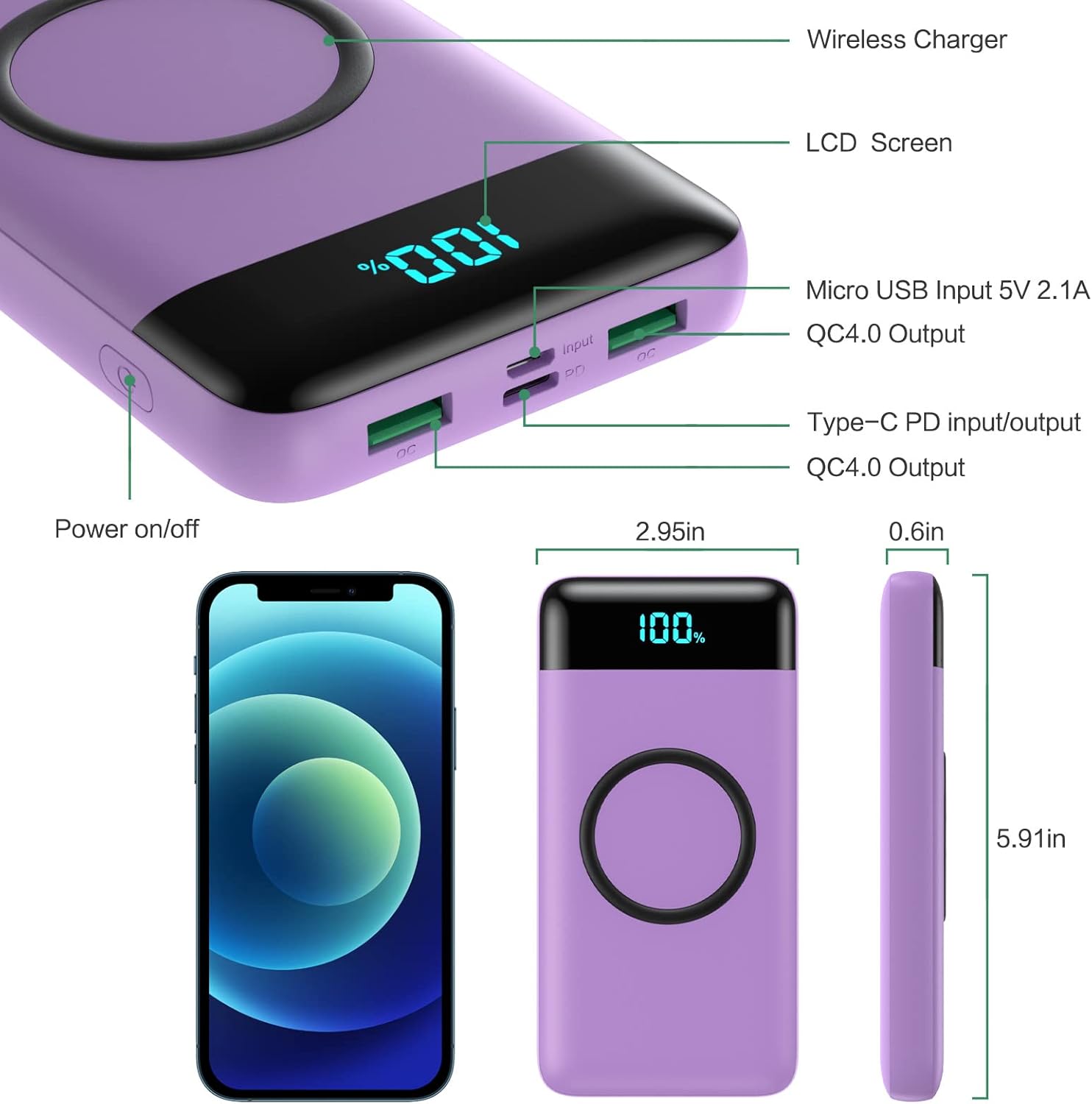
Image: A detailed diagram highlighting the Wireless Charger area, LCD Screen, Micro USB Input (5V/2.1A), QC4.0 Output, Type-C PD Input/Output, and Power On/Off button, along with product dimensions.
- Pad Pengecasan Wayarles: Located on the top surface for wireless charging compatible devices.
- Paparan LED Pintar: Menunjukkan baki peratusan bateritage.
- Butang Hidup / Mati: Activates the power bank and display.
- Micro USB Input (5V/2.1A): Untuk mengecas semula power bank.
- Type-C PD Input/Output (25W PD 3.0 5V/3A): For fast charging the power bank or compatible devices.
- Dual QC 4.0 USB Outputs (5V/3A): For fast charging compatible devices via cable.
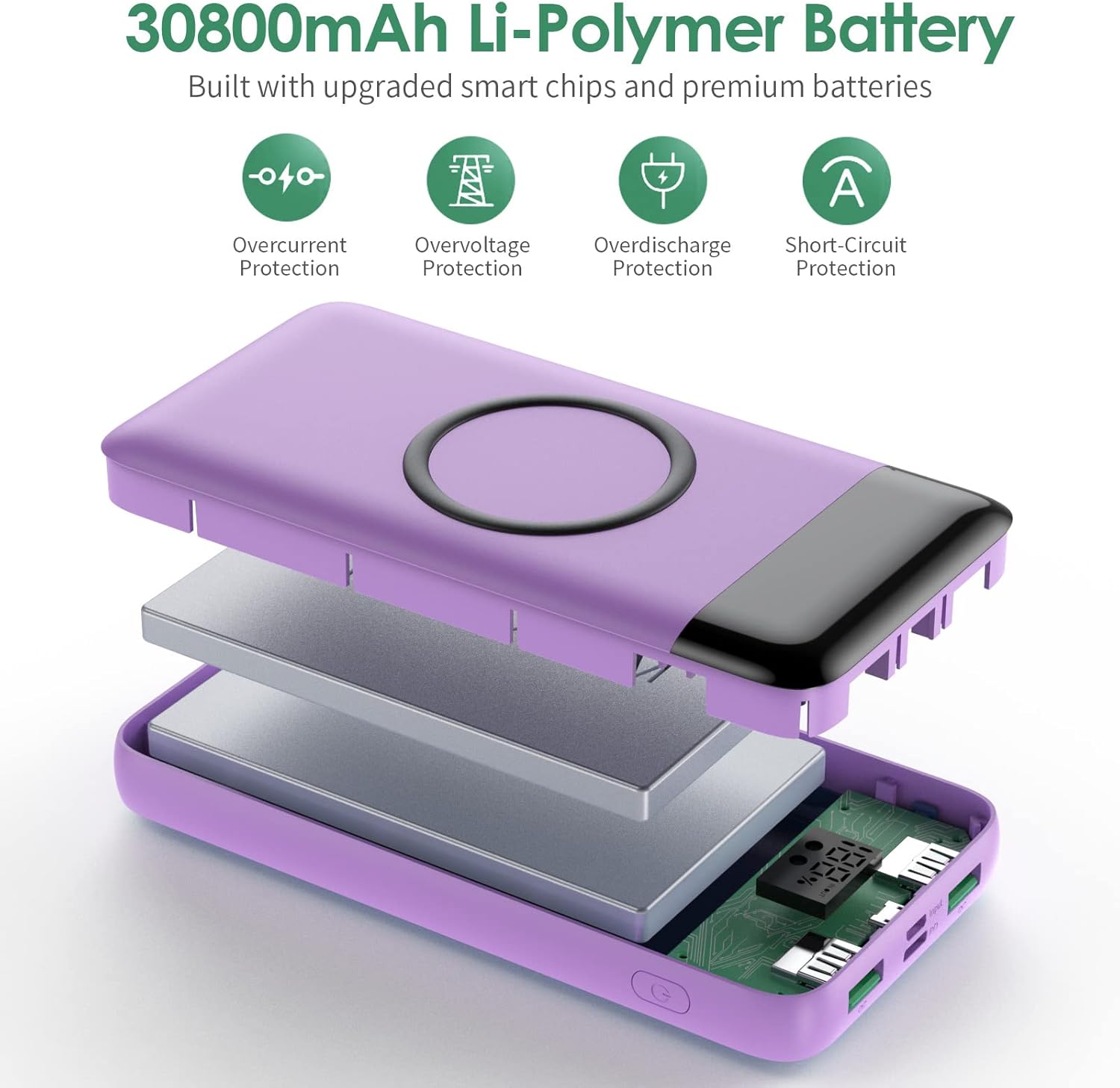
Imej: Meletup view of the power bank showing its 30,800mAh Li-Polymer battery and smart chips, highlighting overcurrent, overvoltage, overdischarge, and short-circuit protection features.
4. Persediaan dan Penggunaan Awal
4.1. Pengecasan Awal Bank Kuasa
Before first use, fully charge your power bank. This ensures optimal battery performance and longevity.
- Connect the provided Micro USB cable to the Micro USB Input port on the power bank, or use a USB-C to USB-C cable (not included) with the Type-C PD port.
- Connect the other end of the cable to a suitable USB wall adapter (not included).
- The LED display will show the charging progress. Charge until the display reads 100%.

Image: Illustration showing the power bank being recharged via a Type-C 25W PD charger (approx. 3.5 hours) and a Micro standard 2A charger (approx. 9 hours).
Nota: Charging times vary depending on the input method. Using a 25W PD Type-C charger will significantly reduce recharge time compared to a standard 2A Micro USB charger.
5. Arahan Operasi
5.1. Pengecasan Berwayar
- Press the Power On/Off button once to activate the power bank and view peratus bateritage.
- Connect your device's charging cable to one of the QC 4.0 USB Output ports or the Type-C PD Input/Output port on the power bank.
- Connect the other end of the cable to your device. Charging will begin automatically.
- The LED display will show the power bank's remaining charge.
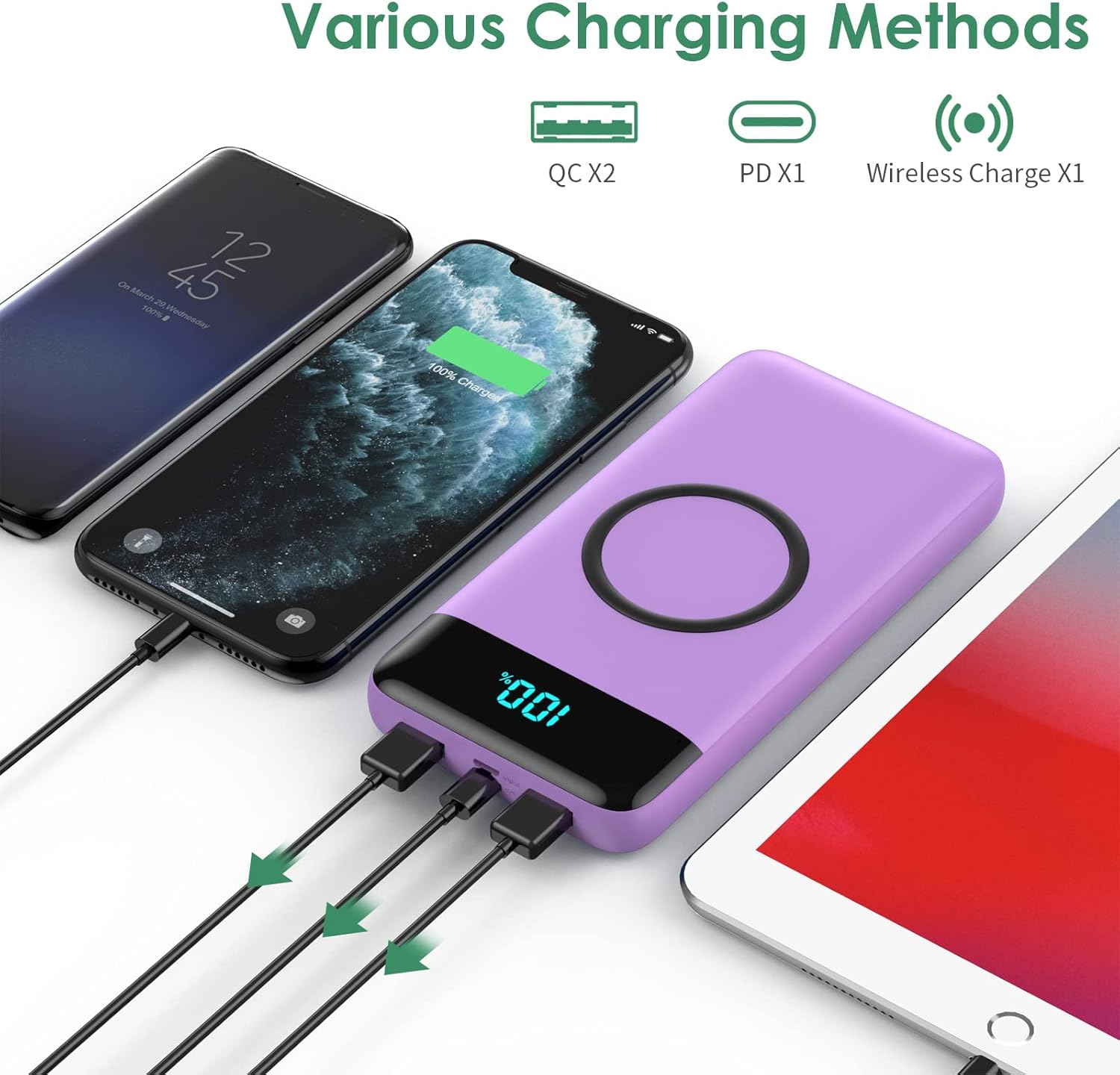
Image: The power bank simultaneously charging multiple devices (two smartphones and a tablet) using its various output ports.

Image: A smartphone connected to the power bank via a USB-C cable, indicating 75% charge and PD 25W fast charging.
5.2. Pengecasan Tanpa Wayar
- Press the Power On/Off button once to activate the power bank.
- Place your wireless charging-compatible device directly onto the wireless charging pad on the top surface of the power bank. Ensure the device is centered for optimal charging.
- The LED display will indicate wireless charging is active, and your device should show it is charging.
- For best results, remove your phone case if its thickness exceeds 5mm.

Image: A smartphone placed on the power bank's wireless charging pad, showing 75% charge and the wireless charging symbol, with power output options (5W, 7.5W, 10W, 15W) displayed.
Nota Penting: This wireless portable charger is not suitable for wireless charging of Bluetooth headphones.
6. Penyelenggaraan
- Jauhkan bank kuasa daripada suhu yang melampau, cahaya matahari langsung dan cecair.
- Bersihkan peranti dengan kain lembut dan kering. Jangan gunakan bahan kimia yang keras atau bahan yang melelas.
- Simpan bank kuasa di tempat yang sejuk dan kering apabila tidak digunakan.
- To maintain battery health, fully charge and discharge the power bank at least once every three months.
7. Penyelesaian masalah
| Masalah | Kemungkinan Punca | Penyelesaian |
|---|---|---|
| Device not charging via cable. | Power bank is off; cable is faulty; device is incompatible; power bank battery is depleted. | Press the power button; try a different cable; ensure device compatibility; recharge the power bank. |
| Peranti tidak mengecas secara wayarles. | Device not centered; phone case too thick; device not wireless charging compatible; power bank battery is depleted. | Reposition device; remove thick phone case; ensure device supports wireless charging; recharge the power bank. |
| Bank kuasa tidak mengecas. | Charging cable faulty; wall adapter faulty; port damaged. | Try a different charging cable and wall adapter; contact support if ports appear damaged. |
| Paparan LED kosong. | Power bank is off; battery is completely depleted. | Press the power button; recharge the power bank. |
8. Spesifikasi
| Ciri | Perincian |
|---|---|
| Kapasiti | 30,800mAh |
| USB Input (Micro USB) | 5V/2.1A |
| USB Input (Type-C PD) | 25W PD 3.0 (5V/3A) |
| USB Output (Dual QC 4.0) | 5V/3A |
| Output Tanpa Wayar | 5W, 7.5W, 10W, 15W Maks |
| Output Kuasa Maks | 25W |
| Dimensi Produk | 5.9 x 2.9 x 0.6 inci |
| Berat Barang | 13.7 auns |
| Nombor Model | HX160Q2 |
| Jenis Bateri | Polimer Litium |
| Ciri Khas | Wireless Charging, LCD Display, Ultra-large capacity |
9. Waranti dan Sokongan
FOCHEW provides a Waranti 24 bulan for this product, along with a Jaminan wang dikembalikan 60 hari. For any questions, technical support, or warranty claims, please feel free to contact the FOCHEW support team. Refer to the product packaging or official FOCHEW webtapak untuk maklumat hubungan.