
1. Pengenalan
Thank you for choosing the SHARP 9 kg Fully Automatic Top Load Washing Machine, model ES-T90N-BK. This appliance is designed for efficient and convenient laundry care. This manual provides essential information for safe installation, proper operation, effective maintenance, and troubleshooting common issues. Please read it thoroughly before using your washing machine to ensure optimal performance and longevity.

Imej 1.1: Depan view of the SHARP 9 kg Fully Automatic Top Load Washing Machine.
2. Maklumat Keselamatan Penting
Sentiasa ikuti langkah berjaga-jaga keselamatan asas apabila menggunakan peralatan elektrik untuk mengurangkan risiko kebakaran, renjatan elektrik dan kecederaan kepada orang.
- Baca semua arahan sebelum menggunakan perkakas.
- Jangan kendalikan sebarang perkakas dengan kord atau palam yang rosak, atau selepas perkakas tidak berfungsi atau terjatuh atau rosak dalam apa jua cara.
- Pastikan kawasan di sekitar mesin basuh bersih daripada bahan mudah terbakar.
- Pastikan perkakas dibumikan dengan betul.
- Jangan benarkan kanak-kanak bermain di atas atau di dalam perkakas.
- Cabut plag perkakas daripada bekalan kuasa sebelum membersihkan atau melakukan sebarang penyelenggaraan.
3. Persediaan dan Pemasangan
3.1 Membongkar
Carefully remove all packaging materials. The box includes: 1 Washing machine unit, 1 User Manual, 1 Warranty Card, Fill Hose, and Drain Hose.
3.2 Penempatan
This is a freestanding appliance. Place the washing machine on a firm, level surface. Ensure there is adequate space around the unit for ventilation and access.
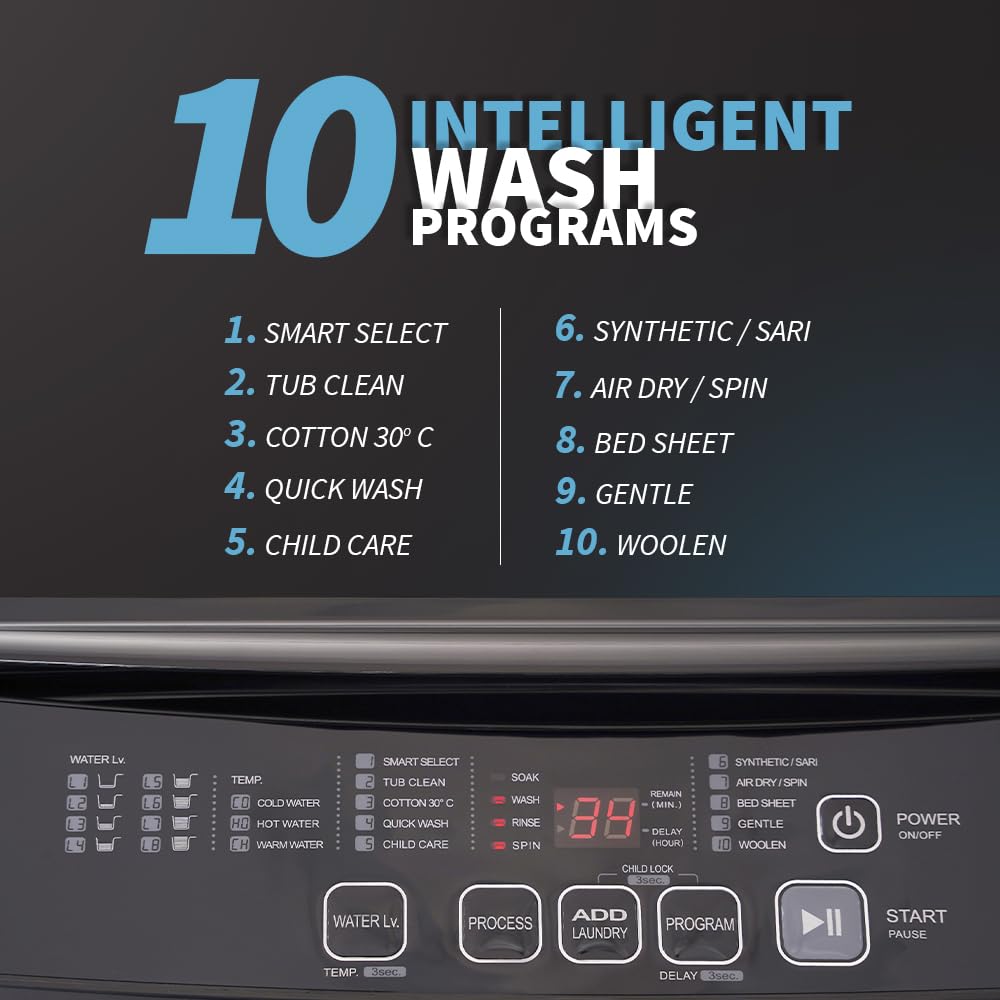
Image 3.1: Washing machine dimensions (950mm H x 542mm D x 552mm W) and energy efficiency guide.
3.3 Meratakan
The washing machine is equipped with adjustable leveling legs. Use a spirit level to ensure the machine is perfectly level to prevent excessive vibration and noise during operation. Adjust the legs by turning them clockwise or counter-clockwise.
3.4 Sambungan Air
Connect the provided fill hoses to the hot and cold water inlets at the back of the machine and to your household water supply. Ensure connections are tight to prevent leaks. The machine features a dual inlet for both hot and cold water.

Imej 3.2: Belakang view showing hot and cold water inlet connections.
Attach the drain hose to the designated outlet on the machine and route it to a suitable drain. Ensure the drain hose is not kinked or blocked.
4. Arahan Operasi
4.1 Panel Kawalan Selesaiview
The washing machine features a touch panel with a digital display for easy program selection and monitoring.

Image 4.1: Close-up of the touch control panel and digital display.
4.2 Memuatkan Dobi
Open the soft-closing lid and load clothes into the drum. Do not overload the machine beyond its 9 kg capacity. Distribute laundry evenly.


Image 4.2: The soft-closing lid and the 'Add Laundry' feature in action.
4.3 Memilih Program Cuci
The machine offers 10 wash programs. Use the touch controls to select the appropriate program for your laundry type:
- Pilihan Pintar: Automatic program for mixed loads.
- Pembersihan Tab: Untuk membersihkan dram mesin basuh.
- Cotton 30°C: For cotton items at a specific temperature.
- Basuh Cepat: Untuk barang kotor ringan yang memerlukan kitaran pantas.
- Child Care: Cuci lembut untuk pakaian bayi.
- Synthetic/Saree: For synthetic fabrics and delicate sarees.
- Air Dry/Spin: For drying clothes using air circulation and spinning.
- Bed Sheet: Optimized for washing bed linens.
- lembut: For delicate garments.
- Woollen: Specific program for wool items.


Image 4.3: Visual representation of the 10 wash programs and the One Touch Start button.
4.4 Ciri Tambahan
- Add Laundry: Pause the cycle to add forgotten items.
- Hot & Cold Wash: Utilize both hot and cold water inlets for optimized washing temperatures.
- Waterfall Wash: Provides an even water spray from the side during the wash cycle for enhanced cleaning.
- Kunci Kanak-kanak: Menghalang perubahan tidak sengaja pada tetapan semasa operasi.
- Kelewatan Mula: Tetapkan pemasa untuk kitaran basuhan bermula pada masa yang akan datang.
- Time Remaining Display: Shows the estimated time left for the current cycle.
- 8 Water Level Options: Allows for precise water usage based on load size.

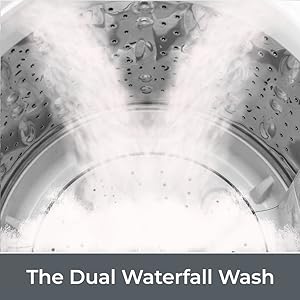
Image 4.4: Illustrations of the Hot & Cold Wash and Waterfall Wash features.
4.5 Memulakan Kitaran Basuh
- Muatkan pakaian dan masukkan detergen.
- Tutup penutup.
- Pilih program basuhan yang anda inginkan.
- Tekan butang 'Mula/Jeda' untuk memulakan kitaran.
5. Penyelenggaraan dan Penjagaan
5.1 Membersihkan Dram
Regularly use the 'Tub Clean' program to maintain hygiene and prevent odor buildup in the stainless steel drum. This program helps remove detergent residue and grime.
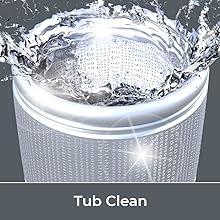
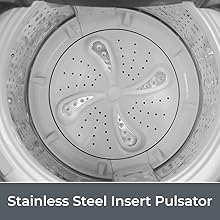
Image 5.1: The 'Tub Clean' function and the Stainless Steel Pulsator for durability and hygiene.
5.2 Pembersihan Luaran
Lap bahagian luar mesin dengan lembut, damp cloth. Avoid abrasive cleaners or solvents that could damage the glossy finish.
5.3 Protective Rat Mesh
The machine is equipped with a protective rat mesh. Periodically inspect and clean this mesh to ensure it remains free of debris and continues to provide protection.
6. Penyelesaian masalah
Sebelum menghubungi khidmat pelanggan, rujuk isu dan penyelesaian biasa berikut:
| Masalah | Kemungkinan Punca | Penyelesaian |
|---|---|---|
| Mesin tidak bermula | No power, lid not closed, 'Start/Pause' not pressed. | Check power connection, ensure lid is fully closed, press 'Start/Pause'. |
| No water filling or slow filling | Water supply off, inlet hose kinked/blocked, low water pressure. | Check water taps, straighten hoses, ensure adequate water pressure. If an error code appears due to slow water flow, open and close the lid to resume. |
| Getaran / bunyi yang berlebihan | Mesin tidak rata, beban tidak seimbang, bolt transit tidak ditanggalkan. | Adjust leveling legs, redistribute laundry, ensure transit bolts are removed (if applicable for initial setup). |
| Air tidak mengalir | Hos longkang tertekuk/tersumbat, penapis pam longkang tersumbat. | Check and clear drain hose, clean drain pump filter (refer to specific instructions in the full manual for filter location). |
7. Spesifikasi
| Ciri | Perincian |
|---|---|
| Jenama | TAJAM |
| Nama Model | ES-T90N-BK |
| Kapasiti | 9 kg |
| Dimensi Produk (D x W x H) | 62D x 60.5W x 100H Sentimeter |
| Berat Barang | 41.5 Kilogram |
| Mod Operasi | Beban Atas Automatik Sepenuhnya |
| Kelajuan Putaran Maks | 700 RPM |
| Voltage | 230 Volt (AC) |
| Bilangan Kitaran Standard | 10 |
| Bahan Drum | Keluli Tahan Karat |
| Pulsator Material | Keluli Tahan Karat |
| Peringkat Tenaga | 5 Bintang |
| Ciri Khas | Adjustable Leveling Legs, Child Lock, Drum Clean, Time Remaining Display, Toughened Glass Lid, Hot & Cold Water Dual Inlet, Soft Close, Add Laundry, Waterfall Wash |
8. Waranti dan Sokongan
8.1 Maklumat Waranti
This SHARP washing machine comes with a Waranti Komprehensif 2 Tahun on the unit and a Total 10 Years Warranty on the Motor from the date of purchase. Please retain your purchase receipt and warranty card for future reference. The warranty covers manufacturing defects under normal use conditions.
8.2 Sokongan Pelanggan
For any service, support, or warranty claims, please contact SHARP customer service:
- Bebas Tol: 1800-419-4322
- E-mel: support@sharp-oa.com
- Alamat Pengilang: Sharp Business Systems (India) Private Limited, Plot No. 51, First Floor, Okhla Industrial Estate, Phase-III, New Delhi- 110020