
1. Produk Lebihview
The IKEA KALLAX shelving unit with doors is a versatile storage solution designed for various spaces. It can function as a freestanding unit, against a wall, or as a room divider, offering flexibility in your home or office layout. The unit features multiple compartments, with two integrated doors for concealed storage, helping to maintain a tidy appearance. Its design allows for customization with various KALLAX inserts (sold separately) to suit individual storage needs.

Image 1.1: The KALLAX shelving unit with doors, displaying its use for both open and concealed storage.
2. Maklumat Keselamatan
To prevent serious or fatal crushing injuries, this furniture must be permanently fixed to the wall. Wall attachment devices are included. Ensure the wall material can support the weight of the unit and use appropriate hardware for your specific wall type. If you are unsure, consult a professional. Always place heavier items in the lower compartments. Do not allow children to climb or hang on the unit. Regularly check all assembly fittings and tighten them as necessary.
3. Kandungan Pakej
Before beginning assembly, ensure all parts are present and undamaged. The package typically includes:
- Main frame panels (top, bottom, sides, horizontal/vertical dividers)
- rak
- Door panels (2 units)
- Engsel dan pemegang pintu
- Assembly hardware (dowels, screws, cam locks, wall attachment fittings)
- Manual arahan pemasangan
Jika mana-mana bahagian yang hilang atau rosak, sila hubungi perkhidmatan pelanggan IKEA.
4. Persediaan dan Pemasangan
Assembly of the KALLAX shelving unit is required. Follow the detailed instructions provided in the separate assembly manual included with your product. A screwdriver and hammer are typically needed. It is recommended to assemble the unit on a soft, clean surface to prevent scratches.
- Buka bungkusan dan Kenal pasti: Carefully unpack all components and lay them out. Compare them with the parts list in the assembly manual.
- Pasang Bingkai: Follow the step-by-step diagrams to connect the main frame panels using dowels, screws, and cam locks. Ensure all connections are secure.
- Sisipkan Rak: Slide the shelves into their designated slots within the frame.
- Pasang Pintu: Assemble and attach the two door panels using the provided hinges and handles. Ensure doors open and close smoothly.
- Lampiran Dinding: Secure the unit to the wall using the included wall attachment devices. This is a critical safety step.

Image 4.1: Dimensional drawing of the KALLAX shelving unit.
5. Pengendalian dan Penggunaan
The KALLAX shelving unit is designed for general storage and organization. It features 8 compartments, with 2 compartments equipped with doors for discreet storage.
- Storan: Use the open compartments for displaying books, decorative items, or storage boxes. The closed compartments are ideal for items you wish to keep out of sight.
- Pembahagi Bilik: Due to its finished back panel, the unit can be placed freestanding in a room to create distinct areas.
- Penyesuaian: Enhance functionality by adding KALLAX inserts such as drawers, additional shelves, or boxes (sold separately) to personalize your storage.

Image 5.1: KALLAX unit used horizontally, demonstrating its versatility.

Image 5.2: Detail of a KALLAX compartment in use.
6. Penyelenggaraan
To ensure the longevity and appearance of your KALLAX unit, follow these maintenance guidelines:
- Pembersihan: Lap bersih dengan kain dampened in a mild cleaner. Then wipe dry with a clean, dry cloth. Avoid abrasive cleaners or harsh chemicals.
- Berhabuk: Bersihkan permukaan dengan kerap dengan kain lembut dan kering.
- Pemeriksaan: Periksa semua skru dan kelengkapan secara berkala untuk memastikan ia ketat. Ketatkan semula jika perlu.
- Elakkan Kelembapan: Lindungi unit daripada kelembapan berlebihan dan sumber haba langsung.
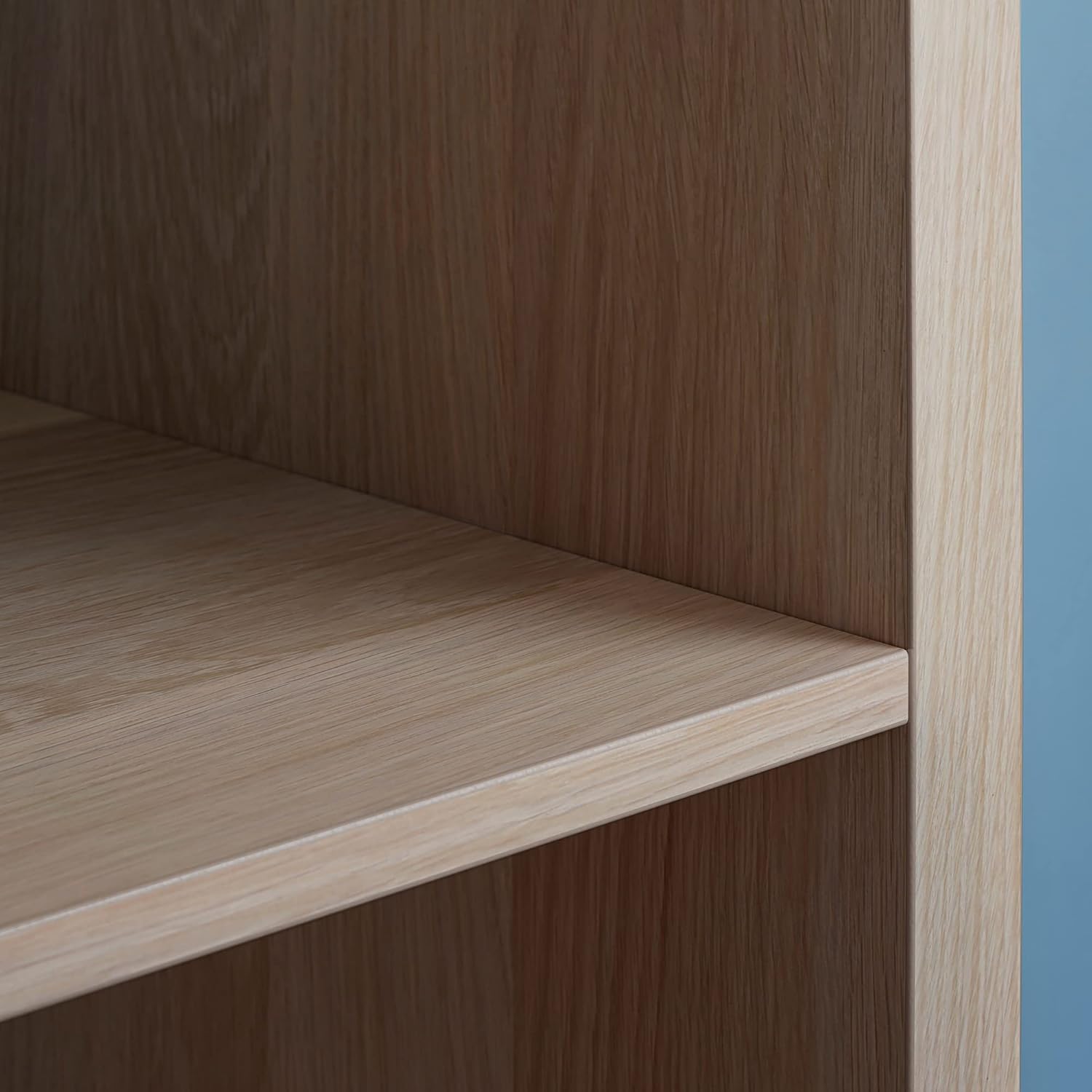
Image 6.1: Detail of the shelf finish.
7. Penyelesaian masalah
Jika anda menghadapi sebarang masalah dengan unit rak KALLAX anda, pertimbangkan perkara berikut:
- Unit goyah: Ensure all screws and cam locks are fully tightened. Verify that the unit is placed on a level surface. If wall-mounted, ensure the wall attachment is secure.
- Pintu Tidak Tertutup dengan Baik: Check the hinge alignment. Adjust the hinges if necessary according to the assembly instructions. Ensure no items are obstructing the door's path.
- Calar/Kemek: Minor damage can sometimes be touched up with furniture repair pens or wax fillers matching the finish.
For persistent issues or significant damage, contact IKEA customer support.
8. Spesifikasi
| Ciri | Perincian |
|---|---|
| Jenama | IKEA |
| Nombor Model | IK.891.974.23 |
| warna | Kesan Oak Berwarna Putih |
| bahan | Kayu Oak |
| Dimensi (W x H x D) | 76.5 sm (30 1/8") x 146.5 sm (57 5/8") x 39 sm (15 3/8") |
| Bilangan Petak | 8 |
| Bilangan Pintu | 2 |
| Bilangan Tahap | 4 |
| Jenis Pemasangan | Floor Mounting (Freestanding) |
| Perhimpunan Diperlukan | ya |
| Penggunaan yang Disyorkan | General storage and organization |
9. Waranti dan Sokongan
Produk IKEA direka untuk kualiti dan ketahanan. Untuk maklumat mengenai perlindungan waranti, sila rujuk kepada dokumentasi waranti yang diberikan bersama pembelian anda atau lawati IKEA rasmi webtapak untuk butiran khusus untuk wilayah anda.
For customer support, assembly assistance, or to report missing/damaged parts, please contact IKEA customer service through their official website or local store. Have your model number (IK.891.974.23) and proof of purchase ready.