
Dilwe Dilwe2p57fn3gtz-11
Dilwe French AZERTY Bluetooth Keyboard User Manual
Model: Dilwe2p57fn3gtz-11
Brand: Dilwe
1. Pengenalan
Thank you for choosing the Dilwe French AZERTY Bluetooth Keyboard. This slim, portable keyboard is designed for seamless connectivity with smartphones, tablets, laptops, and desktop computers, offering a comfortable and efficient typing experience. Its brushed metal texture provides a premium feel and non-slip surface. Please read this manual carefully to understand the product's features, setup, and operation.
2. Ciri-ciri Utama
- Brushed Metal Texture: The keyboard panel features a non-slip design, providing a high-end tactile experience.
- Kebolehgunaan Luas: Compatible with various devices including smartphones, tablets, laptops, and desktop computers via Bluetooth.
- Portable and Ultra-Thin: Designed for convenience, making it ideal for travel, business trips, or daily use.
- Reka bentuk pelbagai fungsi: Lightweight with quiet keys, offering waterproof and dustproof properties. Features a scissor-switch mechanism for fast typing and a good tactile feel.
- 10-inch Widened and Enlarged Layout: Provides more keys and wider keycaps compared to standard 7-inch keyboards, enhancing the user experience.
3. Spesifikasi
| Ciri | Perincian |
|---|---|
| Bahan Produk | ABS, Logam |
| Versi Bluetooth | 3.0 (Standard MICR Interface) |
| Julat Berkesan | Dalam 10 Meter |
| Kaedah Modulasi | GFSK |
| Bekerja Voltage | 1.8 hingga 3.6V |
| Bekerja Semasa | Arus Siap Sedia: 0.3~0.5mA |
| Tidur Semasa | Mengecas Arus: ≥200mA |
| Masa Tunggu Sedia | >30 Hari |
| Masa Bekerja Berterusan | 44 Jam |
| Kapasiti Bateri Terbina dalam | Bateri Litium 110mAh |
| Kuasa Utama | 80±10g |
| Kehidupan Utama | 5 Juta Klik |
| Suhu Bekerja | -10 hingga 55 ℃ |
| Dimensi Pakej | 10 x 7.01 x 0.51 inci |
| Berat Barang | 7.8 auns |
4. Kandungan Pakej
Sila semak pakej untuk item berikut:
- 1 x Dilwe French AZERTY Bluetooth Keyboard
- 1 x Kabel Pengecasan
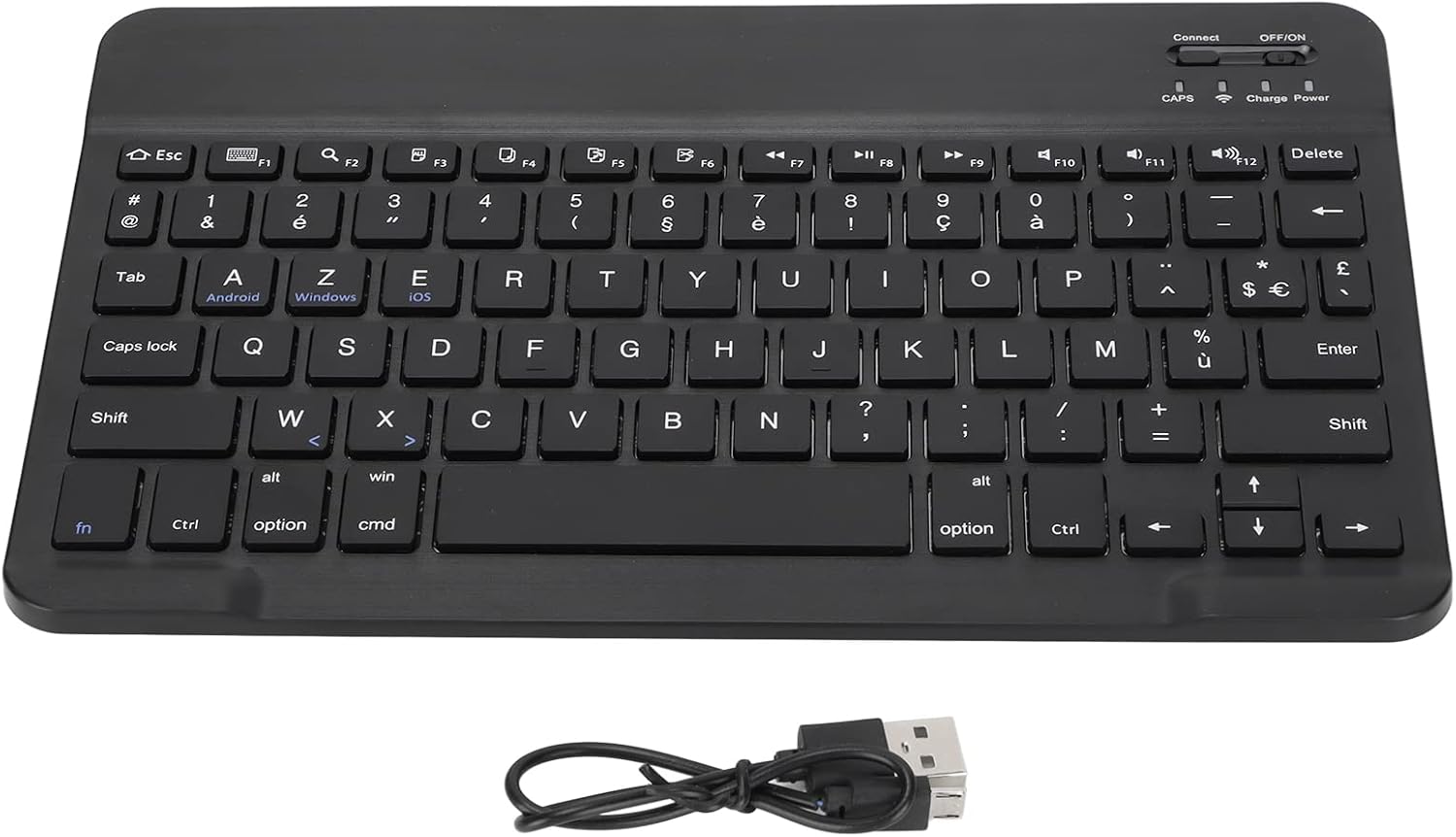
Image: The Dilwe Bluetooth Keyboard shown alongside its included charging cable.
5. Panduan Persediaan
Follow these steps to connect your Dilwe Bluetooth Keyboard to your device:
- Hidupkan Papan Kekunci: Locate the ON/OFF switch on the top right side of the keyboard. Slide the switch to the "ON" position.
- Activate Bluetooth Pairing: Short press the "Connect" button, usually located near the ON/OFF switch. The Bluetooth indicator light (often blue) will start blinking, indicating the keyboard is in pairing mode.
- Dayakan Bluetooth pada Peranti Anda: On your mobile phone, tablet, or computer, go to the Bluetooth settings.
- Pair the Keyboard: In your device's Bluetooth settings, search for available devices. You should see "Bluetooth Keyboard" or a similar name appear in the list. Select it to initiate the pairing process.
- Sahkan Sambungan: Once paired, the Bluetooth indicator light on the keyboard will stop blinking and remain solid (or turn off, depending on the model). Your device should also confirm a successful connection. The keyboard is now ready for use.

Imej: A terperinci view of the 'Connect' button and 'OFF/ON' switch on the top right of the keyboard, essential for initiating Bluetooth pairing.

Image: The Dilwe Bluetooth Keyboard positioned with a tablet and a smartphone, illustrating its compatibility with various mobile devices.
6. Arahan Operasi
Once connected, the Dilwe Bluetooth Keyboard functions like a standard keyboard. Here are some general operating tips:
- Menaip: Simply begin typing. The keyboard will transmit input to your connected device.
- Kekunci Fungsi (F1-F12): Many function keys have secondary multimedia or system control functions (e.g., volume, playback, screen lock). These often require pressing the Fn key simultaneously with the desired function key. Refer to your device's operating system for specific key mappings.
- Operating System Specific Keys: The keyboard includes keys labeled for Android, Windows, and iOS. These keys may provide specific shortcuts or functions depending on the operating system of your connected device.
- Penjimatan Kuasa: The keyboard is designed with power-saving features, including a sleep mode after a period of inactivity. Press any key to wake it up.

Image: A full top-down view of the Dilwe French AZERTY Bluetooth Keyboard, showcasing its layout and key functions.

Imej: Dari dekat view of the keyboard's keys, highlighting the French AZERTY layout and keycap details.
7. Penyelenggaraan
To ensure the longevity and optimal performance of your Dilwe Bluetooth Keyboard, follow these maintenance guidelines:
- Pembersihan: Gunakan kain lembut, kering dan bebas serabut untuk mengelap permukaan papan kekunci. Untuk kotoran degil, sedikit dampen kain dengan air atau pembersih yang lembut dan tidak melelas. Elakkan kelembapan berlebihan.
- Penyingkiran habuk: Gunakan udara termampat untuk mengeluarkan habuk dan serpihan dari antara kekunci.
- Storan: Apabila tidak digunakan untuk tempoh yang lama, simpan papan kekunci di tempat yang sejuk dan kering jauh dari cahaya matahari langsung dan suhu yang melampau.
- Elakkan Cecair: Although the keyboard has some water-resistant properties, avoid spilling liquids directly onto it. If a spill occurs, power off the keyboard immediately and allow it to dry completely before reuse.
- mengecas: Charge the keyboard using the provided charging cable. Avoid using unapproved chargers, which may damage the battery.
8. Penyelesaian masalah
If you encounter issues with your Dilwe Bluetooth Keyboard, try the following troubleshooting steps:
| Masalah | Kemungkinan Punca / Penyelesaian |
|---|---|
| Papan kekunci tidak bersambung melalui Bluetooth. |
|
| Kekunci tidak bertindak balas atau menaip dengan salah. |
|
| Papan kekunci kerap terputus sambungan. |
|
| Bateri cepat habis. |
|
9. Waranti dan Sokongan
Dilwe products are manufactured with high-quality standards. For warranty information, technical support, or service inquiries, please refer to the warranty card included with your purchase or visit the official Dilwe website. You may also contact the seller directly through the platform where you purchased the product for assistance.
Untuk maklumat lanjut, lawati Dilwe Store on Amazon.
Ask a question about this manual
Ask about setup, troubleshooting, compatibility, parts, safety, or missing instructions. Manuals+ will review the question and use this page’s manual context to help answer it.