
Amkette 584
Amkette Pocket Mate Digital FM Radio with Bluetooth Speaker User Manual
Model: 584
1. Produk Lebihview
The Amkette Pocket Mate Digital FM Radio with Bluetooth Speaker is a versatile and portable audio device designed for various listening experiences. It features wireless music streaming via Bluetooth, FM radio functionality with an extendable antenna, and multiple playback options including Micro SD card and USB input. Equipped with a 5W speaker, it delivers clear and robust sound. The device also includes a 3.5mm headphone jack for private listening and a number pad for easy station and song selection. Its compact design and long-lasting battery make it ideal for on-the-go entertainment.
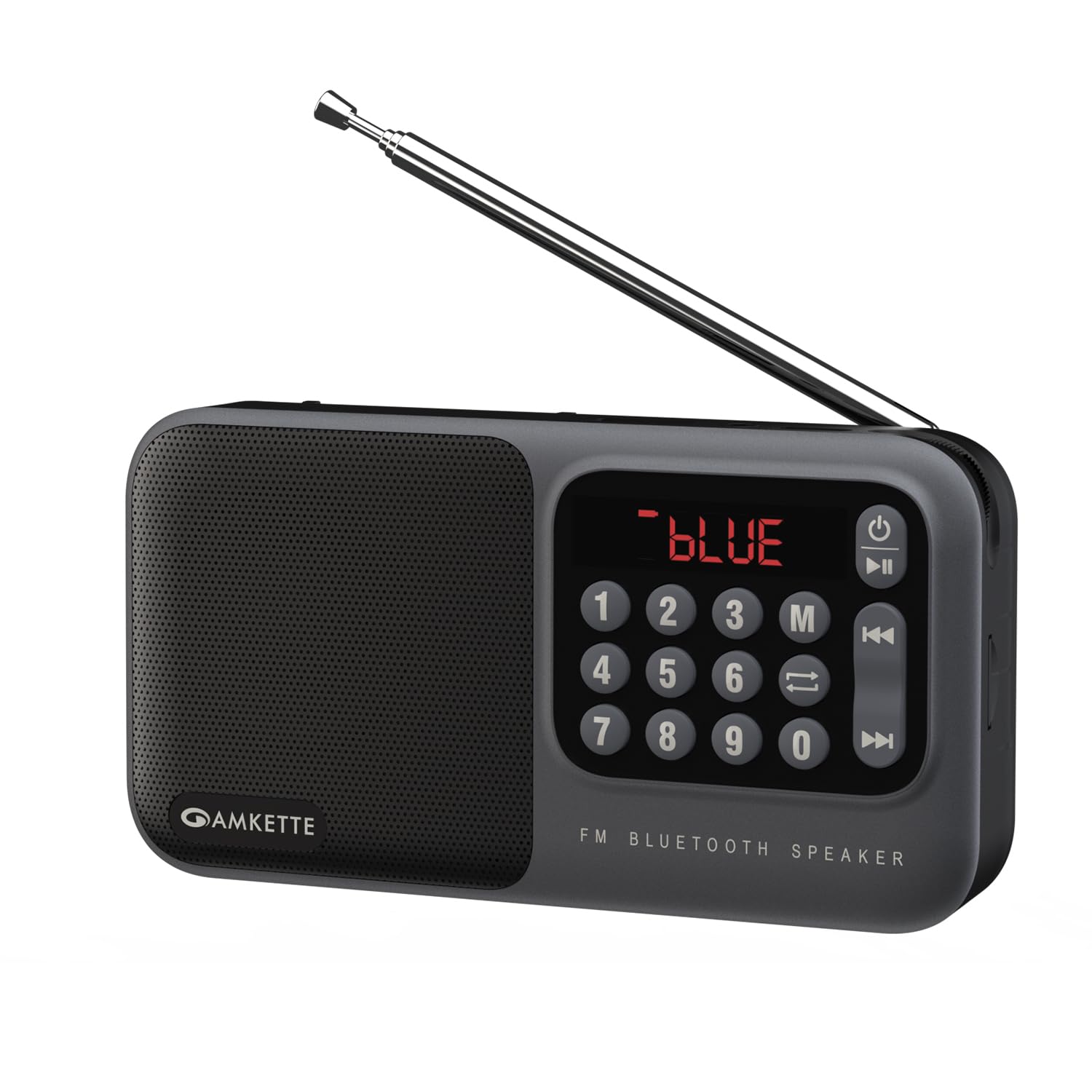
Figure 1: Amkette Pocket Mate Digital FM Radio with Bluetooth Speaker (Grey model).
2. Komponen dan Kawalan
Familiarize yourself with the various components and controls of your Amkette Pocket Mate for optimal use.
- Butang Kuasa: Digunakan untuk menghidupkan atau mematikan peranti.
- Butang Mod (M): Cycles through available modes: FM Radio, Bluetooth, Micro SD, USB.
- Butang Main/Jeda: Controls playback in various modes.
- Butang Trek Sebelumnya/Seterusnya: Menavigasi antara trek atau stesen radio.
- Pad Nombor (0-9): For direct input of FM frequencies or track numbers.
- Paparan led: Shows current mode, frequency, track number, and battery status.
- Tombol Kelantangan: Rotary control for adjusting audio volume.
- Antena Boleh Dipanjangkan: For enhanced FM radio signal reception.
- Slot Kad Mikro SD: For inserting a Micro SD card for audio playback.
- Input USB: For connecting a USB drive for audio playback.
- Bicu Fon Kepala 3.5mm: Untuk menyambungkan fon kepala atau pembesar suara luaran.
- Port Pengecasan Jenis-C: Untuk mengecas peranti.

Rajah 2: Jarak dekat view of the LED display and number pad for quick access to functions.
Rajah 3: Sisi view illustrating the various input ports and controls.
3. Persediaan
3.1 Pengecasan Awal
Before first use, fully charge your Amkette Pocket Mate. Connect the provided Type-C charging cable to the charging port on the device and the other end to a compatible USB power adapter (not included) or a computer's USB port. The LED display will indicate charging status. A full charge typically takes approximately 1.5 hours and provides up to 8 hours of playtime, depending on usage and volume level.
3.2 Menghidupkan/Mematikan
Tekan dan tahan butang Kuasa (⏻) located on the device to turn it on or off. The LED display will light up upon activation.
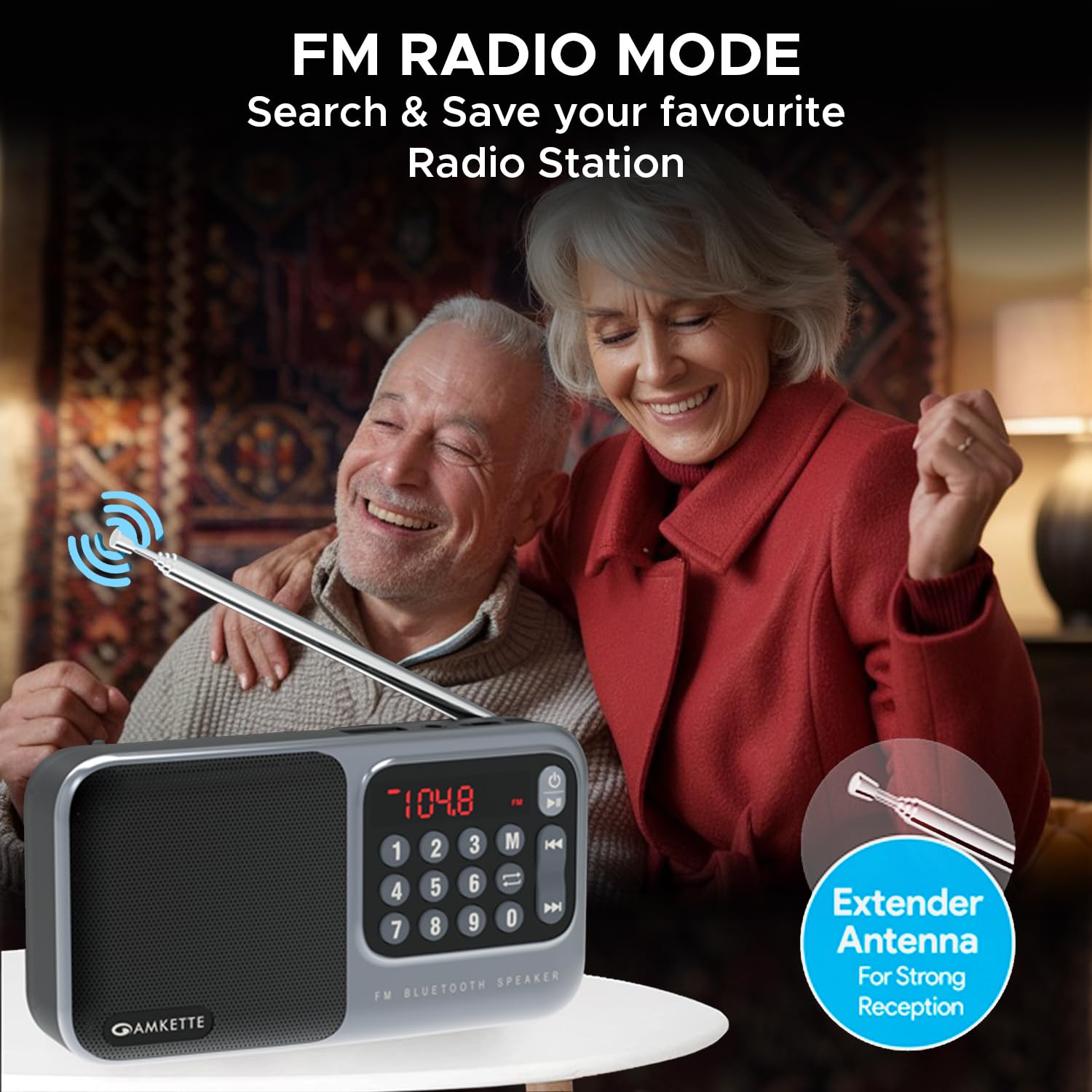
Figure 4: The device is highly portable and offers up to 8 hours of battery life.
4. Arahan Operasi
4.1 Pemilihan Mod
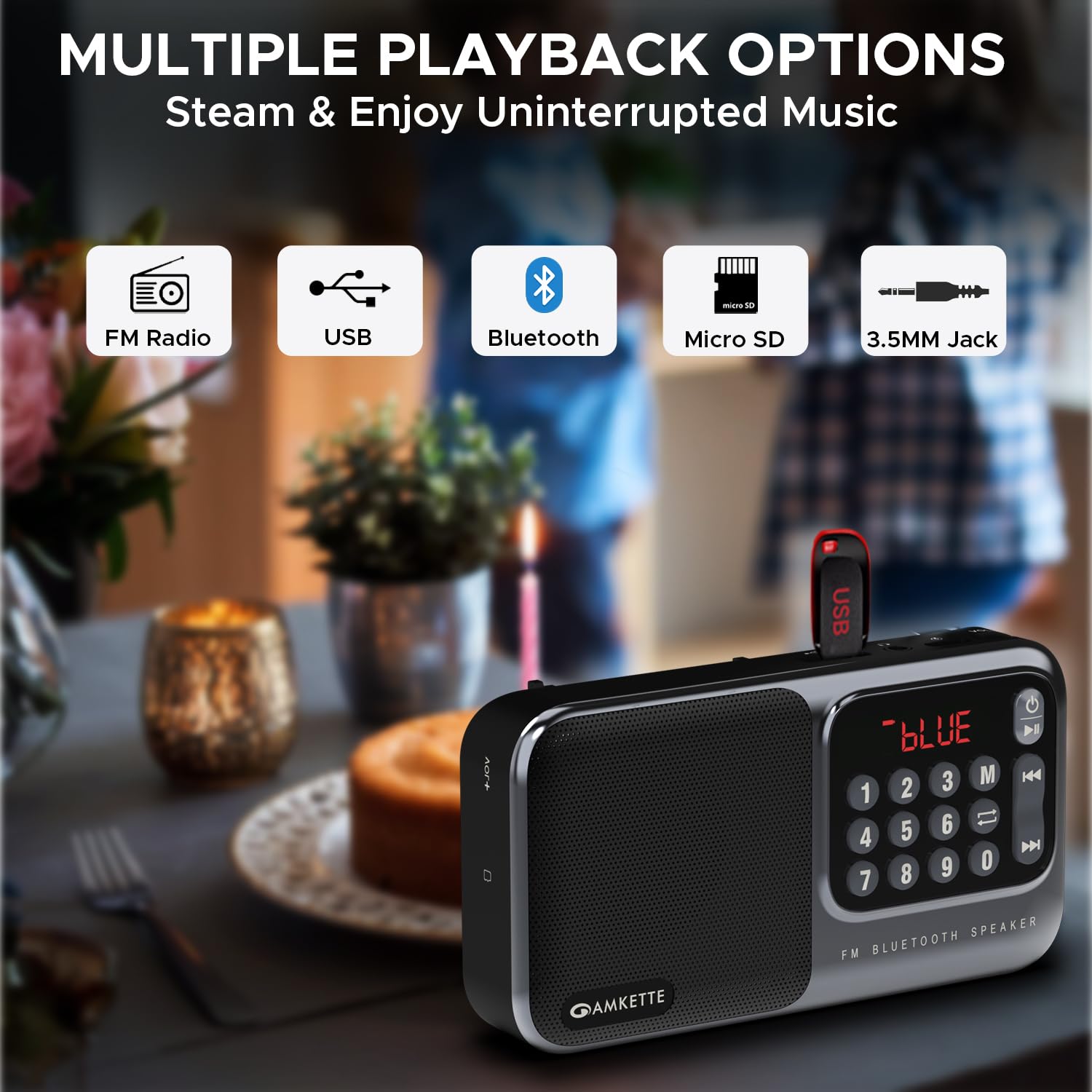
Tekan ke Mod (M) button repeatedly to cycle through the available playback modes: FM Radio, Bluetooth, Micro SD, and USB. The current mode will be displayed on the LED screen.

Figure 5: The device supports multiple playback options including FM Radio, USB, Bluetooth, Micro SD, and 3.5mm Jack.
Mod Radio 4.2 FM
- Antena: Extend the telescopic antenna for optimal FM signal reception.
- Imbasan Auto: Dalam mod FM, tekan dan tahan butang Main/Jeda button to initiate an automatic scan for available radio stations. The device will scan and save all found stations.
- Penalaan Manual: Gunakan Trek Sebelumnya / Seterusnya buttons to navigate through saved stations. Alternatively, use the number pad to directly input a desired FM frequency (e.g., 104.8 for 104.8 MHz) and press the Main/Jeda butang untuk mengesahkan.

Figure 6: The extendable antenna ensures strong FM signal reception for clear radio listening.
4.3 Mod Bluetooth
- Tukar kepada mod Bluetooth menggunakan Mod (M) button. The LED display will show "BLUE" or a similar indicator.
- On your smartphone or other Bluetooth-enabled device, search for "Amkette Pocket Mate" in the Bluetooth settings.
- Select the device to pair. Once connected, you can stream audio wirelessly.
- Gunakan Main/Jeda dan Trek Sebelumnya / Seterusnya buttons on the Pocket Mate or your connected device to control playback.
4.4 Micro SD Card / USB Playback
- Insert a Micro SD card or USB drive containing MP3 audio files into the respective slot/port.
- The device will automatically switch to the corresponding mode (or you can select it manually).
- Main semula akan bermula secara automatik. Gunakan Main/Jeda dan Trek Sebelumnya / Seterusnya butang untuk mengawal muzik anda.
- The number pad can be used to directly select a track number.
4.5 Headphone Jack / AUX Output
Connect your headphones or external speakers to the 3.5mm headphone jack for private listening or to amplify the sound through a larger audio system.
4.6 Kawalan Kelantangan
Putar Tombol Kelantangan clockwise to increase the volume and counter-clockwise to decrease it. The volume level will be displayed on the LED screen.
5. Penyelenggaraan
5.1 Pembersihan
Wipe the device with a soft, dry cloth. Do not use abrasive cleaners, waxes, or solvents as they may damage the finish. Avoid exposing the device to excessive dust or moisture.
5.2 Penjagaan Bateri
- Untuk memanjangkan hayat bateri, elakkan daripada menyahcas sepenuhnya bateri dengan kerap.
- Cas peranti secara berkala, walaupun tidak digunakan, untuk mengekalkan kesihatan bateri.
- Simpan peranti di tempat yang sejuk dan kering apabila tidak digunakan untuk tempoh yang lama.
- If the battery is user-replaceable (as indicated by some reviews), ensure to use only genuine Amkette replacement batteries.
6. Penyelesaian masalah
| Masalah | Kemungkinan Punca | Penyelesaian |
|---|---|---|
| Peranti tidak dihidupkan. | Bateri lemah atau tiada cas. | Cas peranti sepenuhnya menggunakan kabel Jenis-C yang disediakan. |
| Tiada bunyi atau bunyi rendah. | Volume too low; incorrect mode; faulty audio file/source. | Increase volume using the knob. Ensure correct mode is selected. Check audio source (SD card, USB, Bluetooth device). |
| Bluetooth tidak bersambung. | Device not in pairing mode; out of range; previously paired device connected. | Ensure Pocket Mate is in Bluetooth mode. Move devices closer. Disconnect from other devices. Try unpairing and re-pairing. |
| Sambutan FM yang lemah. | Antena tidak dilanjutkan; kawasan isyarat lemah. | Fully extend the telescopic antenna. Try repositioning the device for better signal. |
| Micro SD/USB not playing. | Tidak disokong file format; rosak files; card/drive not inserted correctly. | pastikan files are in MP3 format. Reinsert the card/drive. Try a different card/drive. |
7. Spesifikasi
| Ciri | Perincian |
|---|---|
| Jenama | Amkette |
| Nama Model | Pocket Mate FM |
| Nombor Model | 584 |
| Dimensi Produk | 3.9 x 7.4 x 16.2cm; 320g |
| Kuasa Keluaran Pembesar Suara | 5 Watt |
| Teknologi Ketersambungan | Bluetooth |
| Antara Muka Perkakasan | MicroSD, USB |
| Teknologi Penala | FM |
| Peranti Serasi | PC, Laptop, All Bluetooth enabled devices, Android, iPhone |
| Sumber Kuasa | Dikuasakan Bateri |
| Jenis Bateri | Litium Ion (termasuk) |
| Masa Main Semula | Sehingga 8 Jam |
| Jenis Paparan | LED |
| Port Pengecasan | Jenis-C |
| Negara Asal | China |
8. Waranti dan Sokongan
8.1 Manufacturing Warranty
The Amkette Pocket Mate Digital FM Radio with Bluetooth Speaker comes with a Hassle-Free 1 Year Manufacturing Warranty dari tarikh pembelian. Waranti ini melindungi kecacatan pada bahan dan mutu kerja di bawah penggunaan biasa.
Waranti tidak meliputi:
- Kerosakan yang disebabkan oleh kemalangan, penderaan, penyalahgunaan, banjir, kebakaran, gempa bumi atau sebab luaran yang lain.
- Damage caused by operating the product outside the permitted or intended uses described by Amkette.
- Damage caused by service (including upgrades and expansions) performed by anyone who is not a representative of Amkette or an Amkette Authorized Service Provider.
- Products or parts that have been modified to alter functionality or capability without the written permission of Amkette.
- Consumable parts, such as batteries, unless failure has occurred due to a defect in materials or workmanship.
8.2 Sokongan Pelanggan
For any issues, queries, or support requests, please contact Amkette customer support. You can reach us via phone or WhatsApp.
Please refer to the contact information provided with your product packaging or visit the official Amkette webtapak untuk mendapatkan butiran sokongan terkini.
Ask a question about this manual
Ask about setup, troubleshooting, compatibility, parts, safety, or missing instructions. Manuals+ will review the question and use this page’s manual context to help answer it.