
1. Pengenalan
This manual provides comprehensive instructions for the safe and efficient use of your ALITOVE 12V 3A 36W Universal AC/DC Power Adapter. Please read this manual thoroughly before operating the device and retain it for future reference.
2. Produk Lebihview
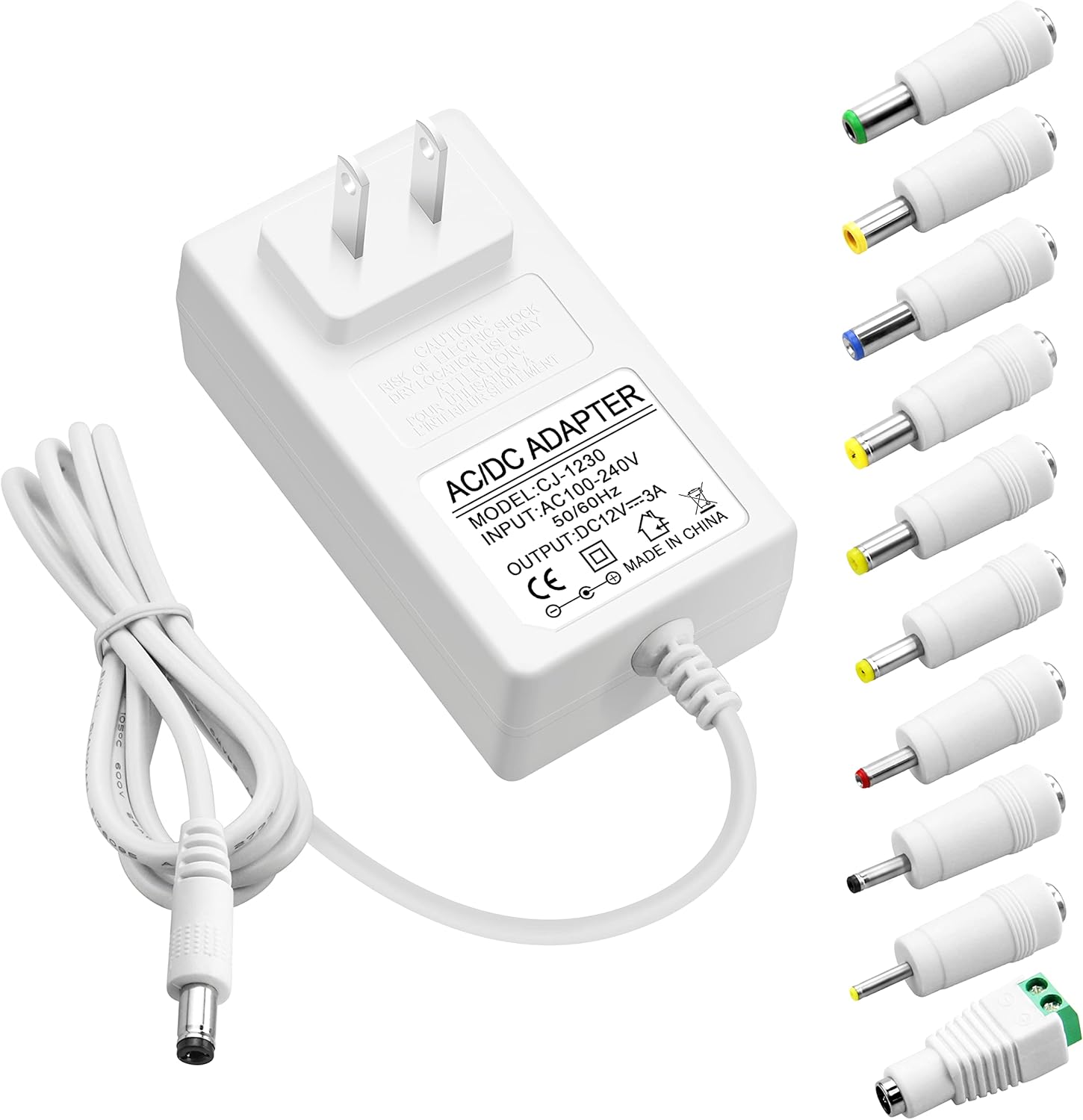
The ALITOVE 12V 3A 36W Universal AC/DC Power Adapter is designed to provide stable power to a wide range of 12V electronic devices. It features multiple safety protections and comes with 10 interchangeable DC tips for broad compatibility.
2.1 Kandungan Pakej
- 1x ALITOVE 12V 3A Power Supply Adapter
- 10x DC Connector Tips
2.2 Adapter Features
- Input: 100V-240V AC, 50/60Hz
- Output: 12V DC, 3A (Maks. 36W)
- Keserasian: Works with 12V devices requiring less than 3A (e.g., 500mA, 1000mA, 1.5A, 1.8A, 2A, 2.5A, 2.8A).
- Bahan: Robust PC & ABS shell for durability and flame resistance.
- Kord Kuasa: Made of high-quality oxygen-free copper for better conductivity and reliability.
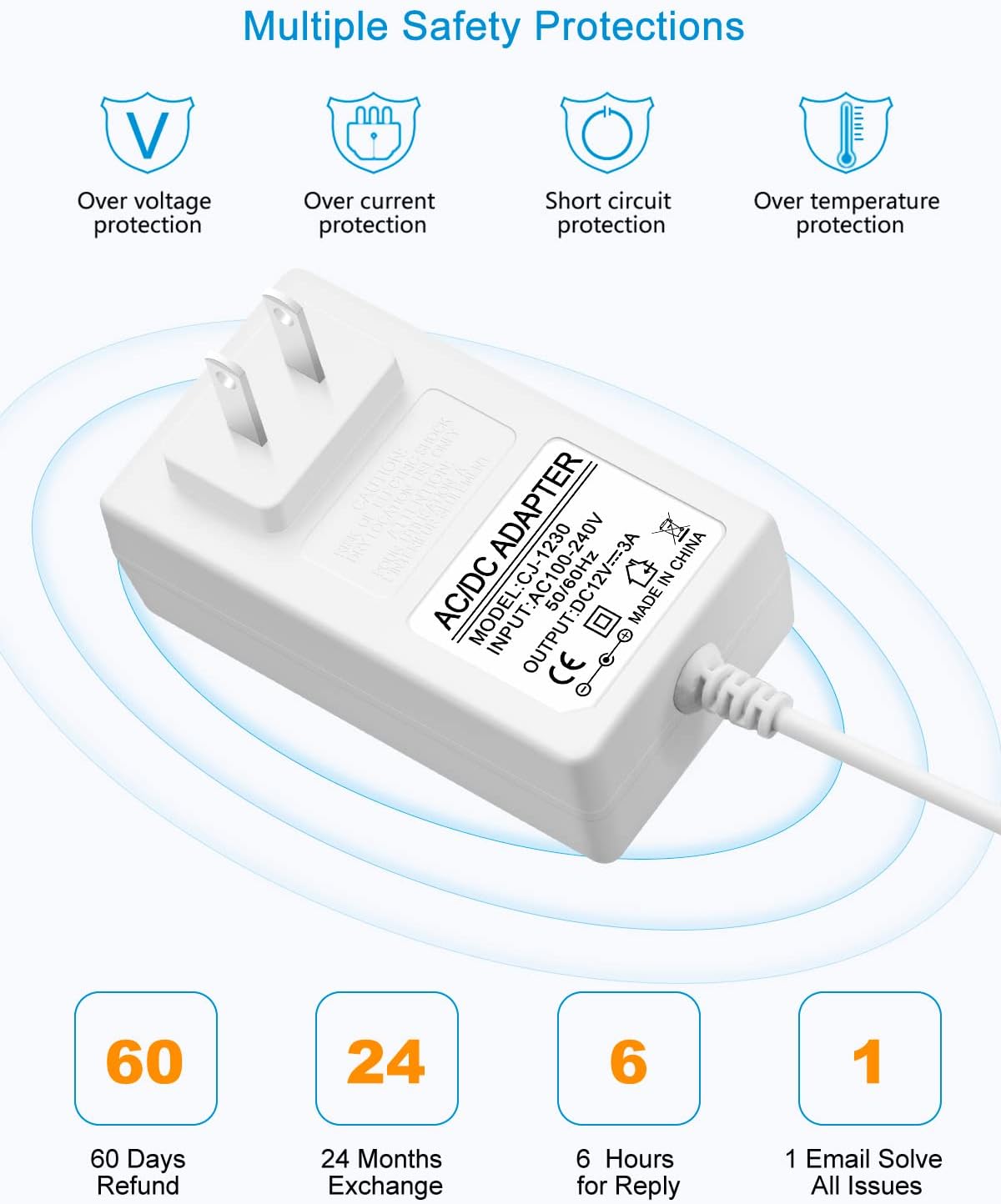
- Keselamatan: Terbina dalam lebihan semasa, lebihan voltage, lebih suhu dan perlindungan litar pintas.
2.3 DC Connector Tips
The adapter includes an original 5.5x2.5mm tip and 10 additional frequently used tips. The polarity for all tips is internal "+" and external "-".
- 5.5x2.1mm
- 5.5x3.0mm + Pin
- 5.5x1.7mm
- 4.8x1.7mm
- 4.0x1.7mm
- 3.5x1.35mm
- 3.0x1.1mm
- 2.5x0.7mm
- 6.3x3.0mm
- Penyambung Terminal

3. Arahan Persediaan
Follow these steps to correctly set up your power adapter:
- Identify Device Requirements: Before connecting, verify the voltage dan amperage requirements of your electronic device. This adapter is suitable for 12V devices requiring 3A or less.
- Select the Correct DC Tip: Choose the DC connector tip that matches the input port of your device. Ensure a snug fit.
- Connect Tip to Adapter: Firmly insert the selected DC tip onto the output cable of the ALITOVE power adapter.
- Sambung ke Peranti: Plug the DC tip into your electronic device's power input port.
- Sambung ke Alur Kuasa: Palamkan penyesuai kuasa AC ke soket dinding standard 100-240V.


4. Arahan Operasi
Once connected, the power adapter will supply power to your device. Observe the following guidelines for optimal performance and safety:
- Jangan Bebankan: Ensure the connected device's current draw does not exceed 3A. Overloading can damage the adapter and the connected device.
- Muatan yang disyorkan: For prolonged lifespan and stable operation, it is recommended that the maximum power usage should not exceed 80% of the adapter's full load (i.e., for a 36W adapter, use with devices requiring up to 29W).
- Vol. Stabiltage: The adapter is designed to provide a stable 12V output, protecting your devices from fluctuating voltage.

5. Maklumat Keselamatan
Your ALITOVE power adapter is equipped with multiple safety features to protect both the adapter and your connected devices.
5.1 Perlindungan Terbina Dalam
- Lebih-voltage Perlindungan: Menghalang kerosakan daripada vol yang berlebihantage.
- Perlindungan lebihan semasa: Automatically cuts off power if current exceeds safe limits.
- Perlindungan Litar pintas: Perlindungan terhadap litar pintas.
- Perlindungan lebih suhu: Mencegah terlalu panas.
5.2 Amaran Keselamatan Am
- Jangan dedahkan penyesuai kepada air atau kelembapan berlebihan.
- Do not disassemble or attempt to repair the adapter. Refer servicing to qualified personnel.
- Avoid using the adapter in extremely hot or cold environments.
- Jauhkan daripada kanak-kanak.
- Ensure proper ventilation around the adapter during use.

6. Spesifikasi
| Ciri | Spesifikasi |
|---|---|
| Nombor Model | ALT-1203 |
| Input Voltage | 100-240V AC, 50/60Hz |
| Keluaran Voltage | 12V DC |
| Arus Keluaran | 3A Maks |
| Output Wattage | Maksimum 36W |
| Polariti | Internal "+", External "-" |
| Jenis Penyambung | Barrel Connector (with 10 interchangeable tips) |
| Dimensi Produk | 3.94 x 3.15 x 2.36 inci |
| Berat Barang | 4.9 auns |
| warna | putih |
| Ciri Khas | Short Circuit Protection, Over-voltage Protection, Over-current Protection, Over-temperature Protection |
7. Penyelenggaraan
Proper maintenance ensures the longevity and reliable operation of your power adapter.
- Pembersihan: Disconnect the adapter from the power outlet and device before cleaning. Use a soft, dry cloth to wipe the surface. Do not use liquid cleaners or sprays.
- Storan: Apabila tidak digunakan, simpan penyesuai di tempat yang sejuk dan kering jauh dari cahaya matahari langsung dan suhu yang melampau.
- Penjagaan Kabel: Avoid bending or crimping the power cord excessively, especially at the stress points, to prevent internal wire damage.

8. Penyelesaian masalah
If you encounter issues with your ALITOVE power adapter, refer to the following common problems and solutions:
| Masalah | Kemungkinan Punca | Penyelesaian |
|---|---|---|
| Peranti tidak dihidupkan | Incorrect DC tip selected Adapter not fully plugged in Device requires more than 3A Salur keluar kuasa rosak | Ensure correct tip is used Semak semua sambungan Verify device's current requirements (must be ≤3A) Uji dengan saluran keluar yang berbeza |
| Penyesuai terasa panas | Operasi biasa (sedikit kehangatan) Lebihan beban Pengudaraan yang lemah | If excessively hot, disconnect immediately Ensure device current is ≤3A Provide adequate space around adapter |
| Kuasa terputus-putus | Sambungan longgar Damaged cable/tip | Periksa semua sambungan untuk ketat Inspect cable and tips for visible damage; replace if necessary |
9. Waranti dan Sokongan
ALITOVE provides the following support for this product:
- 60 Days Refund: If you are not satisfied with the product.
- 24 Months Exchange: Untuk kecacatan atau kerosakan produk.
- Perkhidmatan Pelanggan: Expect a reply within 6 hours for inquiries. All issues aim to be resolved via email.
For further assistance or to claim warranty, please contact ALITOVE customer support through the retailer where the product was purchased or visit the official ALITOVE store online.