
pengenalan
Thank you for choosing the Baseus Adaman Digital Display Power Bank (Model: PPAD070001). This portable power bank is designed to provide reliable and efficient charging for your electronic devices. Please read this manual carefully before use to ensure proper operation and to maximize the lifespan of your device.
Maklumat Keselamatan
- Jangan dedahkan bank kuasa kepada suhu yang melampau, cahaya matahari langsung atau api.
- Elakkan menjatuhkan, membuka atau mengubah suai peranti.
- Jauhkan daripada air dan cecair lain.
- Gunakan hanya kabel pengecasan dan penyesuai yang diperakui.
- Jauhkan daripada kanak-kanak.
- Jika power bank mengembang, bocor atau mengeluarkan bau yang luar biasa, hentikan penggunaan dengan segera.
Kandungan Pakej
- Baseus Adaman Digital Display Power Bank (PPAD070001)
- Kabel Pengecas USB
- Manual Pengguna
Produk Selesaiview
The Baseus Adaman Power Bank (Model PPAD070001) is a portable charging solution featuring a digital display for battery status and multiple ports for wide compatibility. Its slim design makes it convenient for travel.

Imej: Atas view of the Baseus Adaman Power Bank showing its various input and output ports. From left to right: Type-C (Input/Output), IP/IN (Input), Micro/IN (Input), USB2 (Output), USB1 (Output).

Imej: Pro sampinganfile of the Baseus Adaman Power Bank, highlighting its slim and portable design.
- Pelabuhan Jenis-C: Supports both input and output (PD 3.0).
- USB1/USB2 Ports: Output ports for charging devices (QC 3.0).
- Port USB Mikro: Input port for charging the power bank.
- IP/IN Port: Input port for charging the power bank (e.g., for Apple Lightning cables).
- Paparan Digital: Menunjukkan peratusan bateri masa nyatatage.
Persediaan
Before first use, fully charge the power bank. This ensures optimal battery performance.
Mengecas Power Bank
- Connect the provided USB charging cable to one of the input ports on the power bank (Type-C, Micro-USB, or IP/IN).
- Sambungkan hujung kabel yang satu lagi ke pengecas dinding USB (tidak disertakan).
- Paparan digital akan menunjukkan status pengecasan dan peratusan bateritage.
- Once the display shows 100%, the power bank is fully charged. Disconnect it from the charger.
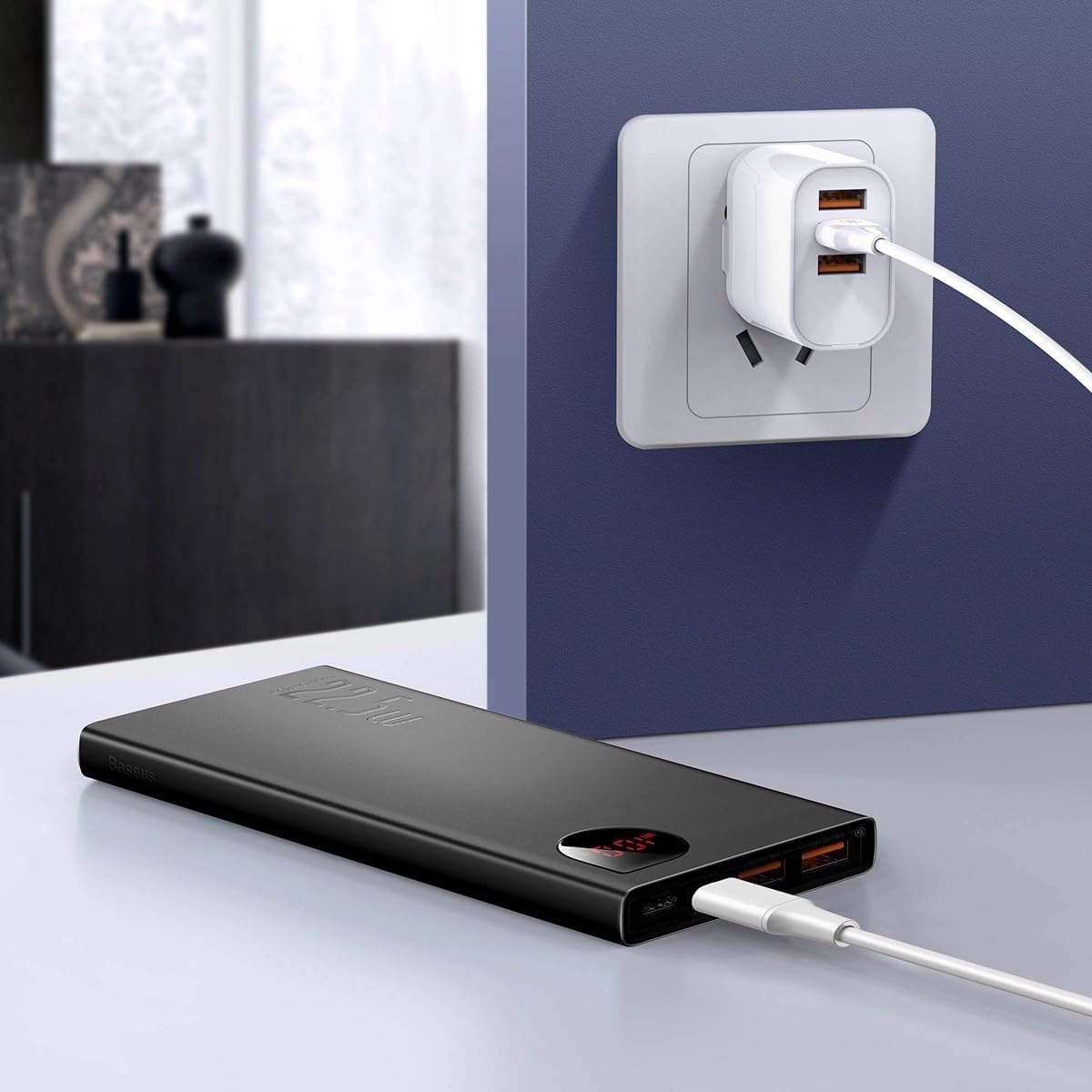
Imej: The Baseus Adaman Power Bank connected to a wall charger via a USB cable, illustrating the process of recharging the power bank itself.
Arahan Operasi
Mengecas Peranti Anda
- Connect your device's charging cable to one of the output ports on the power bank (Type-C, USB1, or USB2).
- Sambungkan hujung kabel yang lain ke peranti anda.
- Bank kuasa akan mula mengecas peranti anda secara automatik. Paparan digital akan menunjukkan baki peratusan bateritage.
- Untuk berhenti mengecas, cuma putuskan sambungan peranti anda daripada bank kuasa.

Imej: A smartphone being charged by the Baseus Adaman Power Bank, demonstrating the device's charging capability for mobile phones.
Menyemak Tahap Bateri
The digital display on the power bank will show the current battery percentage when it is in use or when a device is connected. If the power bank is idle, you may need to briefly press the power button (if available, not explicitly mentioned but common) to activate the display.
Penyelenggaraan
- Bersihkan bank kuasa dengan kain lembut dan kering. Jangan gunakan bahan kimia yang keras atau bahan yang melelas.
- Simpan bank kuasa di tempat yang sejuk dan kering apabila tidak digunakan.
- For optimal battery health, fully charge and discharge the power bank at least once every three months if it's not used regularly.
Menyelesaikan masalah
| Masalah | Kemungkinan Punca | Penyelesaian |
|---|---|---|
| Bank kuasa tidak mengecas peranti. | Low battery, faulty cable, incompatible device. | Charge the power bank. Try a different cable. Ensure your device is compatible. |
| Bank kuasa tidak mengecas. | Faulty charging cable/adapter, damaged port. | Try a different charging cable and wall adapter. Check ports for damage. |
| Paparan digital tidak berfungsi. | Power bank is off, low battery, malfunction. | Ensure power bank is on or connected to a device. Charge the power bank. If issue persists, contact support. |
Spesifikasi
| Ciri | Perincian |
|---|---|
| Nombor Model | PPAD070001 |
| Jenama | Baseus |
| Kapasiti Bateri | 10000 mAh |
| Ciri Khas | Paparan Digital |
| Jenis Penyambung | Input: USB Type-C, Micro-USB, IP/IN; Output: USB Type-C, USB-A (x2) |
| Voltage | 5 Volt |
| semasa | 5 Amps |
| Output Kuasa | Up to 22.5W (PD 3.0, QC 3.0) |
| Komposisi Sel Bateri | Polimer Litium |
| Bilangan Port Output | 3 (1x Type-C, 2x USB-A) |
| Number of Input Ports | 3 (1x Type-C, 1x Micro-USB, 1x IP/IN) |
| Peranti Serasi | All Smartphones and other USB-powered devices |
| Mudah alih | ya |
Waranti dan Sokongan
Produk ini disertakan bersama Tiada Waranti as per the provided specifications. For any technical support or inquiries, please refer to the official Baseus webtapak atau hubungi peruncit anda.
Untuk maklumat lanjut, layari: www.baseus.com