
1. Pengenalan
Thank you for choosing the 4Patriots 40-Watt Portable Solar Panel. This device is designed to provide a compact and reliable power source for your electronic devices using solar energy. It is ideal for outdoor activities such as camping, hiking, and RV trips, offering an eco-friendly way to keep your essential gadgets charged.
2. Maklumat Keselamatan
- Do not attempt to disassemble or modify the solar panel.
- Avoid exposing the panel to extreme temperatures, fire, or corrosive materials.
- Keep the panel dry. Do not immerse it in water.
- Handle the panel with care to prevent damage to the solar cells.
- Pastikan pengudaraan yang betul semasa beroperasi di ruang tertutup.
- Jauhkan daripada kanak-kanak.
3. Kandungan Pakej
Sahkan bahawa semua item terdapat dalam pakej anda:
- 4Patriots 40-Watt Portable Solar Panel
- Integrated carrying case
4. Produk Lebihview
The 4Patriots 40-Watt Portable Solar Panel is designed for convenience and efficiency. It features multiple foldable panels that collapse into a compact, laptop-sized carrying case. The panel includes a USB port for direct charging of compatible devices.

Image: The 4Patriots 40-Watt Portable Solar Panel shown both unfolded, revealing the solar cells, and folded into its compact carrying case with the 4Patriots logo.
5. Persediaan dan Operasi
5.1 Unfolding the Solar Panel
- Place the folded solar panel on a flat, stable surface.
- Unfold the panels completely, ensuring all solar cells are exposed to direct sunlight.
- Angle the panel towards the sun for optimal charging efficiency.
5.2 Menyambung Peranti

Imej: Dari dekat view of a hand plugging a USB charging cable into the integrated USB port located within the solar panel's carrying case flap.
- Locate the USB charging port on the solar panel (typically found within the storage flap).
- Connect your device's USB charging cable to the solar panel's USB port.
- Connect the other end of the cable to your electronic device.
- Ensure the solar panel is in direct sunlight. Charging will begin automatically.
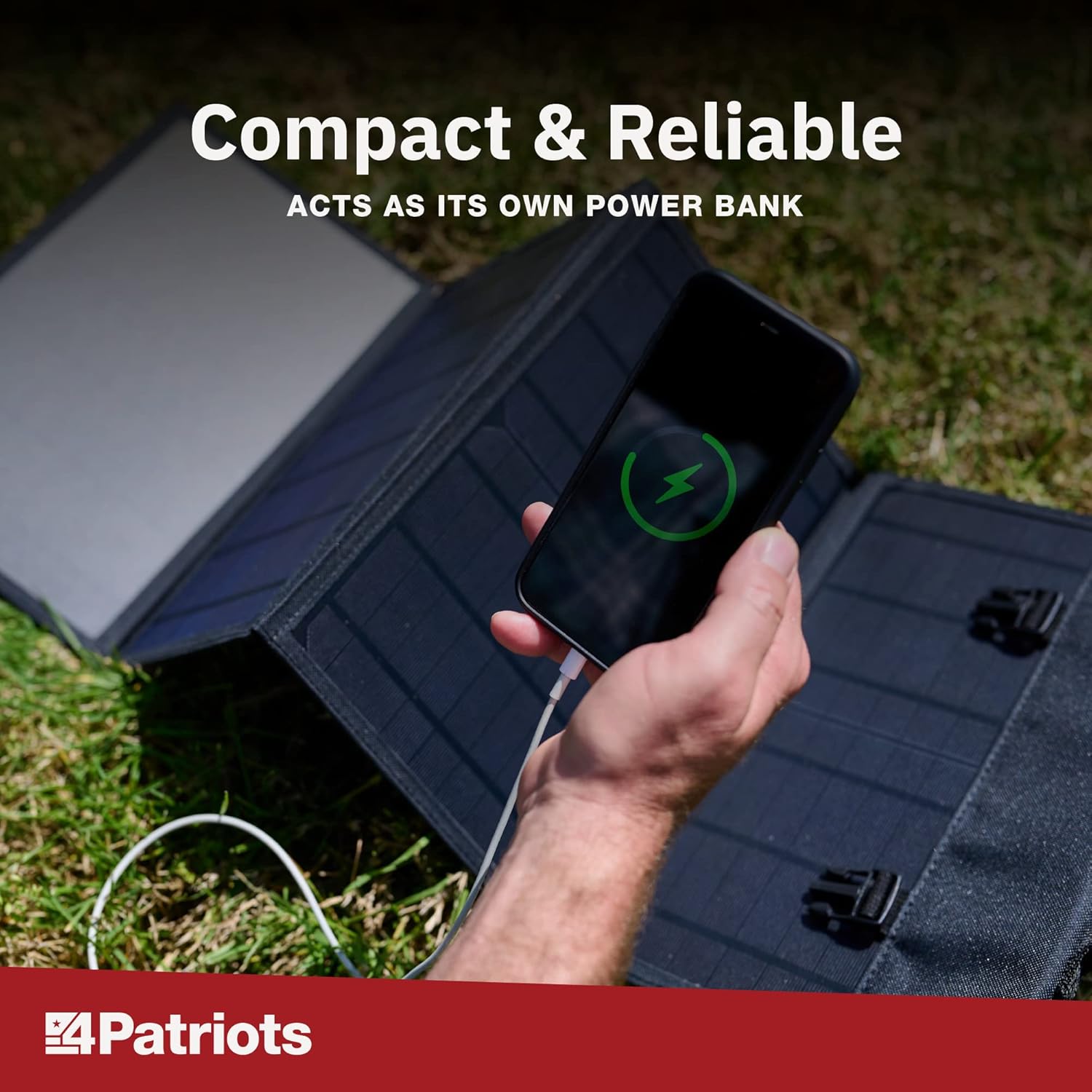
Image: A smartphone is shown charging, with a green lightning bolt icon on its screen, while connected to the unfolded 4Patriots solar panel on a grassy surface.
5.3 Keserasian Peranti
The 4Patriots 40-Watt Solar Panel is compatible with a wide range of USB-powered devices, including:
- Telefon pintar
- Tablet
- peranti GPS
- Radio
- Lampu suluh
- Laptops (depending on power requirements and specific charging cables)

Image: A graphic titled 'Charge Devices' showing icons for a mobile phone, laptop, CPAP machine, tablet, mini-fridge, and television, indicating the versatility of the solar panel for various electronics.
It can also be used in conjunction with the Patriot Power Sidekick mini solar generator for enhanced portable power solutions.

Image: The 4Patriots 40-Watt solar panel is shown unfolded on the ground, next to a Patriot Power Sidekick portable power station, demonstrating compatibility.
6. Penyelenggaraan
- Pembersihan: Lap panel solar secara berkala dengan kain lembutamp kain untuk menghilangkan habuk, kotoran atau serpihan yang boleh mengurangkan kecekapan. Jangan gunakan bahan kimia yang keras atau bahan yang kasar.
- Storan: Apabila tidak digunakan, lipat panel solar dan simpan di tempat yang sejuk dan kering, jauh daripada cahaya matahari langsung dan suhu yang melampau.
- Pemeriksaan: Periodically inspect the panel and cables for any signs of damage or wear.
7. Penyelesaian masalah
- Peranti tidak dicas:
- Ensure the solar panel is in direct, unobstructed sunlight. Shading can significantly reduce power output.
- Verify that the USB cable is securely connected to both the solar panel and your device.
- Test with a different USB cable or device to rule out cable or device issues.
- Check if the device requires more power than the 40-watt panel can provide.
- Pengecasan perlahan:
- Laraskan sudut panel untuk menghadap matahari secara langsung.
- Clean the surface of the solar cells to remove any dirt or dust.
- Charging speed can be affected by cloud cover, time of day, and geographical location.
- Panel appears damaged:
- Hentikan penggunaan serta-merta.
- Hubungi sokongan pelanggan untuk mendapatkan bantuan.
8. Spesifikasi
| Ciri | Spesifikasi |
|---|---|
| Jenama | 4Patriot |
| Nama Model | 40W |
| Wattage | 40 Watt |
| Voltage | 18 Volt |
| Sumber Kuasa | Berkuasa Suria |
| Berat Barang | 4 paun |
| Dimensi Produk (dilipat) | Approximately 43.1 x 1.1 x 12.9 inches (unfolded dimensions not specified, but implied by folded size) |
| Komponen yang Disertakan | Kes |
| Output Wattage | 40 Watt |
| Jumlah Outlet Kuasa | 1 (USB Port) |
9. Waranti dan Sokongan
4Patriots offers a 365-day money-back promise for this portable solar power source. If you are not satisfied with your purchase within 365 days, you may contact 4Patriots for a refund of your purchase price, no questions asked.
For further assistance, technical support, or warranty claims, please refer to the contact information provided with your product packaging or visit the official 4Patriots webtapak.