
pengenalan
This manual provides comprehensive instructions for the GMKtec G10 Mini PC, a compact desktop computer featuring an AMD Ryzen 5 3500U processor. It is designed for various applications including office work, home entertainment, and light gaming. This guide covers initial setup, operational procedures, maintenance tips, troubleshooting common issues, and detailed product specifications to ensure optimal performance and user experience.
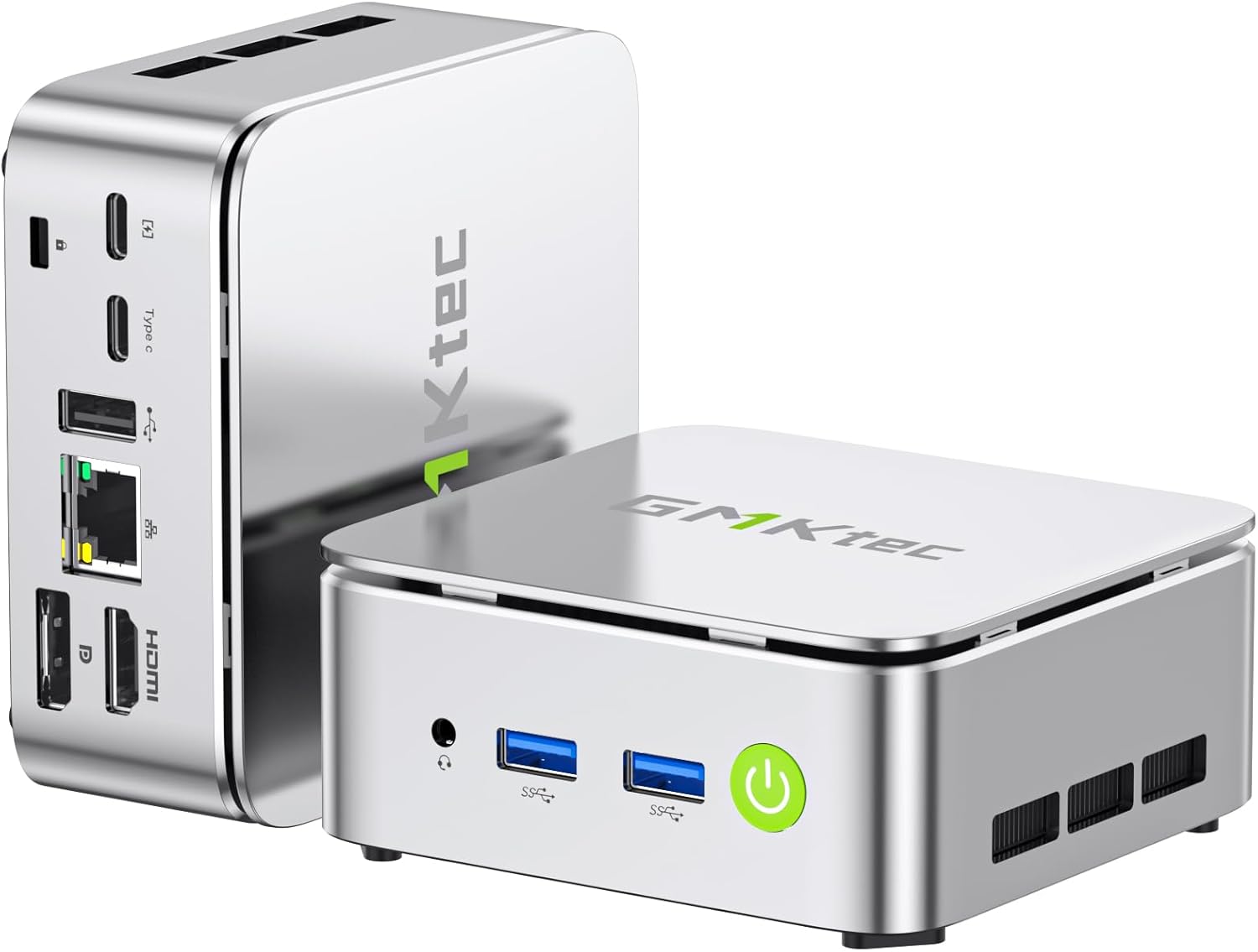
Image: The GMKtec G10 Mini PC, showcasing reka bentuknya yang padat dan pelbagai port.
Apa yang ada dalam Kotak
Upon opening the GMKtec G10 Mini PC package, you should find the following items:
- GMKtec Nucbox G10 Mini PC Ryzen 5 3500U Mini PC Computer
- Kabel HDMI
- Bekalan Kuasa Jenis-C
- Gunung VESA
- Manual Pengguna
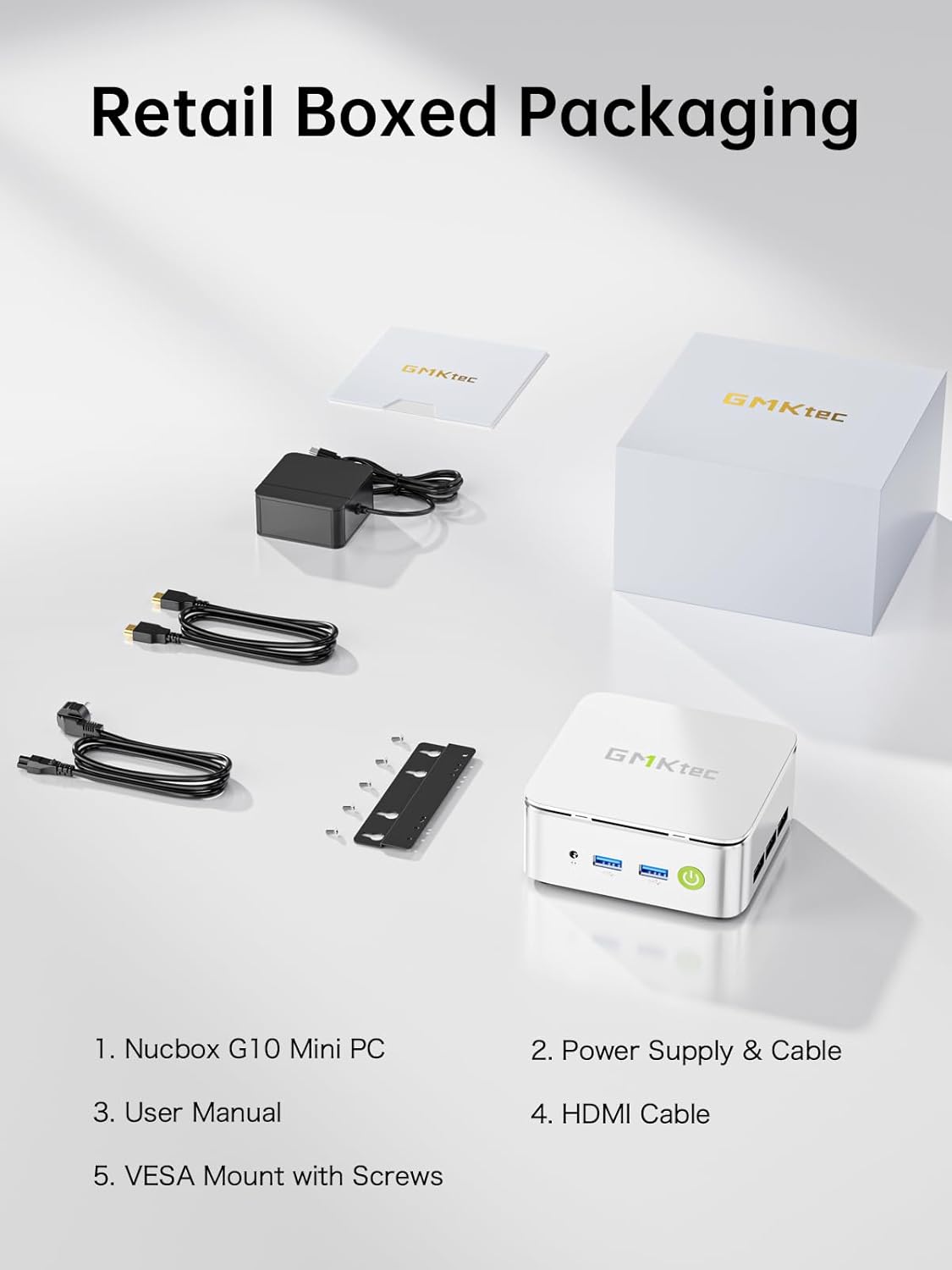
Image: All components included in the GMKtec G10 Mini PC retail packaging.
Panduan Persediaan
Ikuti langkah ini untuk menyediakan PC Mini GMKtec G10 anda:
- Sambung Peranti: Connect your keyboard, mouse, and monitor(s) to the available USB and display ports (HDMI, DisplayPort, or USB-C).
- Sambungan Kuasa: Connect the Type-C power supply to the designated power input port on the mini PC and then plug it into a power outlet.
- Hidupkan kuasa: Press the power button located on the front of the device. The power indicator light will illuminate.
- Initial Operating System Setup: If this is the first boot, follow the on-screen instructions to complete the operating system setup (e.g., Windows 11 Pro).

Imej: Terperinci view of the GMKtec G10 Mini PC's front and rear ports, including USB, HDMI, DisplayPort, and LAN.
Arahan Operasi
Operasi Asas
- Hidupkan/Mati Kuasa: Press the power button to turn the device on. To turn off, use the operating system's shutdown function or press and hold the power button for 5 seconds.
- Mulakan semula: Gunakan fungsi mula semula sistem pengendalian.
Persediaan Paparan
The GMKtec G10 supports triple 4K@60Hz display output via HDMI 2.1, DisplayPort 1.4, and a full-function USB-C port. Connect up to three monitors for extended desktop or mirrored display configurations.

Image: A GMKtec G10 Mini PC powering a triple monitor setup for enhanced productivity.
Rangkaian
The device features a 2.5GbE RJ45 LAN port for high-speed wired internet, WiFi 5 for wireless connectivity, and Bluetooth 5.2 for connecting wireless peripherals.

Image: The GMKtec G10 Mini PC demonstrating its wireless and wired networking capabilities.
Storage and Memory Expansion
The GMKtec G10 comes with 16GB dual-channel DDR4 RAM and a 512GB M.2 PCIe 3.0 SSD. Both are upgradeable:
- RAM: Expandable up to 32GB DDR4.
- Storan: Features dual M.2 2280 PCIe 3.0 slots, supporting up to 2x 8TB SSDs for a total of 16TB.

Imej: Meletup view of the GMKtec G10's internal components, highlighting the dual SO-DIMM DDR4 and M.2 SSD slots for upgrades.
Produk Selesaiview Video
Video: Tamatview of the GMKtec G10 Mini PC, detailing its features, ports, and internal components.
Penyelenggaraan
Penyelenggaraan yang betul memastikan jangka hayat dan prestasi optimum PC mini anda.
- Pembersihan: Regularly clean the exterior of the mini PC with a soft, dry cloth. Use compressed air to gently clear dust from the ventilation grilles to prevent overheating. Ensure the device is powered off and unplugged before cleaning.
- Kemas Kini Perisian: Keep your operating system and drivers updated to the latest versions. This improves security, stability, and performance.
- Sistem Penyejukan: The G10 features an advanced cooling system designed for quiet operation. Ensure the vents are not obstructed to allow for proper airflow.

Image: A graph demonstrating the low noise output of the G10 Mini PC's silent cooling system compared to typical office and outdoor noise levels.

Image: An exploded diagram illustrating the internal structure of the GMKtec G10, highlighting the cooling components.
Menyelesaikan masalah
If you encounter issues with your GMKtec G10 Mini PC, refer to the following common solutions:
- Tiada Kuasa:
- Pastikan penyesuai kuasa disambungkan dengan selamat pada kedua-dua PC mini dan salur keluar kuasa yang berfungsi.
- Sahkan alur keluar kuasa berfungsi dengan memasang peranti lain.
- Tiada Paparan:
- Check all display cable connections (HDMI, DisplayPort, USB-C) between the mini PC and the monitor(s).
- Pastikan monitor dihidupkan dan ditetapkan kepada sumber input yang betul.
- Cuba sambungkan ke paparan lain atau gunakan kabel lain.
- Tiada sambungan internet:
- For wired connection, ensure the Ethernet cable is properly connected to the 2.5GbE LAN port and your router/modem. Check router status.
- For Wi-Fi, verify that Wi-Fi is enabled in the operating system and you are connected to the correct network with the correct password.
- Prestasi Perlahan:
- Tutup aplikasi yang tidak perlu berjalan di latar belakang.
- Ensure the cooling vents are clear of obstructions to prevent thermal throttling.
- Check for and install any available operating system or driver updates.
If these steps do not resolve your issue, please contact GMKtec customer support for further assistance.
Spesifikasi
Detailed technical specifications for the GMKtec G10 Mini PC:
| Ciri | Spesifikasi |
|---|---|
| Pemproses | AMD Ryzen 5 3500U (4C/8T, up to 3.7GHz) |
| Grafik | Grafik AMD Radeon Vega 8 (1200 MHz) |
| RAM | 16GB DDR4 (Dual-channel, expandable up to 32GB) |
| Penyimpanan | 512GB M.2 PCIe 3.0 SSD (Dual M.2 2280 slots, expandable up to 2x 8TB) |
| Sistem Operasi | OS Pro (Windows 11 Pro compatible) |
| Output Video | HDMI 2.1, DisplayPort 1.4, USB-C (Triple 4K@60Hz display support) |
| LAN | 1x 2.5GbE RJ45 |
| Kesambungan Wayarles | WiFi 5, Bluetooth 5.2 |
| Port USB | 2x USB 3.2 Gen1, 1x USB 2.0, 1x USB-C (Full-Function: PD/DP/Data) |
| Audio | Bicu audio 3.5mm |
| Dimensi | 3.86 x 1.65 x 4.06 inci |
| Berat badan | 2.03 paun |
Waranti dan Sokongan
GMKtec is committed to providing reliable products and excellent customer service.
Maklumat Waranti
The GMKtec G10 Mini PC includes a full Waranti 1 tahun from the date of purchase. This warranty covers all hardware faults due to manufacturing defects or workmanship. Please retain your proof of purchase for warranty claims.
Sokongan Pelanggan
For any questions, technical assistance, or warranty claims, please contact our professional after-sales team:
- Sokongan E-mel: support@gmktec.com
- Sokongan dalam talian: Visit the GMKtec store on Amazon and navigate to the 'Contact Seller' option through your order history.

Image: GMKtec customer support details, including email and online contact methods.