
BUFFBEE BK11
BUFFBEE Sound Machine & Alarm Clock
Model: BK11 - User Manual
pengenalan
Thank you for choosing the BUFFBEE Sound Machine & Alarm Clock. This versatile 2-in-1 device combines a high-quality sound machine with a fully functional alarm clock, designed to help you achieve restful sleep and wake up refreshed. Its intuitive controls and customizable features make it an essential addition to any bedroom.

Image: The Buffbee Sound Machine and Alarm Clock highlighting its dual functionality as both a sound machine and an alarm clock.
Maklumat Keselamatan
- Jangan dedahkan peranti kepada air atau kelembapan berlebihan.
- Jauhkan dari sumber haba dan cahaya matahari langsung.
- Gunakan hanya penyesuai kuasa yang disediakan.
- Jangan cuba membuka atau membaiki peranti sendiri. Hubungi sokongan pelanggan untuk mendapatkan bantuan.
- Pastikan peranti diletakkan di atas permukaan yang stabil dan rata.
Kandungan Pakej
- BUFFBEE Sound Machine & Alarm Clock (Model: BK11)
- Penyesuai Kuasa
- Manual Pengguna
Produk Selesaiview
Biasakan diri anda dengan komponen dan kawalan peranti:

Image: A detailed diagram illustrating the top panel controls (Alarm, Volume Control, Sound Machine, Night Light) and the rear panel (Display Dimmer, Adapter port).
- Kawalan Panel Atas: Alarm button, Timer button, Volume Up/Down, Previous/Next Sound, Sound Machine button, Night Light button.
- Paparan Hadapan: Paparan jam digital.
- Cahaya Bawah: Integrated colored light.
- Panel belakang: DC 5V Adapter port, 0-100% Display Dimmer knob.
Persediaan
- penempatan: Place the device on a stable surface, such as a nightstand or desk.
- Sambungan Kuasa: Insert the power adapter into the DC 5V port on the rear of the device, then plug it into a standard electrical outlet.
- Kuasa Awal Hidup: Paparan jam akan menyala.
- Tetapkan Masa: Refer to the 'Operating Instructions' section for setting the current time.
Arahan Operasi
Menetapkan Masa
- Tekan dan tahan butang Masa button (clock icon) on the top panel until the hour digits flash.
- Gunakan Sebelumnya (◀︎) or Seterusnya (▶︎) buttons to adjust the hour.
- Tekan ke Masa butang sekali lagi untuk mengesahkan jam dan beralih ke tetapan minit.
- Gunakan Sebelumnya (◀︎) or Seterusnya (▶︎) buttons to adjust the minutes.
- Tekan ke Masa button one more time to confirm the minutes and exit time setting.
Menetapkan Penggera
- Tekan dan tahan butang Penggera button (bell icon) on the top panel until the alarm hour digits flash.
- Gunakan Sebelumnya (◀︎) or Seterusnya (▶︎) buttons to adjust the alarm hour.
- Tekan ke Penggera button again to confirm the hour and move to alarm minute setting.
- Gunakan Sebelumnya (◀︎) or Seterusnya (▶︎) buttons to adjust the alarm minutes.
- Tekan ke Penggera button one more time to confirm the minutes. The alarm icon will appear on the display, indicating the alarm is set.
- Untuk mematikan penggera, tekan butang Penggera butang sekali. Ikon penggera akan hilang.
Menggunakan Mesin Bunyi
The device offers 18 soothing sounds, including 5 white noises, 3 fan sounds, and 10 nature sounds (ocean, lullaby, waves, rain, thunderstorm, brook, croaking, bird chirping, summer night, and campapi).
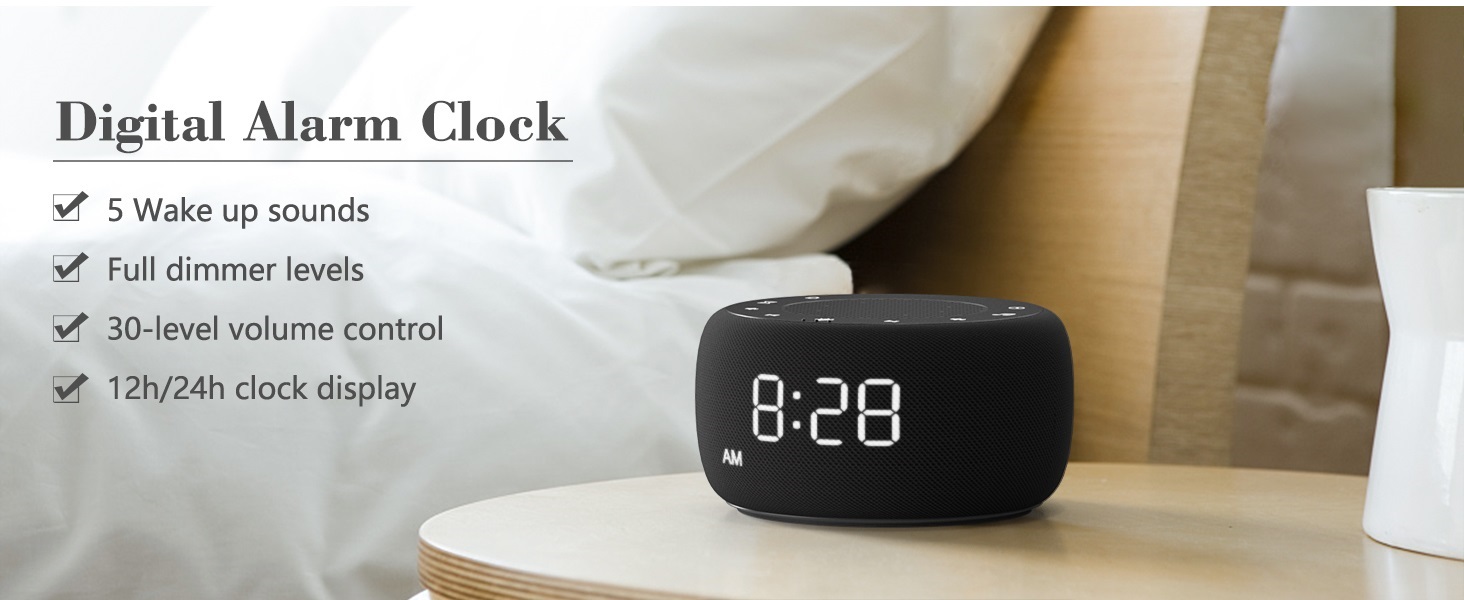
Image: An infographic displaying the 18 soothing sounds categorized into 3 fan sounds, 5 white noises, and 10 nature sounds, including ocean, lullaby, waves, rain, thunderstorm, brook, croaking, bird chirping, summer night, and campkebakaran.
- Tekan ke Mesin Bunyi button (music note icon) to cycle through the available sounds.
- Gunakan Kelantangan Naik (▲) dan Kelantangan Kurang (▼) buttons to adjust the volume (30 levels).
- To turn off the sound, press the Mesin Bunyi button until no sound is playing.
Pemasa Tidur
Set a timer for the sound machine to automatically turn off.

Image: The top panel of the Buffbee Sound Machine, highlighting the Auto-Off Timer button and the Volume Control buttons.
- Tekan ke Pemasa button (hourglass icon) to cycle through timer options: 15, 30, 60, 90, 120 minutes, or continuous play.
- The selected timer duration will be displayed on the screen.
Adjusting Clock Face Brightness
The clock display brightness can be adjusted from 0% (completely dark) to 100%.

Image: The Buffbee Sound Machine demonstrating its 0-100% display dimmer feature, showing the clock face at 0%, partial, and 100% brightness.
- Cari Paparan lebih malap knob on the rear of the device.
- Rotate the knob to increase or decrease the brightness of the clock display to your preference.
Using the Bottom Colored Light
The device features a bottom light with 7 color options to create a relaxing ambiance.

Image: The Buffbee Sound Machine displaying its bottom colored light feature, showing various color options and the ability to turn it on or off.
- Tekan ke Cahaya Malam button (light bulb icon) to cycle through the 7 color options.
- Continue pressing the button to turn the light off.
Penyelenggaraan
- Pembersihan: Lap peranti dengan kain lembut dan kering. Jangan gunakan pembersih atau pelarut yang melelas.
- Storan: Apabila tidak digunakan untuk tempoh yang lama, simpan peranti di tempat yang sejuk dan kering.
Menyelesaikan masalah
| Masalah | Kemungkinan Punca | Penyelesaian |
|---|---|---|
| Peranti tidak dihidupkan. | Power adapter not connected properly or power outlet issue. | Pastikan penyesuai kuasa dipasang dengan kukuh pada peranti dan soket elektrik yang berfungsi. Cuba soket lain. |
| Clock display is too bright/dim. | Display dimmer setting needs adjustment. | Adjust the 0-100% Display Dimmer knob on the rear of the device. |
| Bunyi tidak cukup kuat. | Kelantangan ditetapkan terlalu rendah. | Tekan ke Kelantangan Naik (▲) button to increase the volume. The device has 30 volume levels. |
| Penggera tidak berbunyi. | Alarm is not set or is turned off. | Ensure the alarm is set correctly and the alarm icon is visible on the display. |
Spesifikasi
| Ciri | Perincian |
|---|---|
| Nombor Model | BK11 |
| Dimensi | 5.63 x 4.57 x 3.03 inci |
| Berat badan | 11.64 auns |
| Sumber Kuasa | Battery Powered (for backup) / AC Adapter |
| Output Speaker | 5W |
| Pilihan Bunyi | 18 (5 white noises, 3 fan sounds, 10 nature sounds) |
| Tahap Kelantangan | 30 |
| Pemasa Tidur | 15, 30, 60, 90, 120 minit, atau berterusan |
| Kecerahan Paparan Jam | 0-100% boleh laras |
| Bottom Light Colors | 7 pilihan |
| bahan | Plastik, Akrilonitril Butadiena Stirena (ABS) |
Waranti dan Sokongan
For warranty information and customer support, please refer to the contact details provided on the product packaging or visit the official BUFFBEE webtapak. Simpan resit pembelian anda untuk tuntutan waranti.
Ask a question about this manual
Ask about setup, troubleshooting, compatibility, parts, safety, or missing instructions. Manuals+ will review the question and use this page’s manual context to help answer it.