
pengenalan
The Datalogic QuickScan QD2590 is a high-performance, handheld 2D barcode imager designed for various point-of-sale (POS) and general-purpose applications. This device offers fast and reliable scanning of 1D and 2D barcodes, ensuring efficient data capture. Its durable design and flexible connectivity options (USB, RS-232) make it suitable for diverse environments. This manual provides essential information for setting up, operating, maintaining, and troubleshooting your QD2590 scanner.
Persediaan
1. Membuka Kemasan Pengimbas
Keluarkan semua komponen dari pembungkusan dengan berhati-hati. Sahkan bahawa semua item yang disenaraikan dalam bahagian "Apa yang Ada di Dalam Kotak" ada.
- QuickScan QD2590 Portable 1D/2D Barcode Reader (Black)
2. Menyambungkan Pengimbas
The QD2590 scanner supports USB and RS-232 connectivity. Connect the appropriate cable to the scanner's interface port and then to your host device (computer, POS system).
Untuk Sambungan USB: Plug the USB cable into an available USB port on your computer. The scanner will typically be recognized automatically, and necessary drivers will be installed by the operating system.
For RS-232 Connection: Connect the RS-232 cable to a serial port on your host device. Ensure proper configuration of the serial port settings on your host system to match the scanner's default settings (e.g., baud rate, data bits, parity, stop bits).
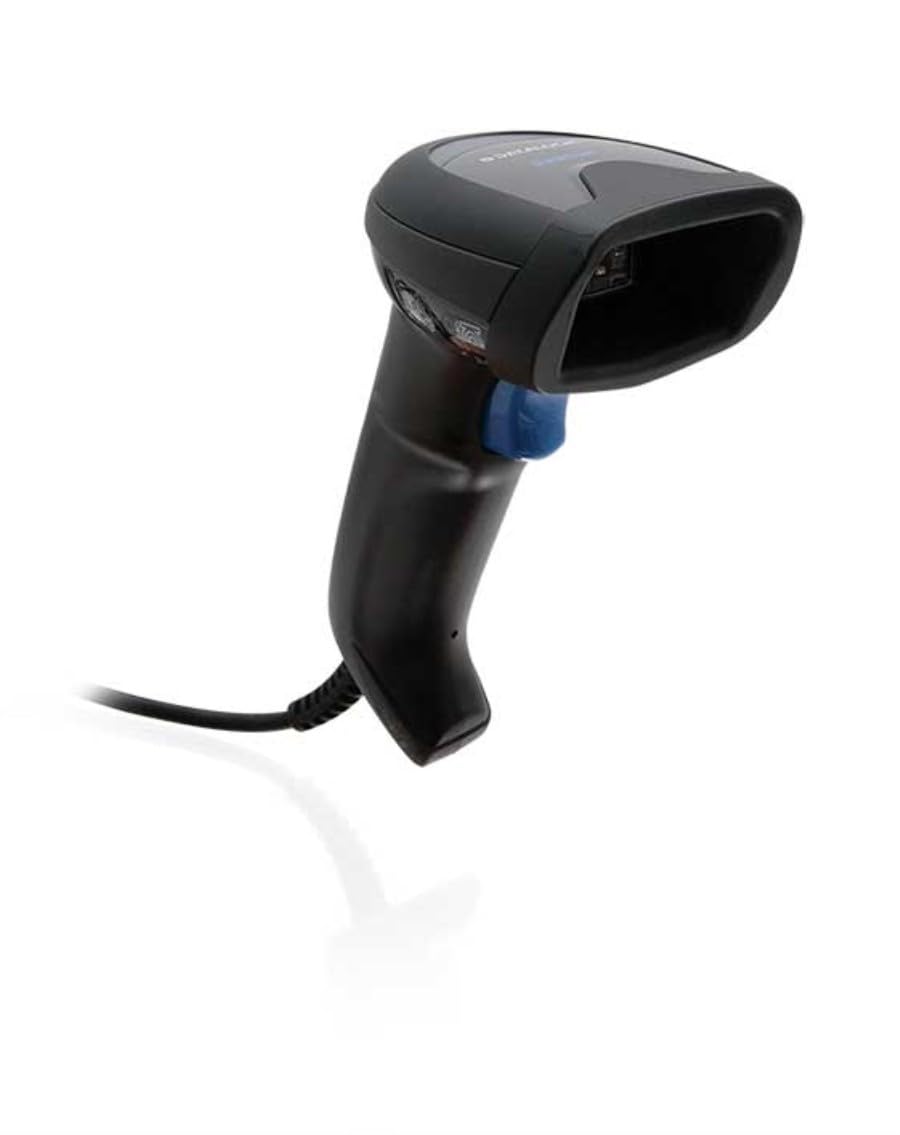
Image: The Datalogic QuickScan QD2590 scanner showing its wired connection.
Mengendalikan Pengimbas
1. Basic Scanning Procedure
- Ensure the scanner is properly connected and powered on.
- Halakan tetingkap pengimbas pada kod bar yang ingin anda imbas.
- Press and hold the trigger button. A red aiming beam will appear.
- Center the aiming beam over the entire barcode.
- Once the barcode is successfully read, the scanner will emit an audible beep and/or the LED indicator will change color (typically green).
- Release the trigger button. The scanned data will be transmitted to your host device.
2. Scanning Feedback
- Good Read Indicator: A successful scan is typically indicated by a green LED and a configurable beep sound.
- Rasuk sasaran: The red aiming beam helps position the scanner correctly over the barcode.

Imej: Depan view of the Datalogic QuickScan QD2590, highlighting the scanning area.
Penyelenggaraan
1. Membersihkan Pengimbas
To ensure optimal performance, keep the scanner's window clean. Use a soft, lint-free cloth dampened with water or a mild, non-abrasive cleaner. Do not use harsh chemicals, solvents, or abrasive materials, as these can damage the scanning window or casing.
2. Penyimpanan
When not in use, store the scanner in a clean, dry environment, away from extreme temperatures, direct sunlight, and corrosive materials. Avoid dropping or subjecting the scanner to excessive impact.
Menyelesaikan masalah
| Masalah | Kemungkinan Punca | Penyelesaian |
|---|---|---|
| Pengimbas tidak dihidupkan. | Cable not connected properly; host device not powered on. | Check cable connections. Ensure host device is powered on. |
| Pengimbas tidak membaca kod bar. | Barcode damaged or poorly printed; incorrect symbology enabled; scanning window dirty; scanner not configured correctly. | Try scanning a different barcode. Clean the scanning window. Refer to the full product manual for symbology enablement and advanced configuration. |
| Data yang diimbas tidak betul atau tidak lengkap. | Incorrect data formatting; partial scan. | Ensure the aiming beam covers the entire barcode. Check host application settings for data formatting. |
| No audible beep on good read. | Beeper disabled in configuration. | Refer to the full product manual to enable the beeper. |
For more detailed troubleshooting and advanced configuration, please refer to the complete Datalogic QuickScan QD2590 product manual available on the Datalogic webtapak.
Spesifikasi Teknikal
| Ciri | Perincian |
|---|---|
| Nombor Model | W126053080 |
| Jenis Pengimbas | Handheld 2D Imager |
| Jenis Elemen Imbasan | 2D Imager - Red LED Sensor |
| Resolusi Sensor | 1280 x 800 piksel |
| Kelajuan Imbasan | 60 bingkai sesaat (fps) |
| Minimum Bar Symbol Width | 3 juta |
| Teknologi Ketersambungan | Wired (USB, RS-232) |
| Sumber Kuasa | DC 5V (via cable) |
| Dimensi (W x D x H) | 6.8 cm x 12.6 cm x 14.8 cm |
| Berat badan | 145 g |
| warna | Hitam |
| Peranti Serasi | Smartphone, laptop, desktop, tablet |
| Nyata View sudut | 40 Darjah |
Waranti dan Sokongan
Maklumat Waranti
The Datalogic QuickScan QD2590 barcode scanner comes with a Waranti pengilang selama 2 tahun. Waranti ini melindungi kecacatan pada bahan dan mutu kerja di bawah penggunaan biasa. Sila simpan bukti pembelian anda untuk tuntutan waranti.
Sokongan Pelanggan
For technical assistance, product inquiries, or warranty service, please contact Datalogic customer support. Visit the official Datalogic weblaman web untuk butiran perhubungan, Soalan Lazim dan sumber tambahan.
Datalogic Official Webtapak: www.datalogic.com