
Jonsbo MOD5
Manual Pengguna Sarung Komputer Permainan Mid Tower ATX Jenis Terbuka JONSBO MOD5
Model: MOD5 | Brand: Jonsbo
1. Pengenalan
The JONSBO MOD5 is an innovative open-type ATX mid-tower gaming computer case designed for enthusiasts seeking high performance, extensive cooling options, and a unique aesthetic. Its robust aluminum construction and modular design provide ample space for advanced components, including custom liquid cooling setups. This manual provides essential information for the proper assembly, operation, and maintenance of your MOD5 chassis.

Figure 1: JONSBO MOD5 Open Type ATX Mid Tower Gaming Computer Case
2. Maklumat Keselamatan
Please read and understand all safety precautions before installing or operating the JONSBO MOD5 case. Failure to do so may result in personal injury or damage to the product or components.
- Sentiasa putuskan sambungan bekalan kuasa daripada soket dinding sebelum melakukan sebarang pemasangan, penyelenggaraan atau penyelesaian masalah.
- Wear an anti-static wrist strap to prevent electrostatic discharge (ESD) when handling internal components.
- Be cautious of sharp edges during installation.
- Do not expose the case to water or excessive humidity.
- Pastikan pengudaraan yang betul di sekitar bekas untuk mengelakkan terlalu panas.
3. Kandungan Pakej
Sahkan bahawa semua item terdapat dalam pakej anda:
- JONSBO MOD5 Open Type ATX Mid Tower Gaming Computer Case
- Kotak Aksesori (mengandungi skru, pengikat kabel, pengikat, dll.)
- Manual Pengguna (dokumen ini)
4. Produk Lebihview
The MOD5 features a distinctive open design with robust aluminum construction, providing excellent airflow and a unique visual appeal.
4.1 Ciri-ciri Utama
- Open Type Design: Maximizes airflow and showcases internal components.
- Bahan: Constructed from durable 2+3mm aluminum-magnesium alloy.
- Sokongan Papan Induk: Compatible with EATX, ATX, MATX, and ITX motherboards.
- Pembersihan GPU: Supports graphics cards up to 400mm in length.
- Sokongan Penyejukan: Extensive liquid cooling support (360x2 + 240x1 or 240x3 radiators) and air cooling (up to 180mm CPU cooler height).
- Teluk Pandu: Multiple bays for 2.5" SSDs and 3.5" HDDs.
- Pencahayaan RGB: Integrated Flank Armor ARGB strips for customizable lighting effects.
4.2 Dimensi dan Susun Atur

Figure 2: Internal Component Layout and Cooling Support
The internal layout is designed for optimal component placement and airflow. Refer to Figure 2 for a visual guide on component locations and cooling support areas.
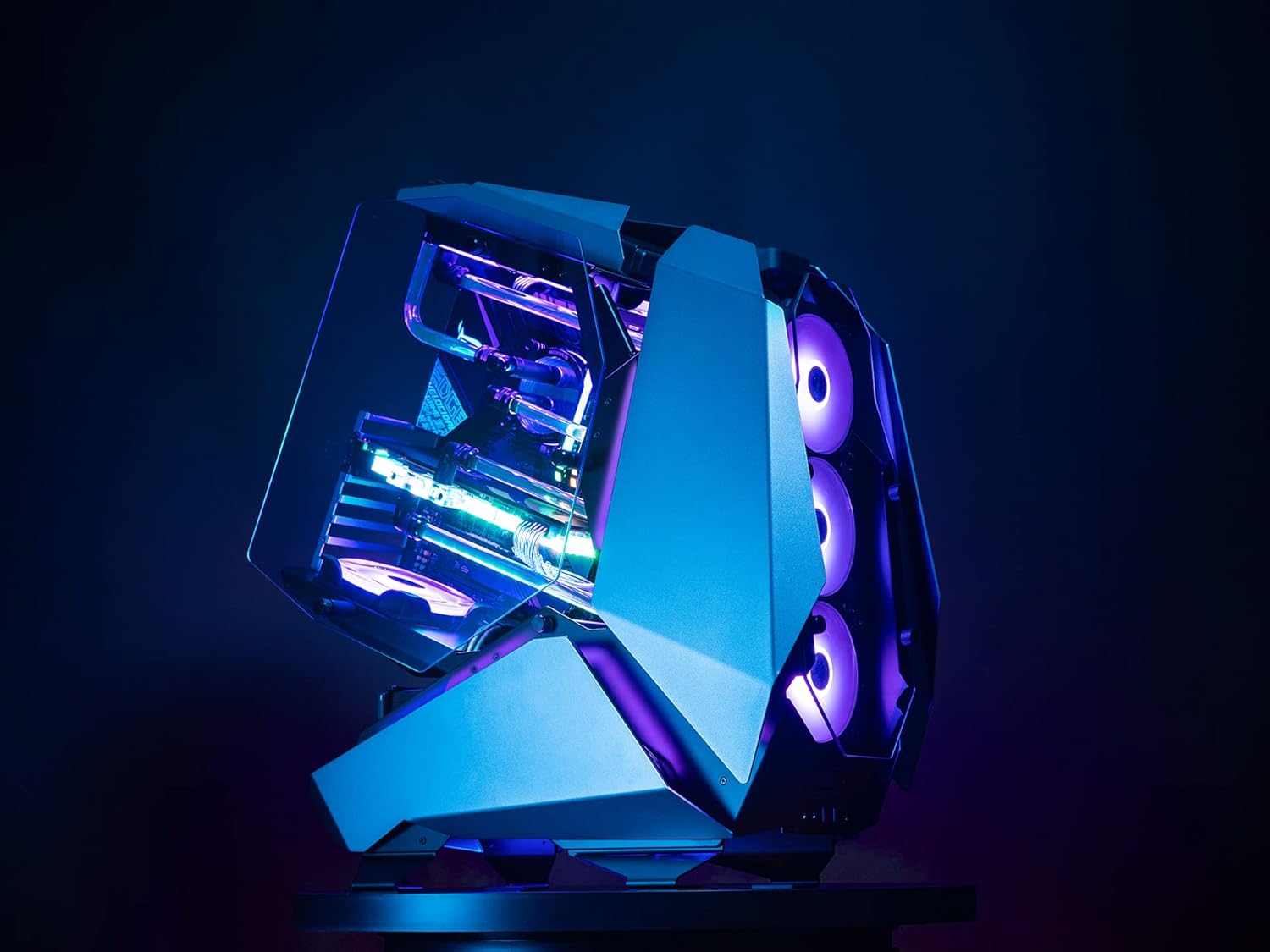
Rajah 3: Sisi View of JONSBO MOD5 Case
5. Persediaan dan Pemasangan
Follow these steps for installing your PC components into the JONSBO MOD5 case. It is recommended to install components in the order listed for ease of assembly.
5.1 Menyediakan Kes
- Unpack the case and place it on a stable, flat surface.
- Remove any protective films from the tempered glass panels.
- Identify the accessory box and familiarize yourself with the included screws and mounting hardware.
5.2 Pemasangan Motherboard
- Install the necessary motherboard standoffs into the motherboard tray according to your motherboard's form factor (ATX, MATX, ITX).
- Letakkan papan induk anda dengan berhati-hati pada penyangga, selaraskan lubang skru.
- Pasangkan papan induk dengan skru yang sesuai.
5.3 Pemasangan Unit Bekalan Kuasa (PSU)
- Locate the PSU mounting area (ATX PSII 220mm max length).
- Slide the PSU into position and secure it with screws from the rear of the case.
- Connect the necessary power cables to your motherboard and other components.
5.4 Pemasangan Pemacu Storan
- Install 2.5" SSDs and 3.5" HDDs into the designated drive bays. The case supports 2.5" SSD/3.5" HDD x3 + 3.5" HDD x1 or 3.5" HDD x4.
- Secure drives with the provided screws.
- Connect SATA data and power cables to the drives.
5.5 Pemasangan Kad Grafik (GPU)
- Remove the necessary PCIe slot covers.
- Insert your graphics card into the PCIe slot on the motherboard. The case supports GPUs up to 400mm in length.
- Secure the GPU with the retention clip and screw.
- Connect any required PCIe power cables from the PSU to the GPU.
5.6 Cooling System Installation (Fans/Radiators)
The MOD5 offers extensive cooling support:
- Penyejukan Cecair: Supports 360x2 + 240x1 or 240x3 radiators.
- Penyejukan Udara: CPU cooler height up to 180mm.
- Sokongan Peminat: Front/base supports 360 radiator or 3x 12cm fans. Top supports 240 radiators or 2x 12cm fans. Bottom supports 1x 12cm fan.
Install fans and radiators into their respective mounting points, securing them with appropriate screws. Connect fan power cables to the motherboard or a fan controller.
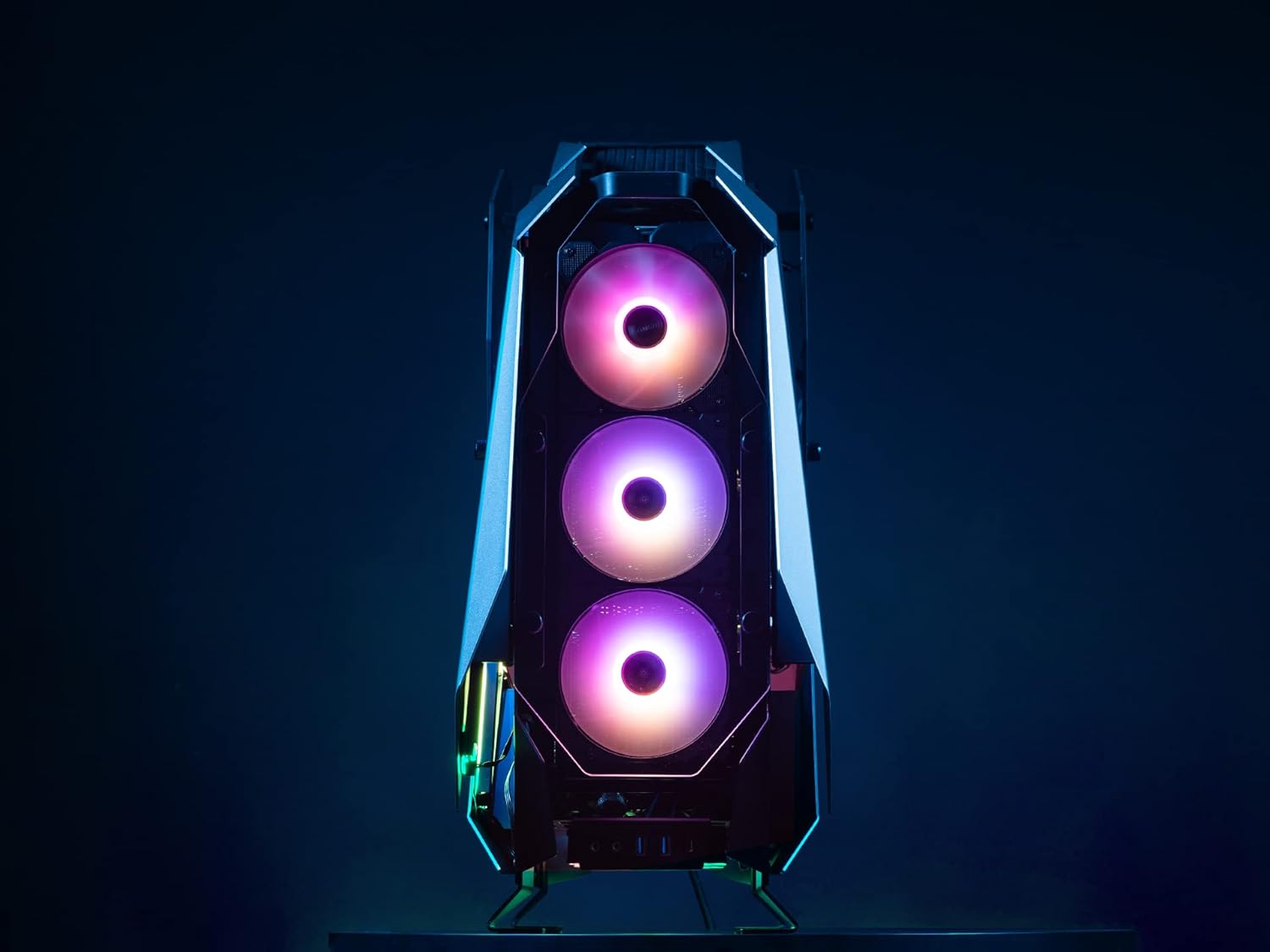
Figure 4: Front Fan Mounting Area
5.7 Pengurusan Kabel
Utilize the cable routing cutouts and tie-down points to manage cables neatly. This improves airflow and aesthetics.
6. Arahan Operasi
Setelah semua komponen dipasang dan kabel disambungkan, anda boleh menghidupkan sistem anda.
6.1 Menghidupkan
- Pastikan semua peranti luaran (monitor, papan kekunci, tetikus) disambungkan.
- Sambungkan kabel kuasa ke PSU dan soket dinding.
- Pusingkan suis kuasa pada PSU ke kedudukan 'ON'.
- Press the power button on the case to start your computer.
6.2 Front I/O Ports
The JONSBO MOD5 features convenient front I/O ports for easy access:
- 2x Port USB 2.0
- Bicu Audio (Fon Kepala/Mikrofon)
- USB 3.0 Ports (Quantity not specified in product data, typically 1-2)
- USB Type-C Port (Quantity not specified in product data, typically 1)
Video 1: Jonsbo MOD5 Open Air Case Overview
6.3 Kawalan Pencahayaan RGB
The case includes Flank Armor ARGB strips. Control of these lights is typically managed via your motherboard's RGB software (e.g., ASUS Aura Sync, MSI Mystic Light, Gigabyte RGB Fusion) if connected to a compatible ARGB header, or via a dedicated RGB controller if one is included or purchased separately. Refer to your motherboard manual for specific RGB software instructions.
7. Penyelenggaraan
Regular maintenance helps ensure optimal performance and longevity of your JONSBO MOD5 case and its components.
- Penyingkiran habuk: Due to its open design, the case may accumulate dust more readily. Regularly use compressed air to clean dust from fans, radiators, and internal components.
- Pembersihan Permukaan: Lap permukaan luaran dengan lembut, damp kain. Elakkan pembersih atau pelarut yang melelas yang boleh merosakkan kemasan.
- Pemeriksaan Kabel: Periodically inspect internal cables to ensure they are securely connected and not obstructing airflow.
8. Penyelesaian masalah
Bahagian ini menangani isu biasa yang mungkin anda hadapi.
8.1 Sistem Tidak Dihidupkan
- Ensure the PSU is switched 'ON' and properly connected to the wall outlet.
- Verify that the 24-pin ATX power cable and 8-pin CPU power cable are securely connected to the motherboard.
- Periksa sama ada kabel butang kuasa panel hadapan disambungkan dengan betul ke pengepala panel hadapan papan induk.
8.2 Fans Not Spinning / RGB Not Lighting Up
- Confirm that all fan power cables are correctly connected to the motherboard fan headers or a fan controller.
- For RGB lighting, ensure the ARGB strips are connected to a compatible motherboard ARGB header or an RGB controller.
- Check your motherboard's BIOS/UEFI settings or RGB software for fan speed and lighting control.
8.3 Components Not Detected
- Reseat the component (e.g., RAM, GPU, storage drive) to ensure it is properly seated in its slot.
- Verify all necessary power and data cables are securely connected to the component and motherboard/PSU.
9. Spesifikasi
| Ciri | Spesifikasi |
|---|---|
| Nama Model | MOD5 |
| Jenis Kes | Mid Tower |
| bahan | aluminium |
| warna | Kelabu |
| Dimensi (LxWxH) | 25 x 10 x 23.6 inci (635 x 255 x 600 mm) |
| Berat Barang | 31.9 paun |
| Keserasian Papan Induk | EATX, ATX, MATX, ITX |
| GPU Length (Max) | 400mm |
| CPU Cooler Height (Max) | 180mm |
| PSU Length (Max) | ATX PSII 220mm |
| Drive Bays | 2.5" SSD/3.5" HDD x3 + 3.5" HDD x1 or 3.5" HDD x4 |
| Sokongan Penyejuk Cecair | 360x2 + 240x1 or 240x3 Radiators |
| I/O hadapan | 2x USB 2.0, Audio Jacks, USB 3.0, USB Type-C |
10. Waranti dan Sokongan
Jonsbo products are manufactured to high-quality standards. For warranty information, technical support, or service inquiries, please contact your local retailer or visit the official Jonsbo webtapak. Simpan bukti pembelian anda untuk tuntutan waranti.
Untuk sumber tambahan, lawati Jonsbo Store on Amazon.
Ask a question about this manual
Ask about setup, troubleshooting, compatibility, parts, safety, or missing instructions. Manuals+ will review the question and use this page’s manual context to help answer it.